Export specific WhatsApp group text and image messages to excel sheet
Status: Closed · Asked by Usayed on · 0 views
Hi, Plz help me I have a WooCommerce store named: https://kidsnmom.pk/ and there i want to upload clothing products and the reason is do not upload is that I receive my products in a WhatsApp Group look like this ?
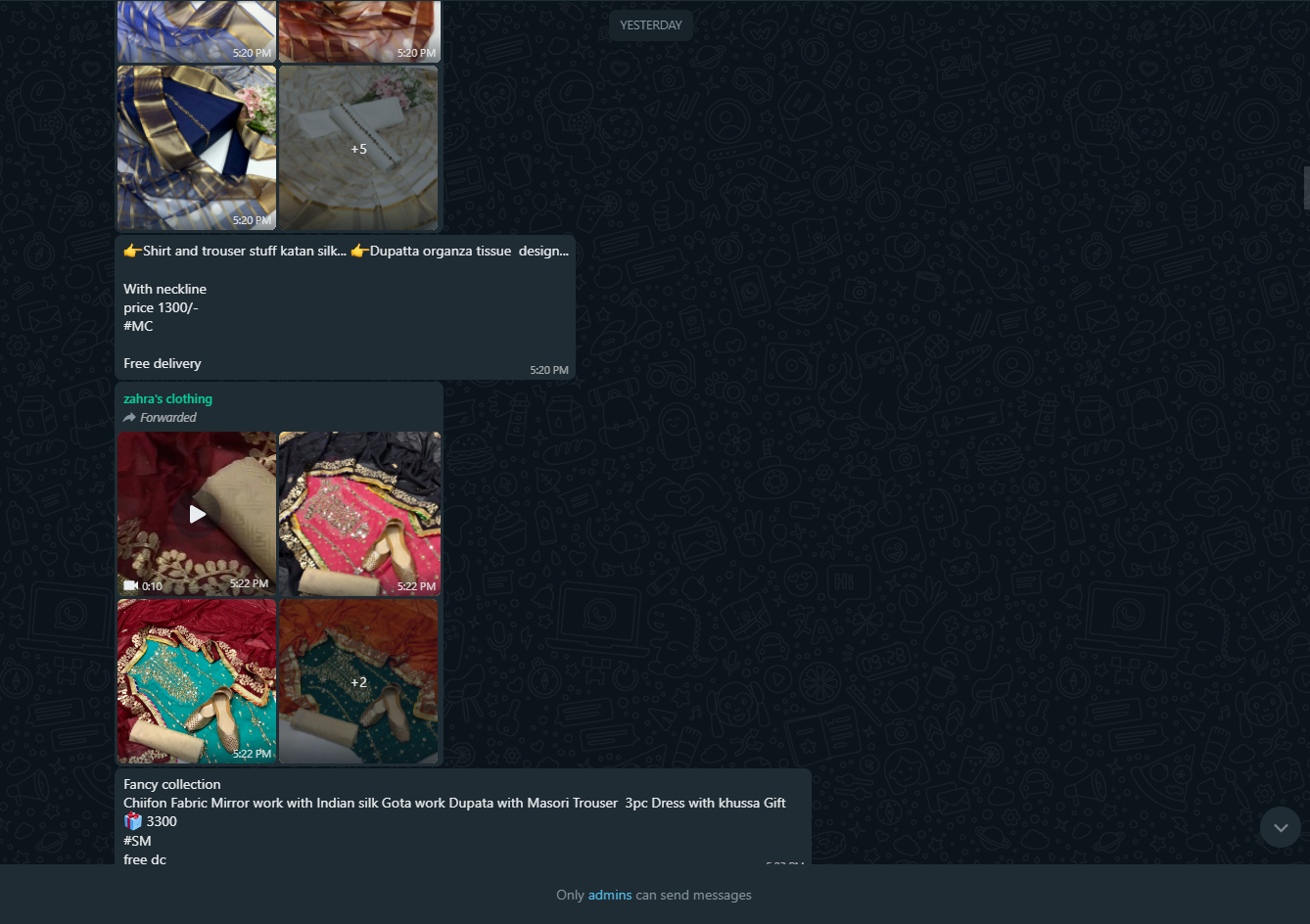
And the products i receive daily are about 100 -200 products and its difficult for me to download from WhatsApp web and then upload the products manually to the WooCommerce/store - So there is any better solution to upload products directly from WA to WooCommerce/WordPress, I have seen your this video
youtube.com/watch?v=m8tSA_mZwHU
and I thought that i will, first of all, transfers my messages included text and media to google sheets then I will upload CSV file to WooCommerce for bulk products uploadFor Now, i am doing it with Excel and manually adding the name, description, price, category, cost of the products and upload all the images to WordPress and copy their link one by one and paste into the image column
Any better suggestions - Plz help me! i have to create an automate system or an easy way to do this
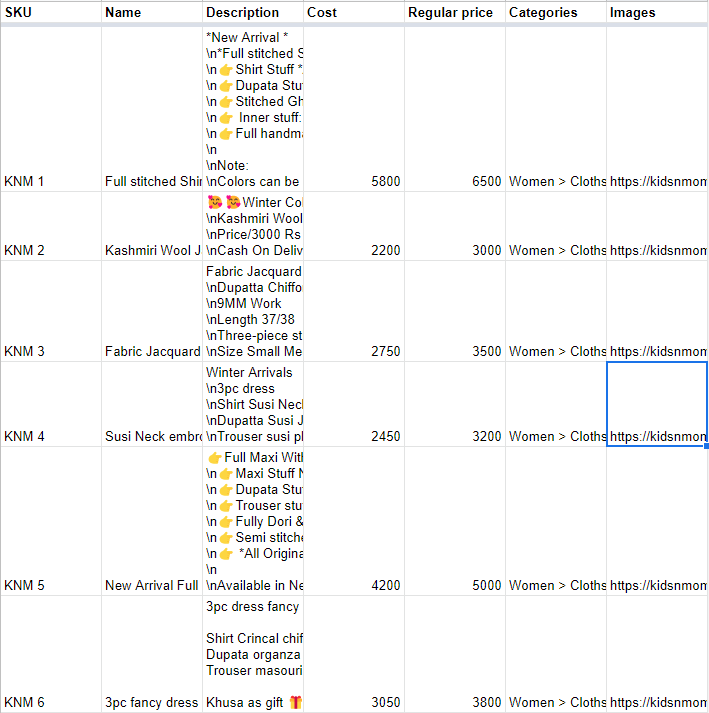
The csv file look like this
My need is that my WA group product messages were sent to google sheets with images or if possible videos too then i will set them according to column-wise after all things done I will upload it to WooCommerce
Plz reply to me as soon as possible - plz
Hey @Usayed
As per your concern, you need to pass the data in line item format which can be process with the help of "Data Transformer: Line Itemizer" action step.
You can refer to the following video tutorial on how you can use the "Line Itemizer" action step.