Extra rows are added in Google Sheets
Status: Open · Asked by fanski on · 0 views
Hey there,
I faced the issue when after an order with multiple rows (e.g. 3) Pabbly generates them with empty extra rows. What is the reason of such situation?
And one more thing. The system adds new rows at the top of the table, not at the bottom. So when the new row appears it became the first one, not the last one. Weird behaviour.
Who can help me? :)
Screenshot from the Google Sheets: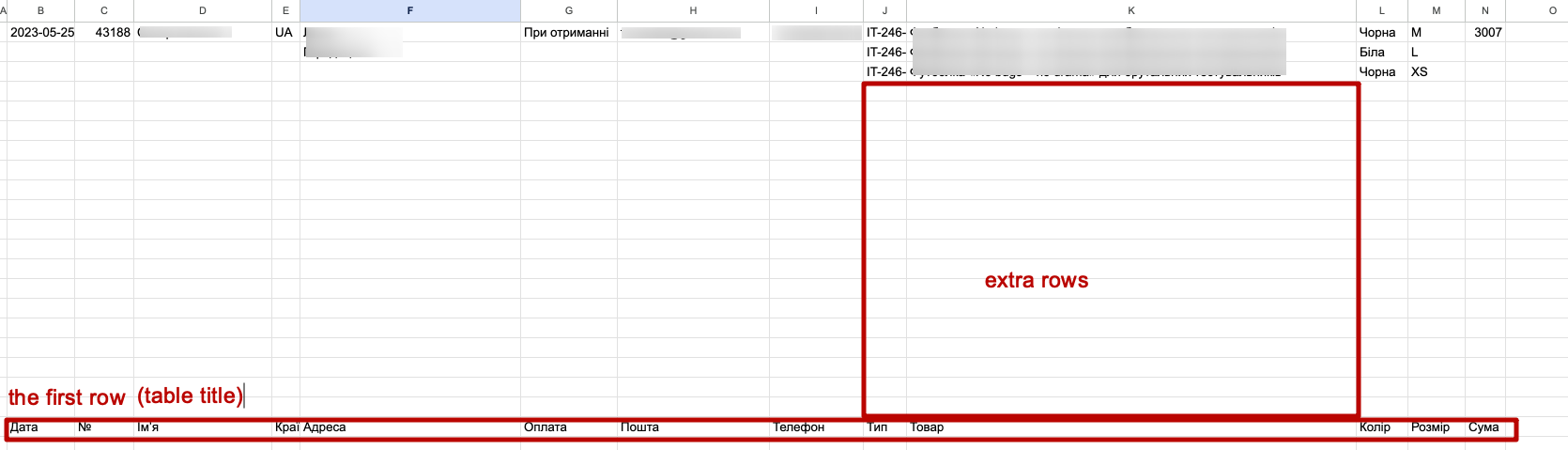
Screenshot from the Pabbly: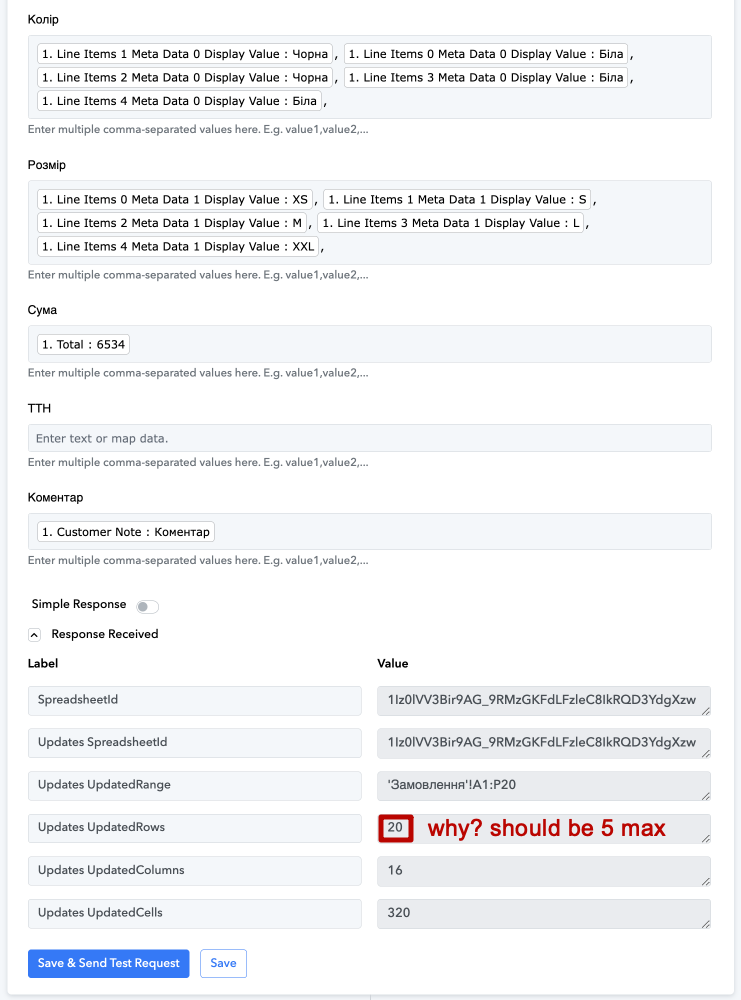
Hey @fanski,
Please grant me access to your workflow by adding me as a team member. This will allow me to gain a better understanding of your issue.
Once you have added me as a Team Member, do let us know the name of your workflow.
Email: arshil.ahmad@pabbly.com
Also, remember to revoke access once your query has been resolved.
Attaching a video for your reference:
Hey @fanski,Please grant me access to your workflow by adding me as a team member. This will allow me to gain a better understanding of your issue.
Once you have added me as a Team Member, do let us know the name of your workflow.
Email: [EMAIL]arshil.ahmad@pabbly.com[/EMAIL]
Also, remember to revoke access once your query has been resolved.Attaching a video for your reference:
The access has been provided. Thank you indeed.
Screenshot from the Pabbly:
You have 5 fields with 5 columns each, and you are passing 4 values in 4 fields. Since the action step passes the values in a comma-separated manner, it will parse each cell in all the rows every time to update the values. This results in a total of 20 updates (5 times 4).
I faced the issue when after an order with multiple rows (e.g. 3) Pabbly generates them with empty extra rows. What is the reason of such situation?
And one more thing. The system adds new rows at the top of the table, not at the bottom. So when the new row appears it became the first one, not the last one. Weird behaviour.Who can help me? :)
Screenshot from the Google Sheets:
Since the number of products a user adds to a particular order is not fixed, the way you have set up your action step may result in empty rows and lead to this unusual behavior persisting.
I would strongly suggest that you use a new spreadsheet and set up your workflow as shown in the video attached below.