Extremely slow and not enough RAM lowing workflow editing with hubspot
Status: Closed · Asked by tommykhs on · 0 views
The loading time of workflow editing is extremely slow for trigger with hubspot form submission.
It's better when I change to a computer with 32Gb Ram. But it still need to load a long time everytime I edit the following step in Google Chat customized message. And some step even dead loading til not enough RAM warning every time that I can't further it.
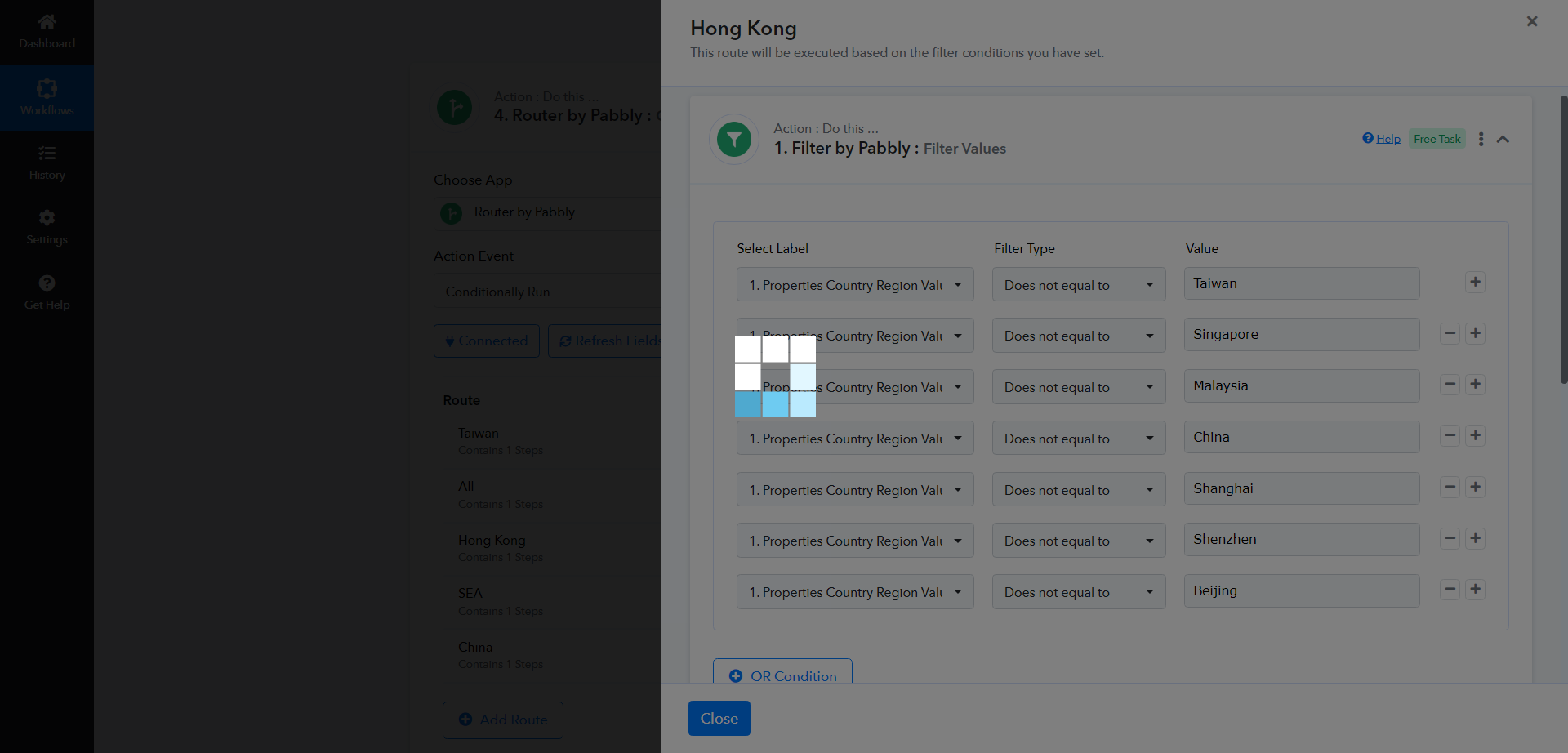
For example, the condition of this router. Please improve the speed of the platform. It's really time spending for me to edit the workflow to try many time for loading and save successfully.
https://connect.pabbly.com/workflow/mapping/IjU3NjUwNTY5MDYzNDA0MzA1MjZjNTUzMzUxM2Ei_pc
Attachments
Hey @tommykhs
I have forwarded your concern to the technical team and they are currently looking into it.
We shall notify you with an update soon.
Hey @tommykhsI have forwarded your concern to the technical team and they are currently looking into it.
We shall notify you with an update soon.
Any update? I have tried hundreds time to edit the filter condition of "Hong Kong" branch in my workflow, but still loading until error.
To address the loading problem, we suggest a workaround: splitting your workflow into two parts. Use the Data Forwarder action step to transfer your data to another workflow.