Facebook form doesn't show in Lead Gen Form drop down menu.
Status: Open · Asked by Rick Tambe on · 0 views
Facebook form doesnt show in Lead Gen Form drop down menu. The Facebook page is successfully connected and listed in drop down menu in previous step under "Page"
Hi @Rickt29,
Please try following the steps given in the video shared below and see if that fixes the issue for you.
Hi Arshil, thanks for trying to help, however, I don't seem to have permission for Business integrations because it doesn't show up under settings.
Therefore, I can't delete the app. I tried disconnecting the connection and doing a new connection. I can't understand why the pages all show up, but the Form does not. Form is live. IS there anything else that I can do or be causing the leadform not too show up??
The issue appears to be that you do not have permission to access the forms associated with the pages that are being listed. I suggest that you log in through the account that has permission to delete the application and then try again.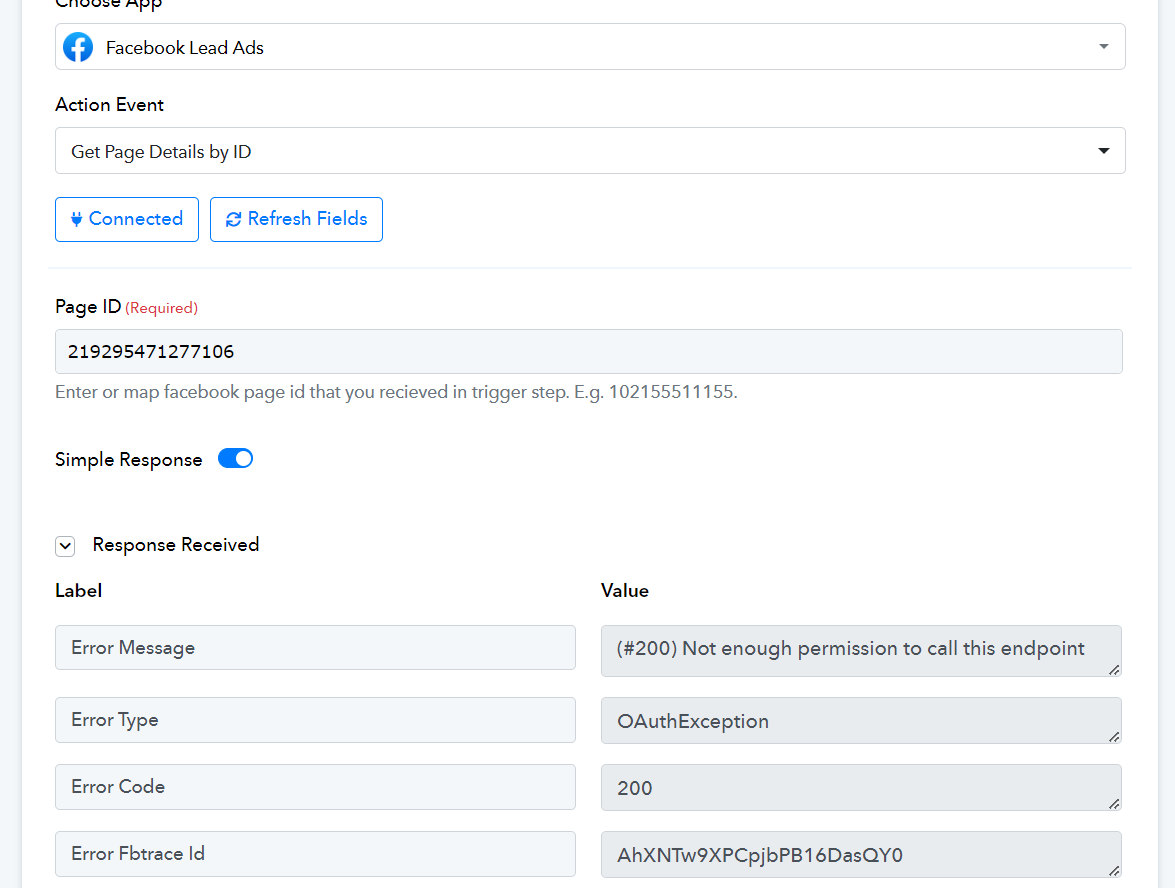
Hi @Rickt29,Please try following the steps given in the video shared below and see if that fixes the issue for you.
It didn't.....
The issue appears to be that you do not have permission to access the forms associated with the pages that are being listed. I suggest that you log in through the account that has permission to delete the application and then try again.
Please try establishing a connection with an account that has the necessary permissions as suggested above.