Facebook Lead Ad is not automatically triggering
Status: Closed · Asked by devwriter on · 0 views
Recently noticed an issue from last week 24th of July with "Facebook Lead ads: New leads " event. Noticed that none of leads that hit facebook lead form are not catched by Pabbly workflow. I have approx. 30 workflows that stopped suddenly working.
None of Facebook settings or credentials has been changed.
Strange point is that when we hit "SAVE and SEND Test Request" it pull the last lead from Facebook account correctly. This happens if I do hit that button manually.
It has been expected that it will pull that after X mins that suddenly stopped working. Though it was working fine from last 6 months. Any idea what went wrong ? Anything changed from Facebook side ? or issue/Glitch with Pabbly platform.
Hi @devwritter,
It appears that the form whose responses you are trying to capture is no longer available and is not being listed. Please select a Lead Gen form from the list and try again.
https://drive.google.com/file/d/18sFkdG3KmuXB3gvJ_dKjjZnIrXG3tk19/view?usp=sharing
Hello @ArshilAhmad
This is default behaviour, It usually doesn't show all forms once setup. To view all forms refresh the FacebookPage select field and then switch to other page and switch back, then it will show all forms.Dont know why this behaviour. Also I usually go to connection and select facebook stored connection again , that will reload the pages and form.
FYI : all forms are there and Usuallly all 30+ worflows and their forms does exist. I do confirm that form does exist.
Please try using Facebook: New Lead (Instant) trigger event and see if this fixes the issue for you.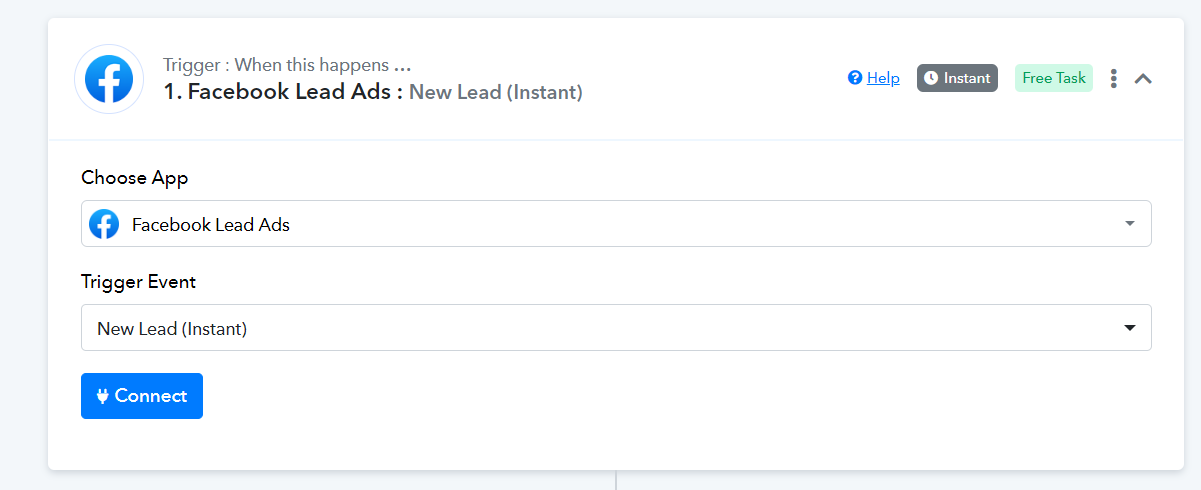
youtube.com/watch?v=zcF8Ilf1ZWE
Kindly establish a New Connection instead of using an Existing Connection.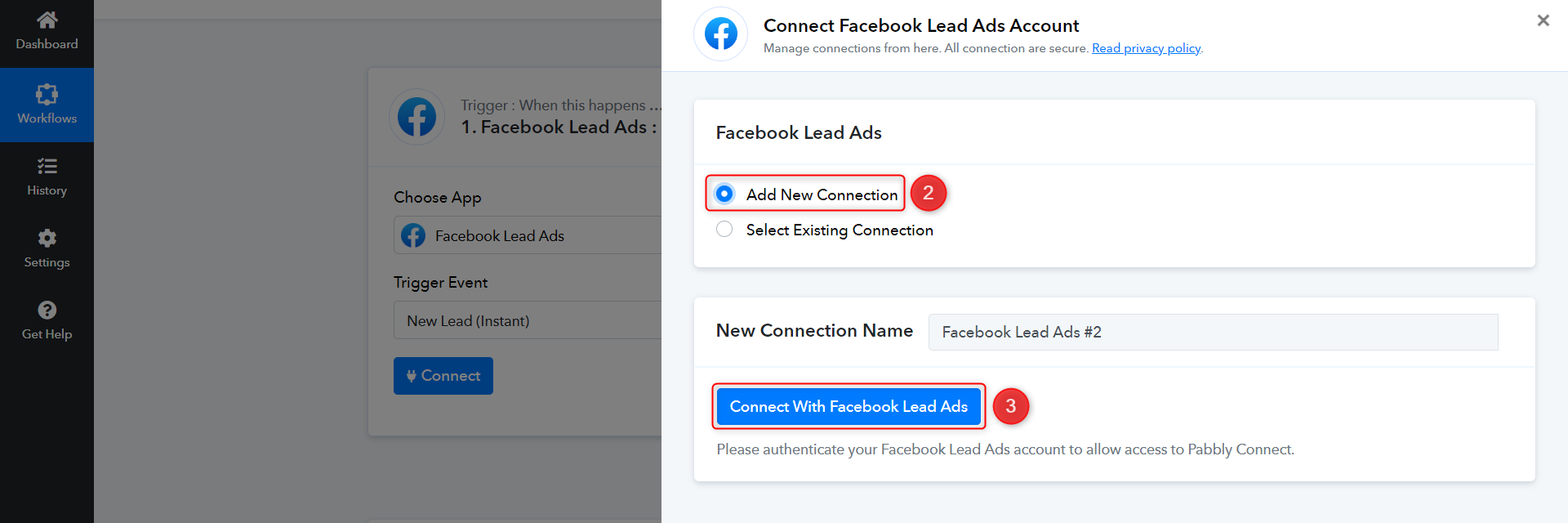
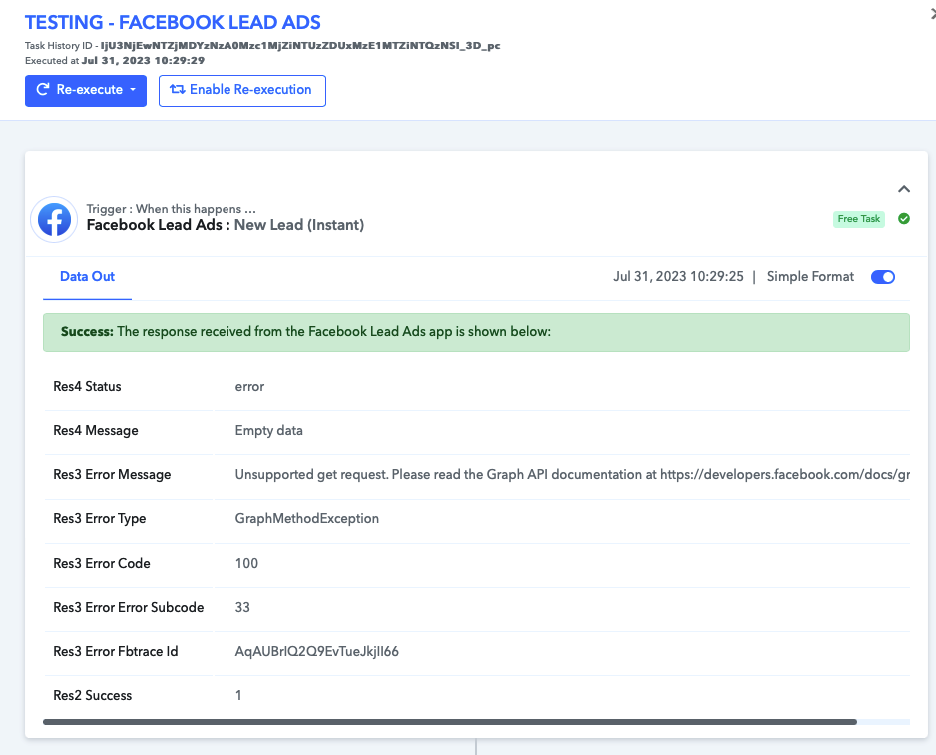
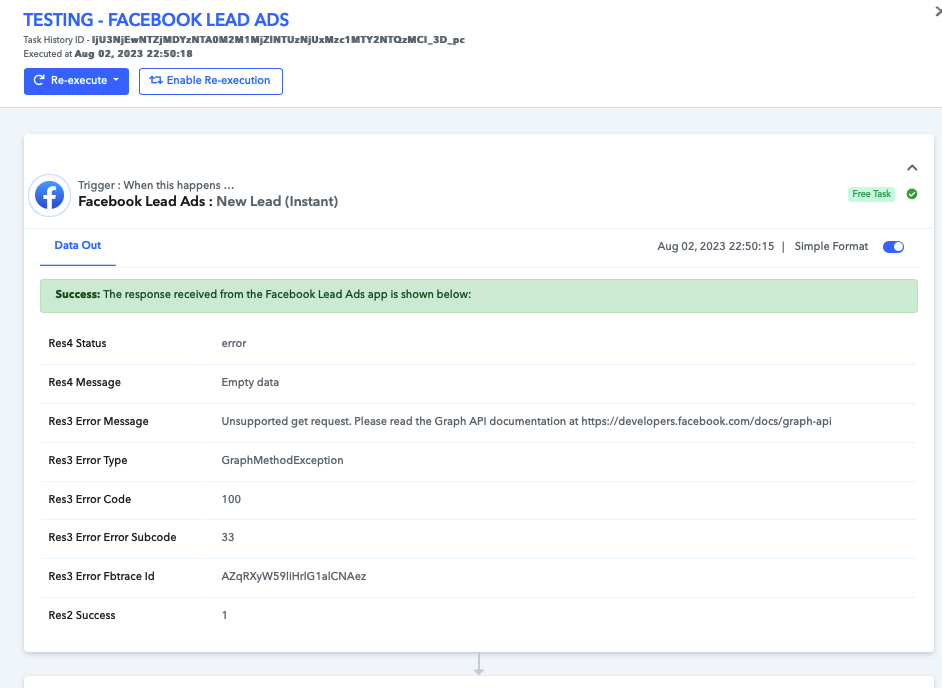
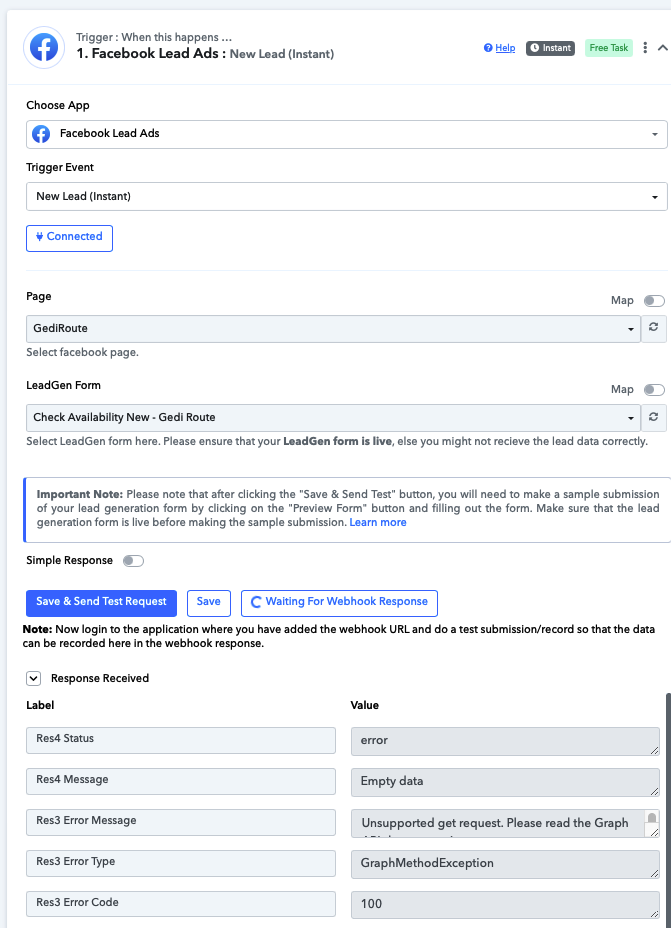
Tried same (New LEAD INSTANT ) but its throwing an below error
[TABLE]
[TR]
[TD]Res4 Status[/TD]
[TD]error[/TD]
[/TR]
[TR]
[TD]Res4 Message[/TD]
[TD]Empty data[/TD]
[/TR]
[TR]
[TD]Res3 Error Message[/TD]
[TD]Unsupported get request. Please read the Graph API documentation at https://developers.facebook.com/docs/graph-api[/TD]
[/TR]
[TR]
[TD]Res3 Error Type[/TD]
[TD]GraphMethodException[/TD]
[/TR]
[TR]
[TD]Res3 Error Code[/TD]
[TD]100[/TD]
[/TR]
[TR]
[TD]Res3 Error Error Subcode[/TD]
[TD]33[/TD]
[/TR]
[TR]
[TD]Res3 Error Fbtrace Id[/TD]
[TD]AqAUBrIQ2Q9EvTueJkjII66[/TD]
[/TR]
[/TABLE]
if I do setup New lead integration work and manually pull last lead (automatic not working or pulling leads.)
Setup a testing workflow TESTING - FACEBOOK LEAD ADS
Task History ID - IjU3NjEwNTZjMDYzNzA0Mzc1MjZiNTUzZDUxMzE1MTZiNTQzNSI_3D_pc
Still leads not able to pull automatically
Attachments
Kindly establish a New Connection instead of using an Existing Connection.
Did you make the new connection for your Facebook Lead Ad in the incognito mode of your workflow?
Yes , New connection Made , connected the Facebook account connection with different connection name. Still same issue.
Based on your Task History, your workflow appears to be functioning correctly now, and you are getting the lead from Facebook.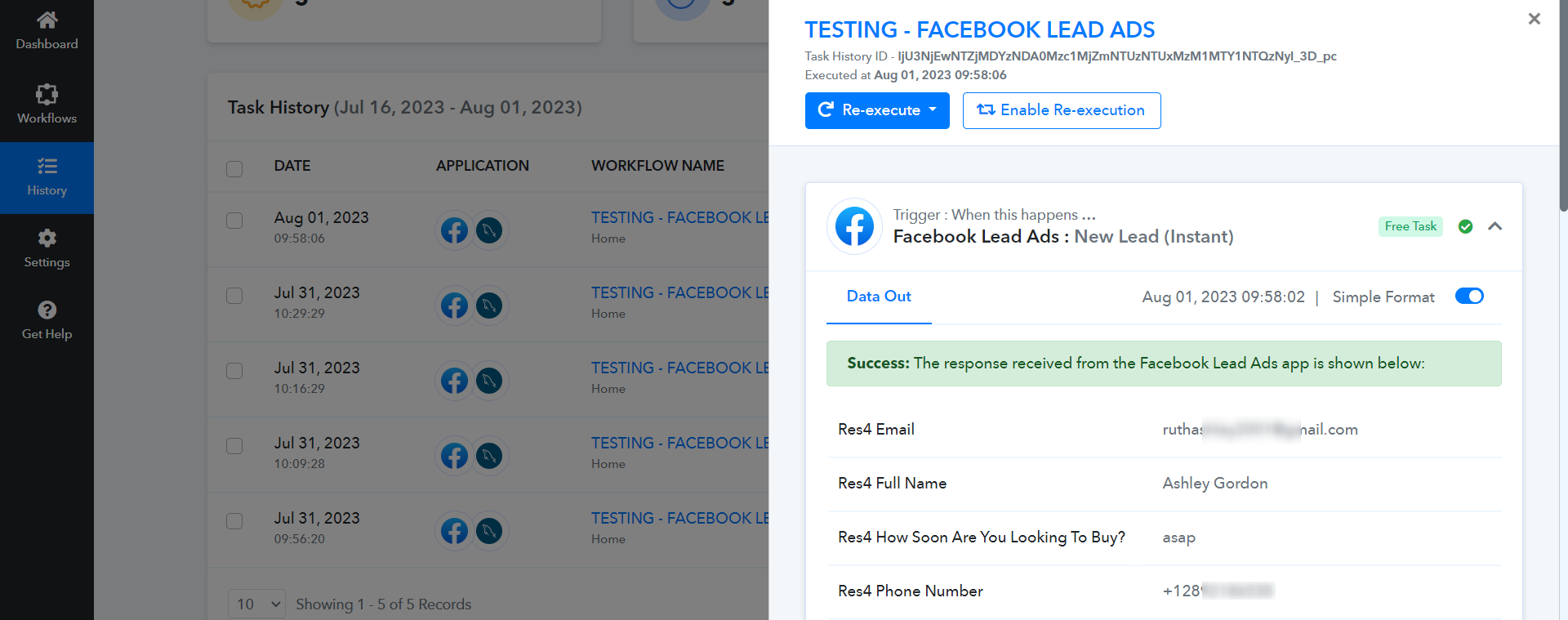
Not Sure how it pulled that. but When I have refreshed it still showing the error as well in workflow. Also we want to catch lead with "NEW LEAD" rather than "Instant Lead". For as of now, both type not working. FYI : Form is active
Attachments
Implement the following steps on this workflow:
https://connect.pabbly.com/workflow/mapping/IjU3NjUwNTZjMDYzNjA0MzQ1MjZlNTUzMzUxMzMi_pc
Please login to your Facebook and Pabbly connect account in an Incognito Tab, establish a new connection with your Facebook Lead Ads account.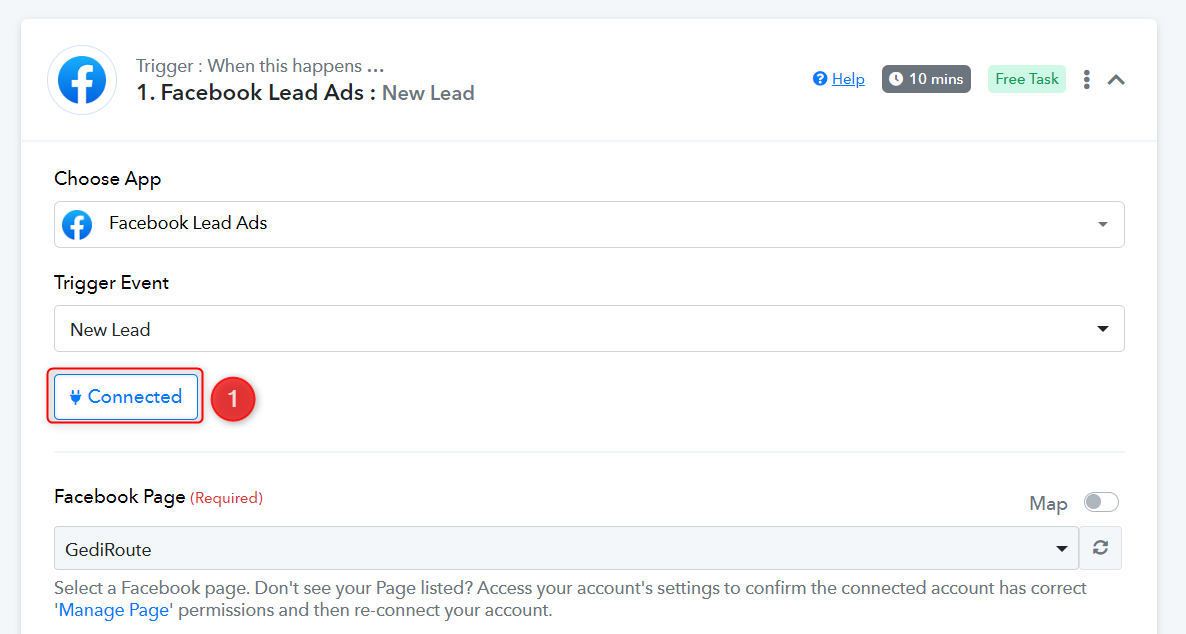
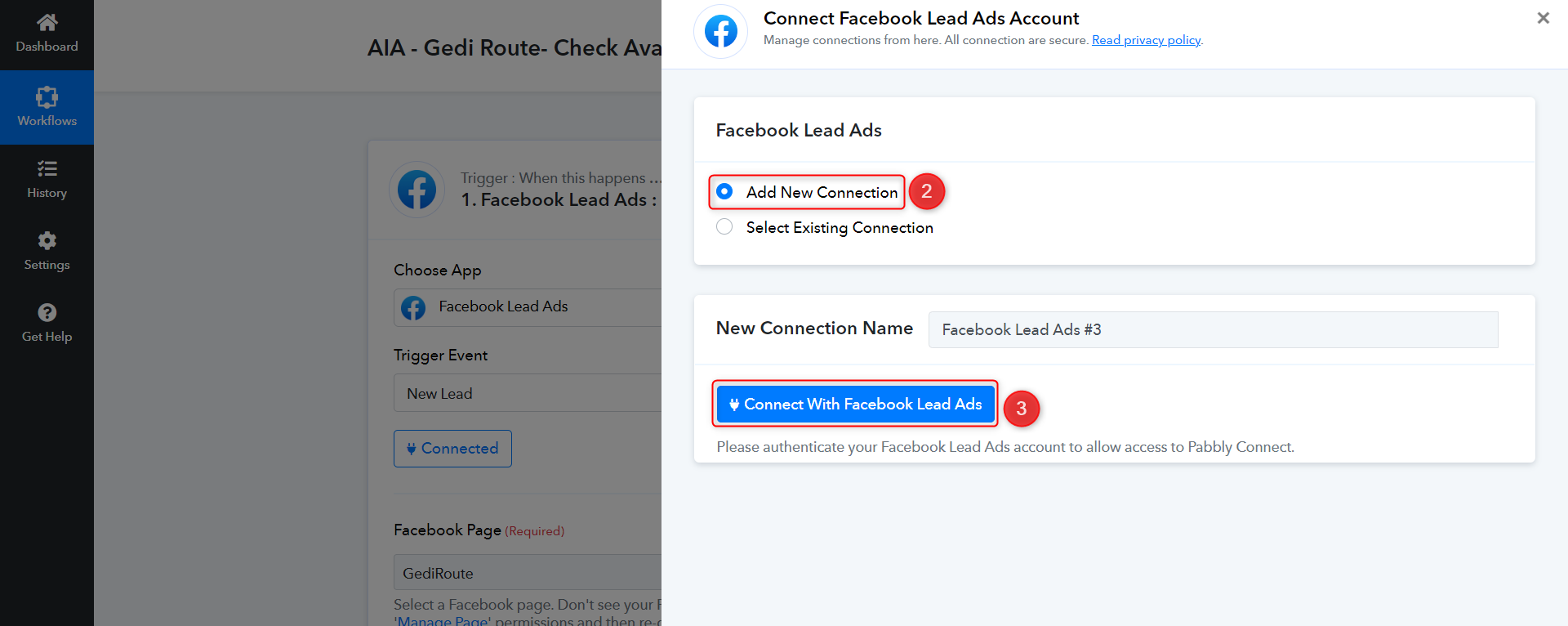
Submit a test lead, and then click on 'Save & Send Test Request'.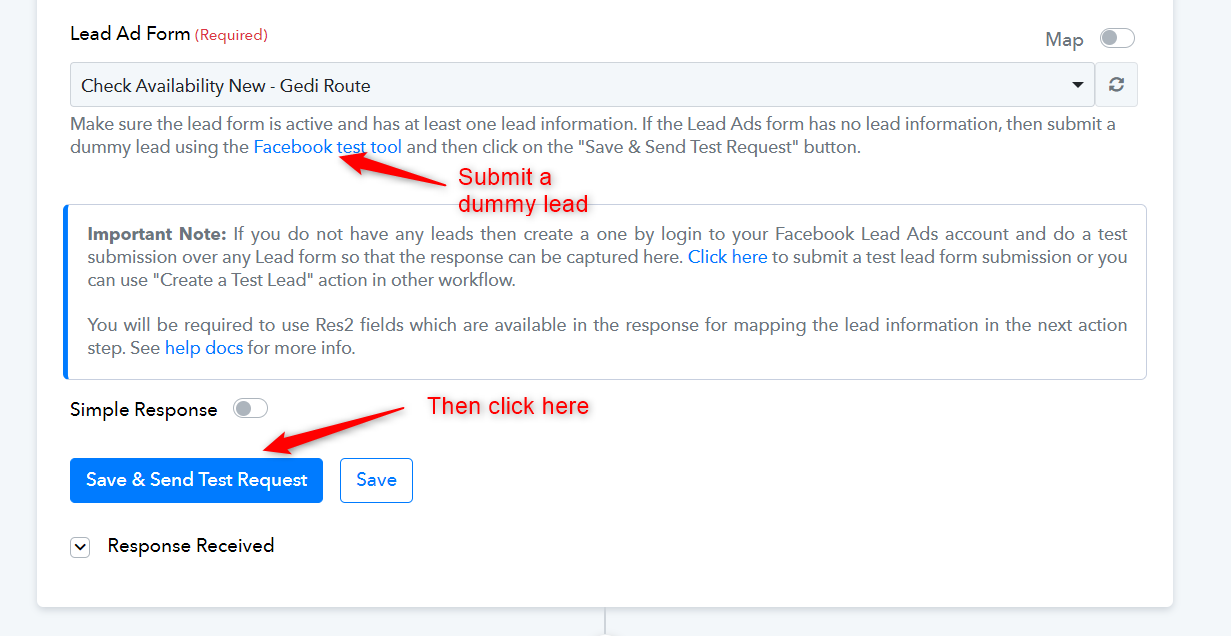
Followed all steps and did fresh connection incognito mode browser , but still no leads hit in that. Forms are valid and pull manually if hit SAVE & SEND request.
Attachments
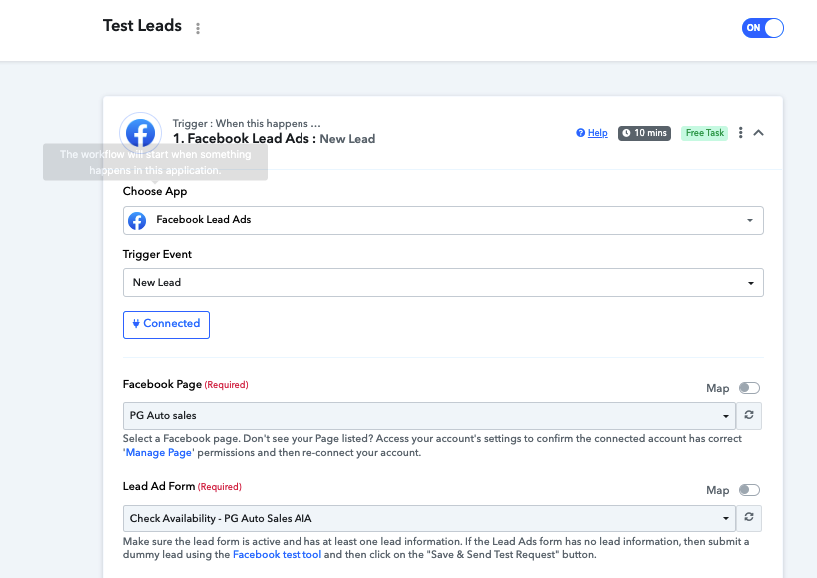
Any response from Moderator or Tech team . Production system is down as nothing working for facebook leads ads on account.
Please allow us some time to look into this. We will get back to you with an update soon.
Have you enabled 2FA for this account? If so, please disable 2FA, establish a new connection with your Facebook account, and submit a test lead.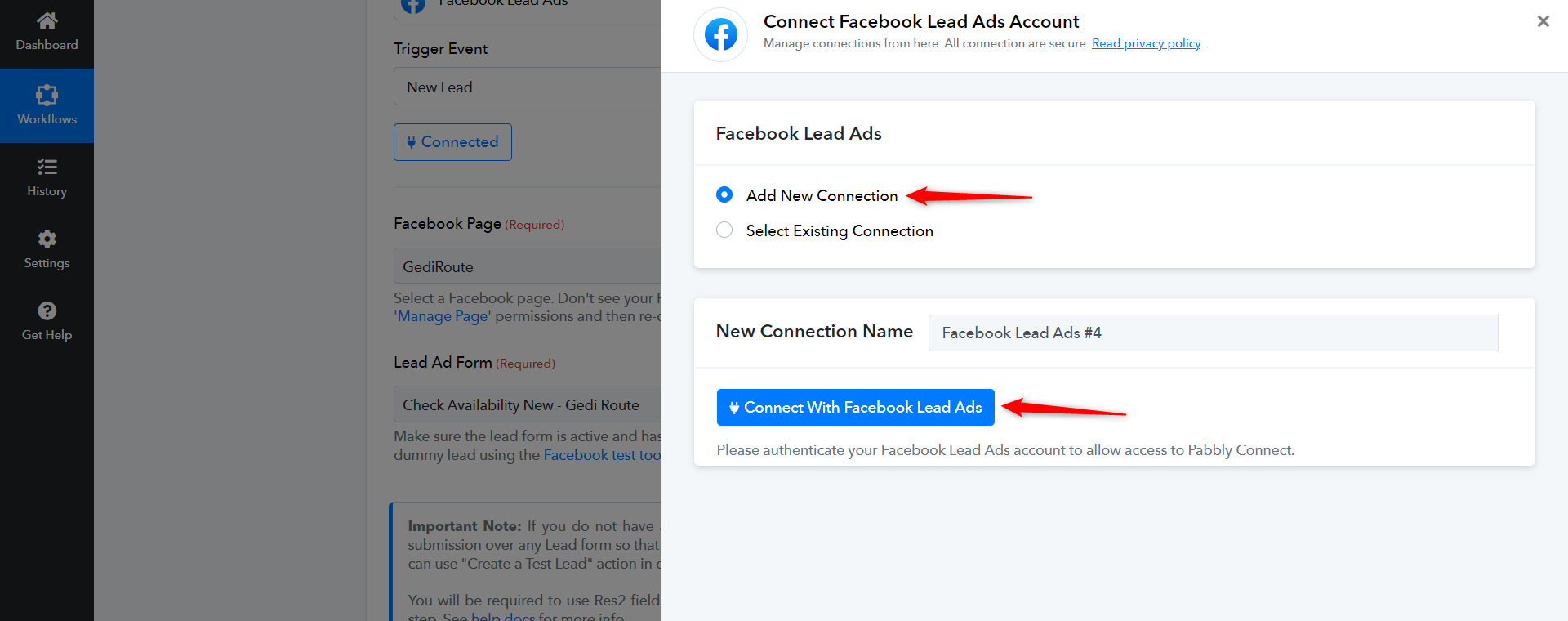
Make sure you enable the workflow as well before capturing the dummy leads.
2FA is disabled for account ( not enabled)
We have noticed that pabbly system started working after raising complaint on below ticket
https://forum.pabbly.com/threads/workflow-not-re-executing-it-shows-done-but-no-data-actually-saved.15916/#post-75537
Still not clear or explained what was the issue or recent changes brought some issue on pabbly platform.
We haven't made any changes at the backend. The only changes that were made were specific to your account, which involved establishing a new connection in Incognito Tab and submitting a test lead.
Anyways all good for now. FYI : we have change connection on 1 workflow , beside that our all old connection for Facebook on workflows are working fine. Still not clear what cause that. but all good for now. Thanks.