Facebook Lead ads and Slack
Status: Closed · Asked by ray007united on · 0 views
Hi, I have a Facebook Lead form to Slack channel notification automation set up in Pabbly Connect. The trigger did not work and I did not receive a Slack channel notification when a lead submitted the form in Facebook until I had to manually intervene. Does the polling/triggers don't work instantly?
Appreciate some insights into this. Thanks.
Hey @ray007united
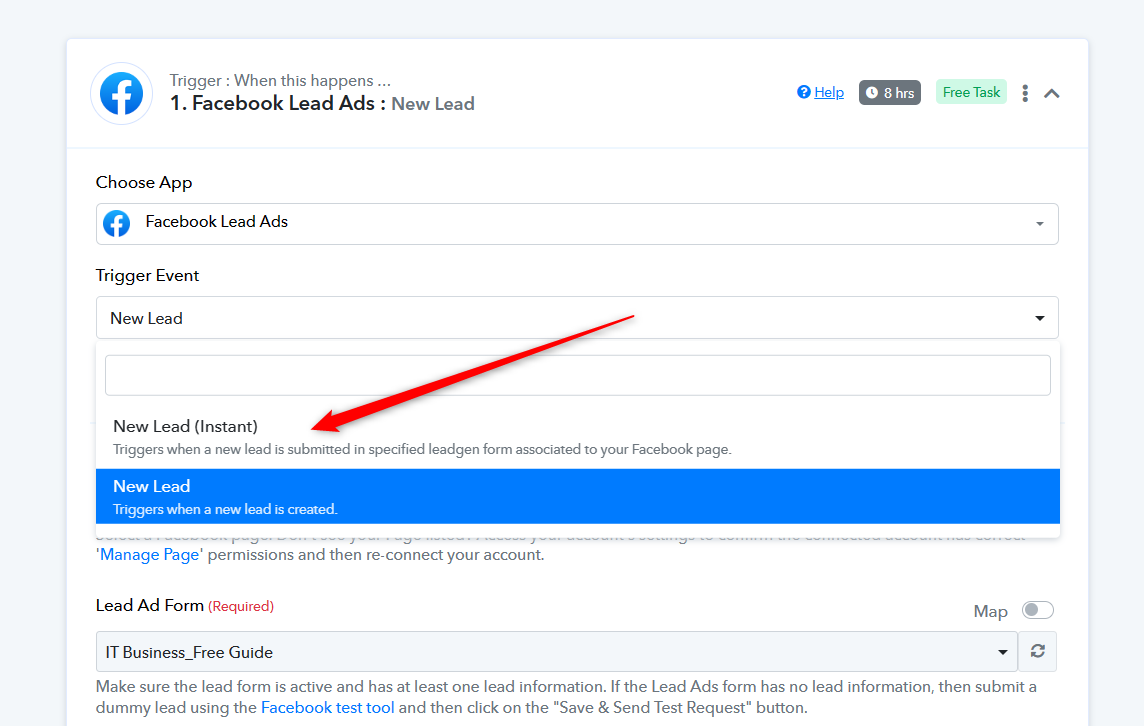
As you are currently utilizing the Facebook Lead Ad trigger event, which has an 8-hour trigger time, you have the option to consider the instant version of the Facebook Lead Ad as an alternative.
You can also refer to the following video lesson on your concerning use case.
(Watch the first part of the video on the same)
Hey @ray007unitedAs you are currently utilizing the Facebook Lead Ad trigger event, which has an 8-hour trigger time, you have the option to consider the instant version of the Facebook Lead Ad as an alternative.
You can also refer to the following video lesson on your concerning use case.
(Watch the first part of the video on the same)
Hi,
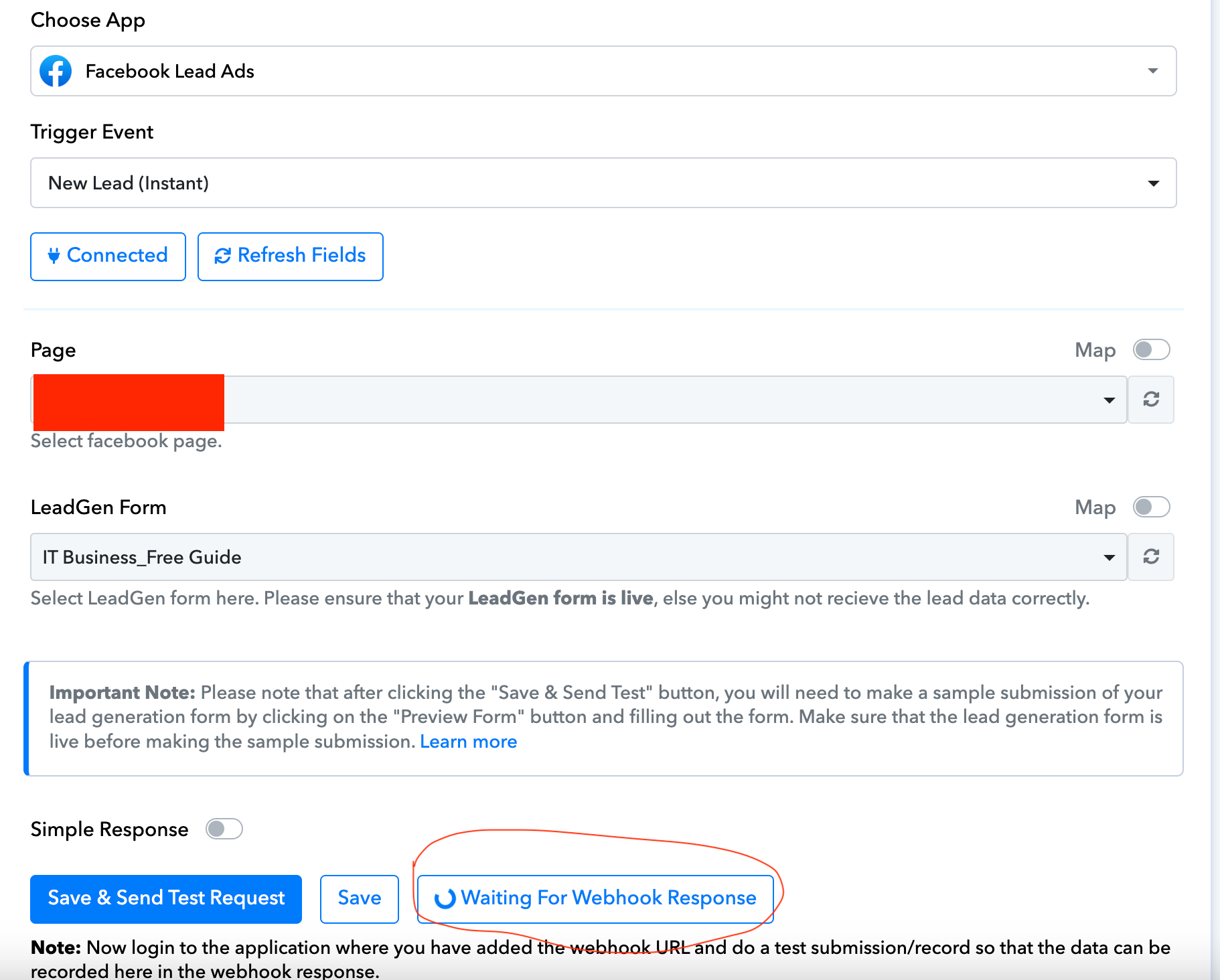
Thanks for your response and the suggestion. Yes, I am currently using the one which has an 8-hour trigger time. Am I right to assume that If I change it to the "Instant" version, It would work as expected? The reason I ask is because, when I initially changed it back and did the set up with the instant version, I noticed a message at the bottom of the page with the revolving icon - "waiting for webhook response" - Is this normal? Screenshot attached. Thanks
Attachments
Am I right to assume that If I change it to the "Instant" version, It would work as expected? The reason I ask is because, when I initially changed it back and did t
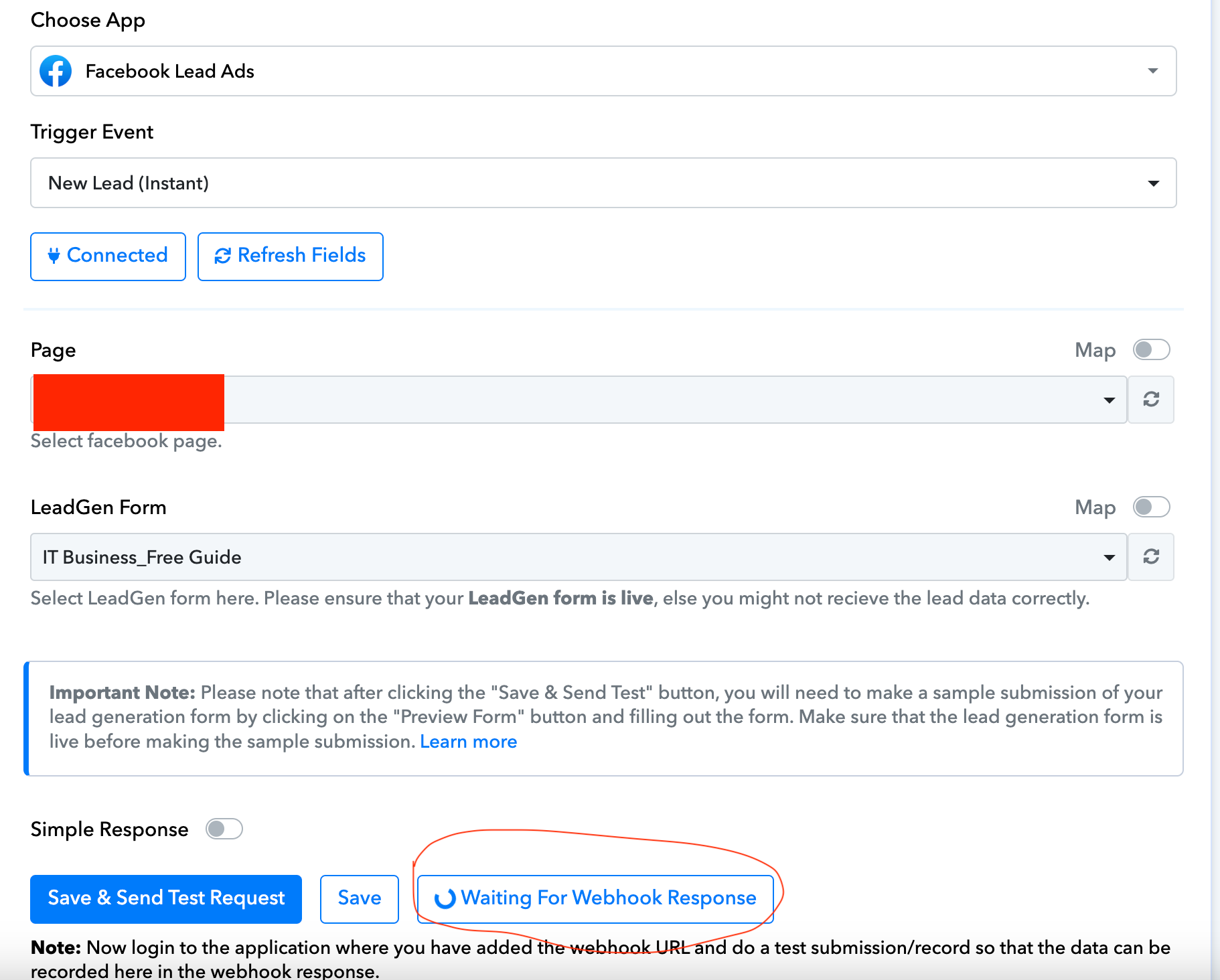
When using the Instant version of Facebook Lead Ad in your workflow, it becomes essential to perform a test lead submission from your Lead ad form. This step is necessary to capture the webhook response after clicking "Save & Send Test Request" and prevent the process from revolving the icon.
When using the Instant version of Facebook Lead Ad in your workflow, it becomes essential to perform a test lead submission from your Lead ad form. This step is necessary to capture the webhook response after clicking "Save & Send Test Request" and prevent the process from revolving the icon.
Thanks again for your response. I have managed to do so and shall contact again should there by any issues.