Facebook Lead Ads does not produce a trigger
Status: Closed · Asked by RPM627 on · 0 views
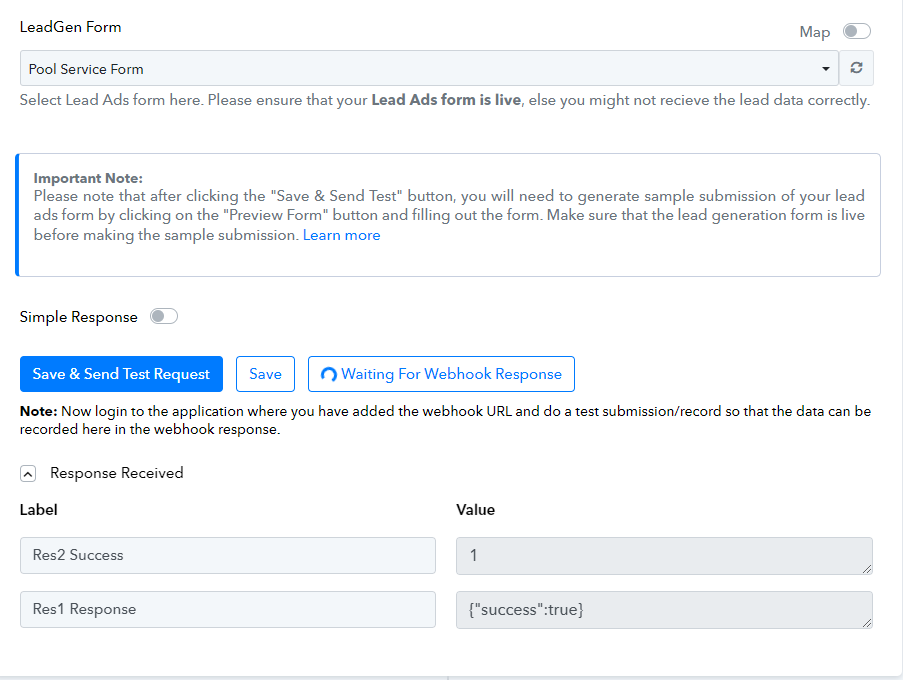
When setting up Facebook lead ads, the trigger does not work for me. I have resynced the connection multiple times, but Pabbly never receives the trigger. The waiting for webhook response box shows the spinning wheel non-stop. I have submitted test submissions as well as just wait for a live submission. But the trigger never occurs.
Please can someone provide a possible solution?
Hey @RPM627
You had captured the test lead till now from your Facebook lead ad, you need to grab an actual lead from your Lead ad Form, which is mentioned in the following video tutorial.
Hi,
So I have done this a dozen times prior to opening this thread, I did it again and nothing is received by Pabbly. I have also just left in alone and let a live person fill out the form. But again, Pabbly trigger does not catch the data.
Hey @RPM627
Can you please share the workflow URL once in which you have tried the same so that we can look into it and help you accordingly?
Hey @RPM627Can you please share the workflow URL once in which you have tried the same so that we can look into it and help you accordingly?
Here is the link...
https://connect.pabbly.com/workflow/share/WhIHNVUCUjFeFARuDl1TdA4aAQUFX1ZqVUwJG1VaAXlQHQdCVhdaMAhEVD4FSlMyVh8GbA5SAD0OGgYCAFYGdQAZUW1SUQF7WhcAew1ACzhaBAcvVTQ#
Hey @RPM627
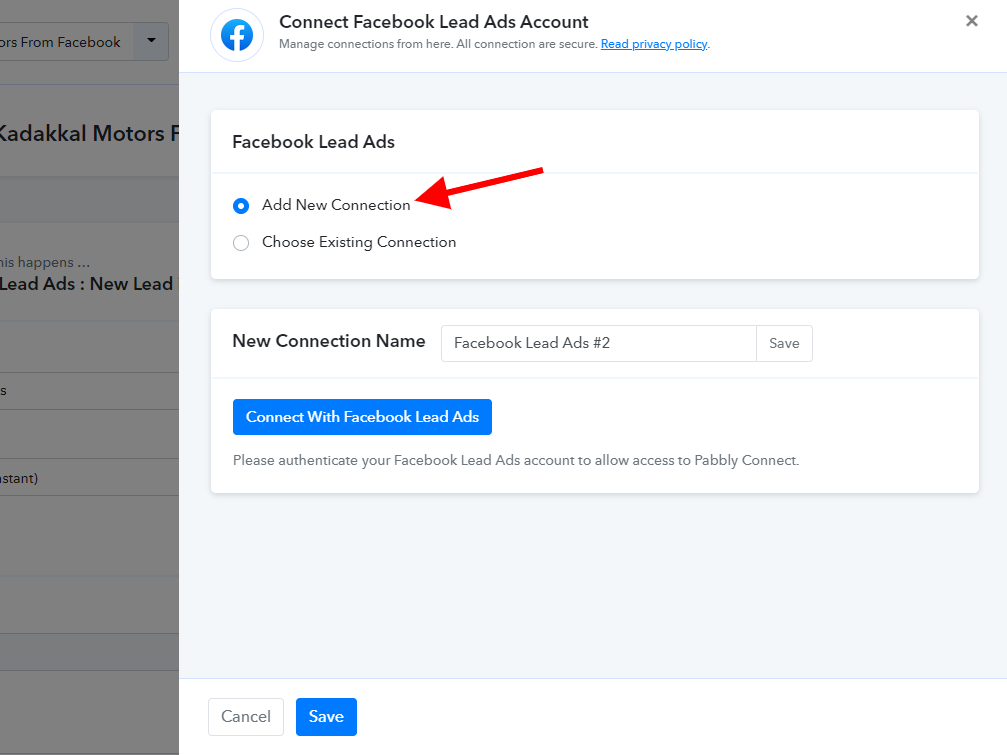
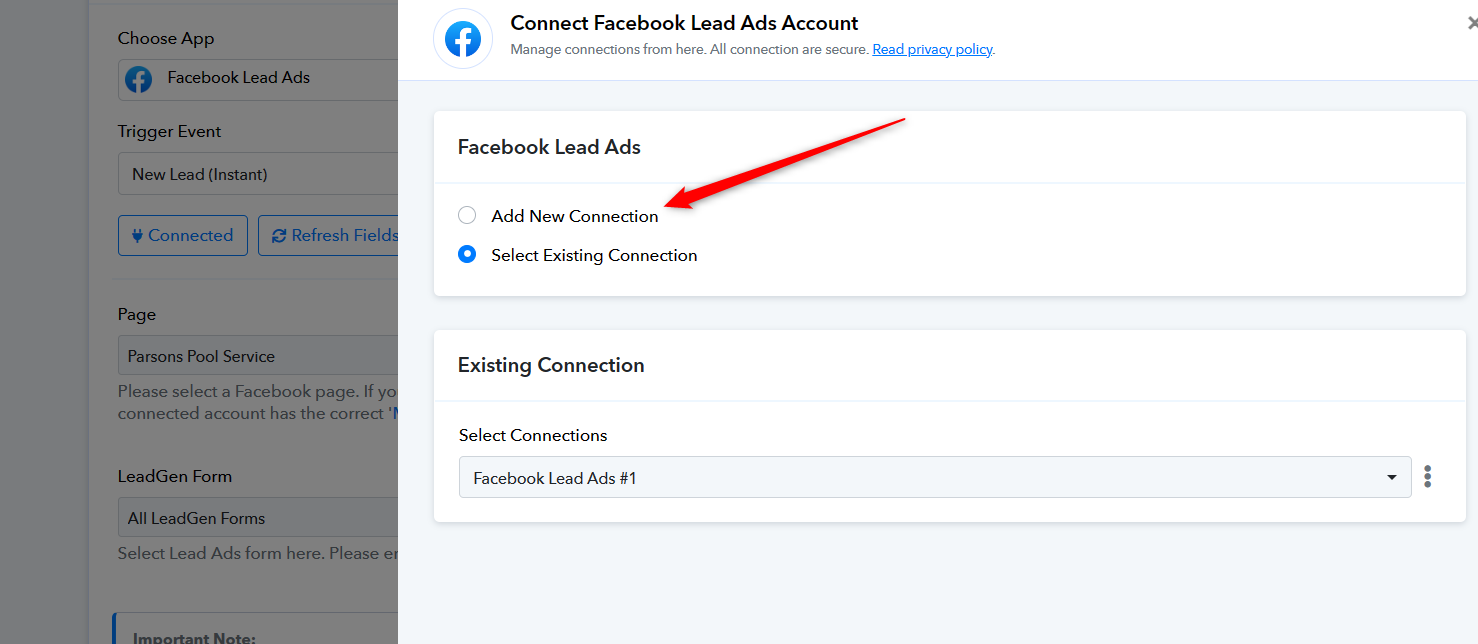
Can you please make a new connection once in incognito mode and then try capturing the Facebook Lead Ad response?
Hi @Supreme ,
Thanks, but that did not work either.
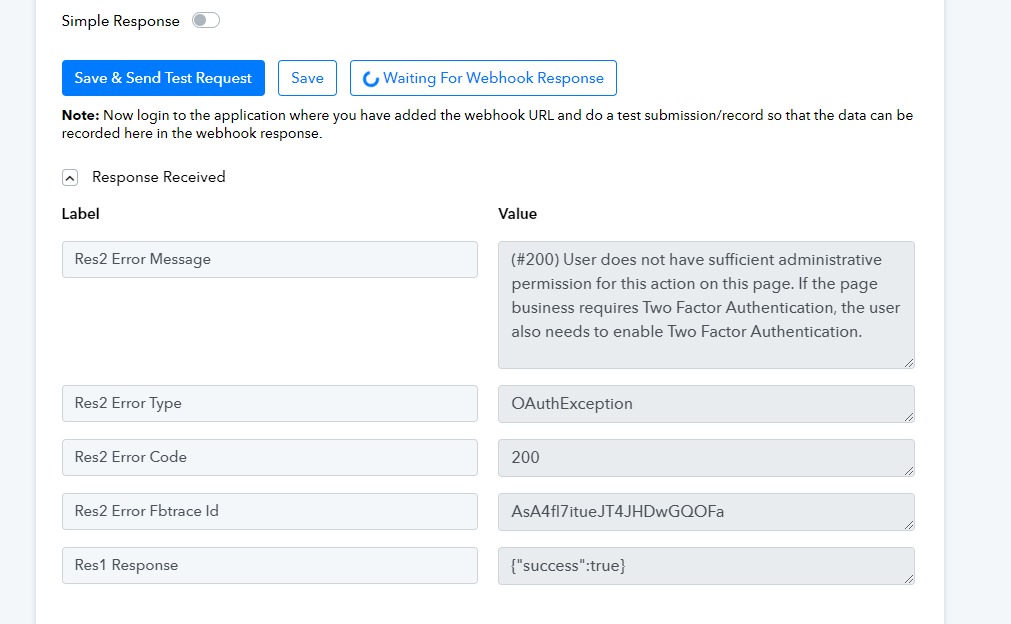
This time after connecting and selecting the send test request button I see an error message about 2 factor authentication, So then, I enabled that in Pabbly, signed out and back in. Went to the form preview and still Pabbly does not receive the data. Pictures attached.
Attachments
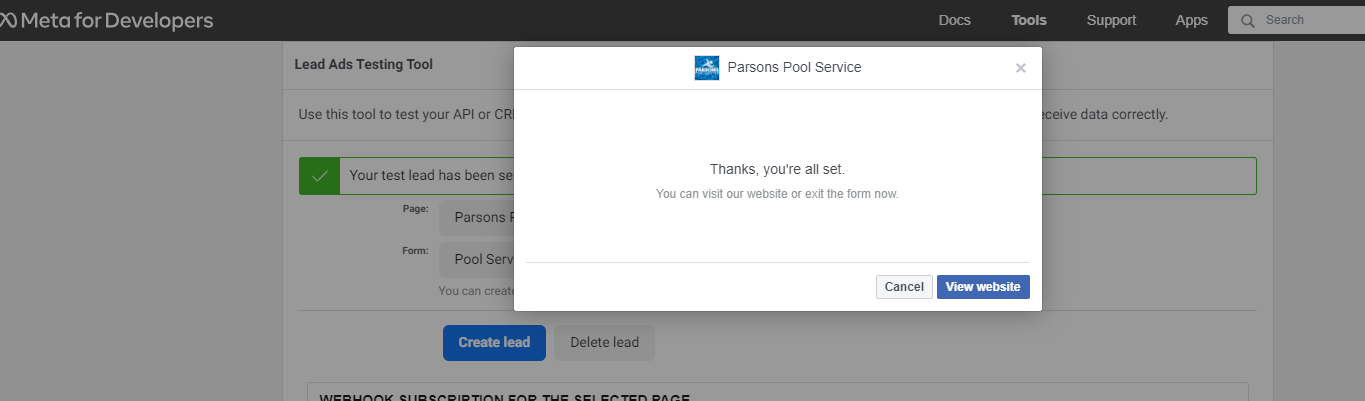

Please remove the Pabbly Connect app first -
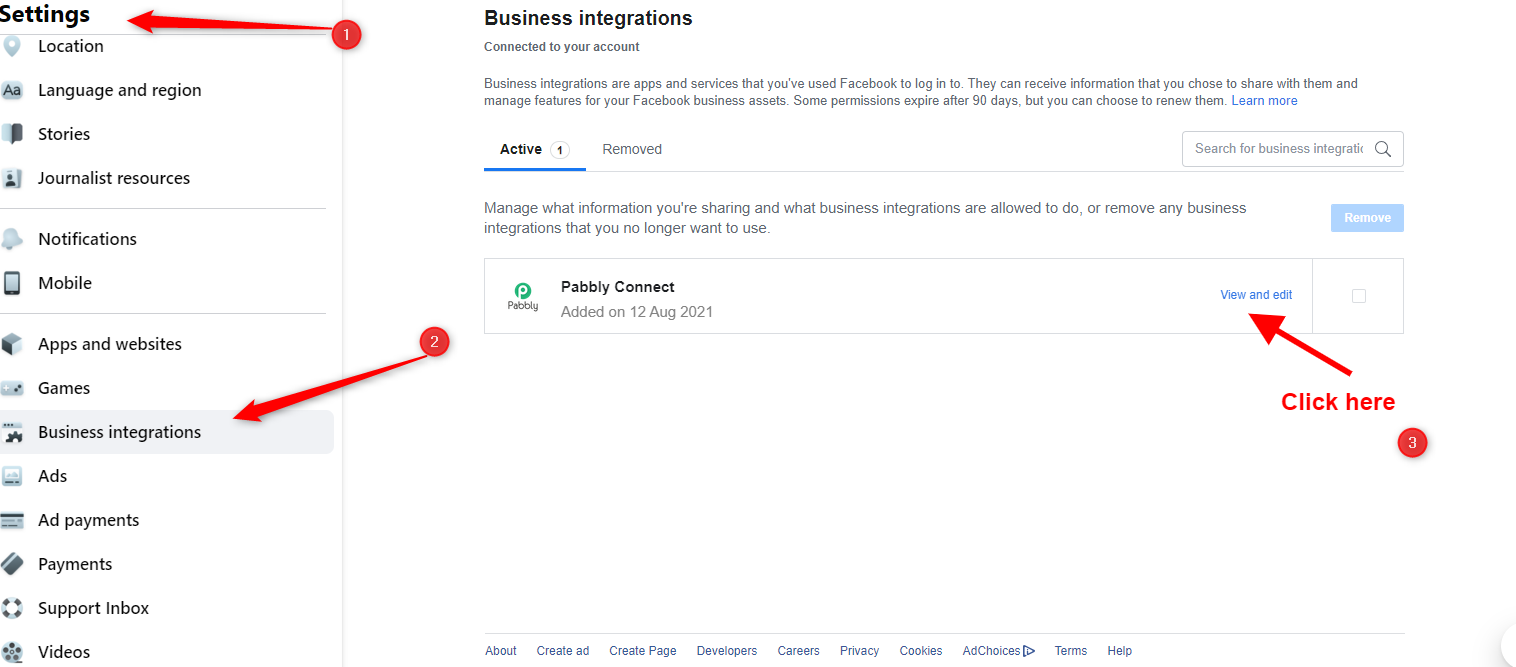
Once you have removed the Pabbly Connect app, then move to your Pabbly Connect workflow and add the Facebook account with fresh connection as shown here -