Facebook Post Schedule with Time
Status: Closed · Asked by realestatebroker on · 0 views
I am using Pabbly to schedule post for Facebook at a certain time. How can I do that. I am successful at writing the Date/Posting/ImageLink from your previous video. Thank you... However I am stuck adding to time in hours (*** if there is a record previously ****)
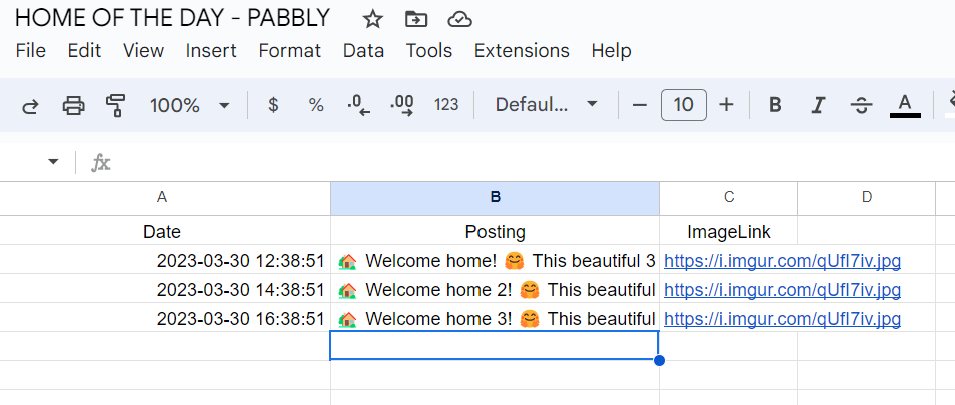
Basically what i am trying to do is post a facebook post based on a Date WITH TIME like 2pm, 4pm, 8pm etc... how do i do that. Im stuck ... here is my workflow - https://connect.pabbly.com/workflow/share/CkIDMQVSBWZTGQFsB0wEI1tPAQVXDQA5XURVR1xTBX1QClI5A0JdNwlFACJUHwRlUBkCaARbDGwNGQAEA1UJelROVWpXSAVYUGNSFwxTXHYKaA##
Hey @realestatebroker
In order to post a Facebook post on a Date at regular intervals, you can use the "Schedule" module in your workflow.
Schedule by Pabbly step allows triggering the workflow at any particular time period or at regular intervals of time. Like on a specific day, once in a day, and every minute or an hour or days or weeks.
Please refer to the below video tutorials for a better undertaking:
youtube.com/watch?v=N2mPQW8O2Pk
Can you make a video that uses scheduler + sheets and the goal is to post to facebook 3 times a day 8am - noon - 8pm
Hello @realestatebroker
Please check the below thread https://forum.pabbly.com/threads/how-can-i-set-up-date-based-workflow-triggers.12064/#post-55980
Please let me know if you have any concerns.
this does not explain much. Just make a quick video on how to do this. This is very important. many people want to schedule post thru out the day. NOT just one post a day.
Hey @realestatebroker
We request our users to first try the workflow at their end once and if they are getting stuck at any step, we will try to resolve that.
As we recommend you refer to the video tutorial mentioned.
(For similar Logic)