Facing some issues in workflow
Status: Closed · Asked by James Dang on · 0 views
I want to create a workflow only for 4th July. So I schedule it but it post instantly. After seeing this I deleted that workflow but did not delete this post from Facebook. How do I delete this post from my Page?
Hey @James Dang
If you have the post Id then you can directly delete the post from Facebook with the help of the following action step.
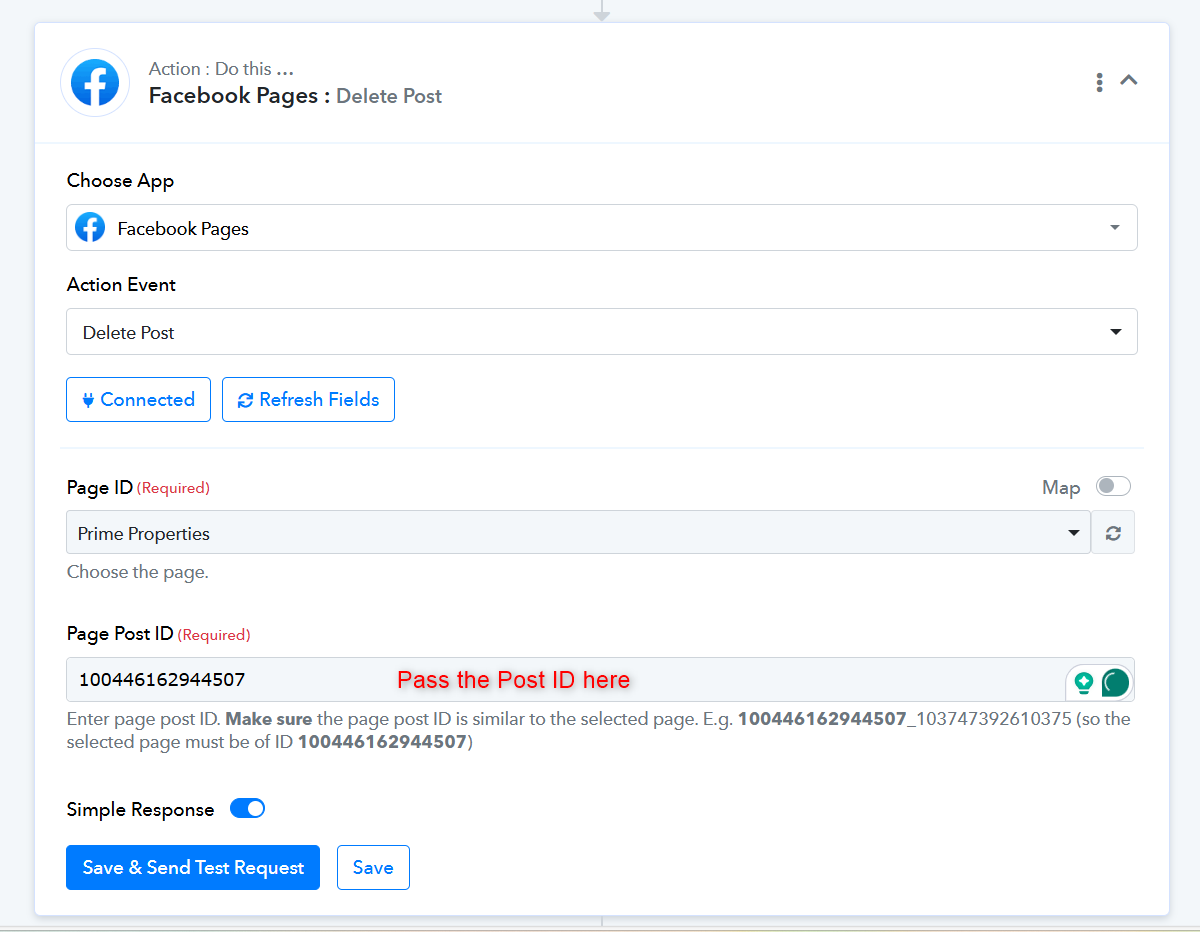
Hey @James DangIf you have the post Id then you can directly delete the post from Facebook with the help of the following action step.
How to get a Post ID and what is the step-by-step process for this workflow can you share it with me?
To delete a Facebook post, you should check the task history of the action step in your workflows if it's available, or you can delete it directly from your Facebook Pages. Otherwise, there is no alternative method to remove the post.
I'm facing some issues-
- Whenever I schedule any Facebook post it instantly posts at that time
- I am expected to post at 8:00 AM but it posts at 1:30 AM automatically after scheduled at 8:00 AM
What was the problem and how to solve this problem?
Please share the workflow URL with us so that we can review it. If you are using the Delay Until action step, you can specify the delay time in UTC format after converting it from your local time zone.