Failed to create enrollment in Tutor LMS using Pabbly connect
Status: Closed · Asked by Digital Pushkraj on · 0 views
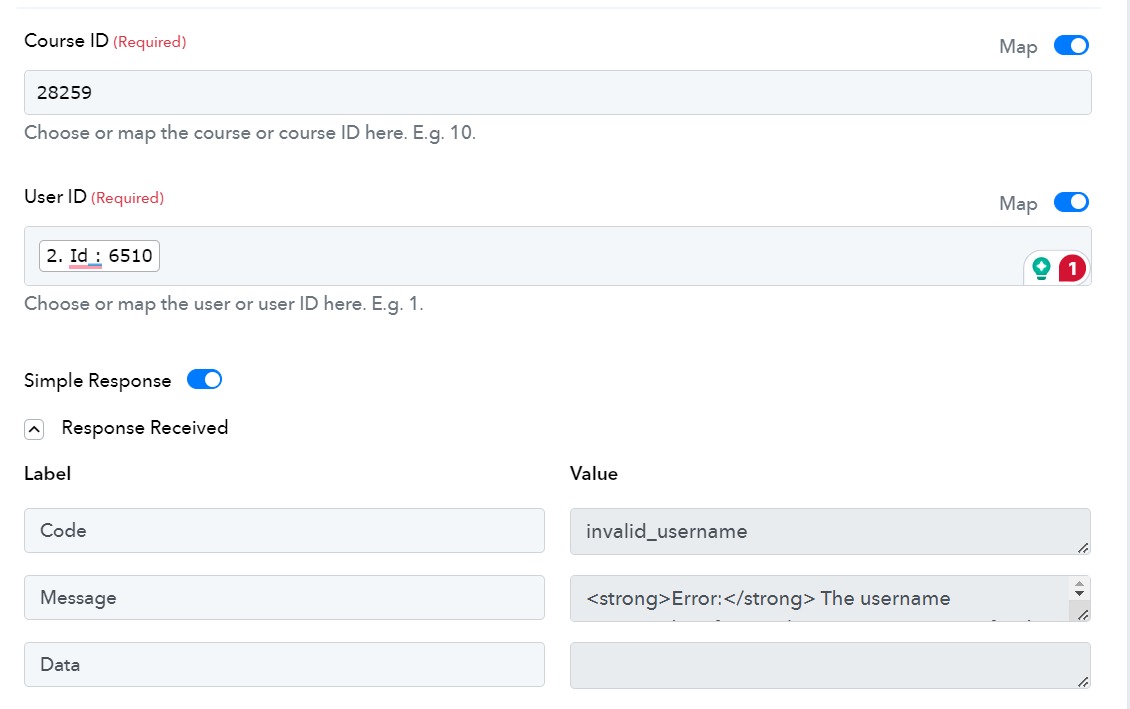
I am trying to create an enrollment in Tutor LMS using Pebbly Connect, but I am getting an error
My Connection flow is
1. Google Sheet (New or Updated Spreadsheet Row) -> Response successfully fetched
2. WordPress (Create a user in WordPress) -> User successfully created
3. Tutor LMS (Create Enrollment) -> Failed
Error:
Code -> invalid_username
Message -> Error: The username key_fcc8009b209a981510593840f76d499d is not registered on this site. If you are unsure of your username, try your email address instead.
Attachments
Hey @Pushkraj M
Upon looking into your workflow, it appears that the connection you have made for Tutor LMS is not correct, because as shown in the image below the courses created in your account are not appearing in the dropdown.
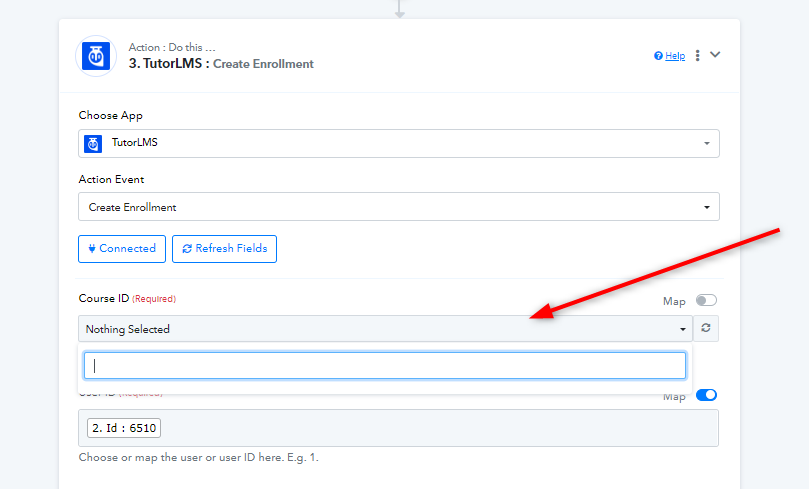
Kindly make a new connection with a new API key and try this again.