Failed to create GOOGLE sheet within workflow
Status: Closed · Asked by hugo168tm on · 0 views
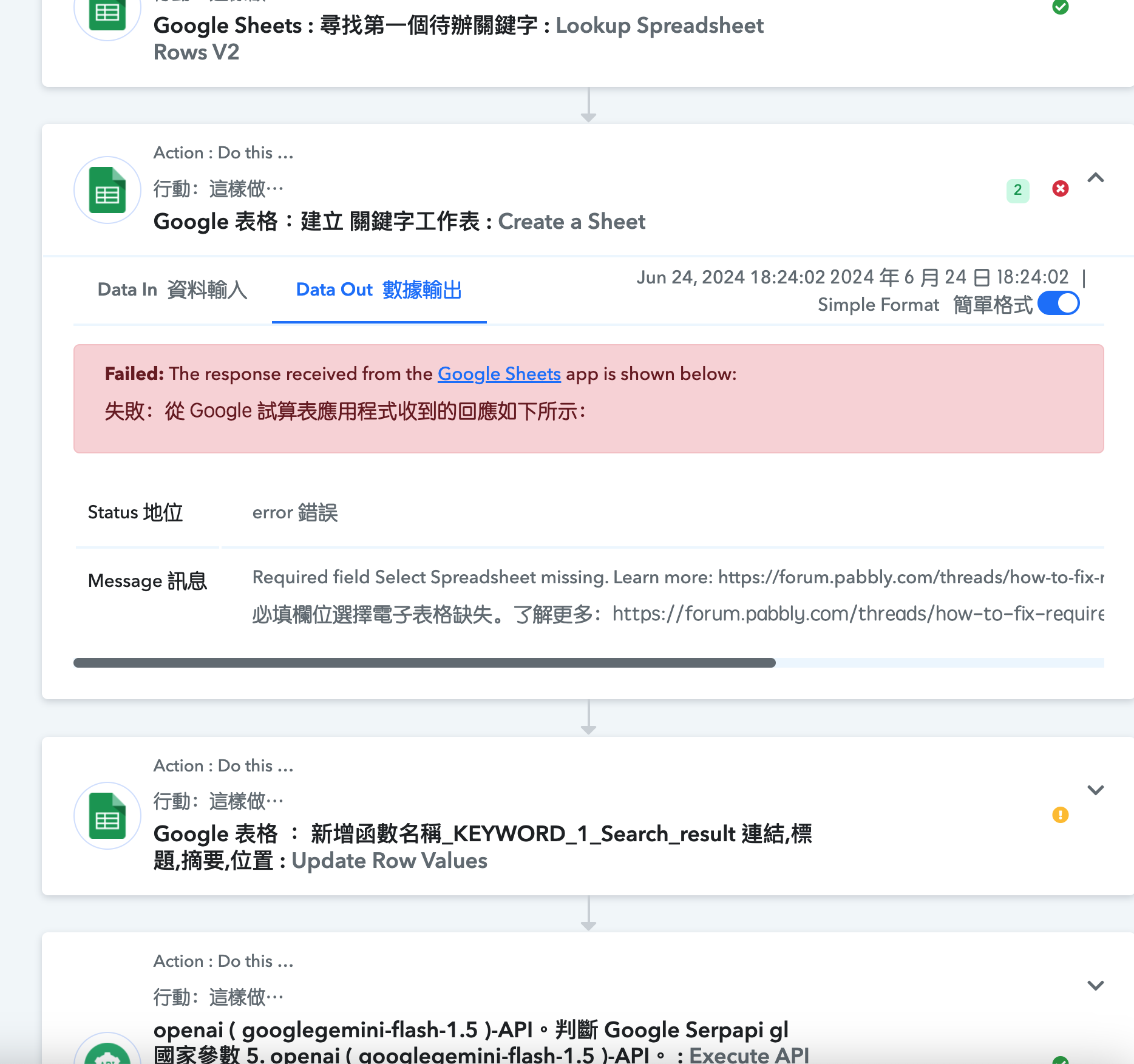
When I create a GOOGLE worksheet in test workflow A, it works perfectly, but process A finally needs to send a webhook to the next process B. When process B is completed, the webhook will also be sent back to process A to continue the loop until GOOGLE "Account Information" The C2 field of the worksheet is equal to zero. I tried many times without success. After checking the work history, I found that after the completion of process B, I failed to return to process A to continue to allude to the data in the second step to create the worksheet.
Attachments
Hey @hugo168tm
For this scenario, you can utilize a Data Forwarder by Pabbly. Additionally, you'll need to create two distinct workflows: one for handling process 'A' and another for directing the forwarded data to process 'B'. You can have a look at this video for instructions related to Data Forwarder.
youtube.com/watch?v=JwjWx7vx0hE
Further, for stopping the workflow, you need to apply a Filter which defines that the "C2 field of the worksheet is equal to zero".
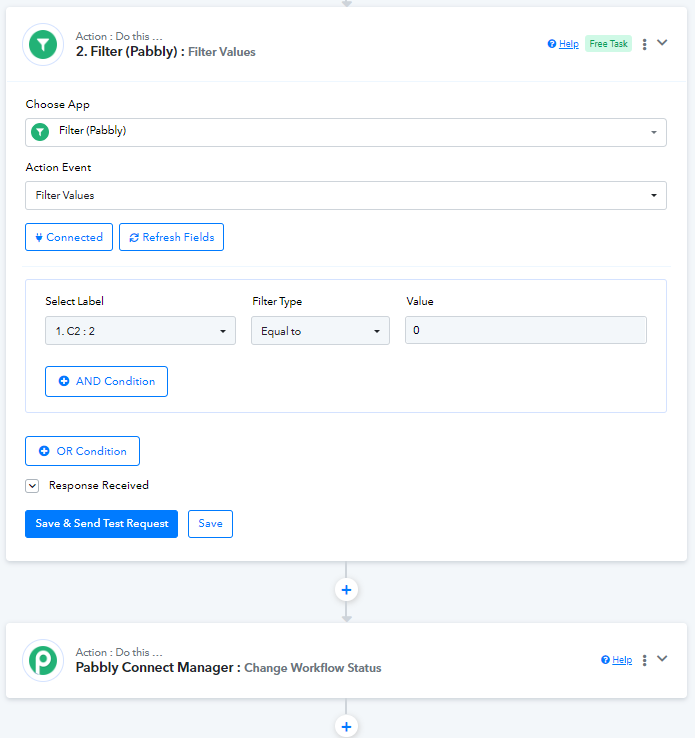
After the Filter step, use "Pabbly Connect Manager : Change workflow status" at the end of your workflow to stop it. Refer to the video below from 7:04 -
youtube.com/watch?v=Lv9Rnzoh-vY:424
Please ensure that the Filter and Pabbly Connect Manager are the last two steps of your second workflow.
Okay, I will try it slowly, thank you very much for the guidance
I have just used the data forwarder to forward customized data to process B. As one of the last steps of process B (router), I also used the data forwarder to forward customized data to process A. Still unsuccessful.??
Hey @hugo168tm
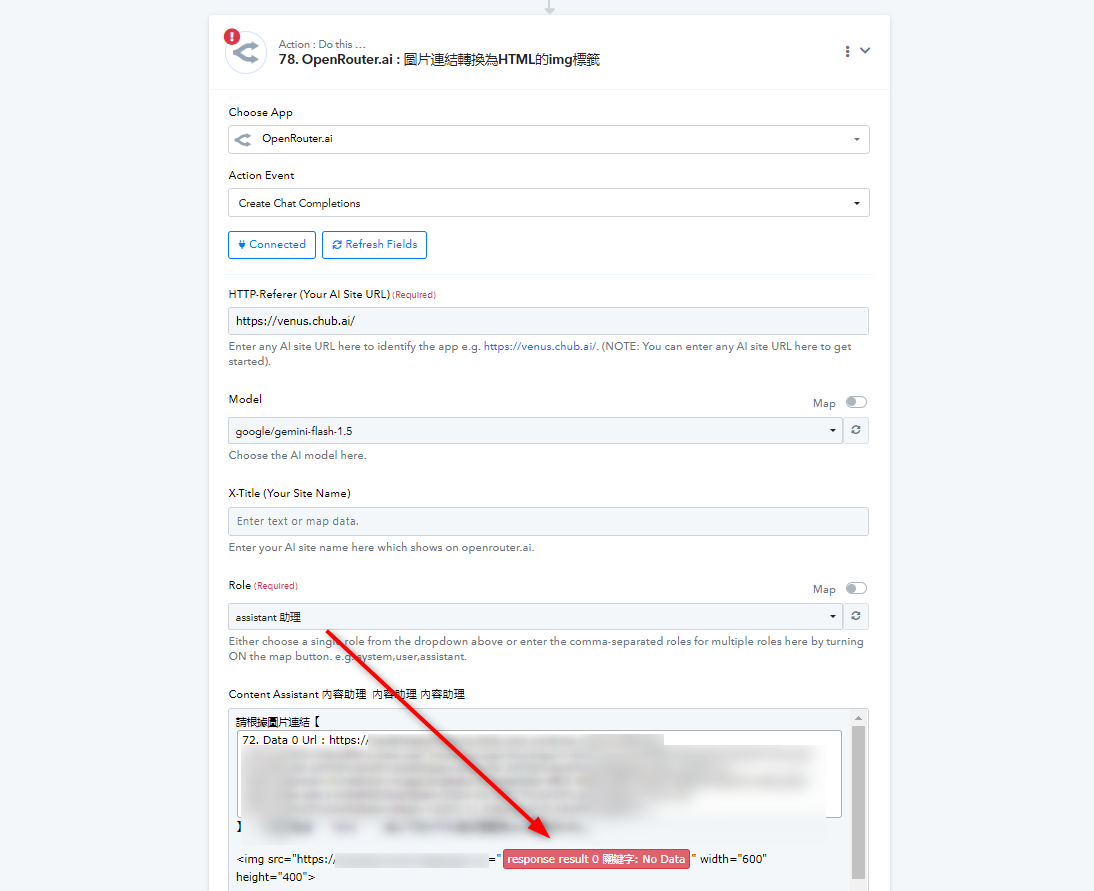
Upon looking into your workflow, it appears that you have not correctly mapped the data. Kindly click on "Save and Send Test Request" on every step to map the response in the next step.
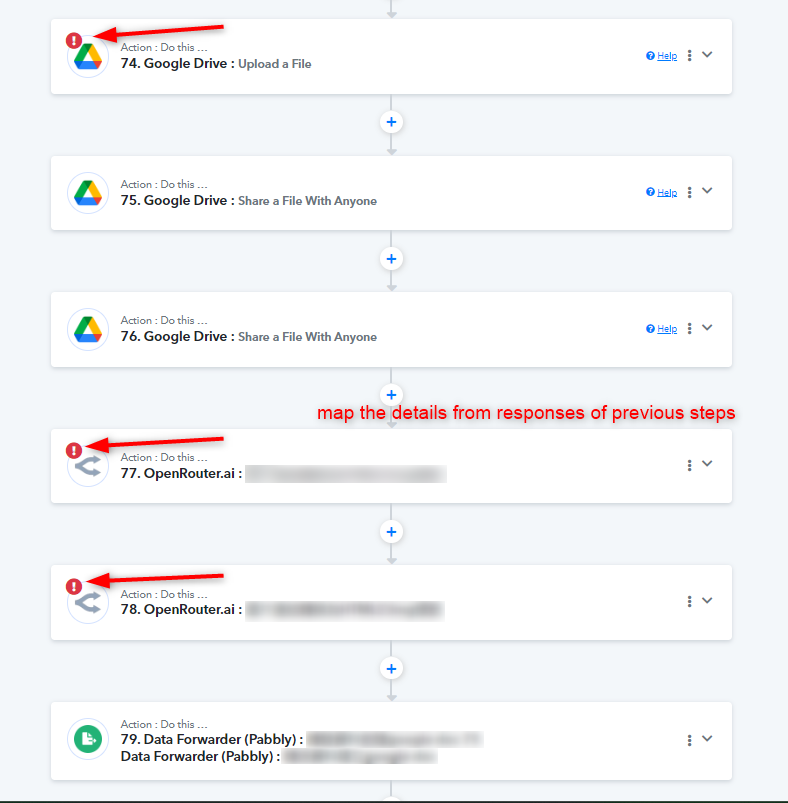
Let us know if this works for you.