failed to Look Up Google Sheets data
Status: Closed · Asked by Chandu_ on · 0 views
Hi
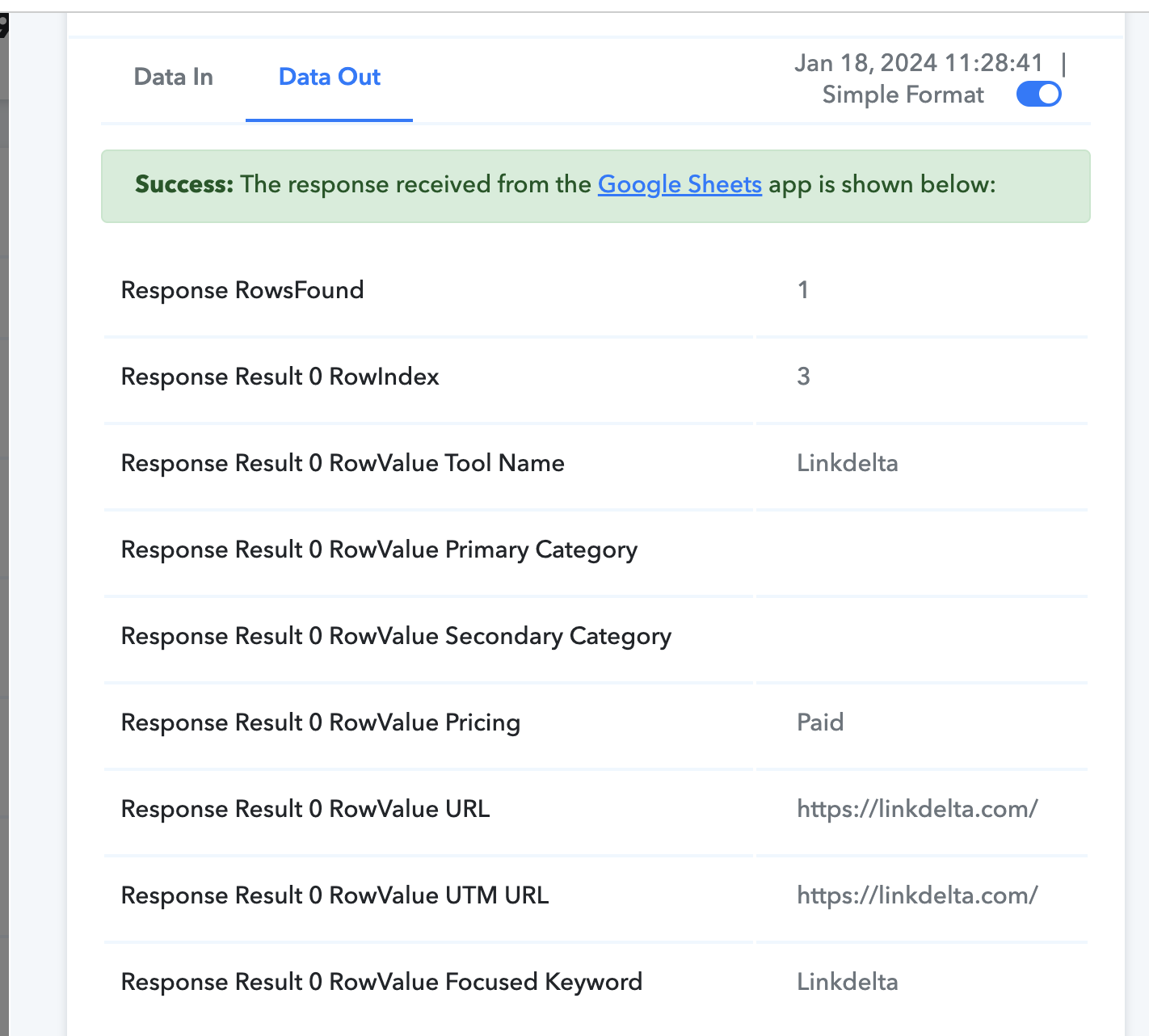
I am running a flow where pabbly needs to look up sheets row for the keyword given, this functionality is working sometimes but failing to lookup the data for every 10 or 15 runs
In below run it worked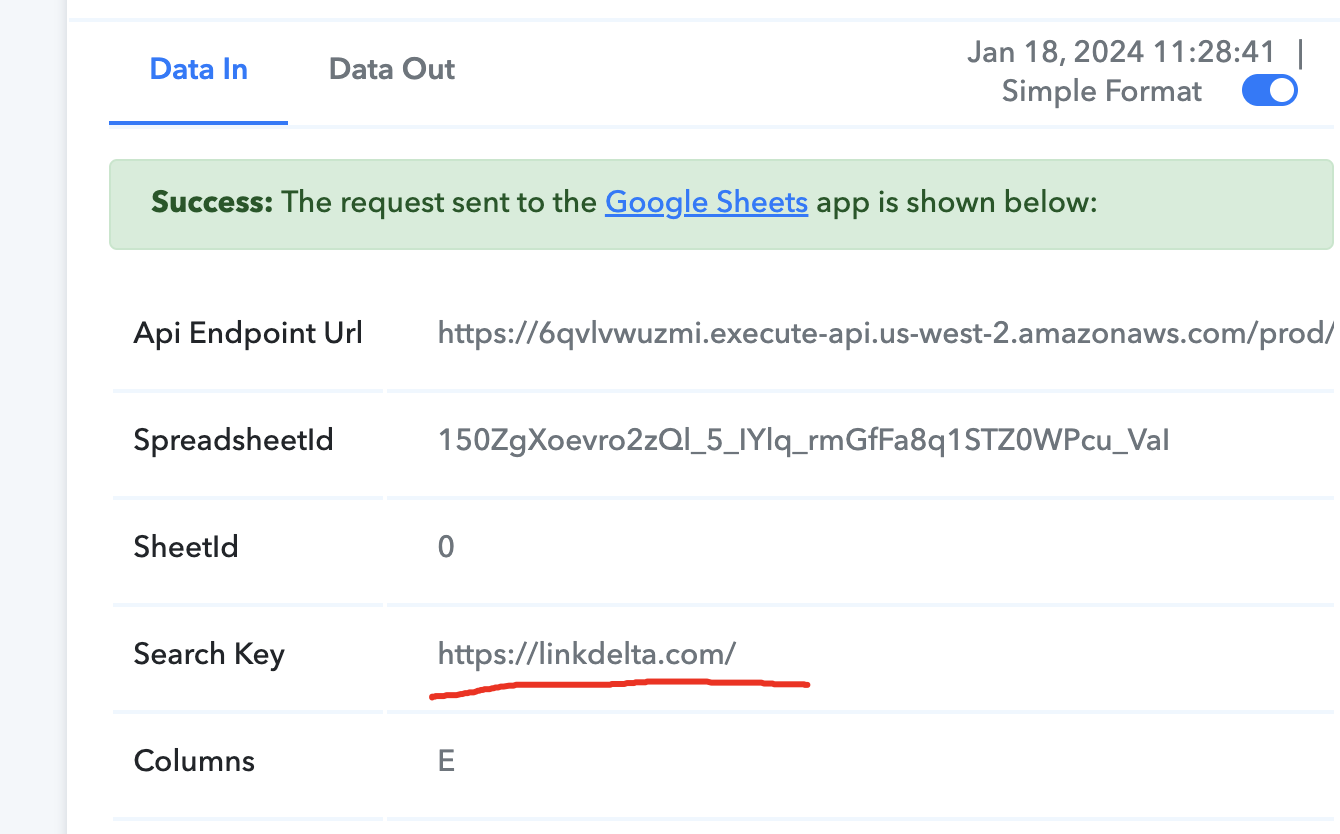
Here it failed again
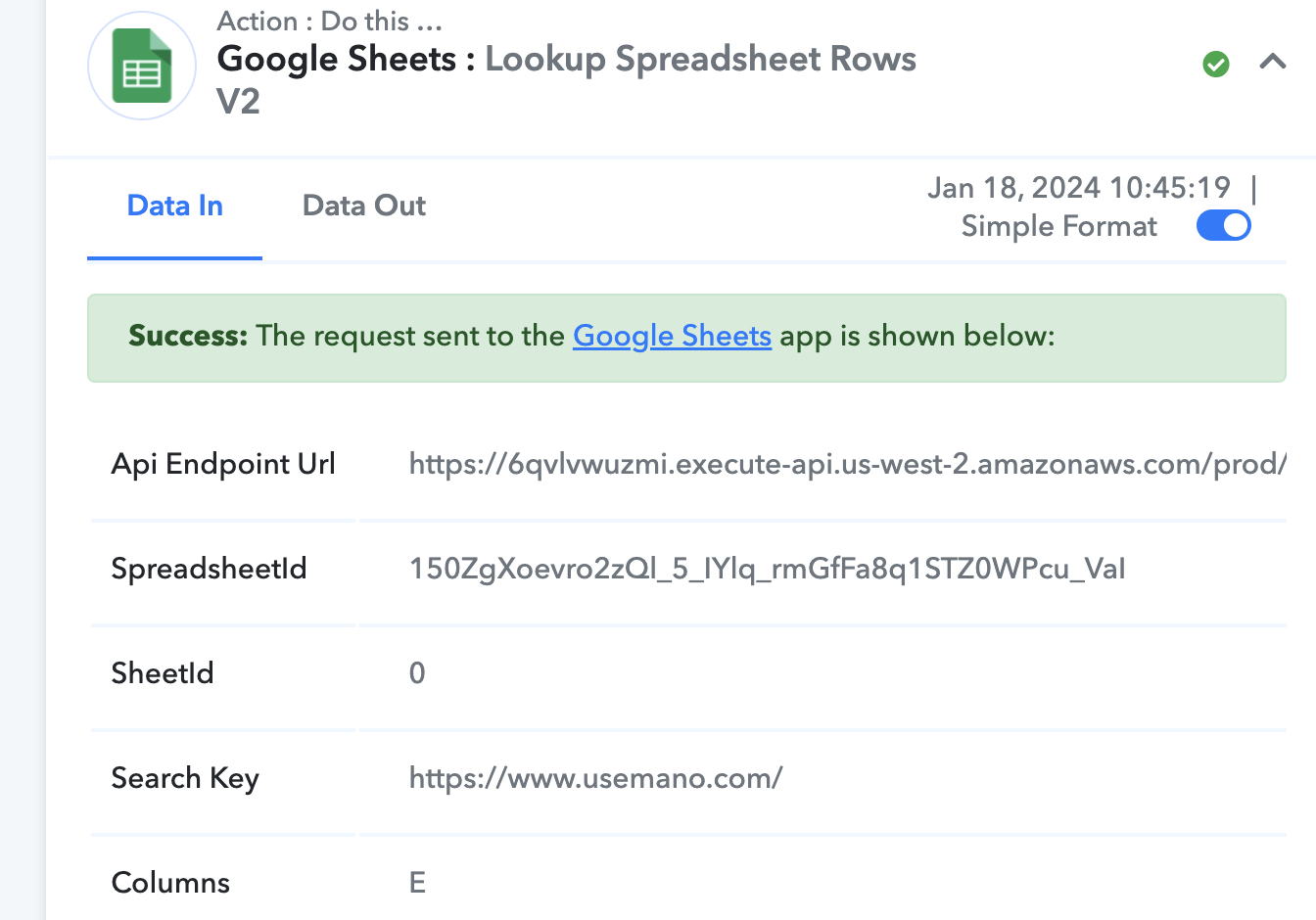
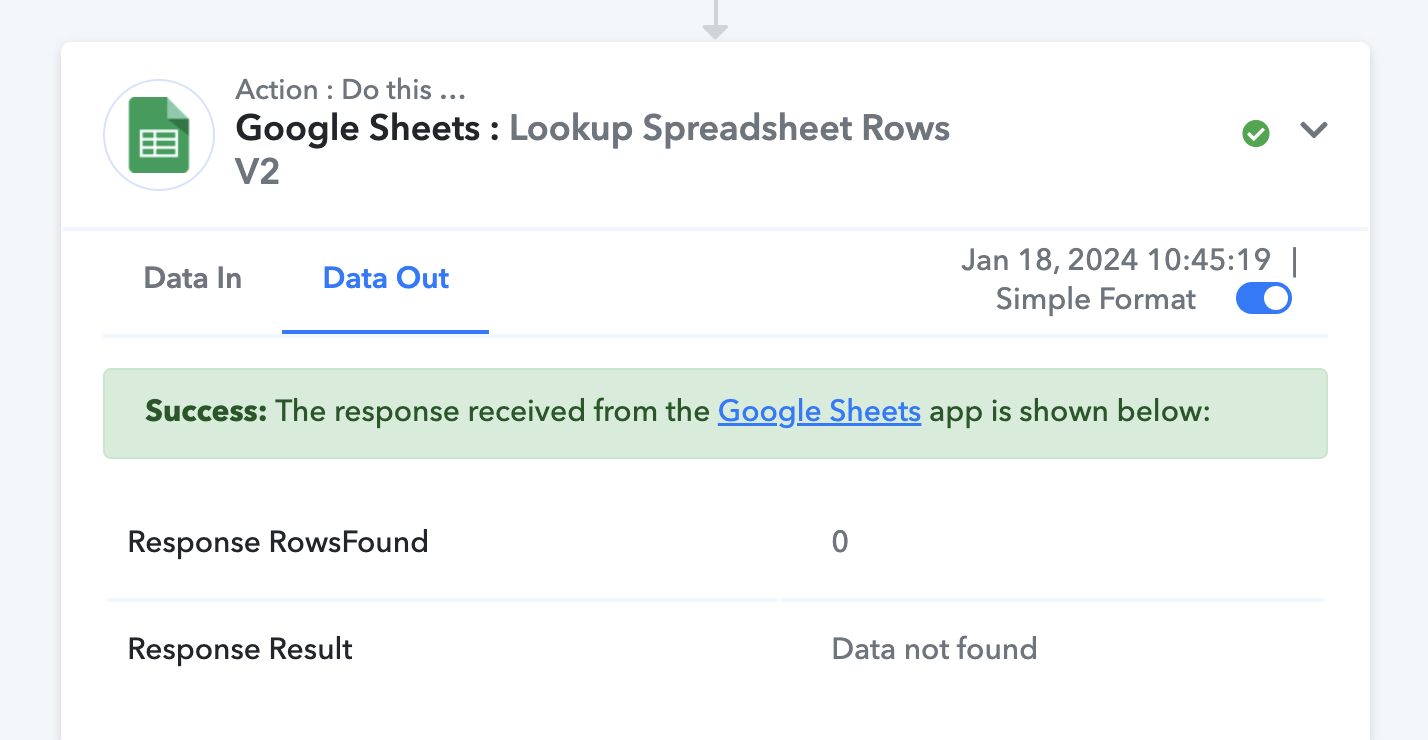
Why this is happening? at every step data is present
Hey @Chandu_
Can you please share the workflow URL once in which you have tried the same?
Here it failed again[IMG width="438px" alt="1705915793697.png"]https://forum.pabbly.com/attachments/1705915793697-png.36979/[/IMG]
[IMG width="422px" alt="1705915847037.png"]https://forum.pabbly.com/attachments/1705915847037-png.36980/[/IMG]
It appears that the data that appears in the live automation doesn't exist in your Google Sheets and because of that the action step has thrown Data Not Found message in response.
Kindly check the exact same Search value in the defined column once.
The same search value was there in Google Sheets when I ran the automation, this happened more than 200 times every time data was present but the output was data not found. so far I have done 2000+ automation, but randomly it's missing finding the search value
Hey @Chandu_
Kindly share the task history ID along with the screenshot of the existence of the row entry from your Google Sheets, so that we can look into it and help you accordingly.