Failing on Extract Phone Number
Status: Closed · Asked by mikec29526 on · 0 views
Hi, Can you tell me why Task ID
IjU3NjYwNTY0MDYzNTA0Mzc1MjZmNTUzZDUxMzQ1MTY2NTQzNiI_3D_pc
executed at
Oct 11, 2022 17:15:09 failed?
It failed on step 15, but it looks like Step 15 properly extracted the phone number. Can you advise?
Hey @mikec29526
As we can see from your task history, your mapped field "Description" is not appearing in live workflow execution and because of that your "Extract Phone Number" action step is unable to extract the phone number.
So, we would suggest you map the "Description" field from the "Google Calendar: Get Event" action step instead.
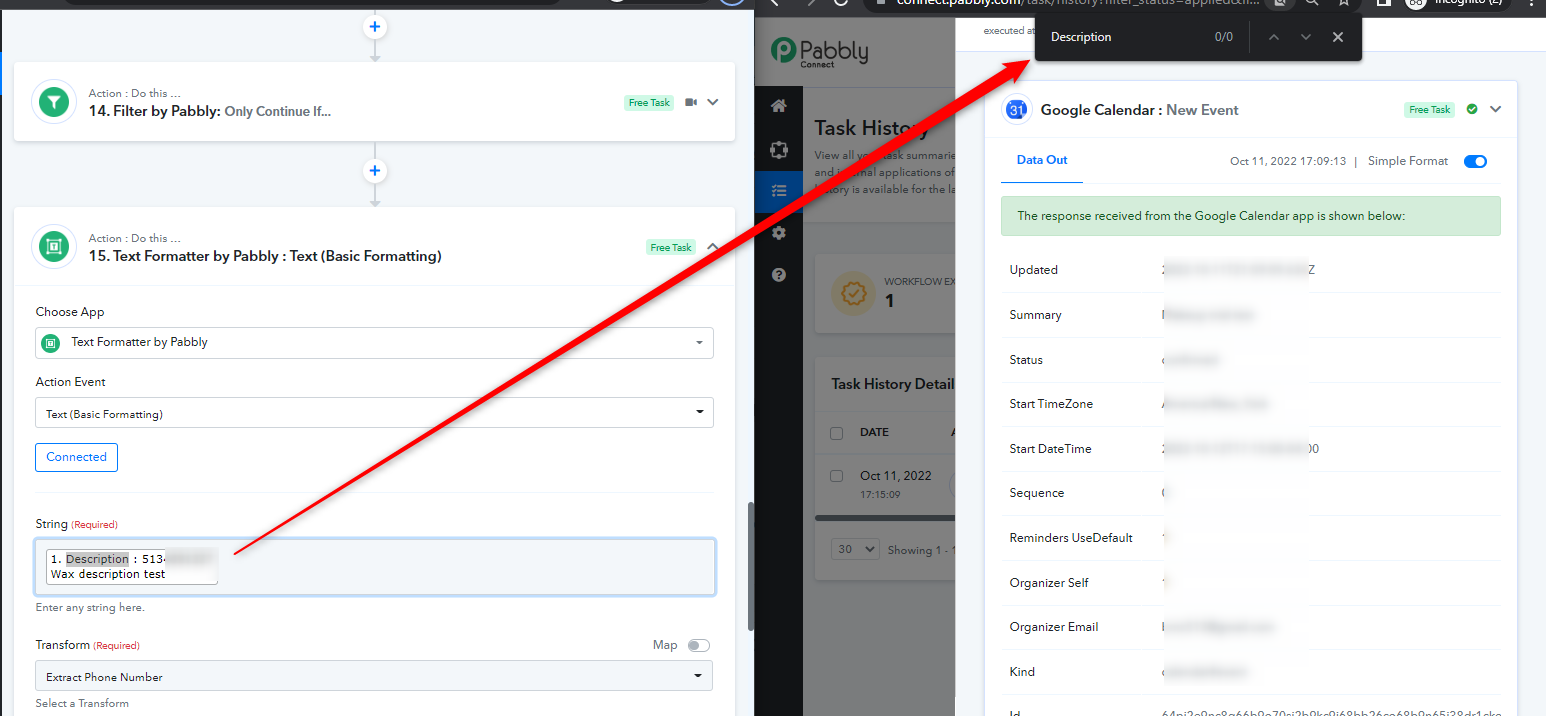
HI - Could you look at my step 14 on this? The step prior to that is to only continue if the Description Field is not empty. Since it was empty, it should have stopped. This is the name of the work flow: Client Reminders - Mike Testing
Step 14 is before step 15 and it "only continue if Description field is not empty"
Why would this workflow have made it to step 15?
Here is step 14:
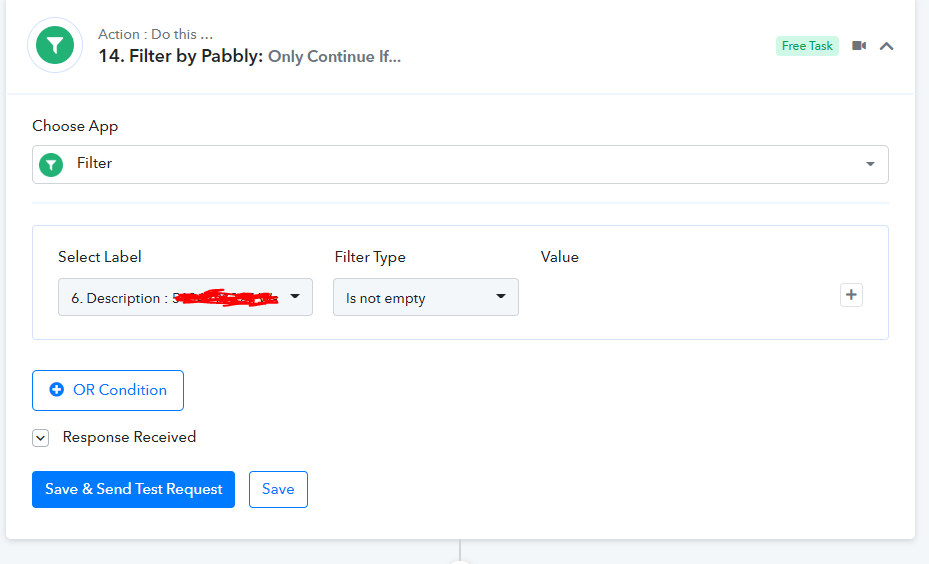
Here is step 14:
With this filter condition, your Filter action step will allow the description to pass the data in any case. Even if the label doesn't appear or contains a number.
Instead, you should use the "Exists" filter type and also use the Description field from the "Google Calendar: Get Event" action step.
This worked - thank you very much!!!