FB Instant forms and WhatsApp integration.
Status: Open · Asked by tgingalls07 on · 0 views
I have a Facebook Instant forms running. The goals is after they submit the form they will receive a WhatsApp message.
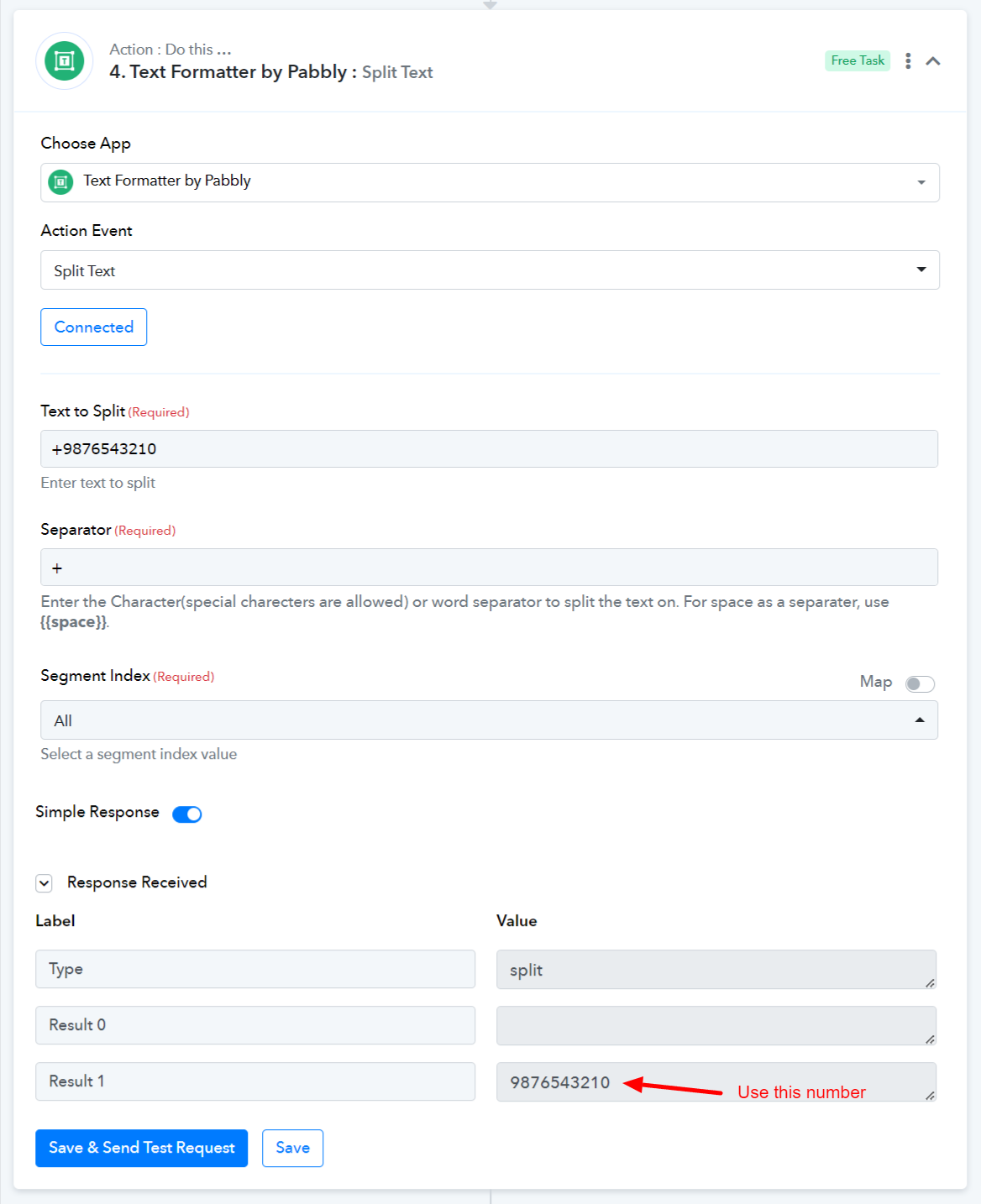
However, in the instant form fields it captures the # including the + sign e.g. +63 919..... but in WhatsApp action Recipient Mobile Number should not includes the +. Is there a work around for it?
Attachments
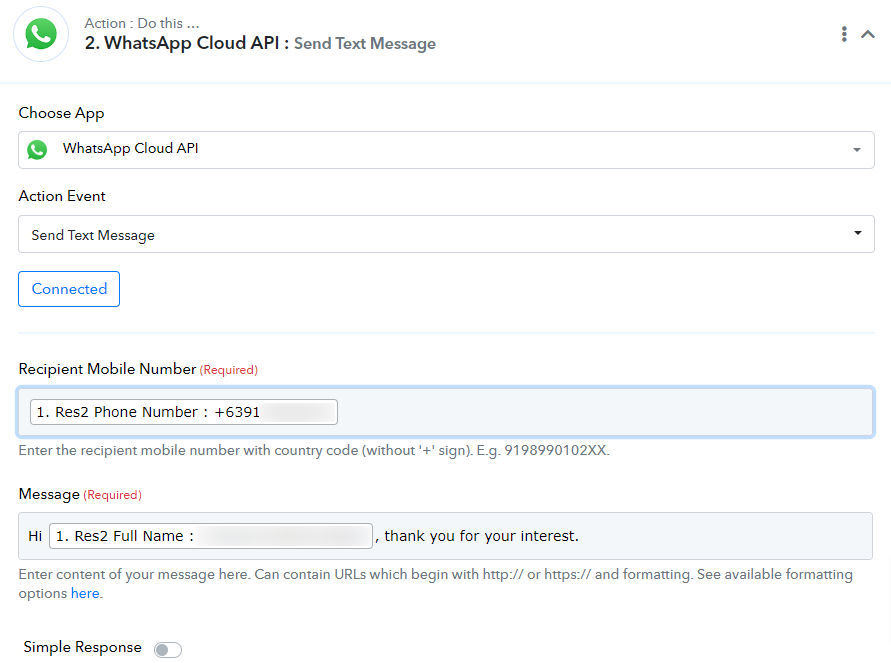
Hey @tgingalls07
To clarify, if the conversation with your WhatsApp was not initiated by the end user, it is necessary to utilize the "Send Template Message" action instead. This action step can only be employed once the user has initiated the conversation with your WhatsApp.
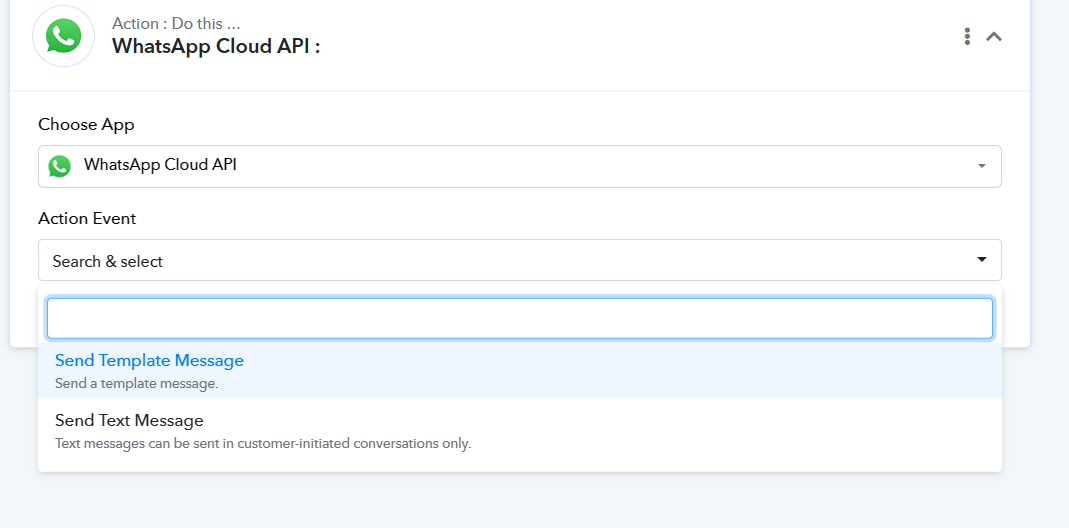
Moreover, you have passed the phone number with the + sign prefix which need you to avoid passing.

Hey @tgingalls07To clarify, if the conversation with your WhatsApp was not initiated by the end user, it is necessary to utilize the "Send Template Message" action instead. This action step can only be employed once the user has initiated the conversation with your WhatsApp.
Moreover, you have passed the phone number with the + sign prefix which need you to avoid passing.
Thank you very for the advice. I am using instant forms and that's how instant forms passes the phone #. Is there a way to remove the prefix "+" when passing?
You can use Text Formatter to remove the '+' sign from your number.