Filter based on number of line items
Status: Closed · Asked by GSG on · 0 views
Hi
I am looking for a solution whereby I can 'filter' based on the number of items in line items array.
I would like the workflow only to continue if there is just the one line item.
Workflow so far is Woocommerce order > Pabbly Data Transformer, and before proceeding with further steps I would like to add the filter noted above.
Thanks for any suggestions or workarounds
Graham
I am looking for a solution whereby I can 'filter' based on the number of items in line items array.
You can use the Code by Pabbly action step to identify the number of line items and as a result, it will show the number of line items that you can use in the filter action step.
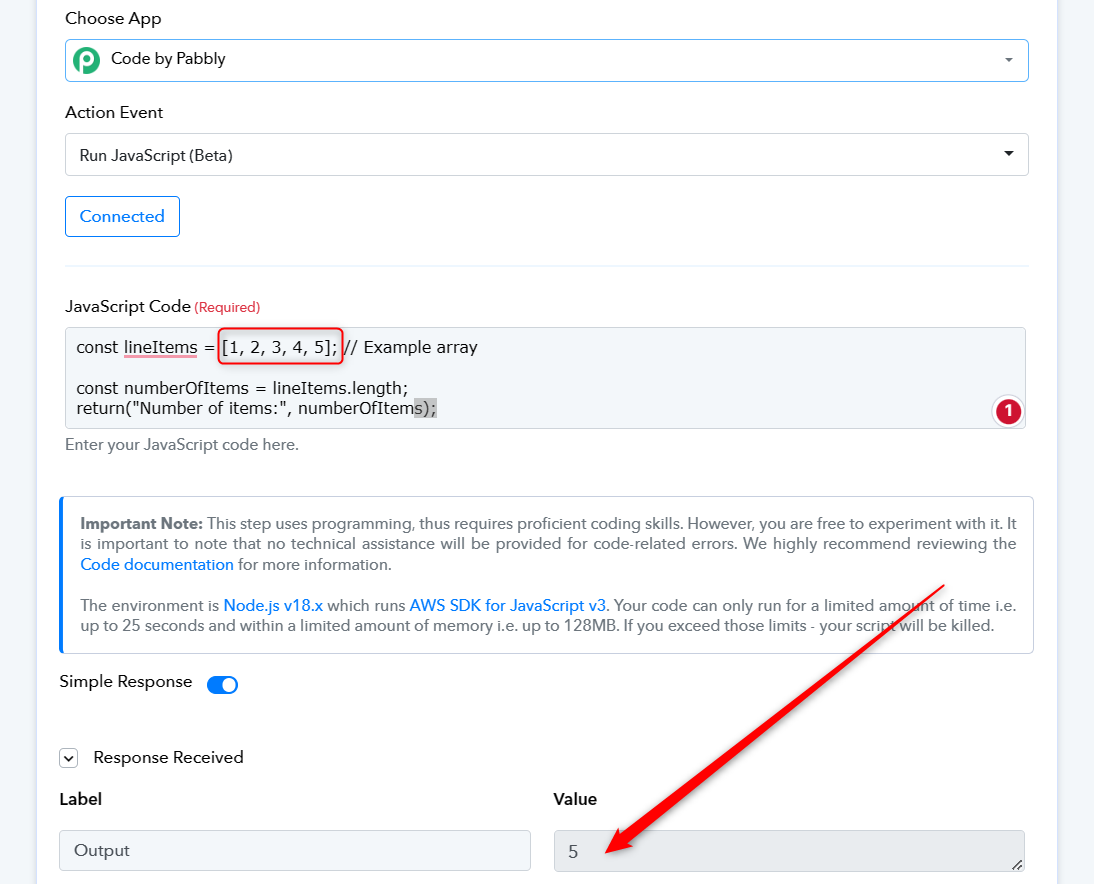
const lineItems = [1, 2, 3, 4, 5]; // Example array
const numberOfItems = lineItems.length;
console.log("Number of items:", numberOfItems);
hey thanks for your help.
I don't get the same output info as you. Please see attached screenshot. It records output as logs. Am I missing something?
Attachments
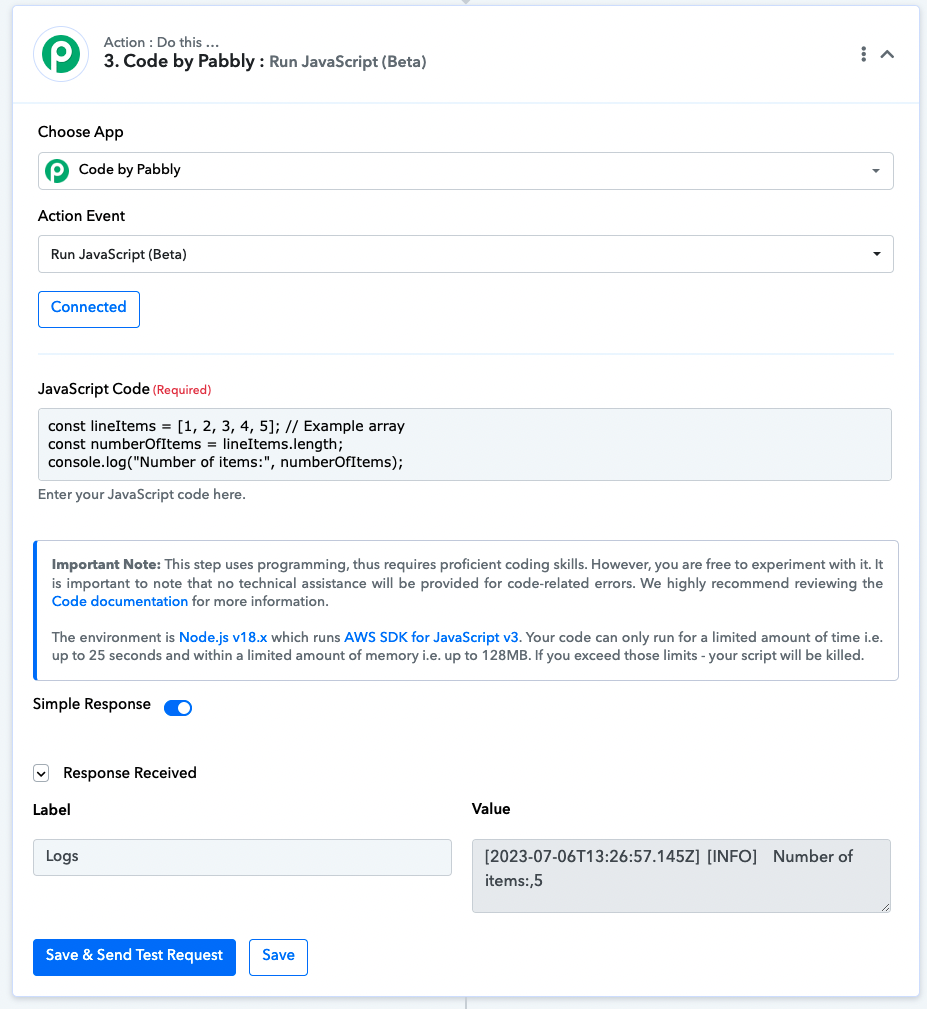
const lineItems = [1, 2, 3, 4, 5]; // Example array
const numberOfItems = lineItems.length;
return("Number of items:", numberOfItems);
Kindly try passing the return in the last line.
ok, thanks for your help. managed to get this working