FIND or CREATE user functionality for Quickbooks
Status: Closed · Asked by twshouston on · 0 views
Zapier has a similar functionality.
How can I create something similar in Pabbly-connect?
I have tried using the router function but I am getting error.
@Supreme Verma
It looks like you have worked on something similar. Any assistance would be much appreciated.
Hey @twshouston
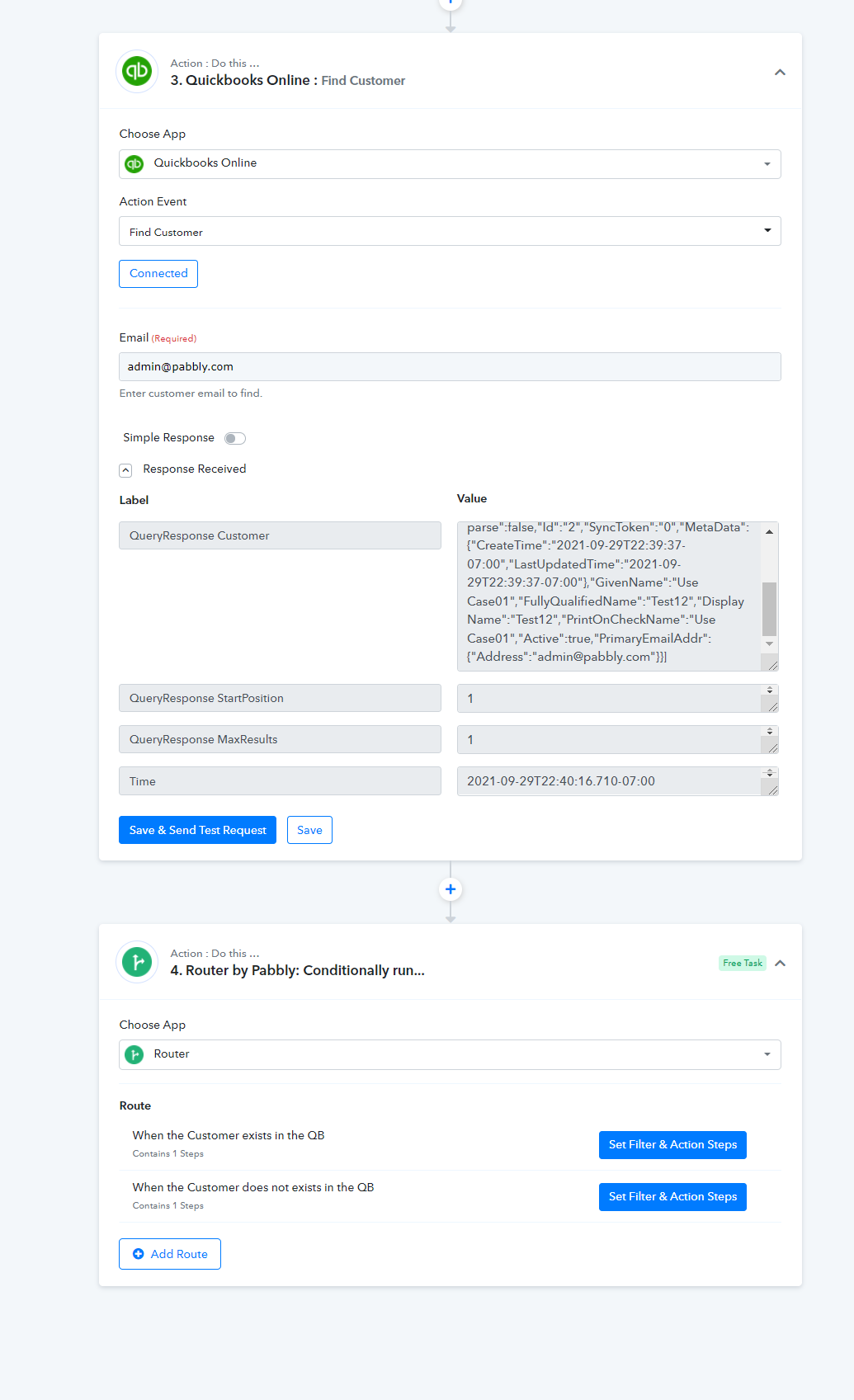
We have created a similar kind of use case on the QuickBooksOnline on the basis of the presence of a customer in the account, so when the "Find a Customer" action event found a customer you can "Update the Customer " inside the router condition, or else you can create the customer when the customer is not present in you QuickBooks account.
Here is the workflow where you can copy similar steps and the router condition.
https://connect.pabbly.com/workflow/share/XBRVZwBHAmNQGVMXAV4EIw4ZAwAGTANVUTZWRA##
Cheers!
Hey @twshoustonWe have created a similar kind of use case on the QuickBooksOnline on the basis of the presence of a customer in the account, so when the "Find a Customer" action event found a customer you can "Update the Customer " inside the router condition, or else you can create the customer when the customer is not present in you QuickBooks account.
Here is the workflow where you can copy similar steps and the router condition.
https://connect.pabbly.com/workflow/share/XBRVZwBHAmNQGVMXAV4EIw4ZAwAGTANVUTZWRA##
Cheers!
Thanks a bunch. I did create something similar to what you have earlier but for some reason the workflow would not process my router.
I'll try again with your version. THANK YOU!!!
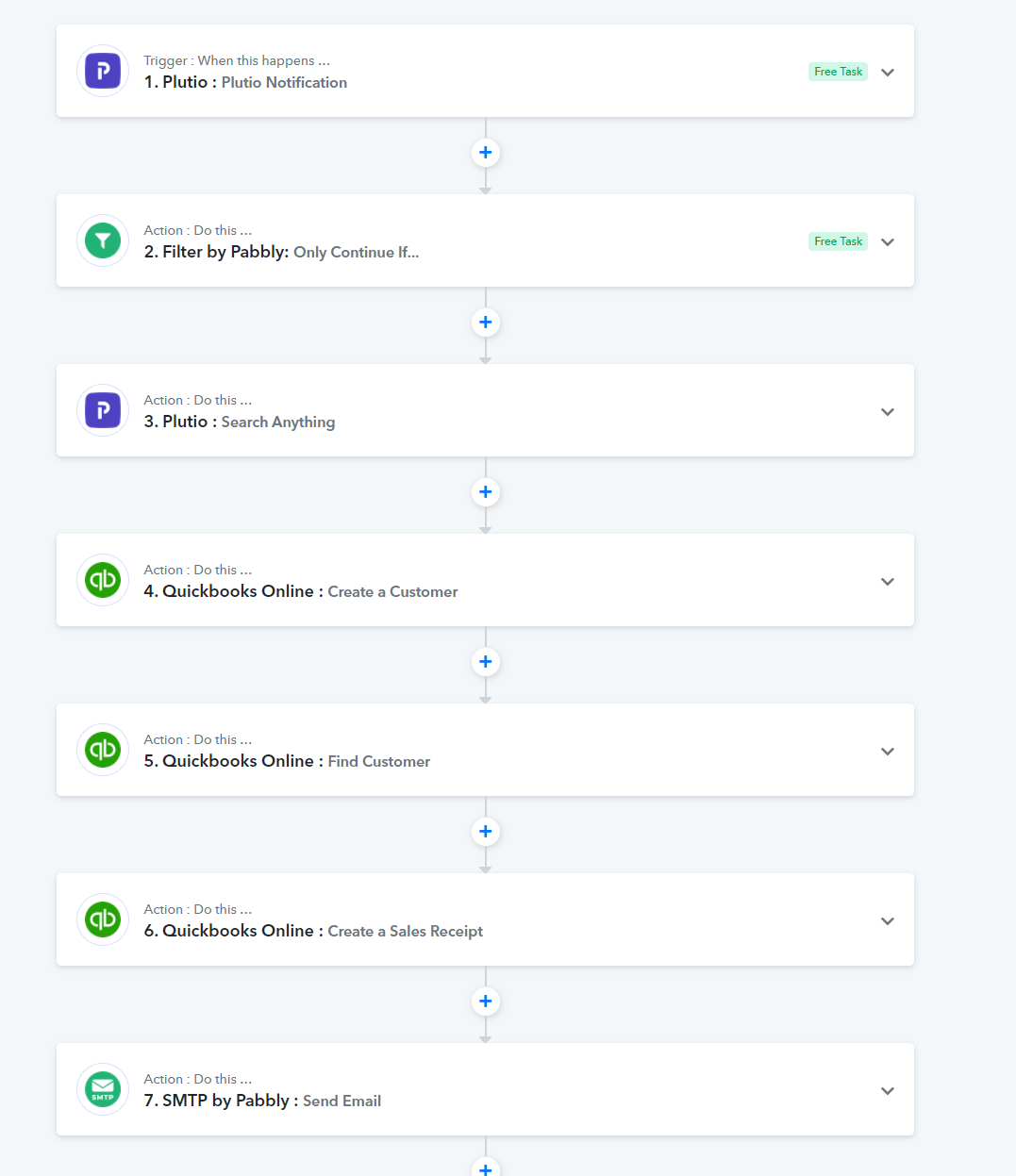
This is the workflow that I came up with initially. I'll modify the last few steps to incorporate your router logic.
@twshouston It seems to me you have connected to QBO successfully? No matter which file I've tried I keep getting fault errors when I send the tests and cannot seem to find solutions to the issue. Did you have to do anything special with your QBO to be able to connect?
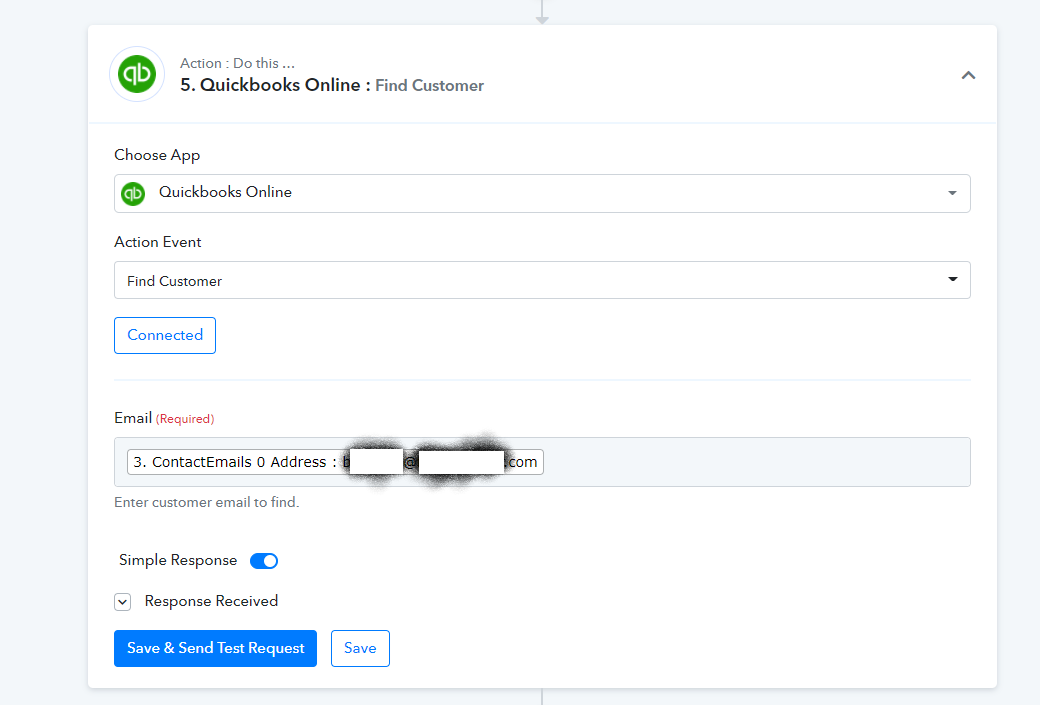
Have you tried a simple query like this one?
After connecting via the wizard, as long as my syntax is correct, I can run queries.
Replace the "3. ContactEmails 0..." section with an email address that you know to exist in your QBO environment.
Attachments
What I was trying to do was just create an invoice from a google sheet entry ... so I just went 'create invoice' and had all the information in the google sheet row... so are you saying I should a find customer first, and then create an invoice?
The other one I am trying to do is from a google sheet just create a customer... so I have all the data, it imports from a google sheet fine, but then when I try to create a customer I get a 6000 error. I don't imagine that in that one I should need a find customer routine at all?
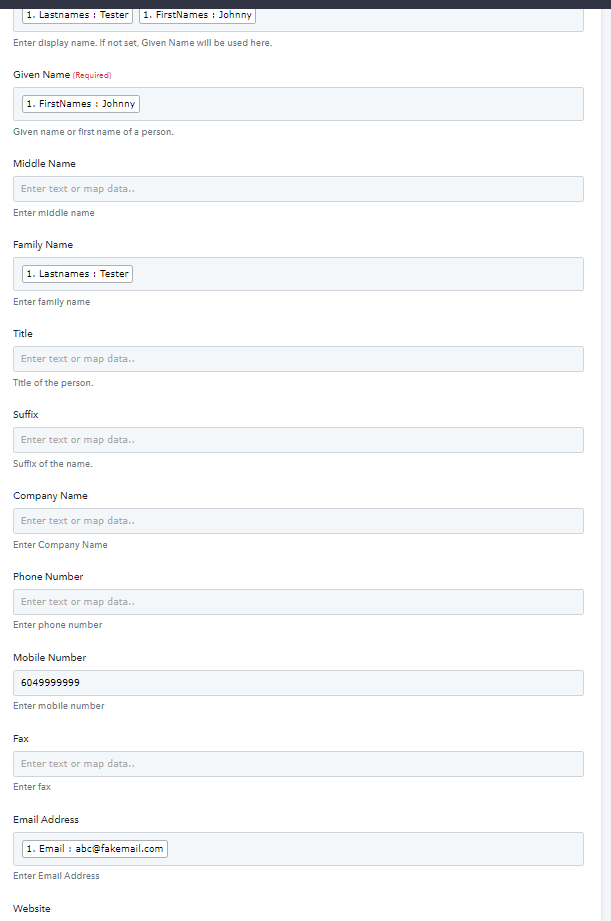
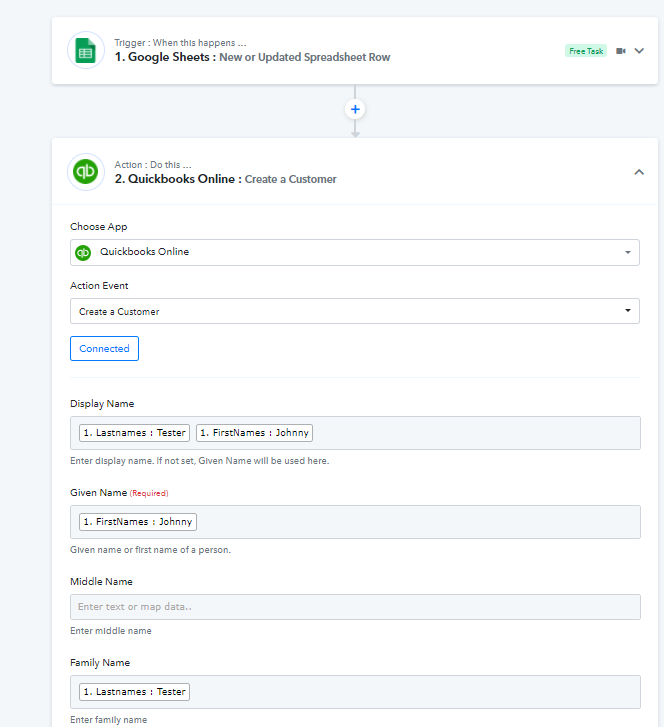
For create customer, you'll need this if you don't have it already
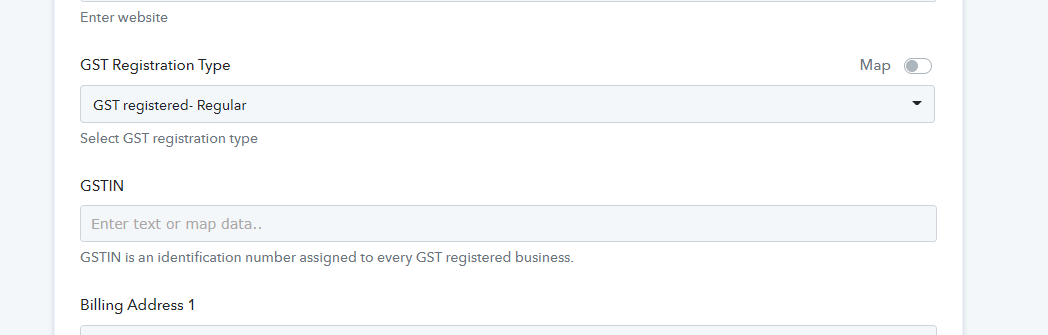
I added postal code ( needed for tax calculation )
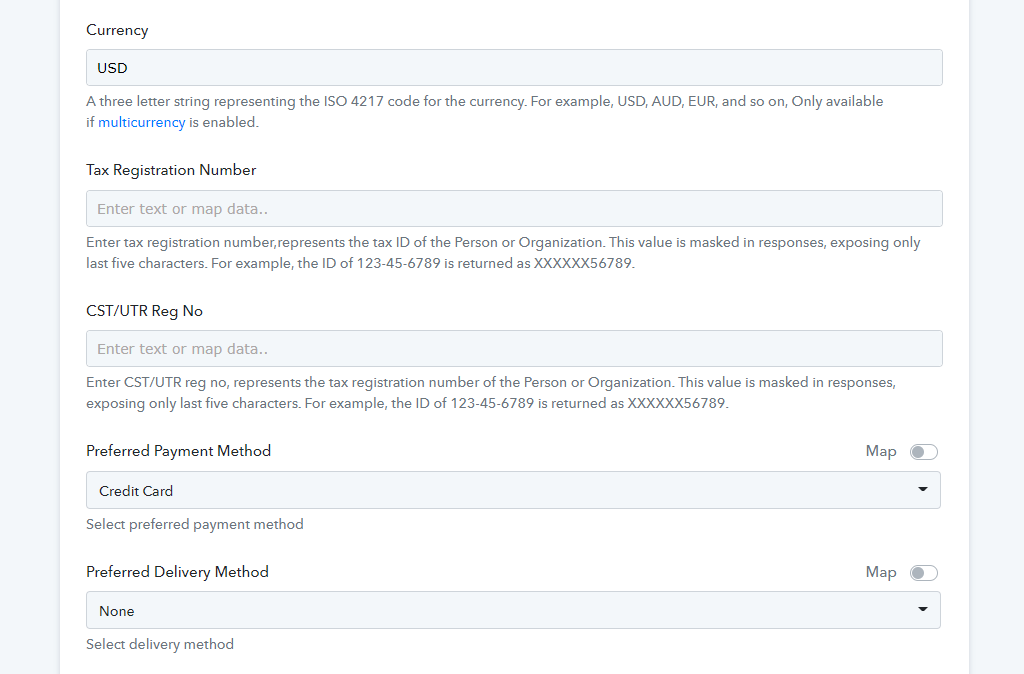
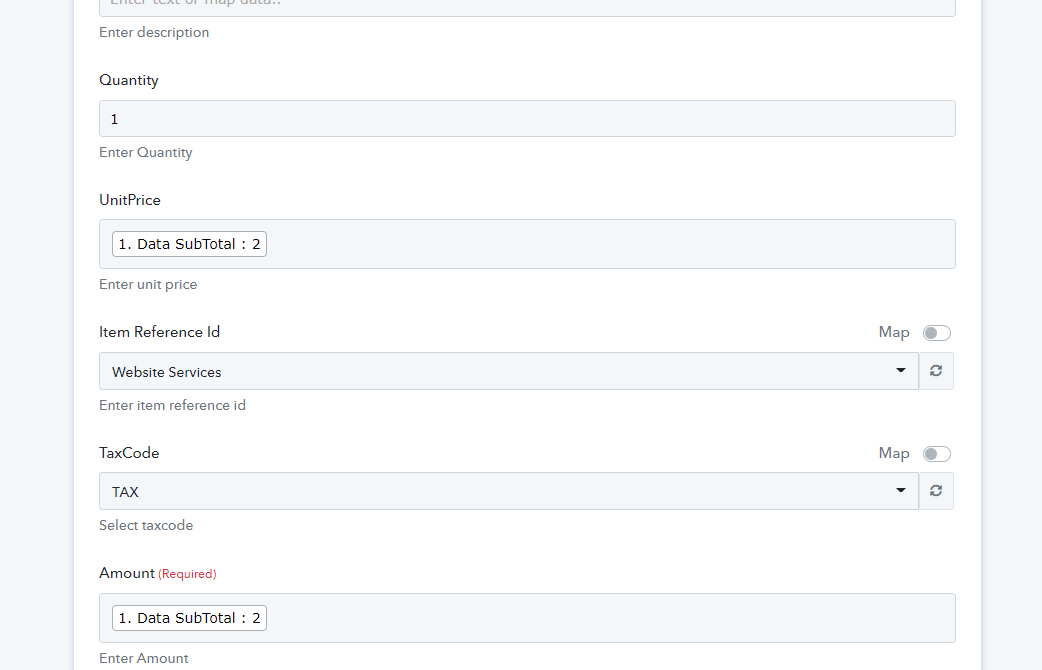
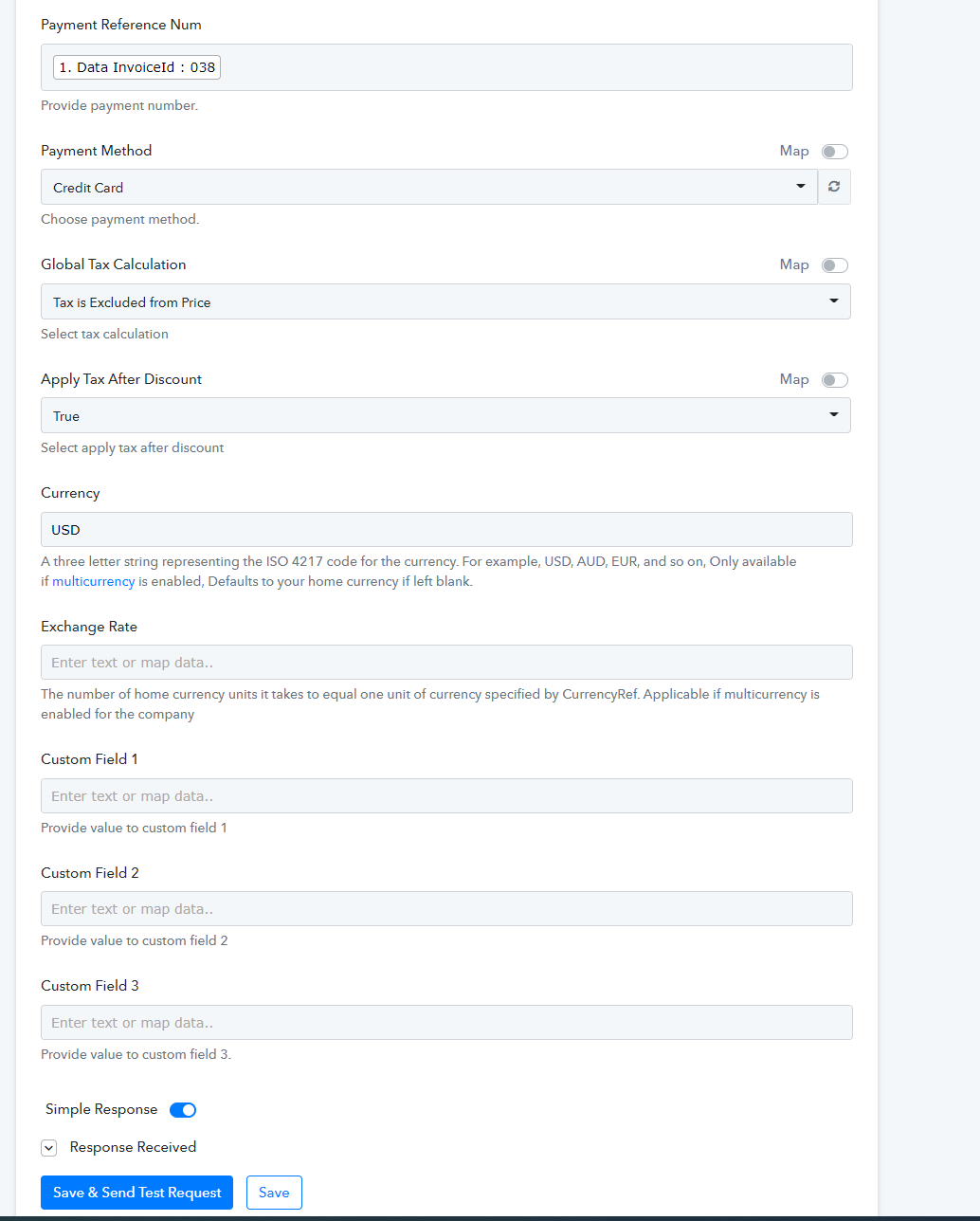
Instead of create invoice create " Sales Receipt"
Fields you need
Customer
(customer ID)
Email
Billing Address Country (USA) for me
Deposit To
Transaction date
Doc Number
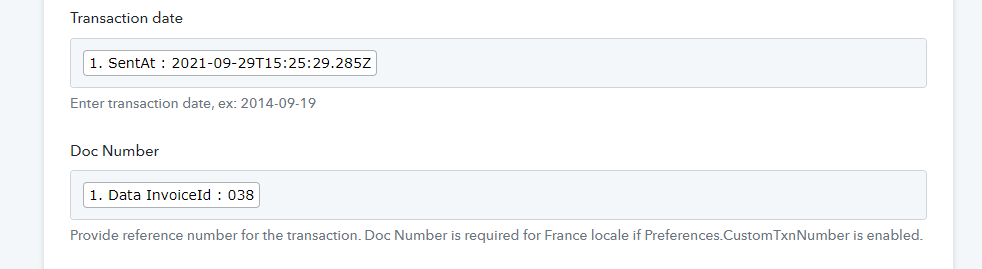
I think the invoice one was the customer id.. I kept selecting the found name, instead of the found customer ID. Thank you !! I'll play with this some more.
Creating a customer is still failing. Not a clue why. It seems like it should be simple enough but no luck. Video: Pabbly create new customer in QBO