Flowlu: Create CRM Account (Contact) and Flowlu: Create CRM Account (Organization) Not Working
Status: Closed · Asked by STEVE SOLER on · 0 views
I created a workflow and the first two Action steps are "Flowlu: Create CRM Account (Contact)" and "Flowlu: Create CRM Account (Organization)."
When I click the "Save & Send Test Request" buttons for these two actions, they return a response that is not clear as to the result of the test, and the data sent doesn't make it to Flowlu.
Here are the results I see:
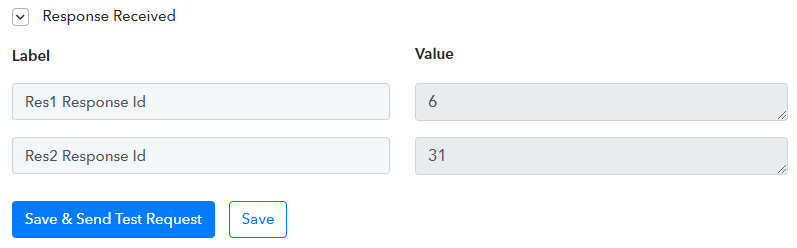
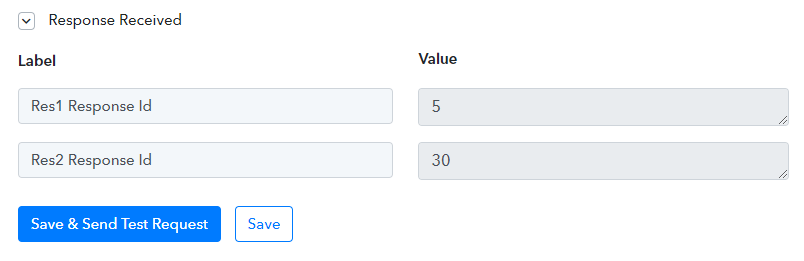
There is obviously something not working, but I need help trying to understand what. Can you please help me troubleshoot?
In case you ask, I confirmed that there isn't already an existing contact or organization with the same information so that can't be a conflict.
Thanks
Response seems correct, and that is not controlled by Pabbly Connect. It is just showing you what flowlu API call returned as a response.
Check this video's flowlu part for more better understanding -
Response seems correct, and that is not controlled by Pabbly Connect. It is just showing you what flowlu API call returned as a response.Check this video's flowlu part for more better understanding -
From my experience with testing an integration with other apps, HubSpot for example, the response came back with a clear indication of whether it was a success or if there was an error. I guess Flowlu doesn't respond with such detail. Nonetheless, as I mentioned above, the data didn't make it into Flowlu and therefore it didn't work. I don't think I'm doing anything wrong but of course, I could be, which is why I'm asking for assistance with troubleshooting this. I also sent Pabbly support an email, but no response yet.
Thanks
Response seems correct, and that is not controlled by Pabbly Connect. It is just showing you what flowlu API call returned as a response.Check this video's flowlu part for more better understanding -
I also just noticed that even though I used the same "Flowlu: Create CRM Account (Contact)" Action, I got different response codes than she did in that video. See the attached screenshot from that video. They are different from the ones I posted in that first screenshot above in my original post. She got 4 & 10. I got 6 & 31. I wish there was a way to decipher these codes to get a clear understanding of the result. This way I'd be able to know why the data is not making it into Flowlu.
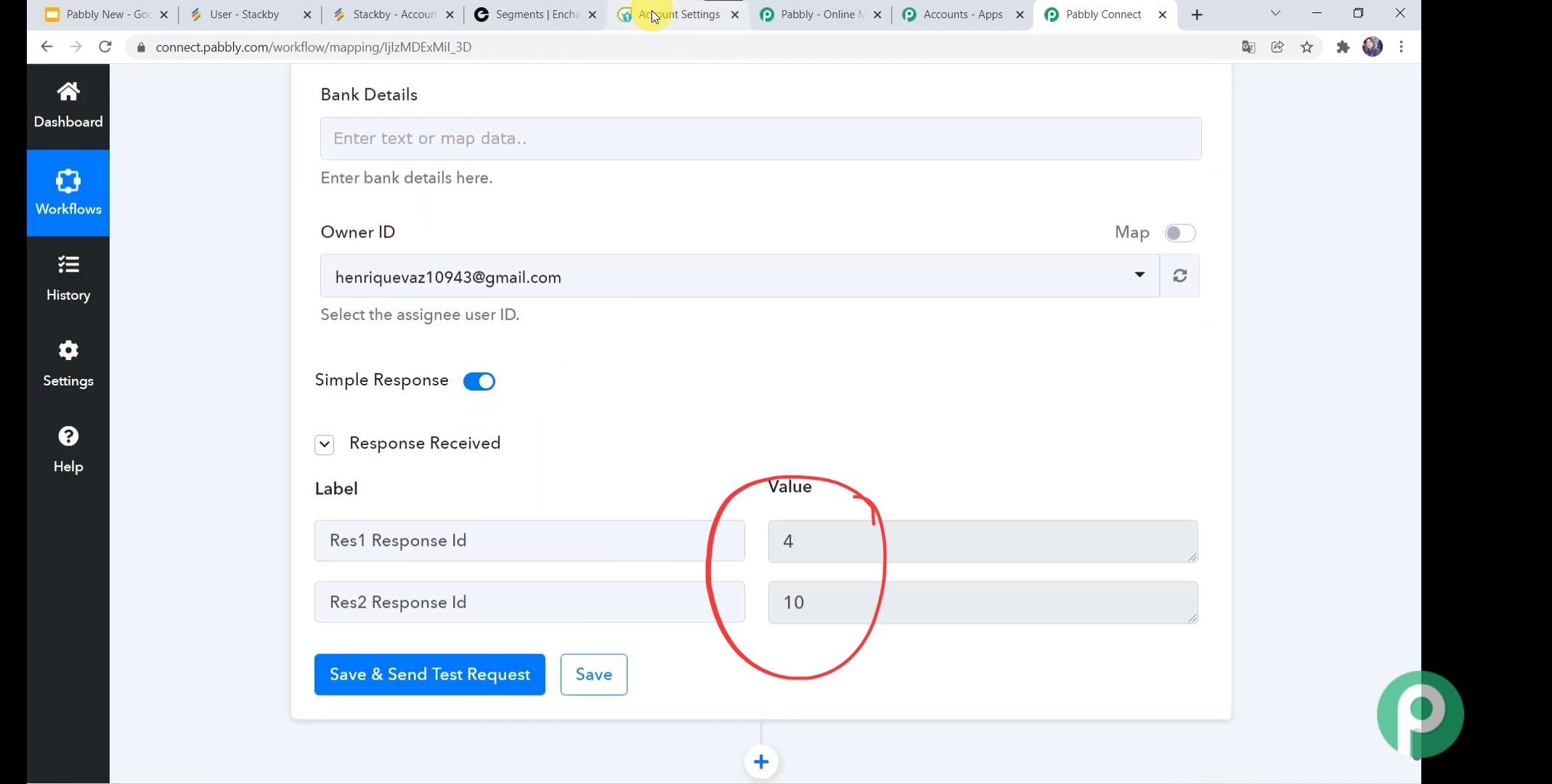
@Pabbly @Supreme check this.
I also just noticed that even though I used the same "Flowlu: Create CRM Account (Contact)" Action, I got different response codes than she did in that video. See the attached screenshot from that video. They are different from the ones I posted in that first screenshot above in my original post. She got 4 & 10. I got 6 & 31. I wish there was a way to decipher these codes to get a clear understanding of the result. This way I'd be able to know why the data is not making it into Flowlu.
Until @Supreme checks your workflow, check this video - https://www.berrycast.com/conversations/8ab27de7-1033-532a-837d-5ab6d1985cc3
Hey @Steve
Our team has already replied to your query on your Ticket (243927).
Please check that out.
Until @Supreme checks your workflow, check this video - https://www.berrycast.com/conversations/8ab27de7-1033-532a-837d-5ab6d1985cc3
That was very helpful. I now understand the response codes. I guess every integration is different. Thank you for that. I did hear from support directly and I will be sending them a quick video of my setup. Hopefully, they will help me see where I am going wrong. Thanks again for your help!