Flowlu doesn't create tasks in specified projects
Status: Closed · Asked by Oleksandr Danylenko on · 0 views
Hi team,
Unsure if Flowlu made a change, but before it was working.
I need to create tasks in specific projects:
Project is (10)
The task is created: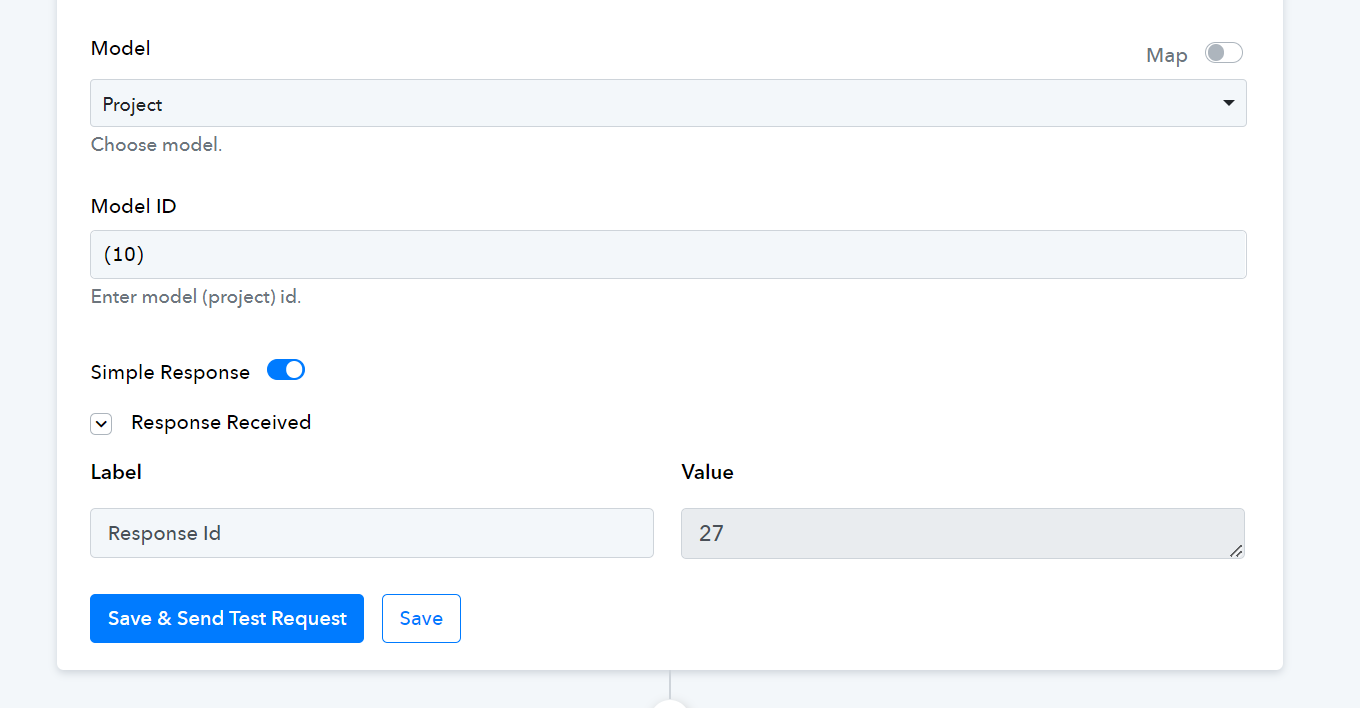
But not in the project: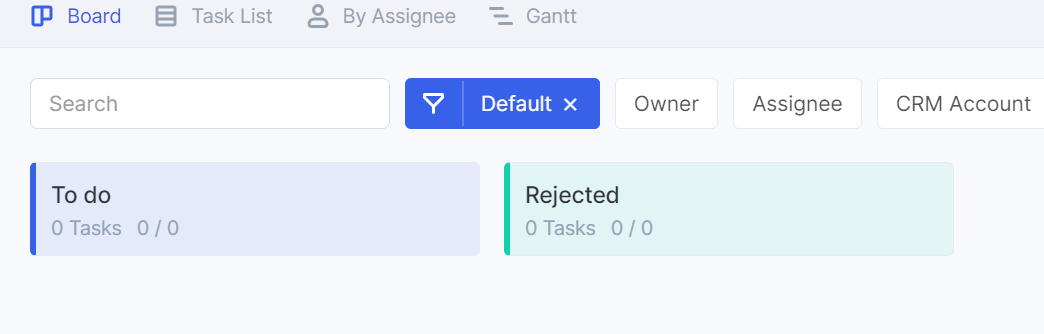
I tried modifying the 10 just to "10", then "(10)", but nothing seems to work.
Your help will be appreciated.
Attachments
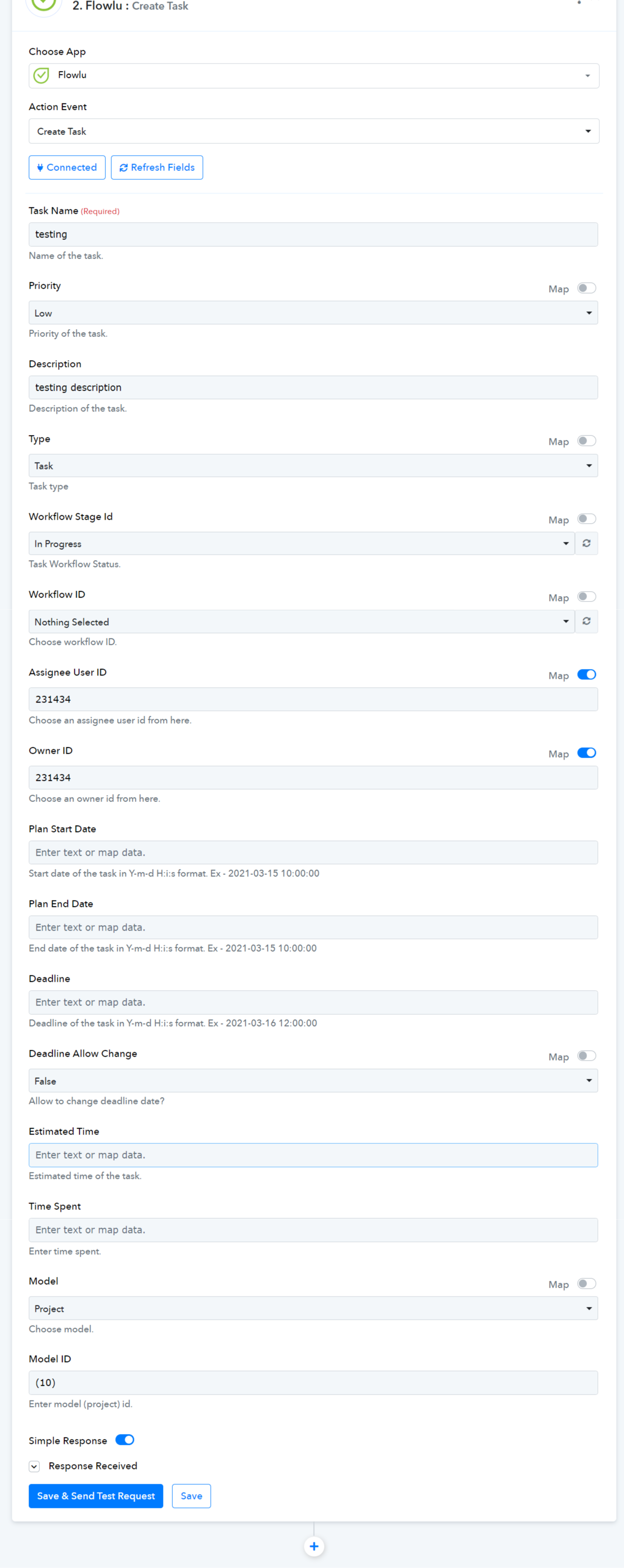
Hey @Oleksandr
I've conducted a test by creating a new task and then adding an action step to retrieve task details.
The task creation process appears to be functioning correctly, as indicated by the dropdown list showing the created task. So, you can rest assured that the task has been successfully created.
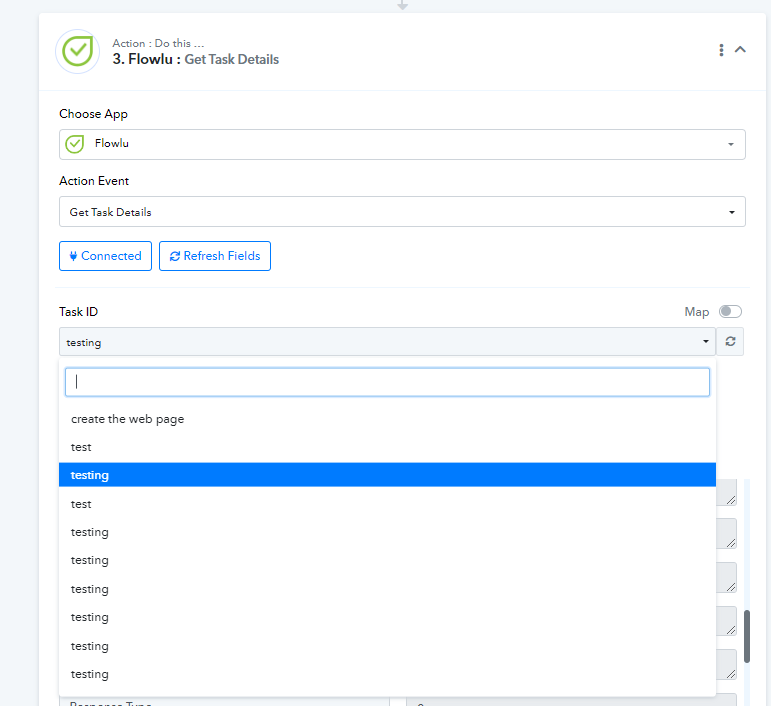
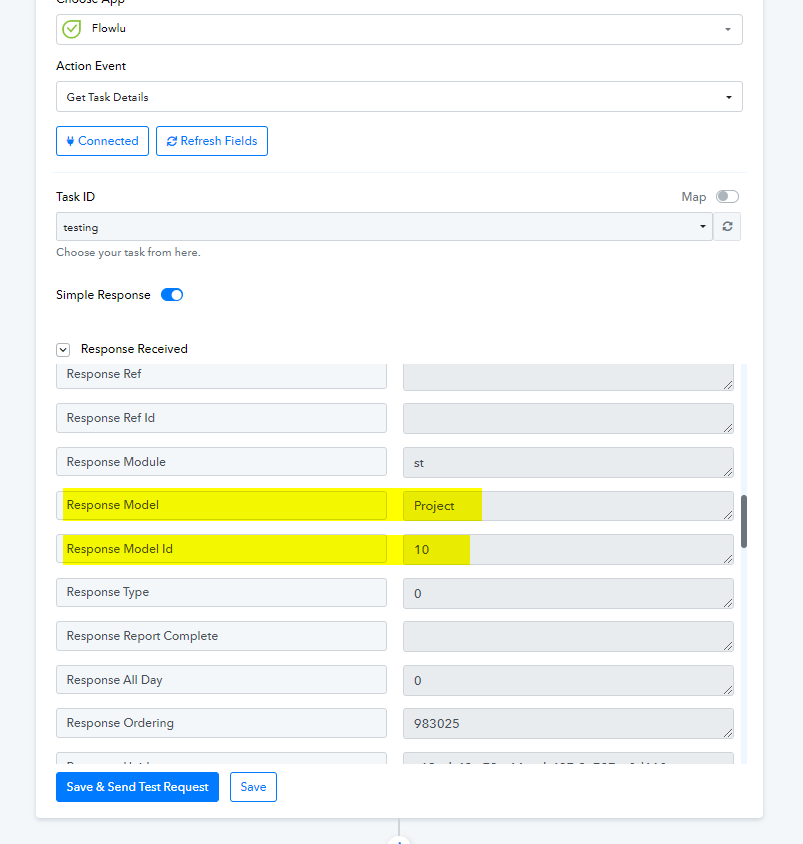
Further, can you please share the workflow URL once and cross-check if you have granted all the permission while creating the API credentials
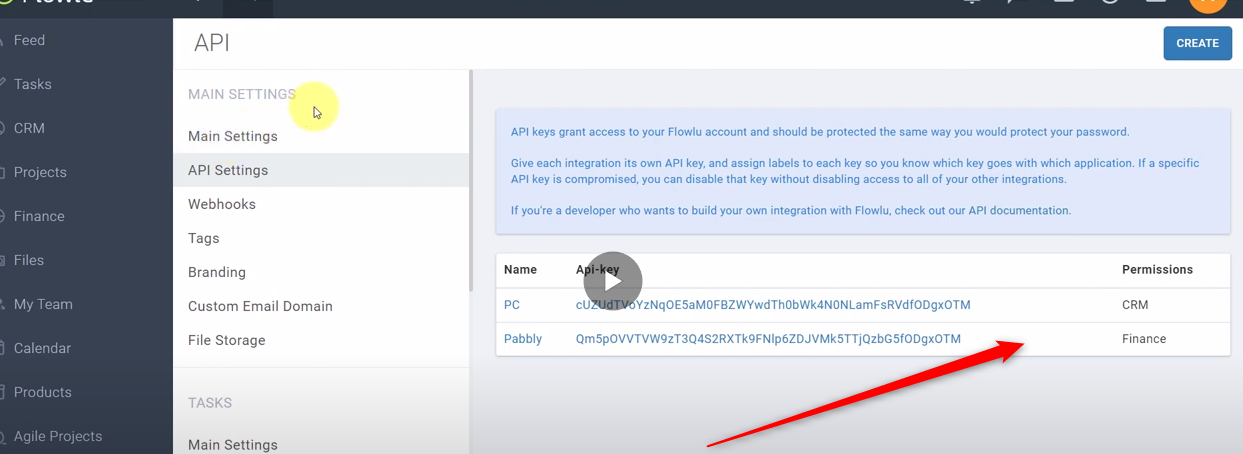
Thanks for your quick response.
I tried with 2 different permissions: All permissions and task only. result is the same.
The task is being created, but not attached to the project:
https://connect.pabbly.com/workflow/mapping/IjU3NjUwNTY4MDYzMjA0MzY1MjZkNTUzMzUxMzAi_pc

the project ID is visible in the get details action, but in reality, the task has no project:
We've forwarded your concern to our technical team, and they are currently addressing it. Please allow us some time, and I will get back to you soon with an update.
Thank you. Hope the team can assist.
The team is actively addressing your concern, and your patience is greatly appreciated.
Hey @Oleksandr,
We would like to bring to your attention that the project ID differs from the model ID. It is imperative to input the correct values within the events to ensure accurate fetching of details. Upon my examination, the integration appears to be functioning properly from our end. We kindly request you to verify its functionality from your end as well. For your reference, I am attaching a screenshot.
Should you encounter any further issues, please do not hesitate to inform us. We are here to assist you.
Best regards,
Nivesh Jain
Attachments
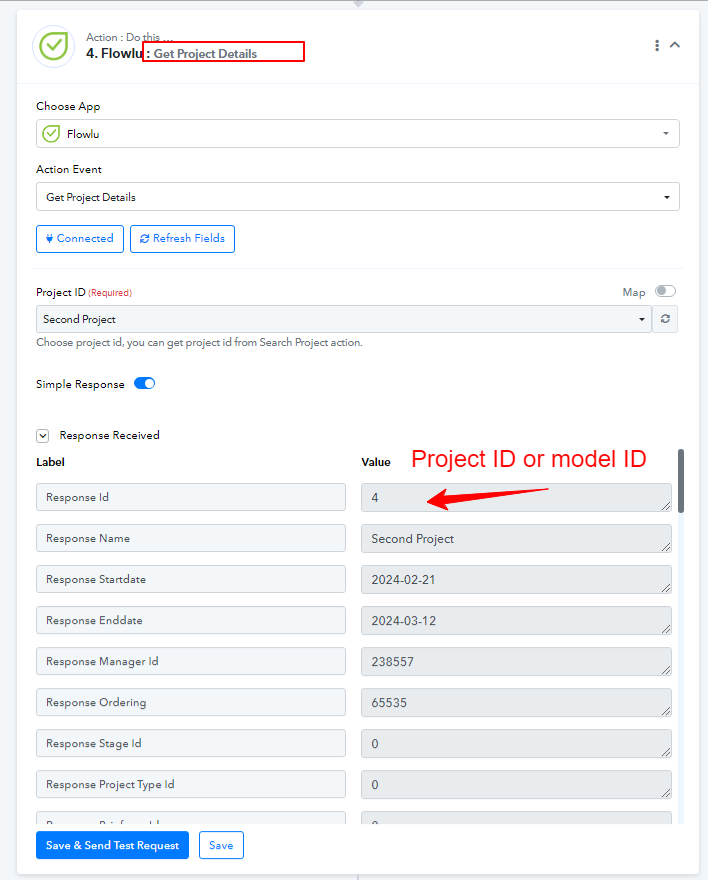
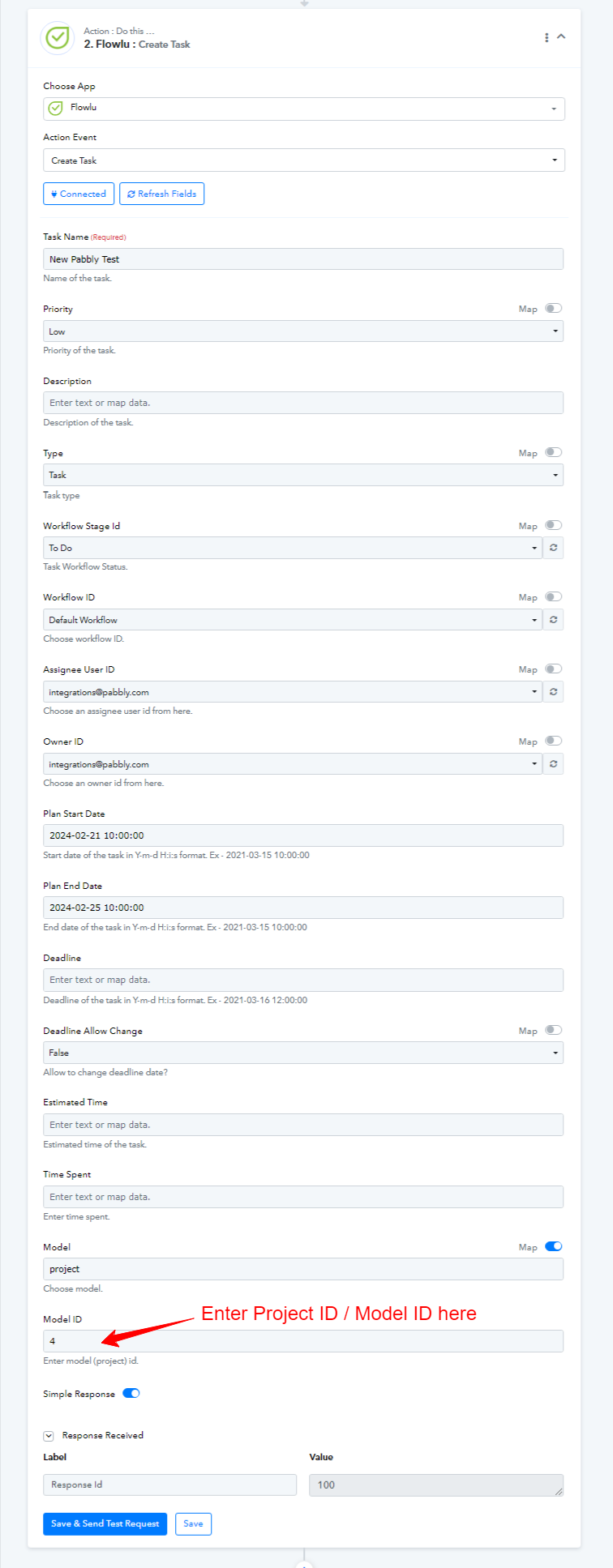
Hey @Oleksandr,We would like to bring to your attention that the project ID differs from the model ID. It is imperative to input the correct values within the events to ensure accurate fetching of details. Upon my examination, the integration appears to be functioning properly from our end. We kindly request you to verify its functionality from your end as well. For your reference, I am attaching a screenshot.
Should you encounter any further issues, please do not hesitate to inform us. We are here to assist you.
Best regards,
Nivesh Jain
Hello! Now I can confirm that it worked. Before, we had to include the numbers in between (), but now apparently, its only the number of the project. Thanks!