Flowlu integration error 404
Status: Closed · Asked by WebImap on · 0 views
Hi, I think the connection with flowlu is wrong...
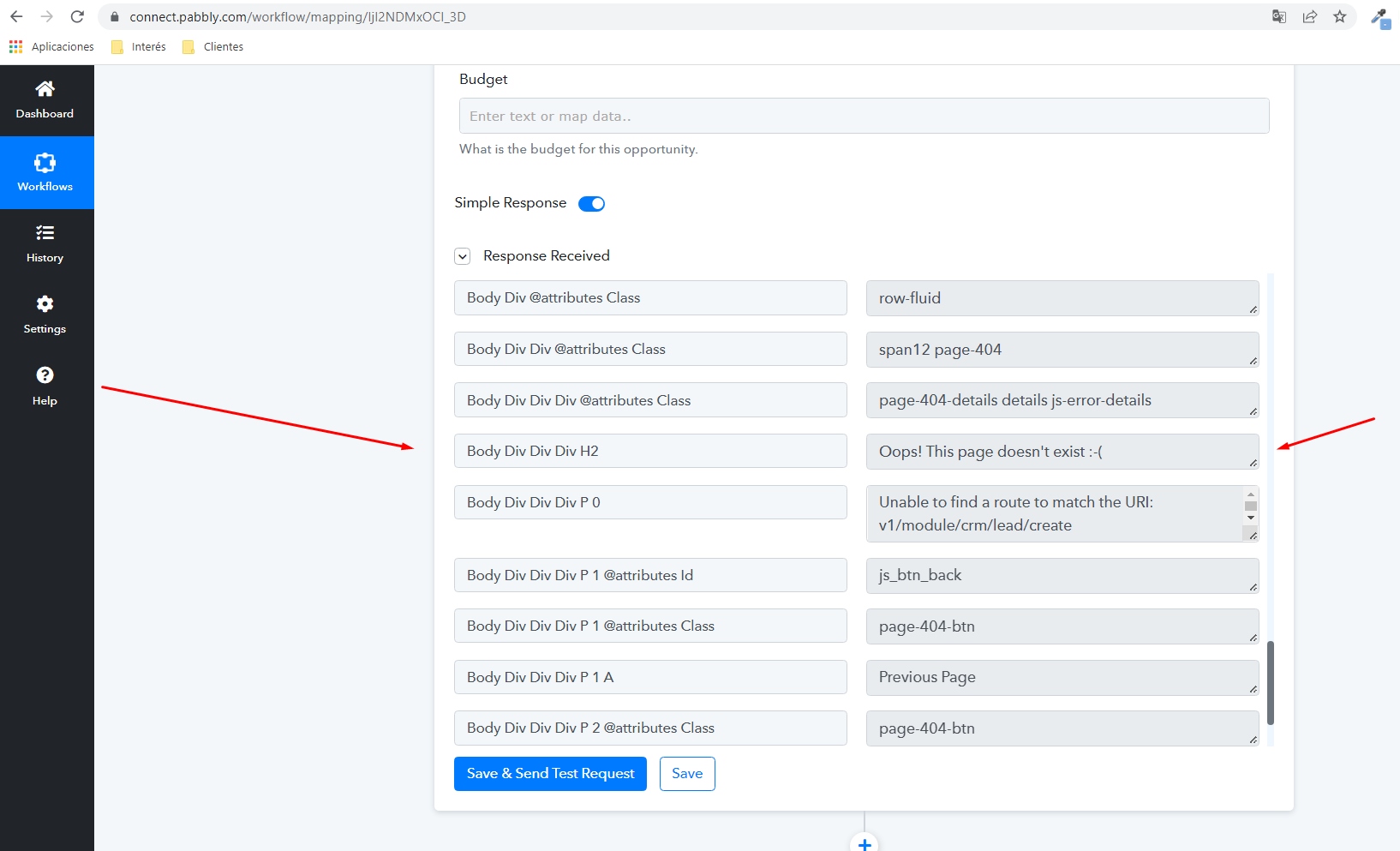
When clicking on "Save & Send Test Request", it returns a 404 error. The url to look for is: "v1/module/crm/lead/create" when in flowlu it is something like this:
flowlu.com/_module/crm/...
Maybe that's not the fault, but we can't perform the integration since it gives us a 404 error.
Hey @WebImap
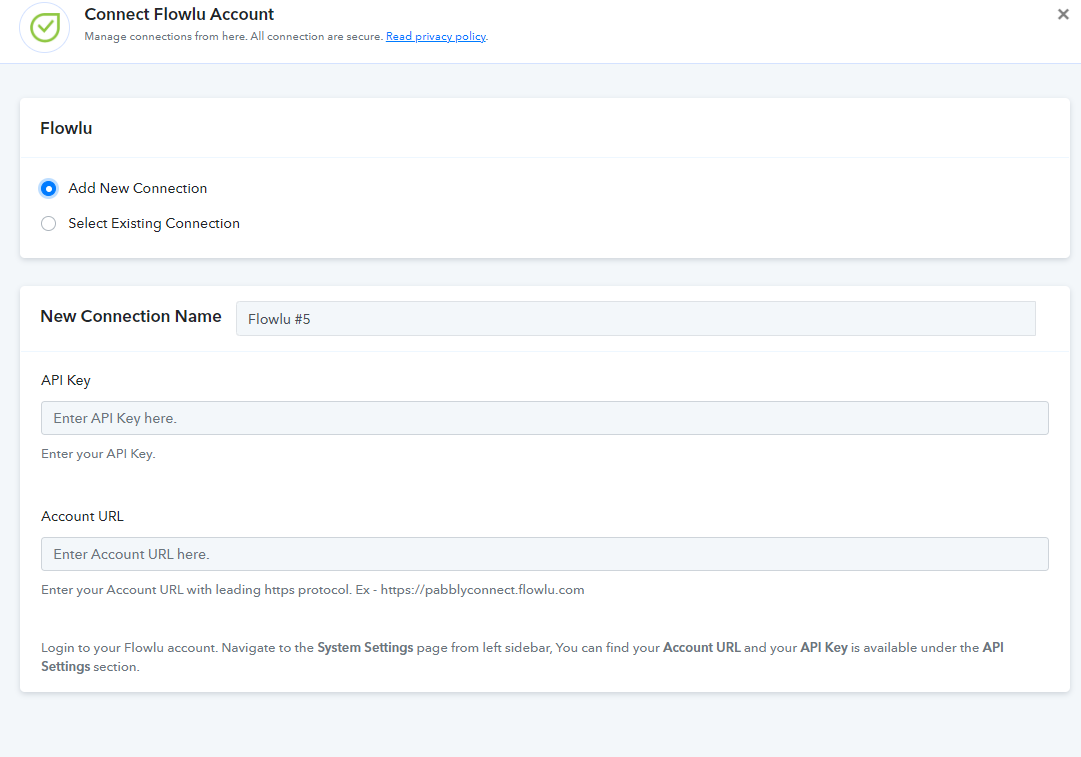
It seems like you might have passed the accounts credentials in an incorrect manner or maybe using the old credentials of Flowlu.
Kindly try again passing the API and account URL correctly as mentioned in the help text of the field.
Hey @WebImapIt seems like you might have passed the accounts credentials in an incorrect manner or maybe using the old credentials of Flowlu.
Kindly try again passing the API and account URL correctly as mentioned in the help text of the field.
Hi, thanks for your response @Supreme
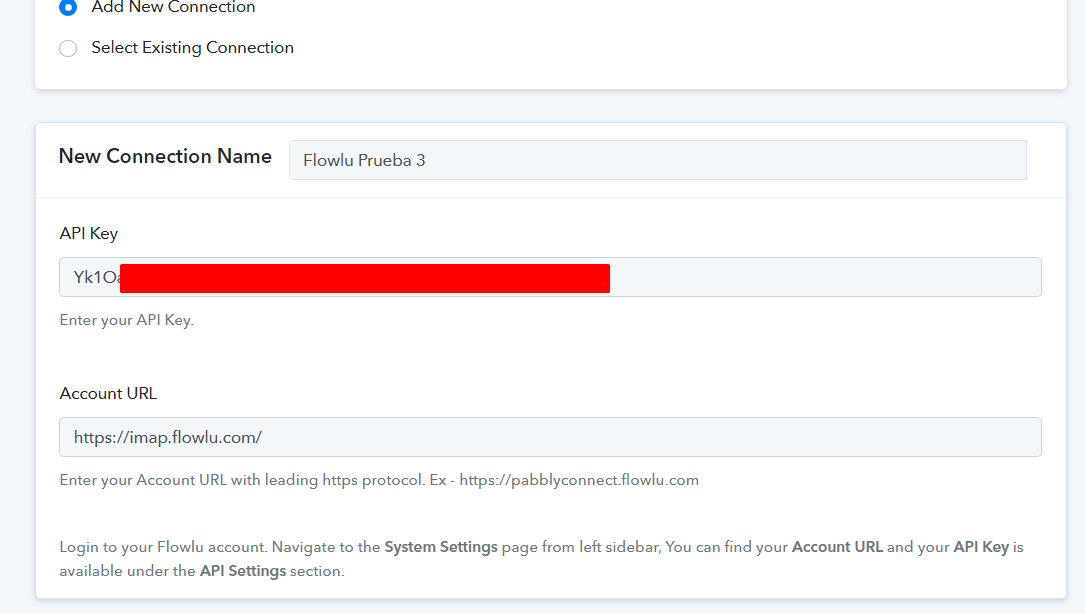
We have made sure that the API KEY is correct (we have copied and pasted directly) and the same with Account URL. But it keeps giving us a 404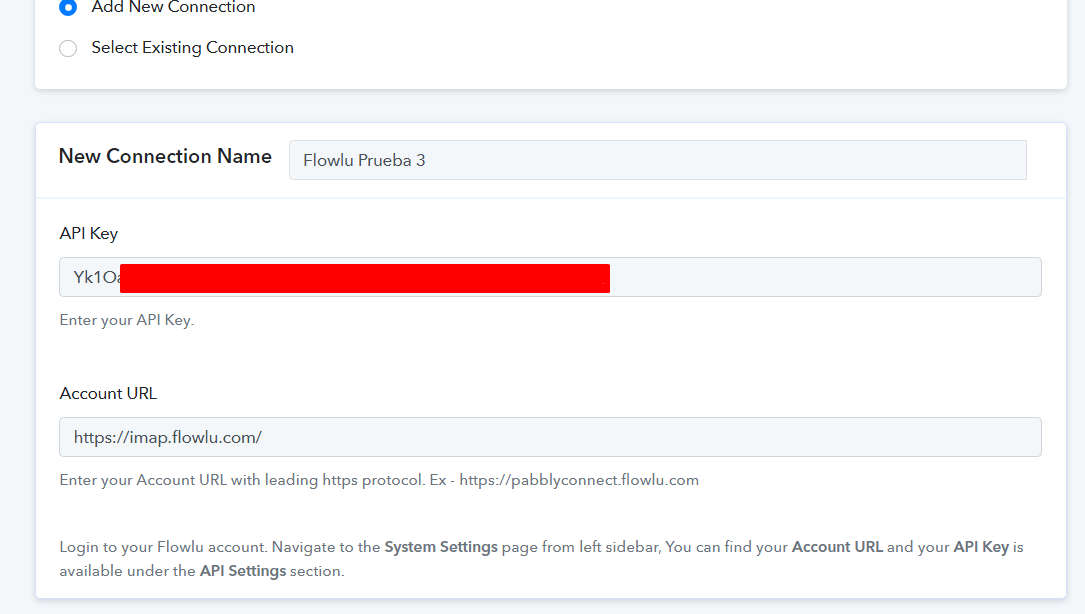
Hey @WebImap
Kindly try passing the account URL without a trailing slash from the end of the account URL.
Hola [USUARIO=3147]@WebImap[/USUARIO]Intente pasar la URL de la cuenta sin una barra inclinada al final de la URL de la cuenta.
I think it works now, now in the dropdowns I get the flowlu data, thanks! Apparently it was the trailing slash
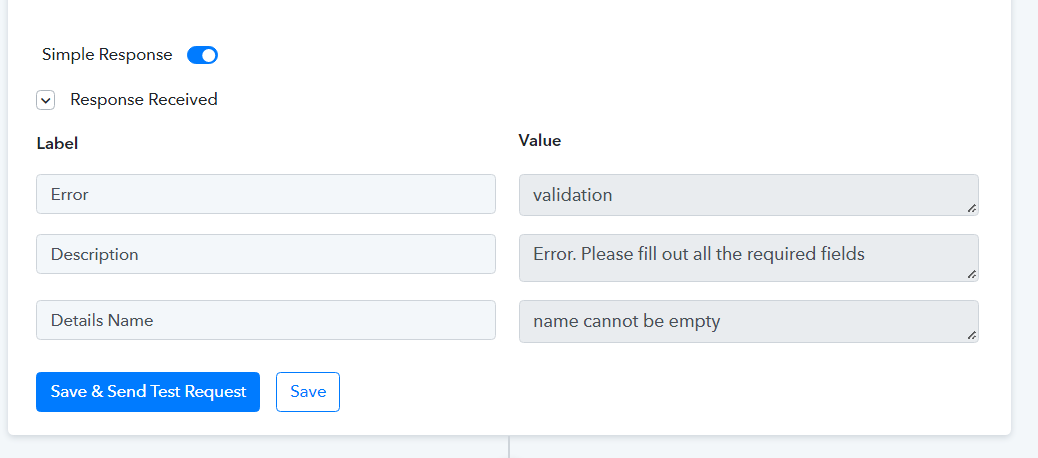
But now there is another problem, it is telling me that the name cannot be empty, when it is not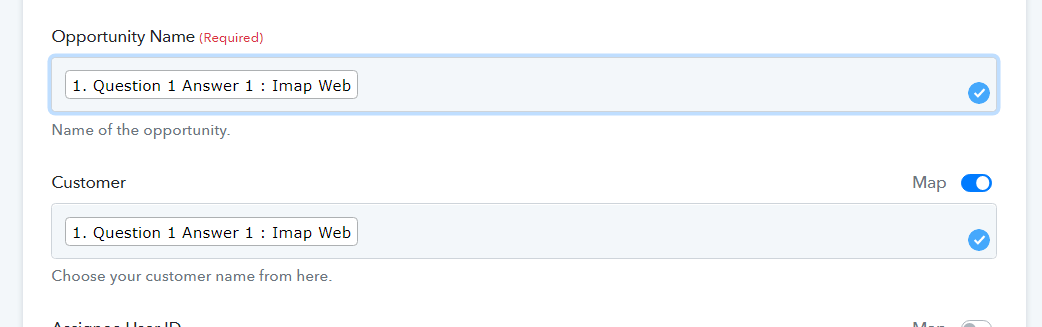
Hey @WebImap
In the Customer Field of "Flowlu: Create Opportunity" you need to map the customer Id/Contact ID which is already presented in your Flowlu and if the Contact doesn't exist in your Flowlu then you have to create the contact first and then map the Id.
Though we have corrected the action step in your account and it seems working. Kindly try again from your end and let us know if that works for you.

Thanks for everything, everything works fine.
Hey @WebImapIn the Customer Field of "Flowlu: Create Opportunity" you need to map the customer Id/Contact ID which is already presented in your Flowlu and if the Contact doesn't exist in your Flowlu then you have to create the contact first and then map the Id.
Though we have corrected the action step in your account and it seems working. Kindly try again from your end and let us know if that works for you.
Thanks for everything, everything works fine.
Greetings