• Instructions to Ask a Question

    For any assistance, please click the "Ask a Question" button and select the Pabbly product for which you require support.

    We offer seven comprehensive applications designed to help you efficiently manage and grow your business:

    Our support team endeavors to respond within 24 business hours (Monday to Friday, 10:00 AM to 6:00 PM IST). We appreciate your understanding and patience.

  • Due to Holi celebrations, our team will have limited availability. While we’ll continue to monitor threads, responses may be slightly delayed.

FluentCRM Rest API

epinela

Member
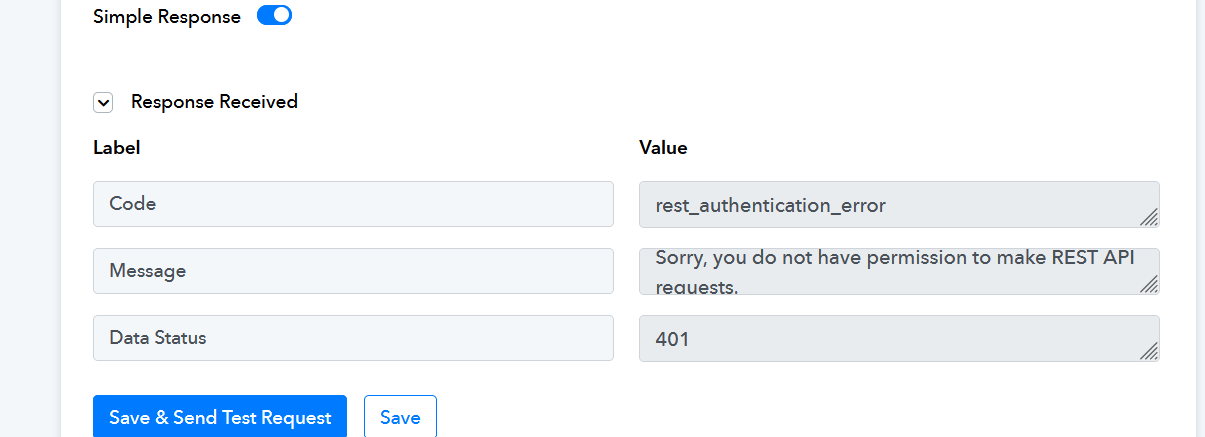
Hi, it shows that it connected, but when I try to execute, it provides this error. Note - I do not see a field to populate any API key.

1697087398180.png
 
P

Pabblymember11

Guest
Hey @epinela

Could you please confirm if you have installed the Basic Auth plugin in your WordPress?

If not then please install the Basic Auth plugin in your WordPress to use the WordPress action step.

Please follow the following thread to add the Basic Auth plugin to your WordPress.


epinela

Member
This worked. thanks. It may make sense to add this to the fluentcrm instructions below the connection icon like how other tasks have small guidelines.
 
P

Pabblymember11

Guest
Hey @epinela

Thank you for the update. We've passed your recommendation along to the team and they will make an effort to include the instructions on the connection page.
 
Top

