Focuster to Ora (Completed Task)
Status: Closed · Asked by adscel on · 0 views
Hi there,
I have successfully created a workflow from Ora to Focuster.
And now I'm hoping I can do a Focuster to Ora - so when the task is completed in Focuster, on Ora it will move the task to the Done list.
This is even possible?
Hi there,I have successfully created a workflow from Ora to Focuster.
And now I'm hoping I can do a Focuster to Ora - so when the task is completed in Focuster, on Ora it will move the task to the Done list.This is even possible?
Are you looking to this?
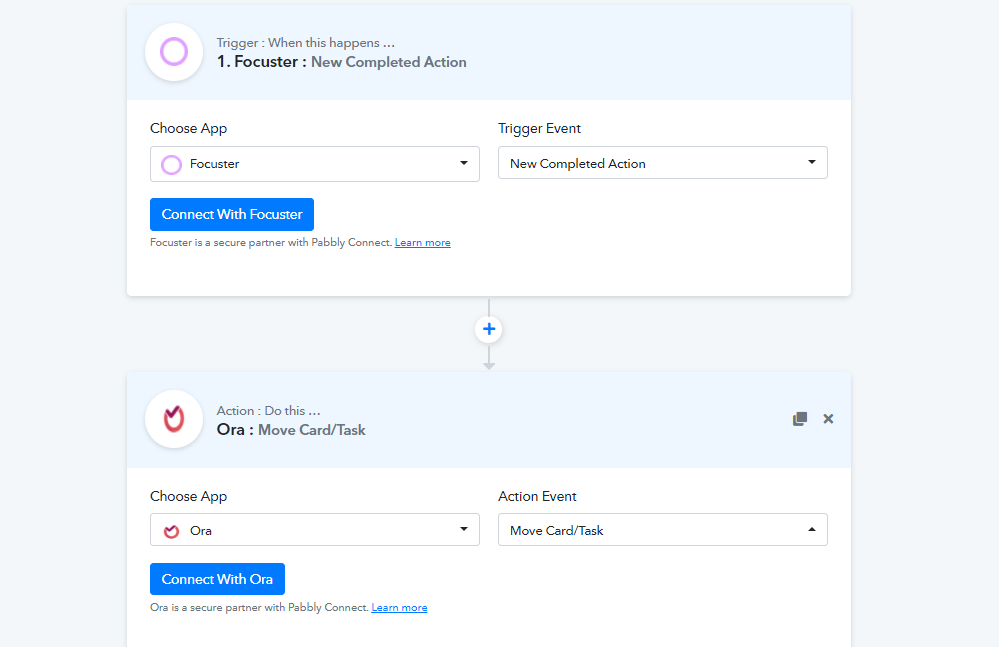
Yes, correct, but I couldn't get it to work.
Yes, correct, but I couldn't get it to work.
Please send me the screenshot of the error you're getting.
Please send me the screenshot of the error you're getting.
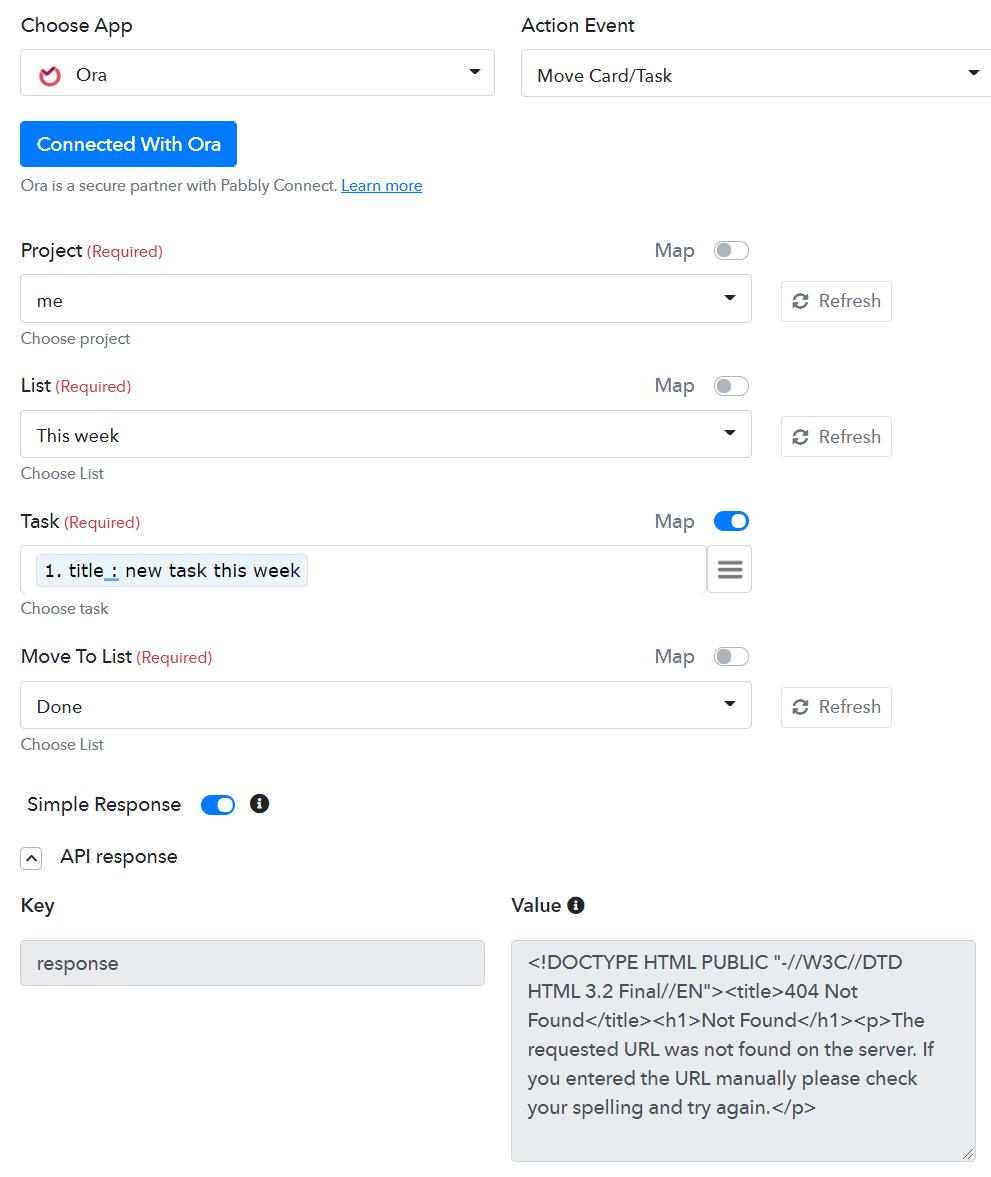
Can you please map the corresponding task Id instead of title there,
hope that will resolve your issue.
Hi Naveen,
There's no task id field I could find, and I tried finding a common unique id to map from Ora to Focuster but there isn't.
Can you advise?
Hi Naveen,There's no task id field I could find, and I tried finding a common unique id to map from Ora to Focuster but there isn't.
Can you advise?
I have gone through their API and couldn't get any Search Task by Task Title endpoint in order to get the Task ID.
I would request you to disable the mapping for the field and select one of the listed tasks from the dropdown to get it work.
I have gone through their API and couldn't get any Search Task by Task Title endpoint in order to get the Task ID.I would request you to disable the mapping for the field and select one of the listed tasks from the dropdown to get it work.
Do you mean just do this?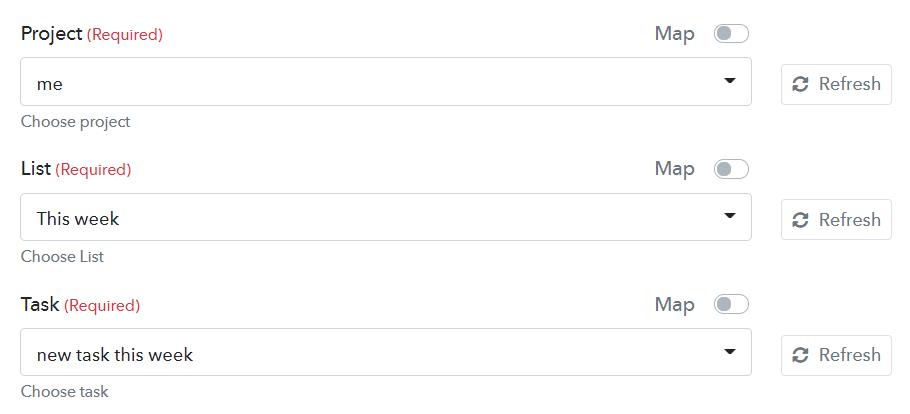
Do you mean just do this?
Yes exactly! Try this.
Yes exactly! Try this.
It didn't work.
Here's the error received via email
{
"response": "404 Not Found
Not Found
The requested URL was not found on the server. If you entered the URL manually please check your spelling and try again.
"}
It didn't work.Here's the error received via email
{
"response": "404 Not FoundNot Found
The requested URL was not found on the server. If you entered the URL manually please check your spelling and try again.
"
}
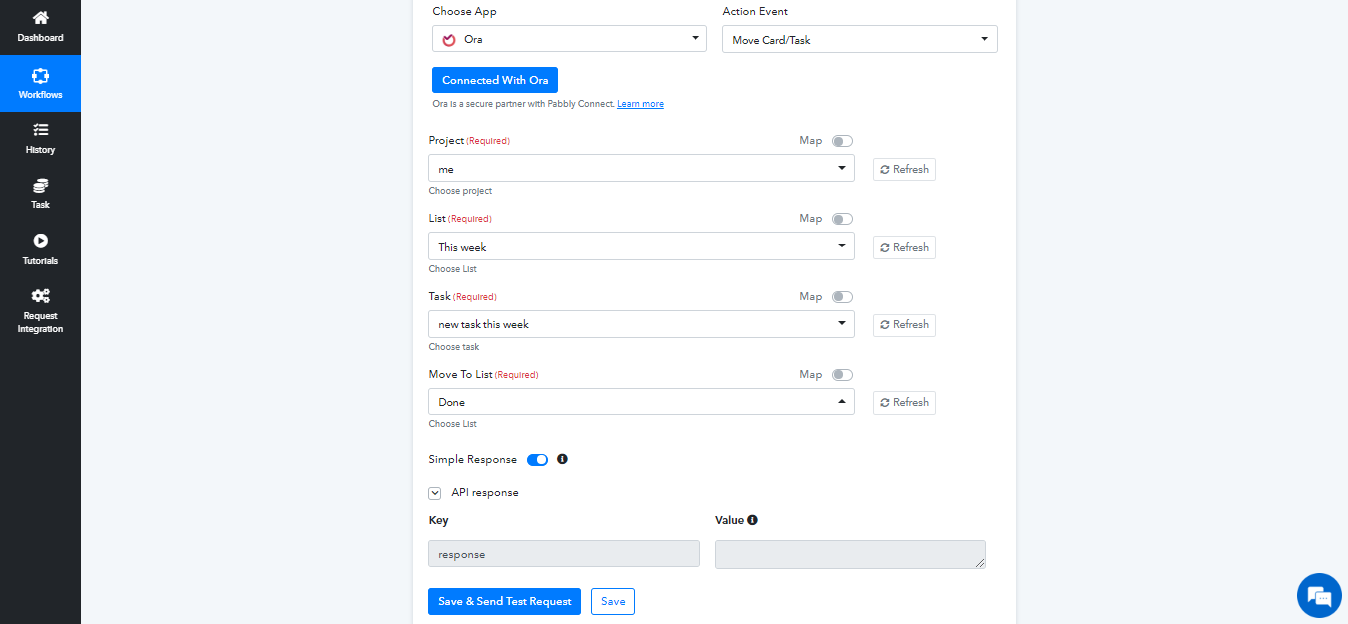
I have just checked your account and figured it out, probably you were missing to click the refresh buttons. Please check attachment.
Attachments
Hi there,I have successfully created a workflow from Ora to Focuster.
And now I'm hoping I can do a Focuster to Ora - so when the task is completed in Focuster, on Ora it will move the task to the Done list.This is even possible
When a task is created in Focuster normally you get a task id. Such ID should be saved (preferably in Ora or else you should create a spreadsheet where you can save id's from Ora and Focuster that match.
I dont use both tools, but I use other tools that works this way.
Pardon me, I tried creating a 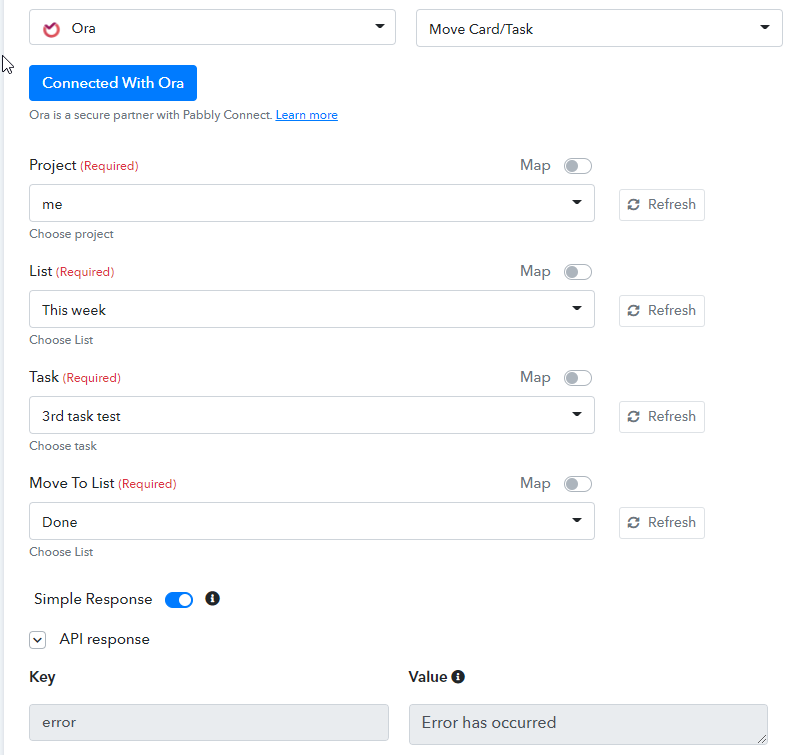 new task to move and clicked on all the refresh buttons but get this error
Hi Naveen, I tried what you said but still can't get it to work. Any advise?
I have just checked your account and figured it out, probably you were missing to click the refresh buttons. Please check attachment.
Hi Naveen, I tried what you said but still can't get it to work. Any advise?
Just checked your workflow, can you please reconnect your Ora application in the workflow or just share the login details of your Ora account at admin@pabbly.com, we will check and setup the that workflow for you.
Just checked your workflow, can you please reconnect your Ora application in the workflow or just share the login details of your Ora account at [EMAIL]admin@pabbly.com[/EMAIL], we will check and setup the that workflow for you.
Hi Naveen, do you mean to disconnect and remove the existing credentials and restart the connection?
Hi Naveen, do you mean to disconnect and remove the existing credentials and restart the connection?
Yes, just try it once if issue persists, please share the Ora credentials at admin@pabbly.com, we will check and do the needful. once, your issue got resolved, you can change the password.