Following Tutorial for Voicemaker TTS file upload to Google Drive - failure.
Status: Closed · Asked by tnelms58 on · 0 views
I am following this tutorial
How to Convert Text-to-Speech from Google Sheets and Upload File in Google Drive
youtube.com/watch?v=4VMS8JWu-tY
at 18:40 the tutorial gives a correct workflow result.I created a Google Drive connection, entered all the required data fields as requested.
My workflow does not complete correctly.
This is the error message I get.
[{"@type":"type.googleapis.com\/google.apps.script.v1.ExecutionError","scriptStackTraceElements":[{"function":"uploadToDrive"}],"errorMessage":"Exception: Request failed for https:\/\/developer.voicemaker.in returned code 404. Truncated server response: \n\n\n\nError<\/title>\n<\/head>\n<body>\n<pre>Cannot GET \/uploads\/691ecce417bc200257d4b22... (use muteHttpExceptions option to examine full response)","errorType":"ScriptError"}]</p><p style="margin: 0 0 1em 0">Can you pinpoint the reason for the error?</p><p style="margin: 0 0 1em 0">Thanks<br>Tim</p> <!--forum-mig-atts-v1--> <div style="margin-top:12px;padding-top:8px;border-top:1px dashed #ccc"> <p style="margin:0 0 6px 0;font-size:12px;color:#666"><strong>Attachments</strong></p> <div style="margin:6px 0"><img src="/uploads/migrated-forum/att-62604-bandicam_2025-11-27_14-01-53-096.jpg" alt="bandicam 2025-11-27 14-01-53-096.jpg" style="max-width:100%"></div> <div style="margin:6px 0"><img src="/uploads/migrated-forum/att-62605-bandicam_2025-11-27_14-02-14-153.jpg" alt="bandicam 2025-11-27 14-02-14-153.jpg" style="max-width:100%"></div> </div>
Hi @tnelms58,
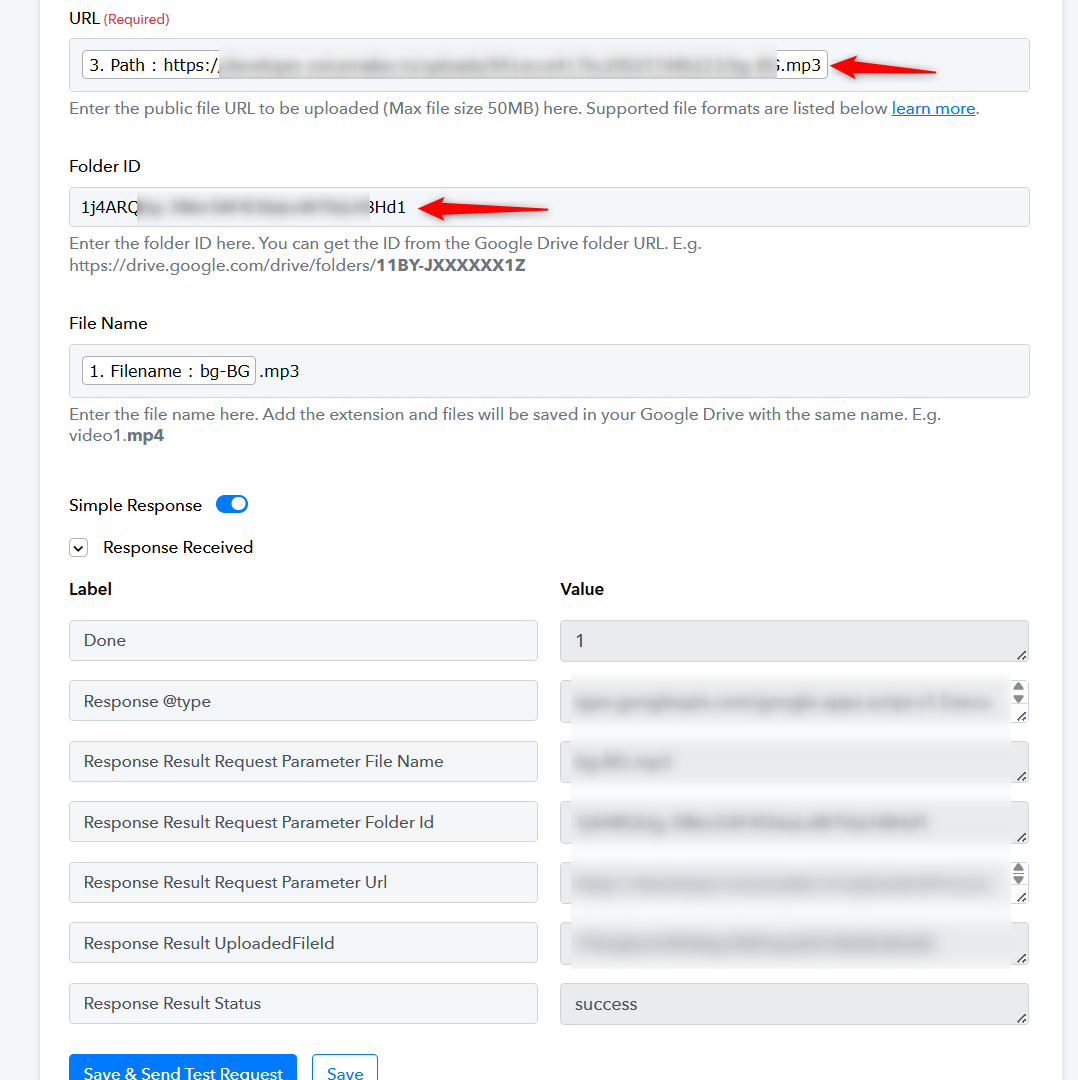
We recaptured the file in the Voicemaker action step and then mapped it to your Google Drive action step. We also made a small change in the Folder ID, and it appears to have fixed the issue.
Thanks & Regards,
Arshil Ahmad
Customer Support Associate
Pabbly.com
?Rate your support
thanks very much Arshill
Hi @tnelms58,
As your issue has been resolved, we’d appreciate it if you could share quick feedback on the support received:
https://forms.gle/GAjS4wdPYKuhnEYV9
Thank you for your time.
PS: We are closing this thread as the issue is resolved. Please feel free to reach out to us if you face any issues in the future.