ForEach loop type of workflow
Status: Closed · Asked by mdb on · 0 views
Hi,
I'm trying to do a foreach loop kind of workflow, but I'm having the damnest time trying to get it to work.
example: I have a big block of text of 3000 words, and I use text formatter to split the text into multiple segments based off # of characters
Segment Index = All (simple response shows me it split into 5) (simple off shows me a JSON output)
From here is where I want my foreach loop to run: i.e. : foreach ($index in $segmentIndex), do {operation x y z}
But I'm having the hardest time finding an action step that knows how to iterate this correctly.
The iterator app only shows me the first result, not the other 4..
The array function only allows me to choose a specific index (tried doing 0, 1, 2 as index and it gives an error)
the data transformer / line itimizer shows a null response on the JSON from the text formatter
Any help would greatly be appreciated!
Thanks,
MDB
P.S. it's the "T to G" workflow
Hey @mdb
Please allow us sometime to check the possibility on your concern. Also, do share the name of the workflow once in which you have tried the same.
Hey @Supreme the workflow name is "T to G", and thanks.
Hey @mdb
The iterator app only shows me the first result, not the other 4..
While setting up the workflow, the Iterator action step only shows one iteration in the response and in real time execution the Iterator will process all your responses once by one.
So, kindly give your workflow a try in real time and let us know if that is working accordingly.
@Supreme
I had tried that as well to a test in google sheets to see if it works correctly (ultimately not where it needs to go)
But I get the following error when testing to google sheets:
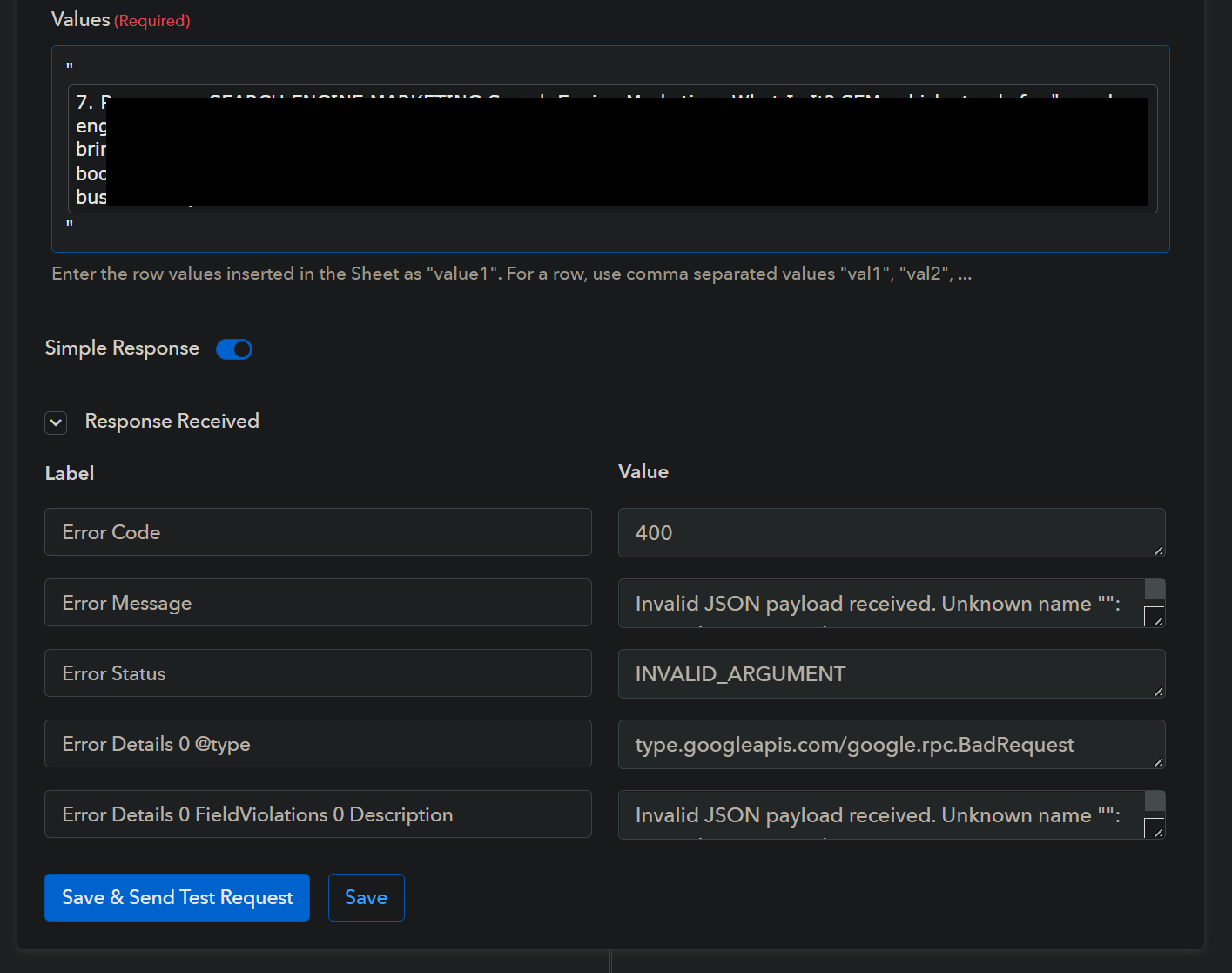
Tried with quotes and without.
@Supreme
I had tried that as well to a test in google sheets to see if it works correctly (ultimately not where it needs to go)
But I get the following error when testing to google sheets:
Tried with quotes and without.
If you are passing only one field's data to your Google Sheets then, you can try "Google Sheets: Add New Row" action step.
Since the content which you are passing is actually contains multiple double quotes which is why it is interfering with the JSON in which the data gets sent to Google Sheets.
I was afraid of that, I ended up (sort of) making a manual iterator by using if/then (filter) and then counting and matching the number of items.
Hey @mdb
Thanks for the update, let us know if you get stuck at any step of your workflow.