Format Function Request To Replace Accented Characters
Status: Closed · Asked by Juan Colicchio on · 0 views
Hey @juancolicchio
For your concern please check out the following thread to convert the characters -
https://forum.pabbly.com/threads/gmail-translate-general-language-characters.179/
Hey @juancolicchioFor your concern please check out the following thread to convert the characters -
https://forum.pabbly.com/threads/gmail-translate-general-language-characters.179/
Thank you for sharing. I don't understand, by using this function, how can we transform the data back to readable characters so we can update our crm system?
Hey @juancolicchio
Currently their no function available to convert the accented characters to de-accented. Though you can use the spreadsheet formula if available on Google and then can apply it on the "Number Formatter by Pabbly: Spreadsheet Formulas" action step.
This won't work at scale. Google sheets has a api call limit that will not work with the amount of api calls required on our end.
Hey @juancolicchio
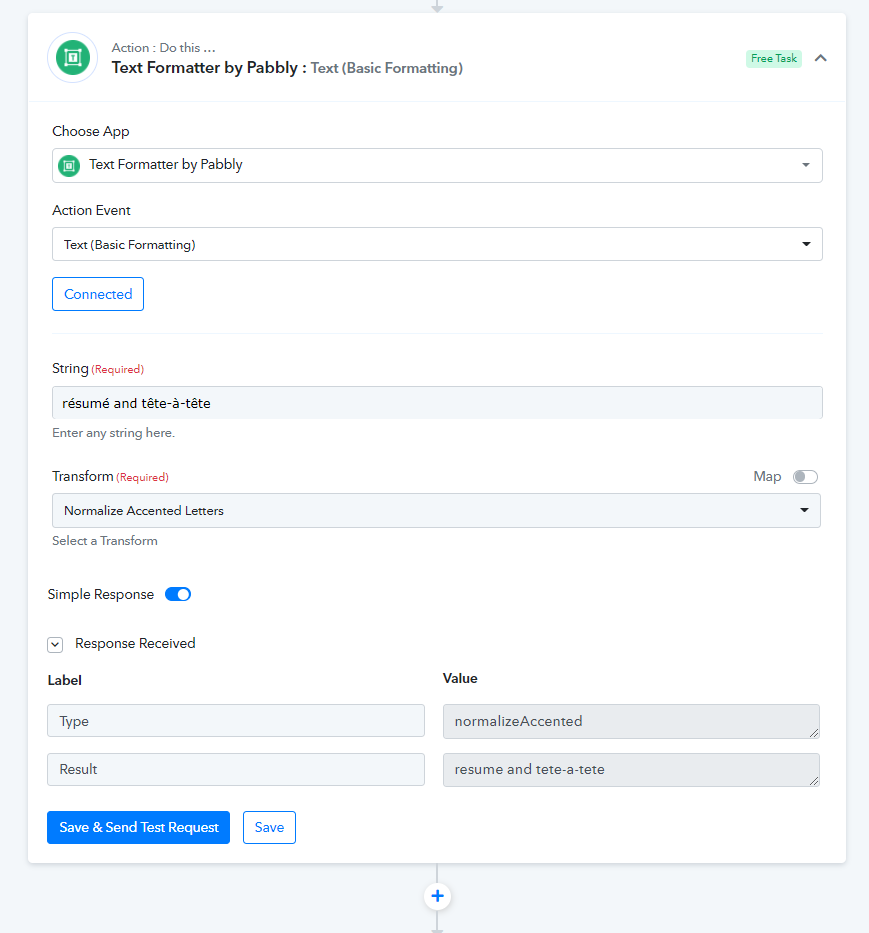
Currently, there is no function available to convert the accented letters into the normal English alphabets. Though we will try to add the "Normalize Accented Letters" function in the coming Text Formatter's next update.
Hey @juancolicchio
We have added the De-Accented function in the "Text Formatter" action step. Please check out this at your end and let us know if that works for you.