Formidable Forms API fields not found
Status: Open · Asked by Danevents on · 0 views
Hello,
I have a formidable forms API, and when I make a connection the response is just "Test 1"
My form has an attachment which I would like to save to google drive, but it doesn't allow me to map that correctly.
My only options to select from the API is:
1. TEST 1
This produces a script error.
Hello,
I have a formidable forms API, and when I make a connection the response is just "Test 1"My form has an attachment which I would like to save to google drive, but it doesn't allow me to map that correctly.
My only options to select from the API is:
1. TEST 1
This produces a script error.
I have gotten the rest of the fields to map from watching the trouble shooting video that was posted on another thread.
But getting attachments to be saved to google drive, onedrive, etc., always produces an issue.
Something about the file not be accessible.
Hi @Danevents,
Please share the Workflow URL in which you have this concern.
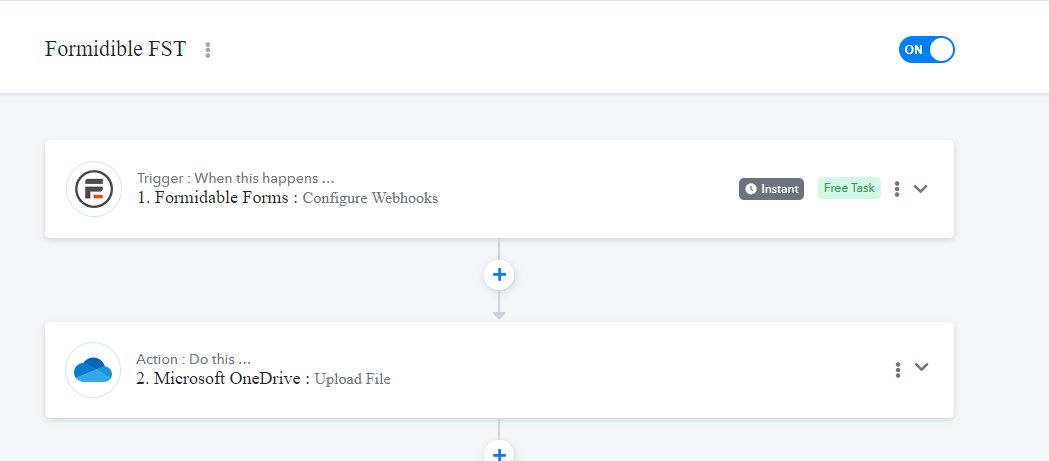
I don't know what you can see, but here's an image.
I'm trying to use the formidable webhook.
I have the fields mapping correctly.
Attachments
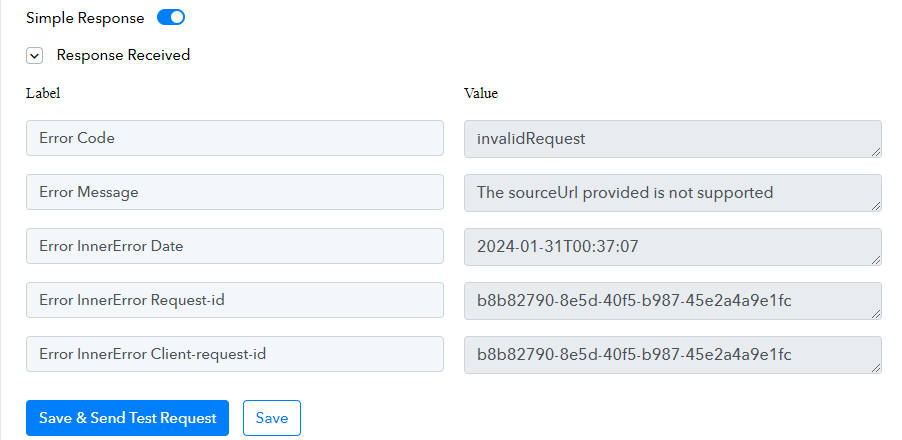
This is the error I get.
Attachments
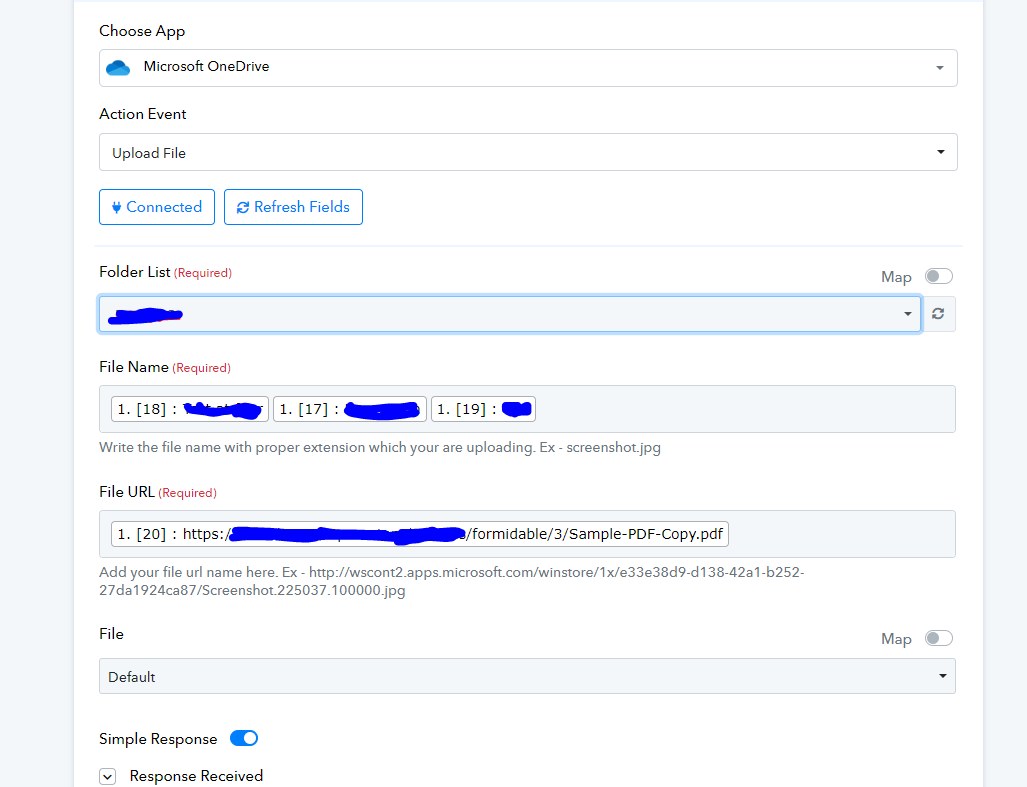
Here are the mapped fields to try to upload to onedrive.
Attachments
Please allow us some time to look into this concern. We will get back to you with an update soon.
Please try making a new connection with your OneDrive account and see if you are able to upload the image now. Make sure you are uploading a file to a personal account.
https://www.screenpresso.com/cloud/Svw0e/