Formidable Forms fields not being Found
Status: Closed · Asked by thebastion on · 0 views
Hi there,
I have connected my Formidable Form to Pabbly and it says it has connected. However, it only finds 1 field and it is a test field. This is not a field on my form.
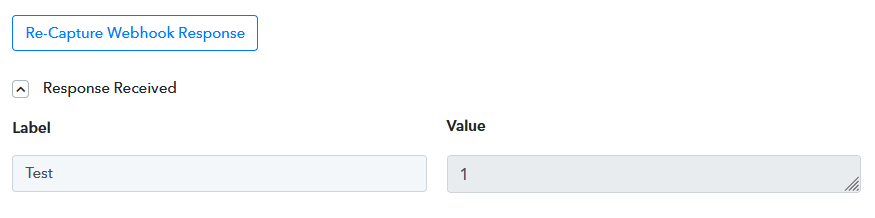
I cannot, therefor find the field to map in the Woocommerce Action in the next step.
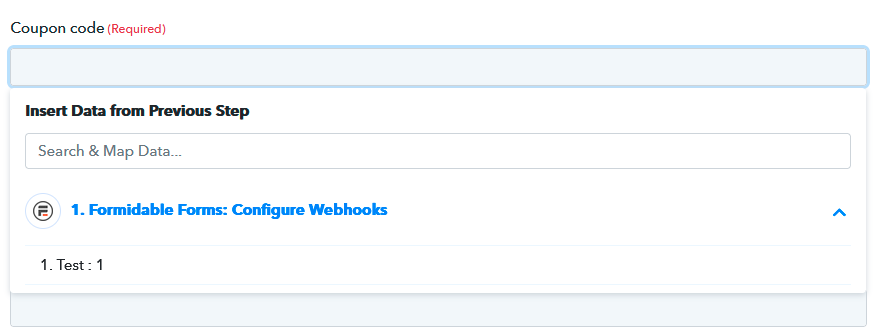
I have mapped 2 fields, a text field called Coupon Name and a number field called Total Kids.
How can I get Pabbly to see the fields I have created? They are set up in Formidables API action. I have followed the instructions fully.
Thanks, STuart
Hey @thebastion
Can you share the form URL with us in which you are trying to capture the webhook response? So that we can look into it and guide you accordingly.
Hi there,
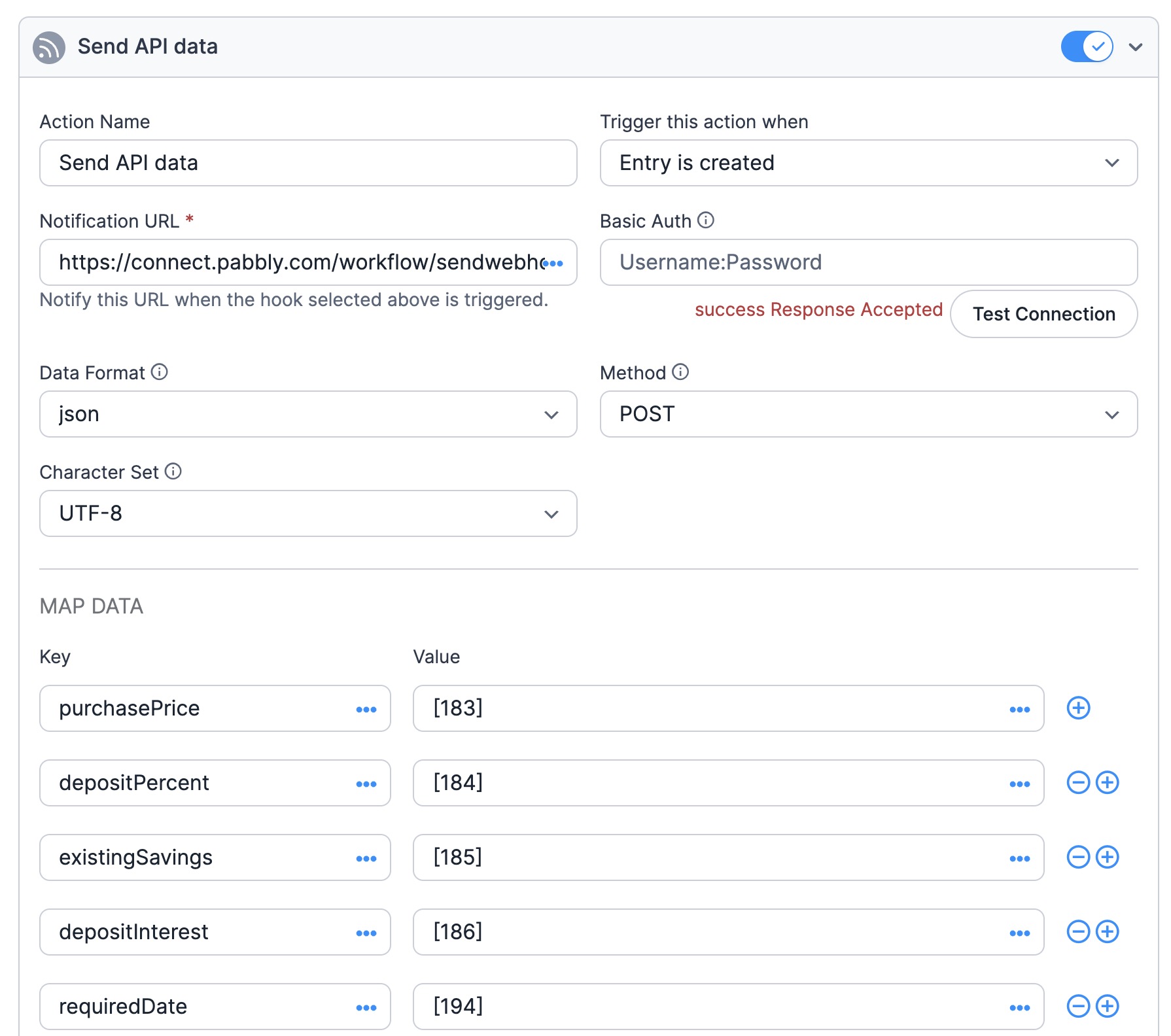
I followed your video tutorial on using webhook.site and it appears that when I send the test connection, Formidable just sends the test:1 key:value pair. If I complete the form and send it, webhook.site gets the full form data.
It would appear that it is a Formidable issue, not sending the full data to Pabbly on a test connection. I am writing to them now.
Thanks, Stuart
Hi Supreme,
It appears that the Pabbly - Formidable connection is no longer possible the way Pabbly integrates.
Nathanael from Formidable has said that Formidable sending the 'Test:1' data pair when I hit the Test Connection button is the default value they would expect. Their API plugin does not send the full form data, meaning I have no way to associate fields together, as Pabbly only sees 'Test:1'.
I can send some images of whats happening if it helps show you what I mean?
Thanks, Stuart
Hey @thebastion
Sure you can share the images for the same but we recommend you to be in touch with their team so that they can send the webhook response to the trigger event.
Hello.
Has there been any further developments on this as I have just run into this problem - months later.
I'm running the latest version of Formidable Forms Elite.
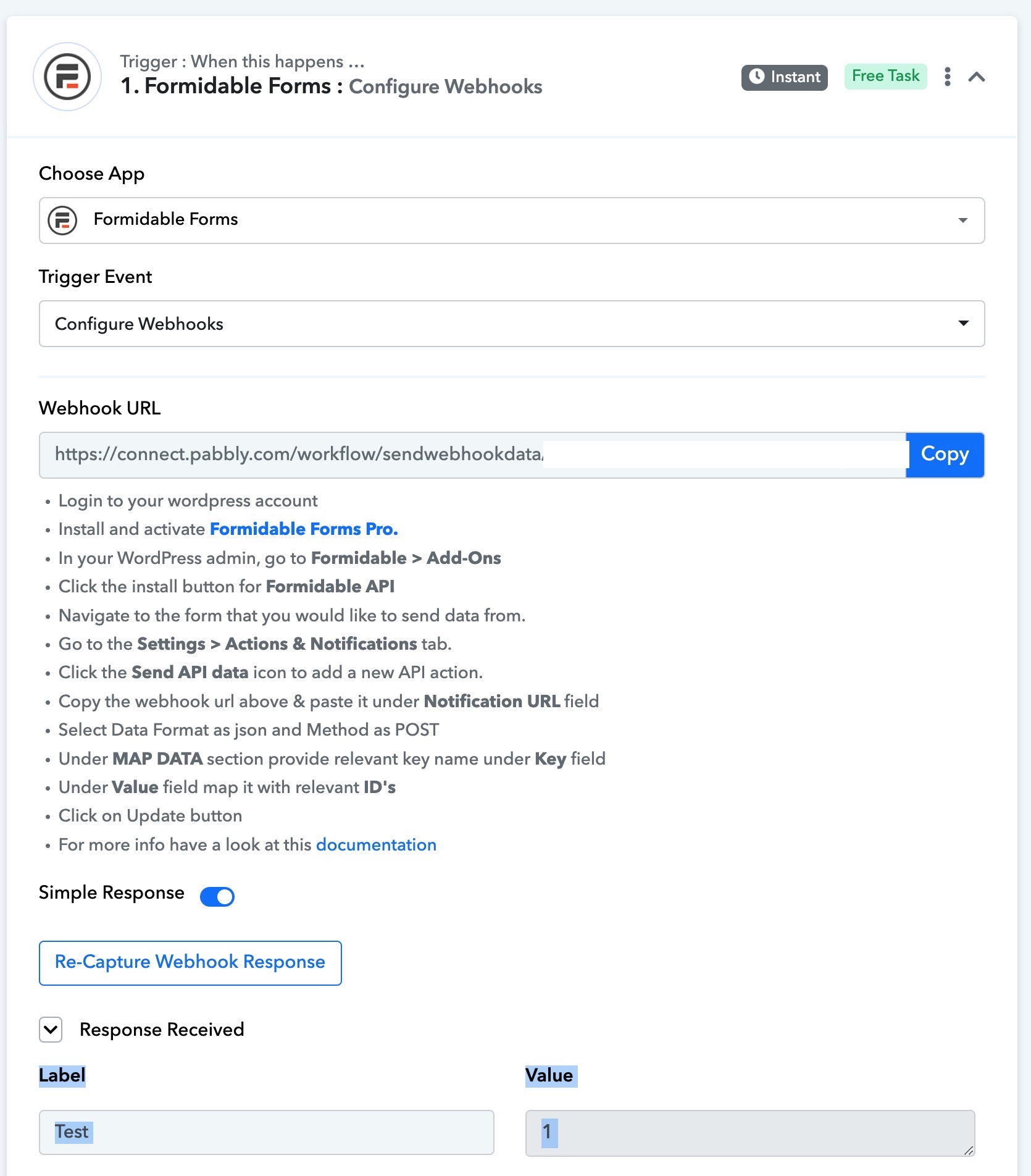
Find two screenshots for quick reference.
I want to move all my automations from Zapier to Pabbly.
Regards, Lawrence
Attachments
Hey @Law
Can you capture the webhook response from your respective form and then try again?
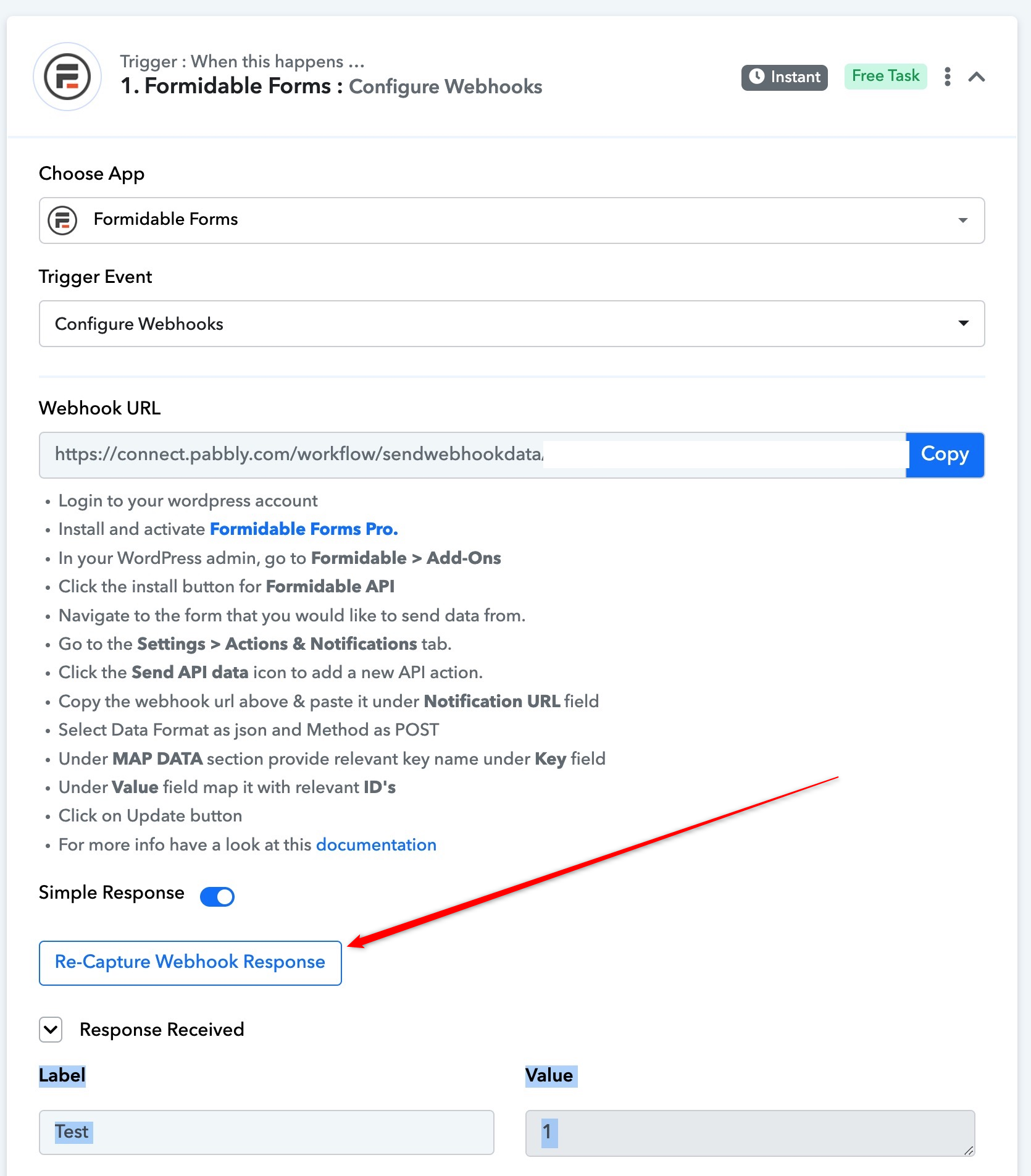
Also, do share the form URL with us, so that we can also check the same.
Hello Supreme.
I clicked on "re-capture webhook response" as per your screenshot and submitted a new form entry as suggested.
It is working 100% now. I've repeated the process several times to map additional fields via the Formidable Forms API.
Thank you for your feedback.