Formula to make Upper Case (Excel) - How to?
Status: Closed · Asked by zest83 on · 0 views
Formula to make Upper Case (Excel) - How to?
Need to make the NAME in ALL CAPS
How to input in Trigger "Number Formatter"
Its not working for me
Workflow Name: Participation Certificate - Power Excel (AUTOMATIC)
We have updated your workflow -
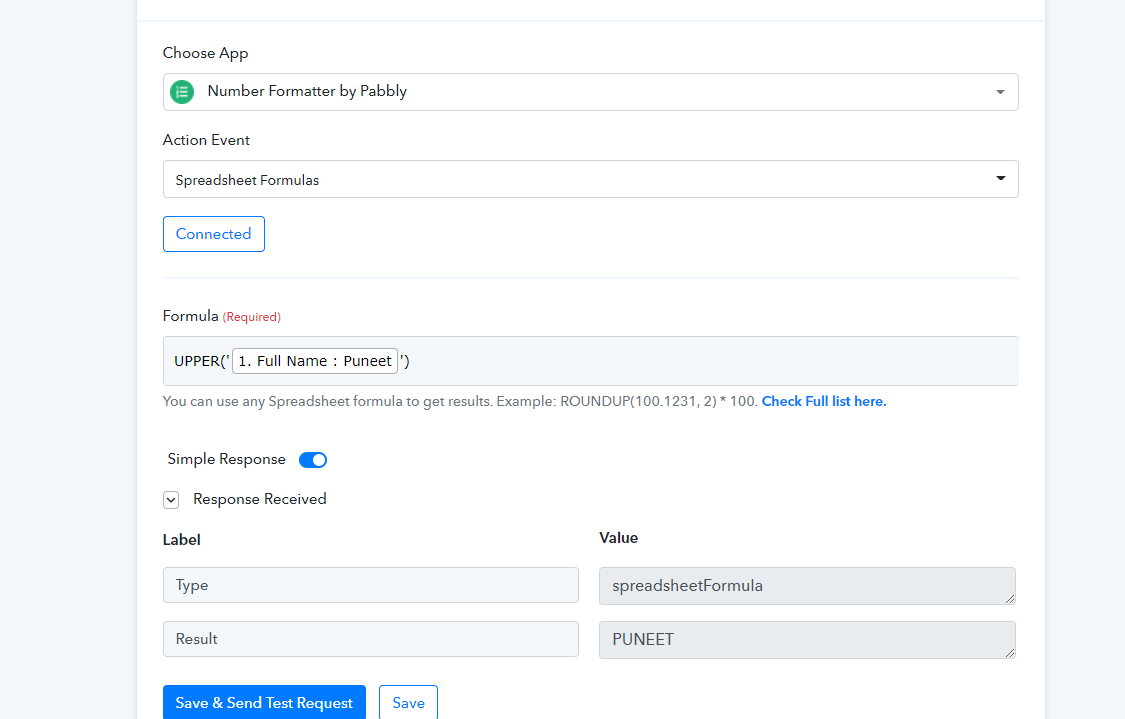
Hey @zest83
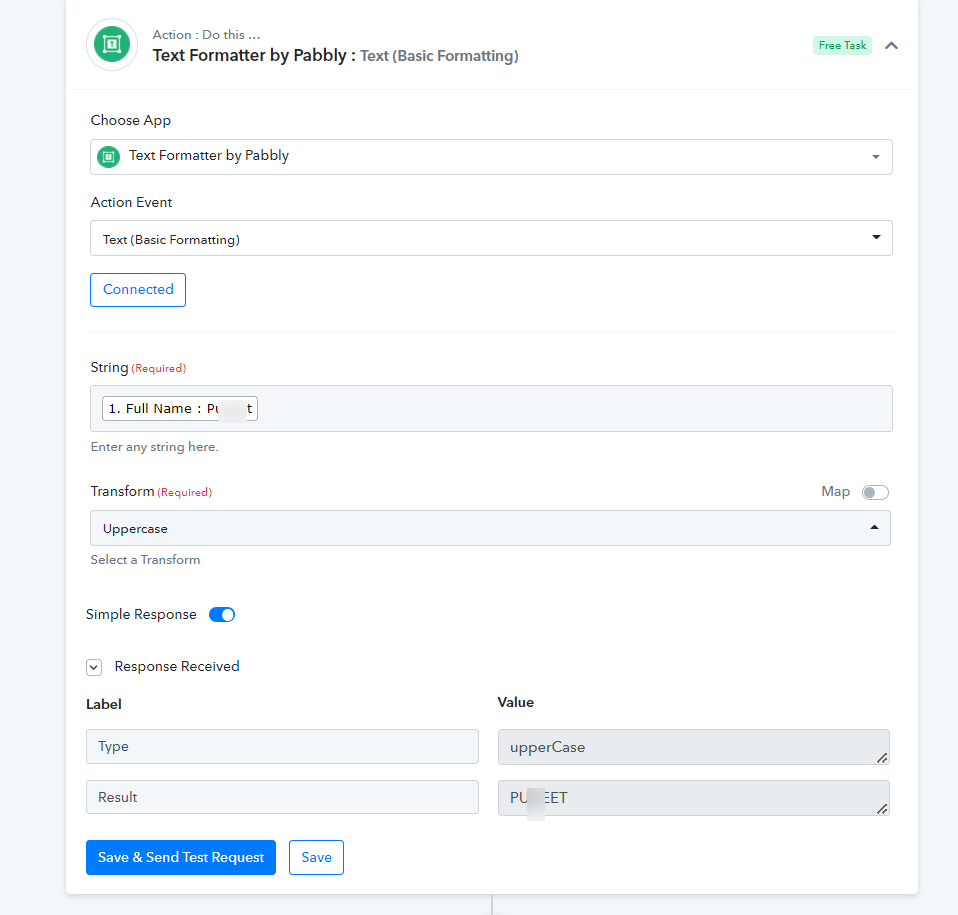
You can also simply use the "Text Formatter by Pabbly: Text (Basic Formatting)" to change the name in the upper case.
I need HELP in the same Workflow.
Should I open a NEW Ticket?
The last Step
WhatsApp Part
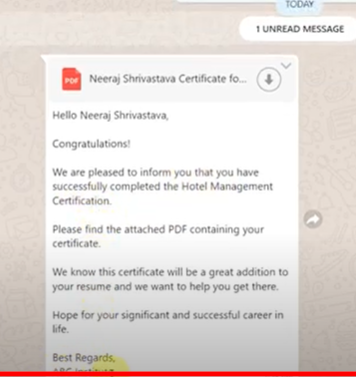
I'm trying to send the PDF copy to WhatsApp from the previous step of Google slides.
The triggers shows success but the message does not go through!
Its as if the trigger is not executing
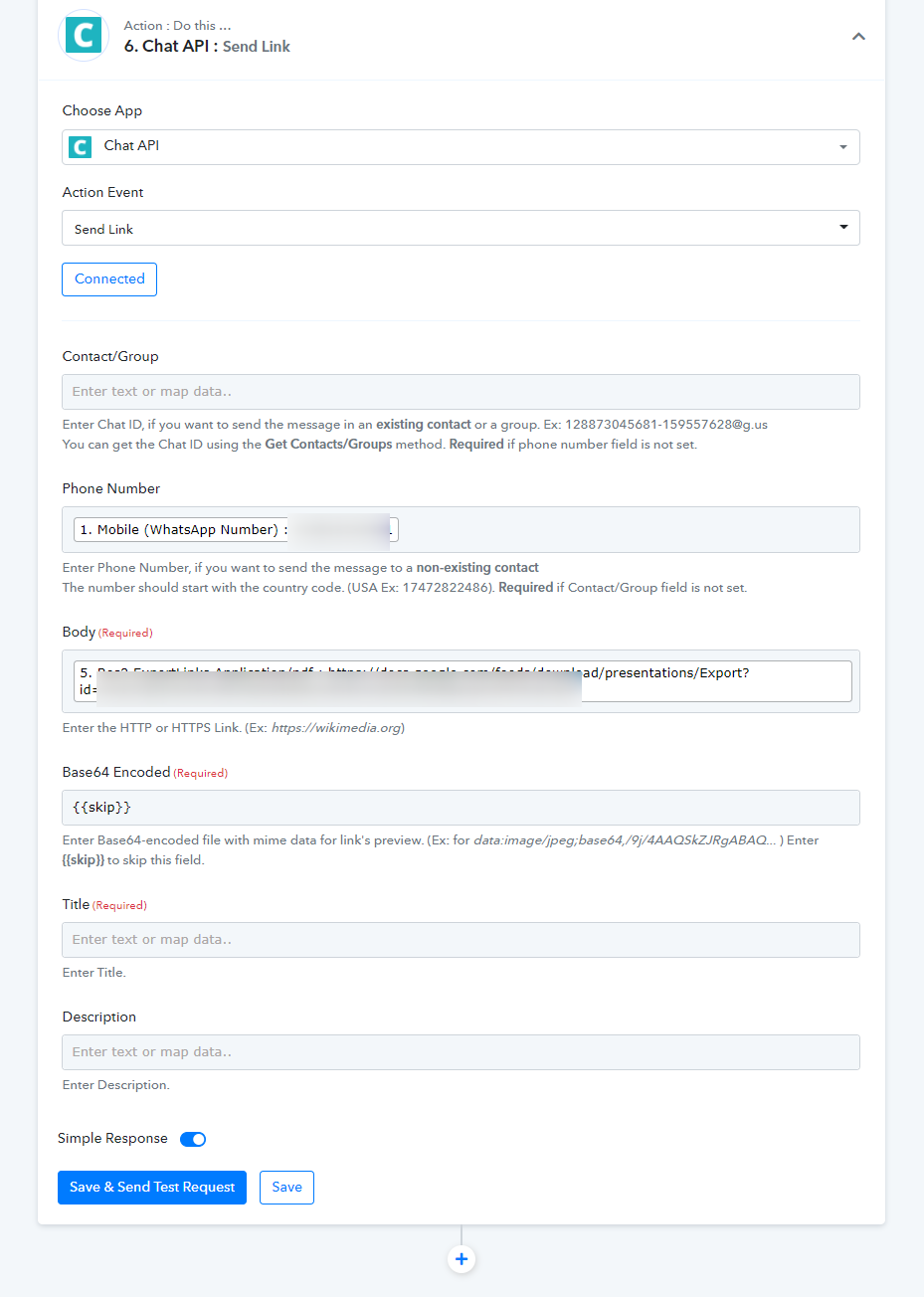
I have chosen: CHAT-API
Action: "send link"
If I choose, Action: "send message" then the full PDF address link gets shown. I don't wish to show that hence trying to send the file directly
What do you recommend?
Hey @zest83
It seems like you were using the older version of the Chat API and because of that, you were not getting the messages.
Kindly reconnect the action step and fill all the required fields as mentioned.
youtube.com/watch?v=LXMpJScoF50
This is your YouTube Video Where you have shown how the FINAL SAMPLE message should look but I'm unable to achieve it
Please could you help me with the same?
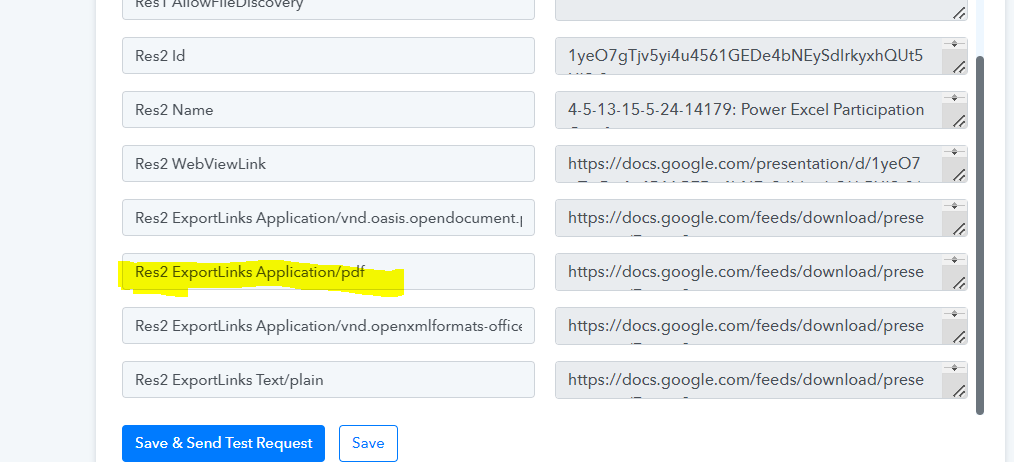
i have attached a screenshot to help you understand where I'm pulling the FILE URL from... from the Google Drive Trigger!
I need to send the PDF URL
I need to send the PDF along with a message... but when I'm sending the message using Chat-Api, I'm seeing the URL being displayed instead of the file being sent in the exact same format as shown here
Question 2 - after you resolve the above Problem
IS There a way to SAVE this PDF somewhere on the Google Drive after the URL is generated... if it is being saved, how do I get the location of where it is being saved
Attachments
Happy Holi To your Team!
Are you working this weekend?
Hey @zest83
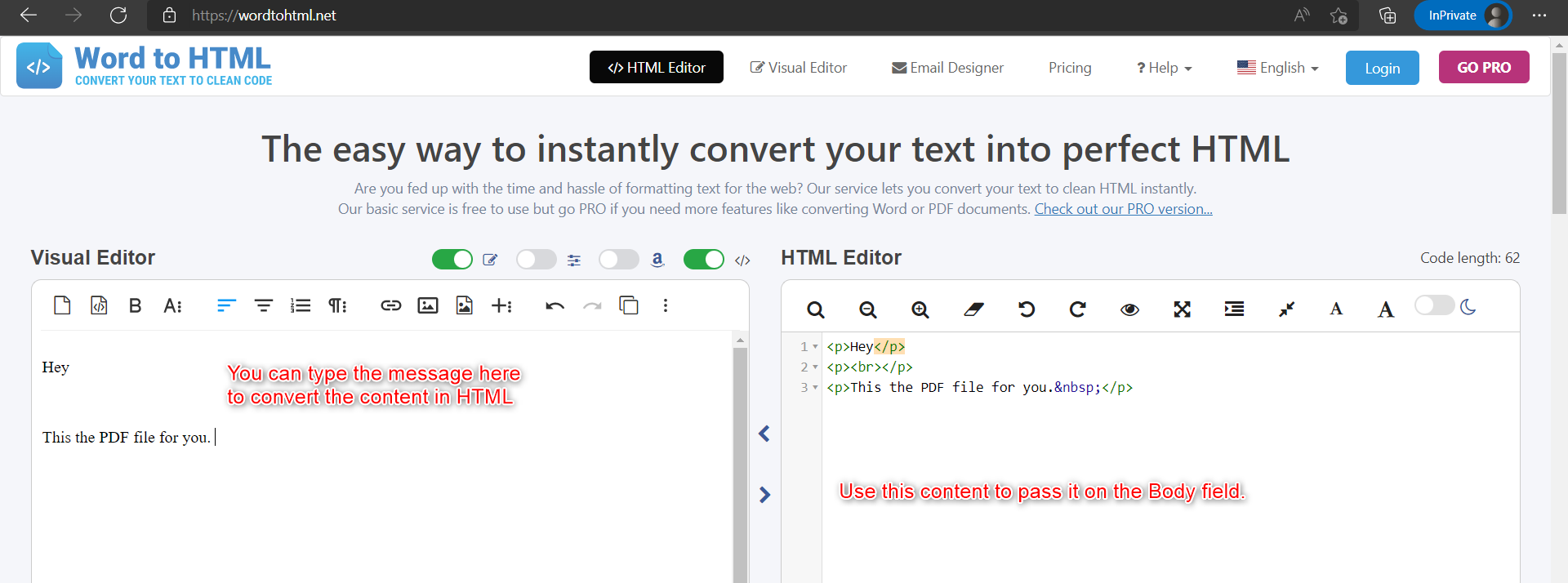
To design the message in HTML you can use the online tool to pass in the "Body" fields.
https://wordtohtml.net/
Question 2 - after you resolve the above Problem
IS There a way to SAVE this PDF somewhere on the Google Drive after the URL is generated... if it is being saved, how do I get the location of where it is being saved
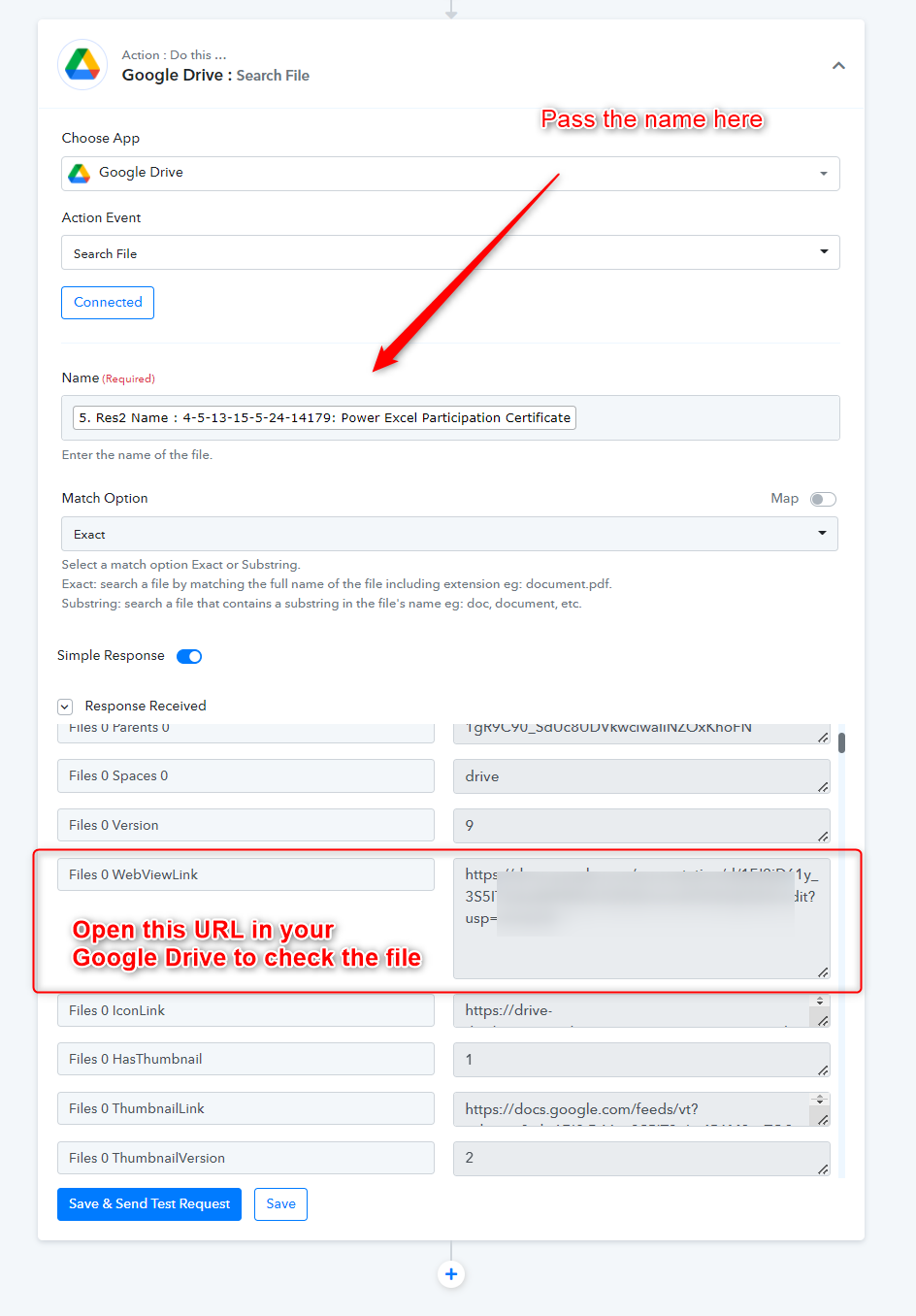
You can use the "Google Drive: Search File" action step to set the field inside the workflow and can use the shown view link in the response to check the file visibility in your Google Drive.
Workflow Name: Participation Certificate - Power Excel (AUTOMATIC)
A little confusion!
Actually, the URL, you have helped with above is already shown in the Previous Trigger "File Sharing with anyone using Google Drive"
The Google Drive Trigger before the Chat-API trigger in my workflow gives a PDF link!
When we copy and paste this URL into a browser, it allows us to SAVE the file directly on the computer
I need to know, HOW to SAVE the PDF file instead into a GoogleDrive location... And share the link for either the File (location on Google Drive) or the DRIVE Folder Link so that the student can access the Certificate for a longer time... incase they happen to loose the certificate we send them on email
Hey @zest83
While creating a PDF it already made the space in your Google drive, so additionally you do not need to upload the file you can simply share the link with others.
Yea, that's cool.
But how do I see this PDF file in the Google Drive.
Where is it Saved?
How do I get the location URL for the same?
Hey @zest83
How do I get the location URL for the same?
You can check the same as we showed you earlier or can manually search on your Google Drive by the name.
[IMG width="479px" alt="2022-03-19_12h59_19.png"]https://forum.pabbly.com/attachments/2022-03-19_12h59_19-png.8785/[/IMG]