forward blog posts to FB page only when they are being published
Status: Closed · Asked by frieauffcom on · 0 views
Hi there,
I have a blog with the option to schedule posts. I.e. I can set the date when a post shall be published. The blog also has an rss feed. Can I connect the blog to a FB page in the way that it only forwards the post to FB once they are published? When I simply set Pabbly to look for new posts it picks them up from the rss feed regardless of their publication date. In effect all future posts appear instantly once they're saved in the blog. Can I filter this by current date? If so, how do I have to setup the filter?
Are you getting the date at which the post will be published in RSS data? If so, then you can add a delay step just before the Facebook Page action step.
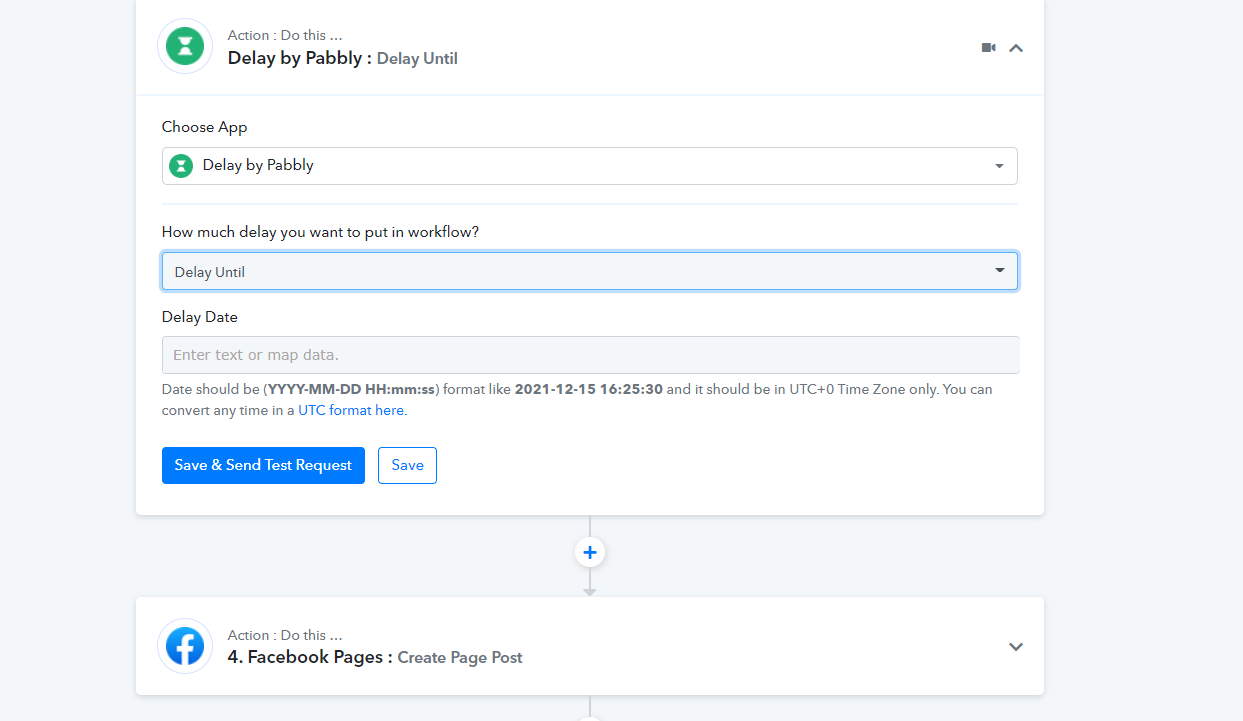
Yes, I am getting the publishing date from the rss data. What do I have to enter in the "delay date" field?
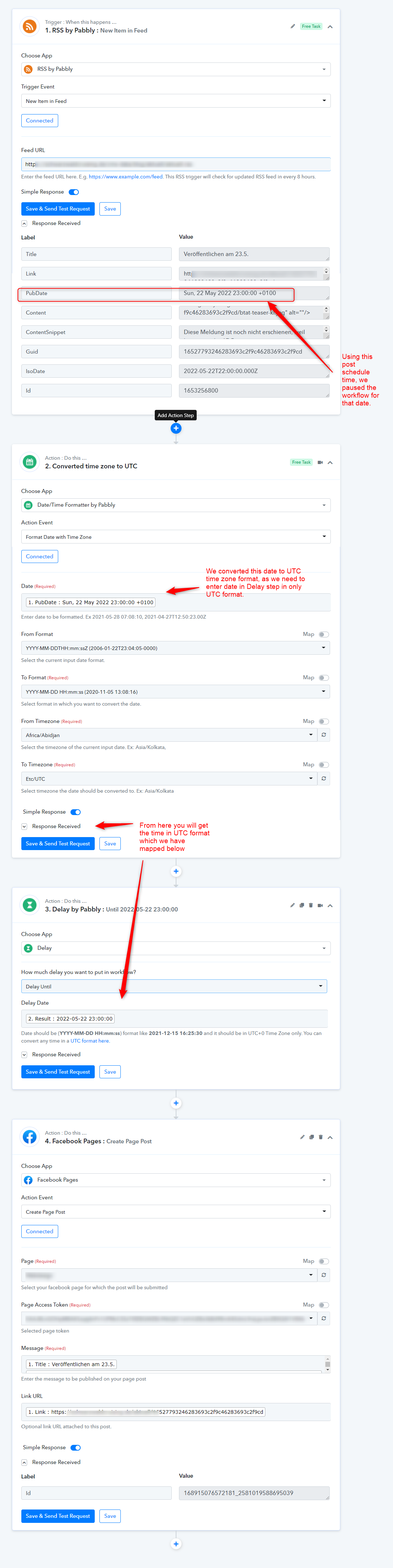
We have updated your workflow. Please check it - https://connect.pabbly.com/workflow/mapping/IjM3Njk5MCI_3D
How did you do that? I mean: how can I find that "result" if I want to replicate this workflow for another page? And is the date that appears in that "result" condition relative, i.o.w. will it work for future posts as well? (I hope the question is clear, I don't know how to put it exactly...)
We simply use the post publishing date to pause the workflow execution until that post publishing date is reached.
Once that post publishing date comes, the next step of publishing over the Facebook Page is done automatically.
Now from next time whole of the automation will work automatically, when we recived any new RSS feed data. It will check for the post publishing date and corresponding will post about your new blog over Facebook page.
From the workflow history section, you will be able to see the automation execution which will be happen in real.
Thank you, a very detailled explanation! Great work!
I need your help again...it still doesn't work. I have written a blog post called "Testmeldung" which was published today at 16:05 (just 14 min ago) and it doesn't show up. Am I too impatient?
I need your help again...it still doesn't work. I have written a blog post called "Testmeldung" which was published today at 16:05 (just 14 min ago) and it doesn't show up. Am I too impatient?
We check for the new data in RSS feed trigger every 8 hrs as written here. So you need to wait for a while before it appear in workflow history -
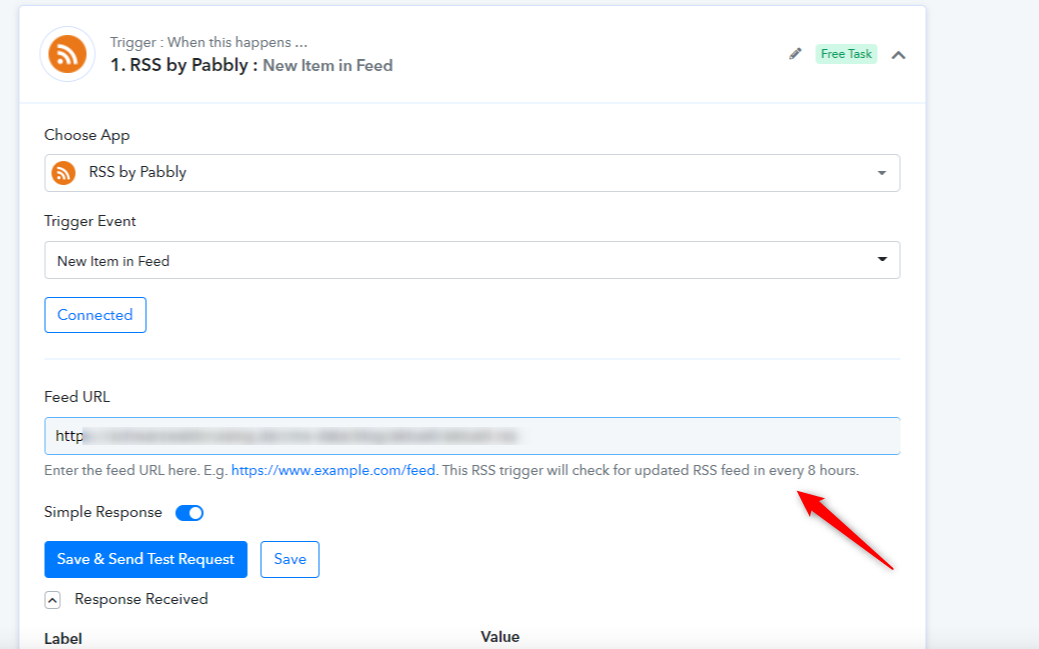
OK sorry - I missed that. Is there an option to increase the frequency of checking?
OK sorry - I missed that. Is there an option to increase the frequency of checking?
We can make it to 1 hr once you have a premium account of Pabbly Connect.
Cool. Thanks. I'll experiment some more and then grab the deal ;-) Thank you for your help! Looks like a great software.
Hey ;-) I have now signed up for a monthly standard plan (just to try out more and better). Can the frequency be upated to 1 hr as you mentioned? Also I am struggling with the image in the post which doesn't get transmitted to fb yet. Do you have an idea why?
Edit: okay, I managed to add the required og:tag to the blog. A different issue remains: my summary content gets wrapped in a
How can I get both the summary without the p tag AND the blog post image, now that I've managed to add the og:tag.
Hey ;-) I have now signed up for a monthly standard plan (just to try out more and better). Can the frequency be upated to 1 hr as you mentioned?
This has been updated. The trigger will now run every 1 hr for both of your workflows.
Regarding your other questions, we will be updating you shortly.
Hey @frieauffcom
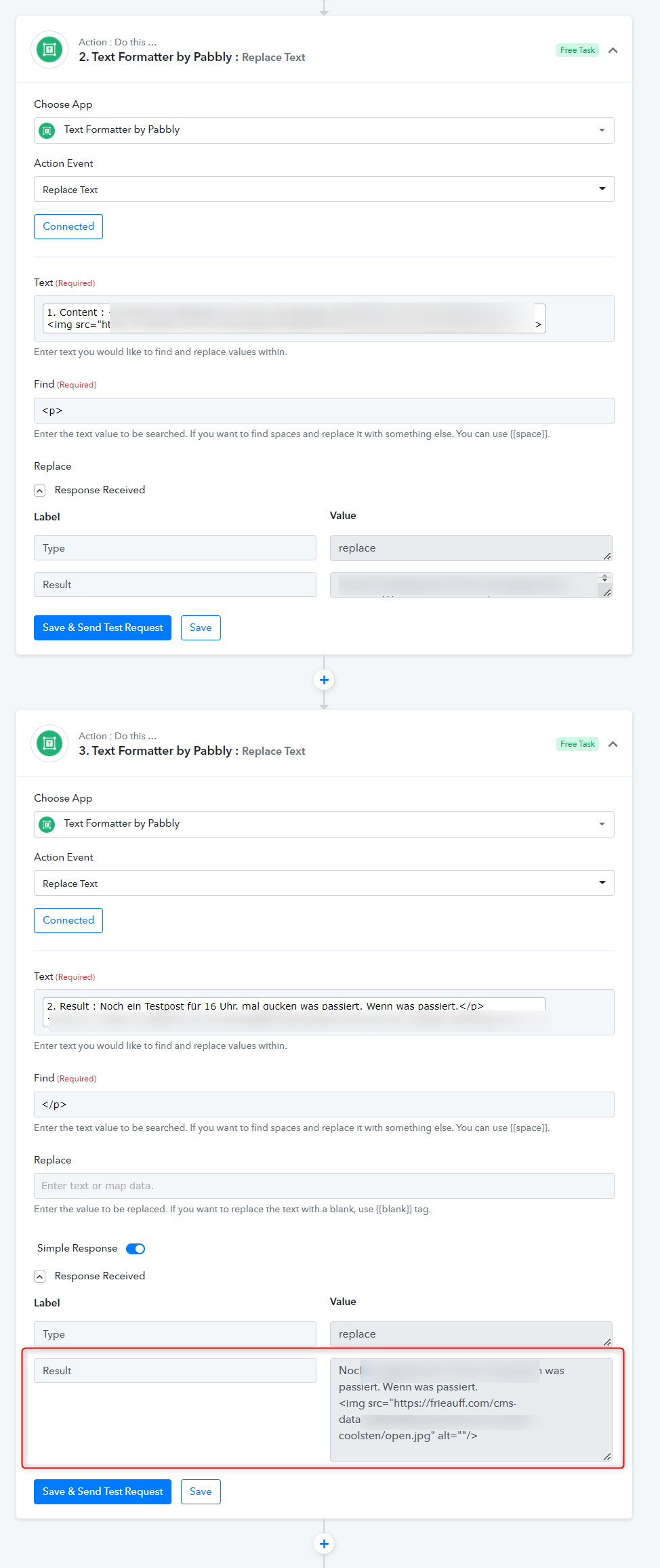
A different issue remains: my summary content gets wrapped in a tag when I use the element "content". There is another one named "contentSnippet" which does not have that p tag. However, this seems to not include the image.
How can I get both the summary without the p tag AND the blog post image, now that I've managed to add the og:tag.
You can use the Text Formatter action step to remove the
tag from your message content. Please check out the following screenshot for your better understanding.