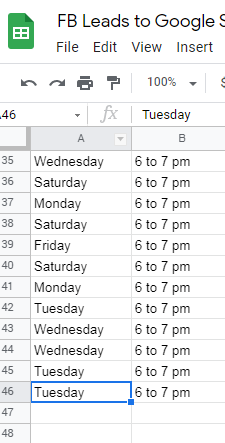
FREE Trial Account - Tasks show 78 BUT Google sheets show 48
Status: Closed · Asked by zest83 on · 0 views
FREE Trial Account - Tasks show 78 BUT Google sheets show 48
Not understanding how the tasks are matched with the result in the Google Sheet.
What about the 30 which are not showing here?
How does the system calculate exactly?
Attachments

Hey @zest83
If you check the history section of your workflow you will see that the single entry of your google sheets takes 2 tasks. And you can count it further in your history
Pabbly will use fewer tasks compared to any other Automation apps because most of the internal tasks are free.
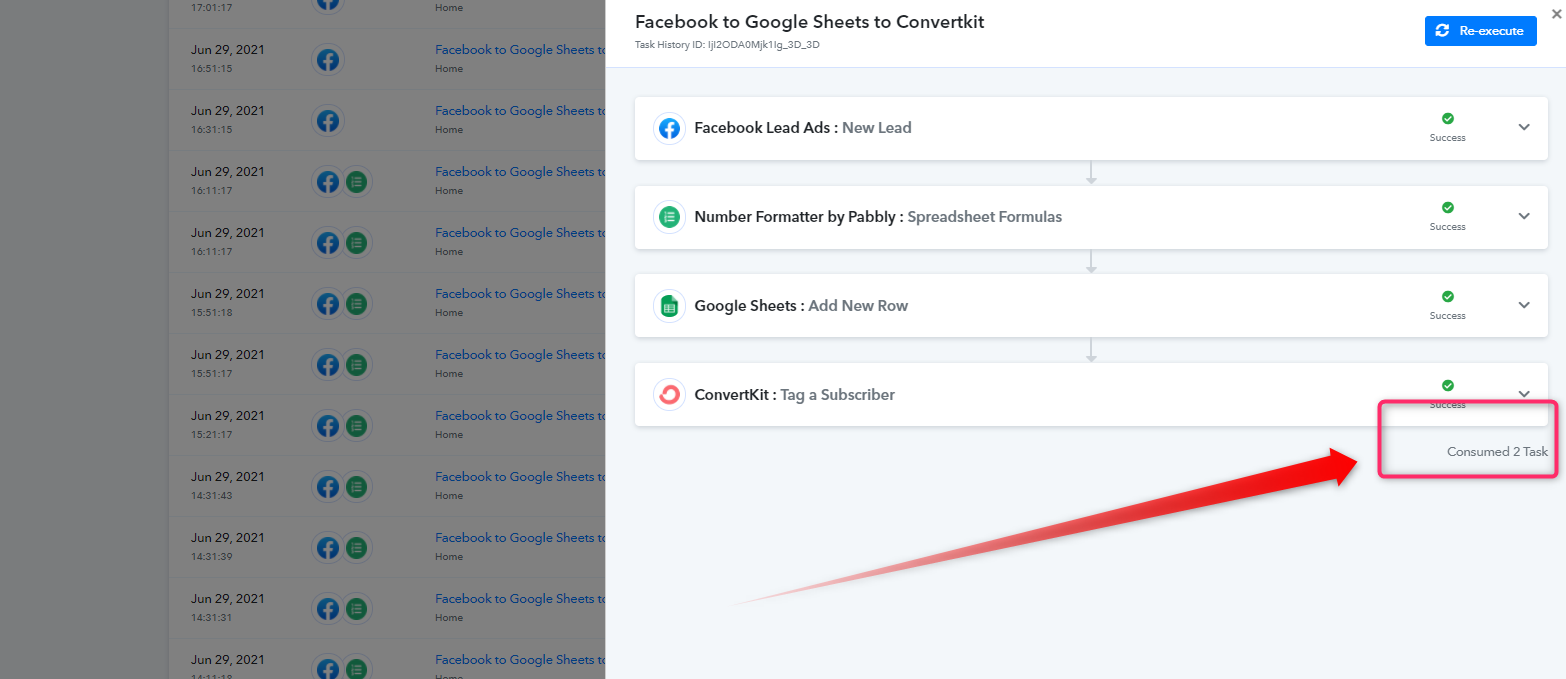
Further, you can always see which action is FREE Task.

So I read on the website that all trigger combined in an Automation are considered as One task
I could be terribly wrong but You are saying that Every Single Entry on Google Sheets will be considered as two tasks?
Hey @zest83
Yes, the trigger in Pabbly wouldn't count as a task, it is free. The entry which is passing from your workflow consumed 2 tasks.
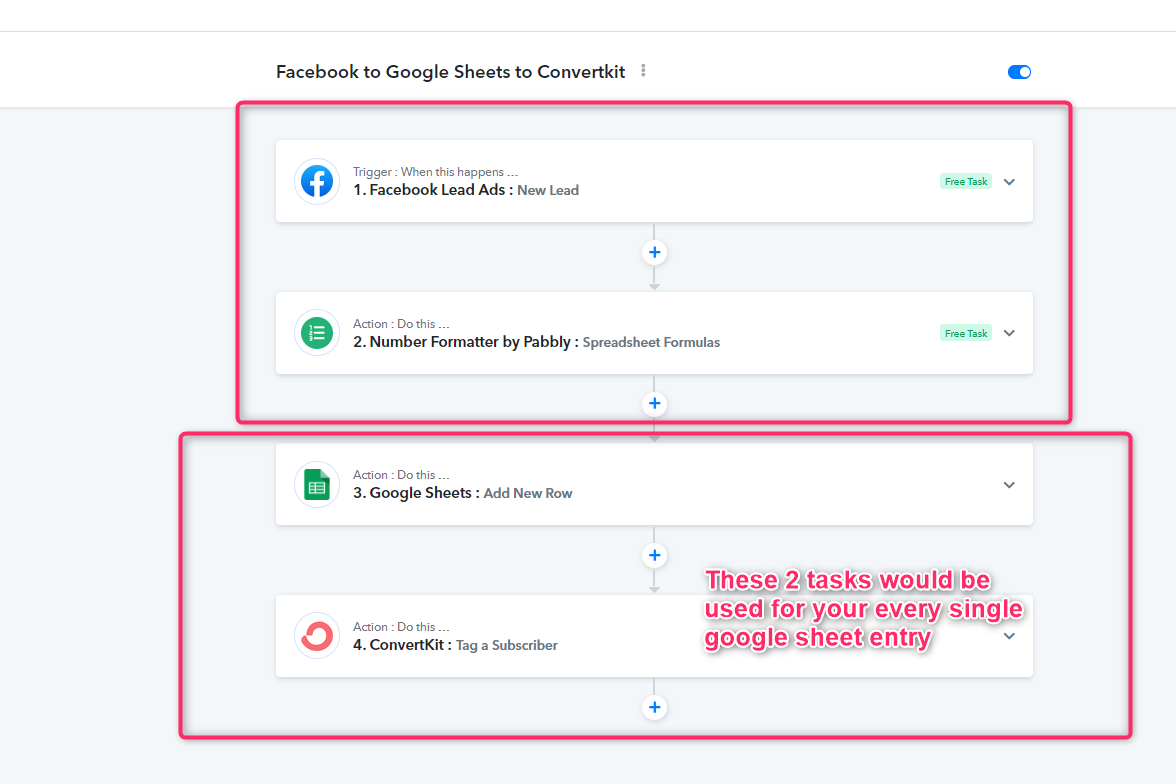
Please check your workflow history for a better understanding.
What is a task?
Any action being performed inside your workflow is considered a task. Triggers are not calculated in the task count. Only the action steps are calculated in the task counts. Additionally, internal tasks of the Pabbly Connect such as Filter, Router, Formatter, etc are not counted as a task.
For example:
If you send one lead from Facebook Lead Ad to MailChimp. It will be counted as a single task.
If you have a multi-step automation workflow, it will be counted depending upon the number of action steps.
For example: If you send one lead from Facebook Lead Ad to MailChimp and then sent the same lead to Google Sheets. It will be counted as 2 tasks.
Learn more about the task here