Frequent OpenAI API call errors
Status: Closed · Asked by Felix Urban on · 0 views
I really like Pabby Connect solution as an alternative to Zapier. Still, I have an issue that keeps me away from switching.
On the product I build: My micro-product is built upon a process where users fill-in a form and OpenAI generates content (I've already split it into 3 blocks updating three columns in Airtable)- I am sending an email as soon as the output is ready. This should only be sent if the whole result is there.
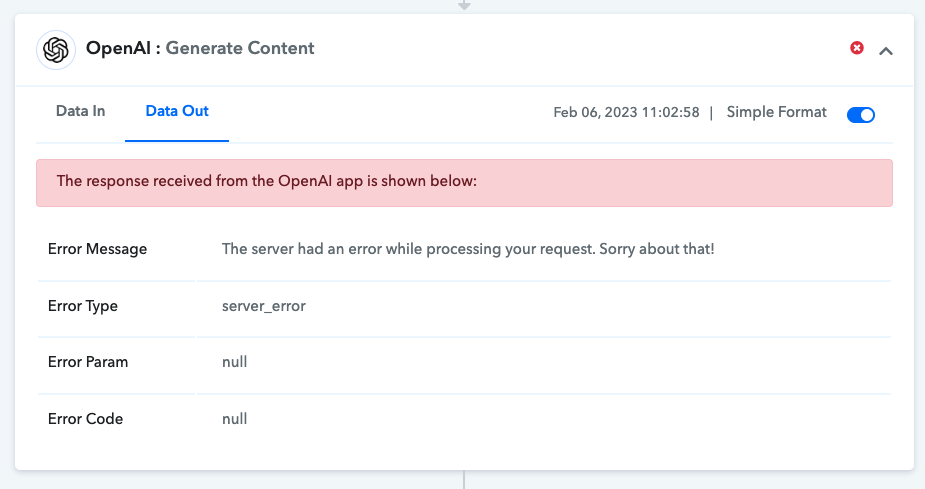
On the problem I have: Sadly, it seems like my OpenAI API call seems to error more than with Zapier. As there are no filters available in the cheaper tiers, the mails get sent even though the OpenAI API call errors - this is obviously not good.
I see two solutions: a way to increase the reliability of OpenAI API calls heavily or filters and auto-reruns of erroring workflows. Do you have any idea how I can approach this? I did not plan to go for the most expensive package as I am a solo-builder without any revenue.
Kind regards,
urban
Hey @urban
Can you please share your detailed error in the Open AI action step which you are facing on daily basis, so that we can look into it and guide you accordingly?
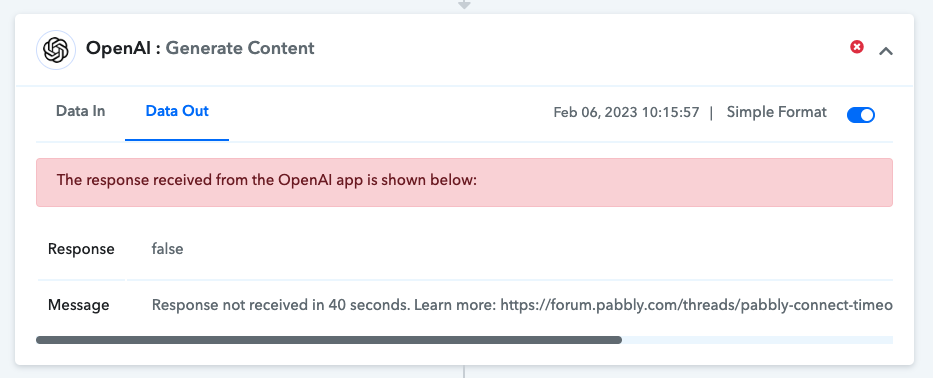
Hey @Supreme - thanks. Please find the errors here. That OpenAIs servers are under constant pressure is clear to me. However, the other is not quite clear. Automated re-runs + filters would be the solution I guess.
Attachments
Hey @urban
For a limited time, we have already increased the Timeout window for OpenAI Generate Content to 40 seconds. Although this is not an ideal thing to do.
So, handling this use case is something that we have informed the OpenAI team about. We have sent the email but haven't received any reply back from them.
Whereas, you should check the error message from the Open AI team since in response their server is unable to fetch the data in the given time window.
I have the same issue. Why is this happening with Premium chatgpt accounts as well. The live chat is available. Also with openai I can use it on their website, but with pabbly I get timeouts.
Hey @sbrhlp
You can refer to the following Facebook link where one of your users has shared an alternate way to eradicate the timeout manner with their workaround.
So, please give it a try and let us know.
https://www.facebook.com/groups/193632914749672/search/?q=40%20seconds