"full stop" character in data causes error
Status: Open · Asked by deanloh on · 0 views
I'm trying to create a workflow to send new WordPress posts to Telegram. Most of my post titles contain the "." (full stop) character, and because of this, I'm getting the error that says:
Bad Request: can't parse entities: Character '.' is reserved and must be escaped with the preceding '\'
Problem is, how am I suppose to escape the character? I can't possibly add "\" to the post title or it they will look weird on my website.
See screenshot: https://nimb.ws/6y5EOm
This message is coming back from WordPress to add a \ in front of a dot "." to allow the dot to pass into the title.
If you add a slash, it will not be published but will allow dot to pass into the title.
Here is what you can do.
In your current title. Replace all instances of dot "." with slash dot "\."
and than use that string on your WordPress step.
You need add a new step above the WordPress step as shown below.
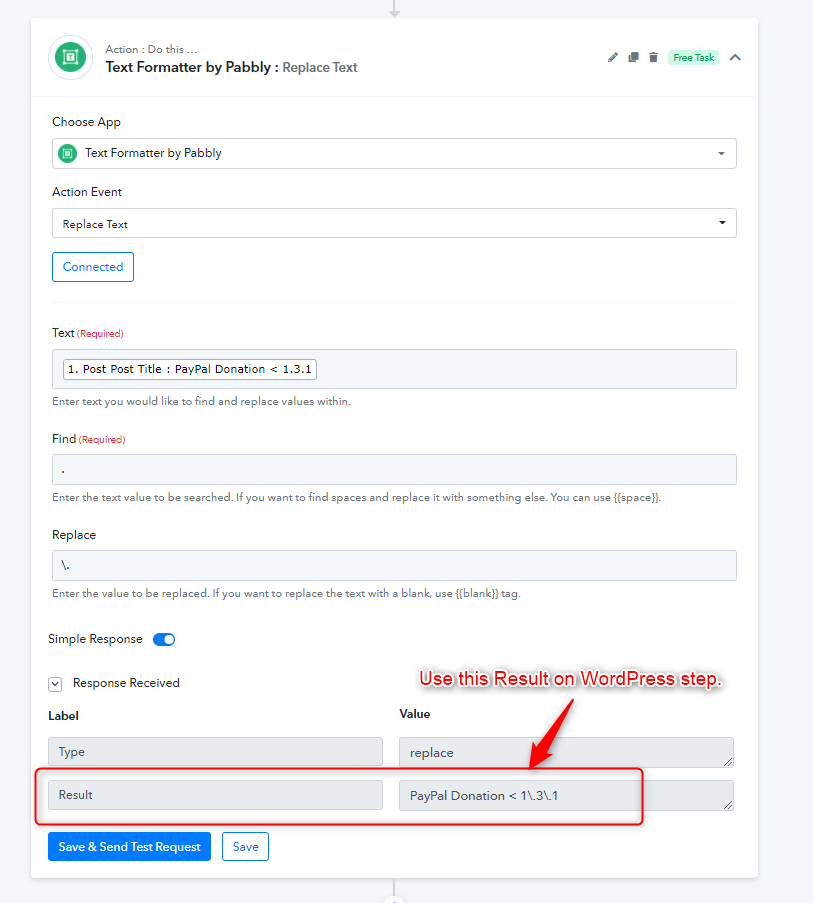
Thank you Neeraj for the quick reply. I was happy to learn that I could use the text formatter step to escape the dots, the I realized I was supposed to escape many other symbols too! Does it mean I need to create a dozen of text formatter just so I can make this work? This doesn't sound much improvement of productivity to me...
See my screencast to understand the challenges I'm facing: https://www.berrycast.com/conversations/35fc657e-7cb6-5f79-9435-f05f8c9552ac
Hey @deanloh
We are looking into it and shall update you in a while.
Hey @deanloh
We looked into your concern and it looks like if you want to pass the content you need 4-5 steps of Text Formatter which will convert your -, . (dot)
into a readable format to markdown.
Further, you can check out the following cloned workflow of yours for a better understanding.
https://connect.pabbly.com/workflow/share/DUUAMlEWBGYCSAldAUoNbwgcCgkFTwheAGdWRA##
Thank you so much for the help! Especially the workflow! I fully understand how it works now. But will you consider improving this part of the feature? I have used Zapier for many years and I didn't have to put up with such troubles to set up zaps. What have they done differently? Would be good reference!
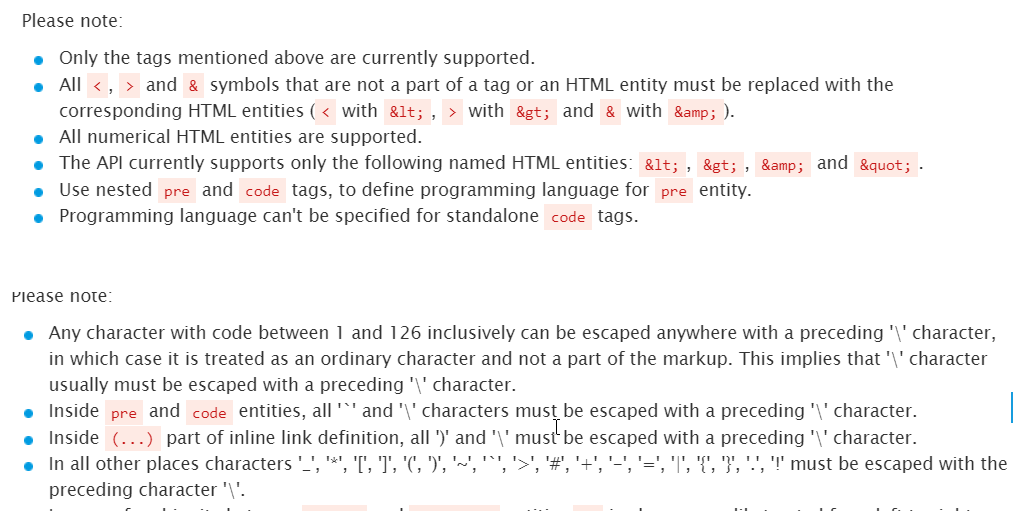
@Supreme Would there be a better way then adding multiple steps to escape each symbol? - thanks!
@Supreme Would there be a better way then adding multiple steps to escape each symbol? - thanks!
Unfortunately, there is no other way to escape such characters, so you need to use the Replace Text action step to replace such characters before passing the content.