generalExeption with Microsoft Excel
Status: Open · Asked by Niels Przybilla on · 0 views
Hello,
i have an issue to send data to Excel.
I get an general Exception ... from this error I cannot see what i need to change.
I can select the right excel sheet and the right worksheet ... assign the fields but writing the data does not work.
any idea how I can dig deeper ?
The step after the excel runs without problem
THX and best wishes
Niels
Attachments
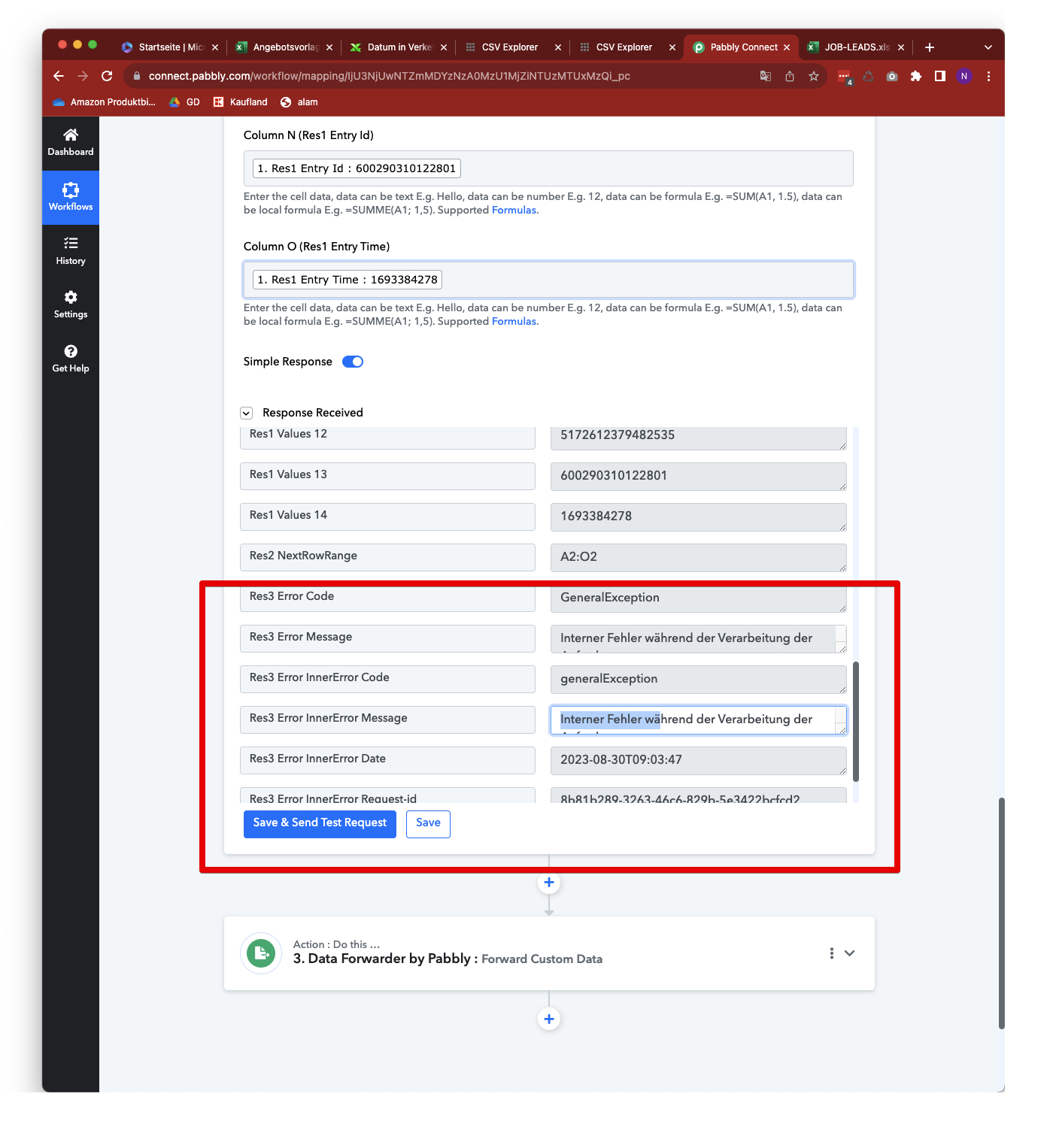
Hey @niels.przybilla!
We reviewed your workflow and identified that in the "Add Row To Worksheet" action step there are double quotes in the "Column G (Res3 Field Data)" value which is causing problems.

To address this, we have implemented a workaround by adding the "Text Formatter by Pabbly: Replace Text" step. This step replaces double quotes with single quotes. The resulting output from this step is then mapped to the "Column G (Res3 Field Data)" field. As a result of this, the "Add Row To Worksheet" action is now functioning correctly, without any errors.
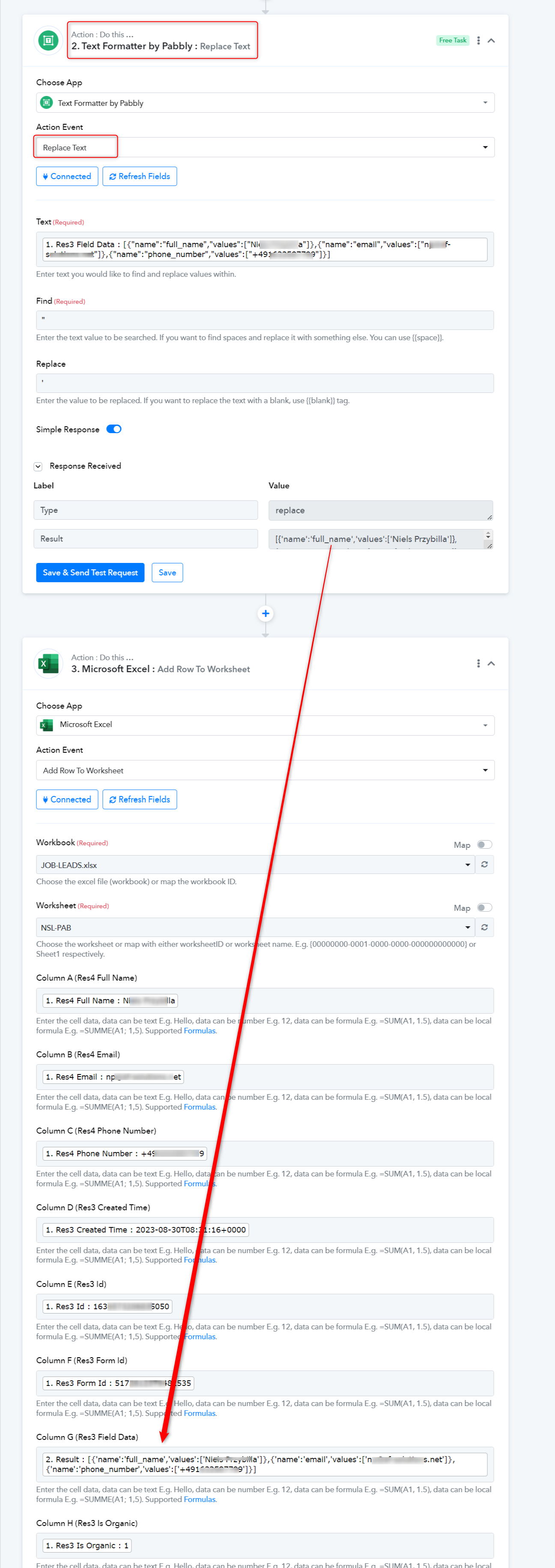
Hello @Chetali ,
great ! Thank you very much for the help. So in general it would be better to not import such fields with double quotes into Excel ?
(If i do not want to use the reformater) ?
THX and best wishes
Niels
Yes, kindly try using single quotes instead of double quotes for every incoming quote data!