Get the top record airtable
Status: Closed · Asked by aaronocampo on · 0 views
I have a table in Airtable with multiple records where I'm constantly add more.
My goal is to create an automation that every day the workflow goes to Airtable and gets the top record, then it sends an email with the information in the record and then I update the record to be removed from that table so the next day the workflow retrieves the next record and so on.
Can anybody point me in the right direction please?
Hey @aaronocampo
Please inform us whether you would like to process the latest record or the oldest one in Airtable, so we can explore the feasibility.
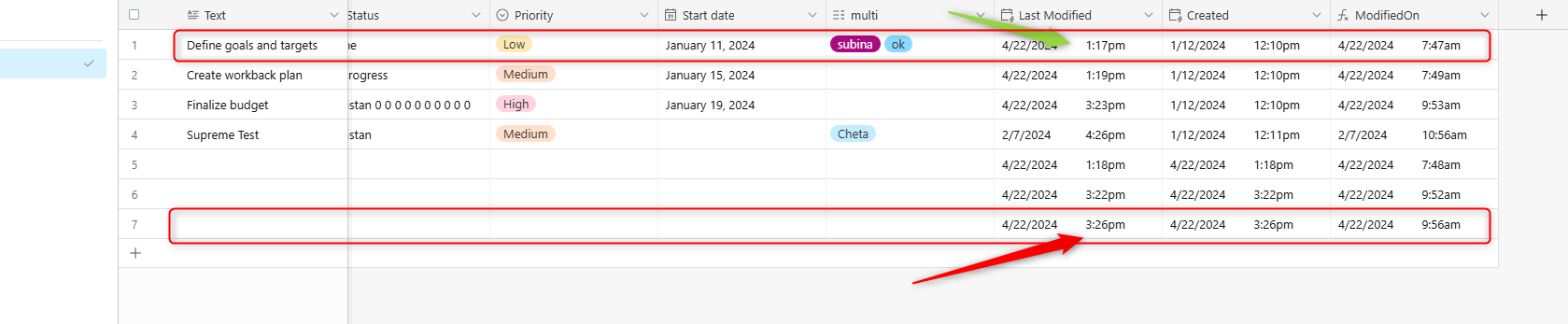
Hey @aaronocampoPlease inform us whether you would like to process the latest record or the oldest one in Airtable, so we can explore the feasibility.
The oldest one, the one you're highlighting with the green arrow.
Hey @aaronocampo
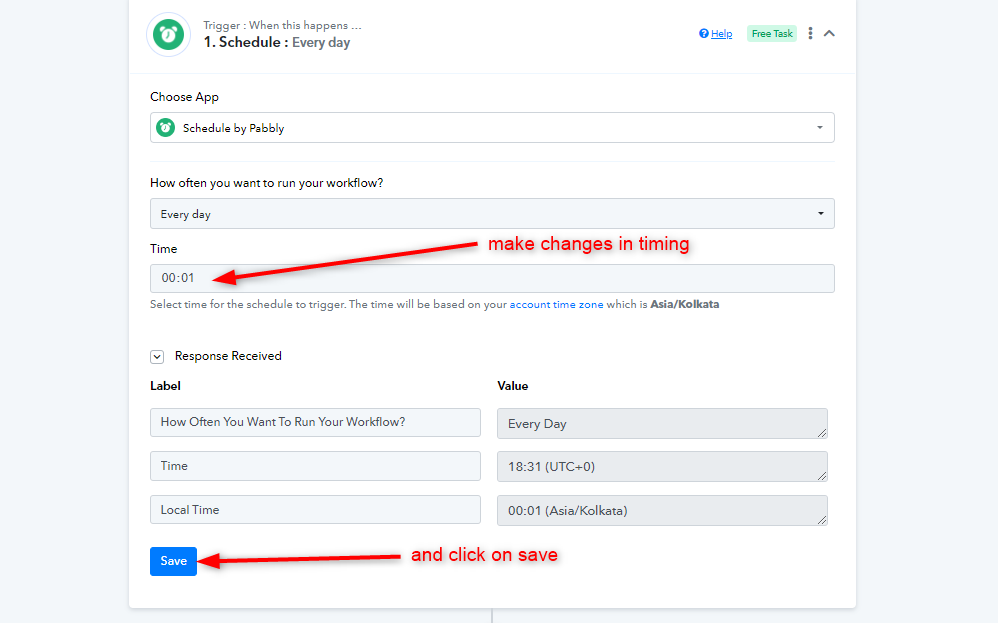
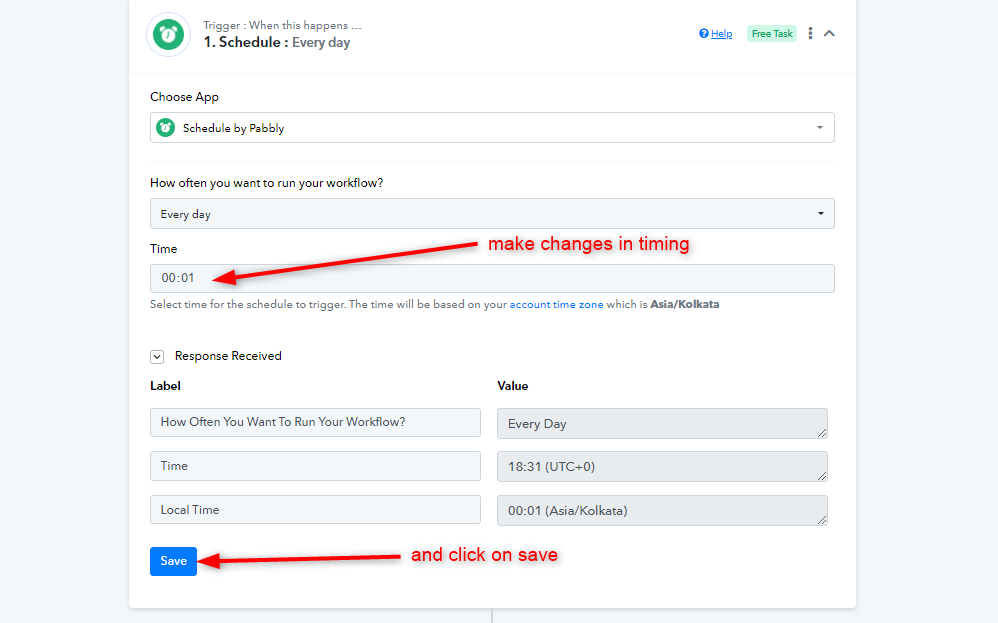
Your use case seems to be possible. Kindly click on this link to access the workflow that we have made for the same- https://connect.pabbly.com/workflow/share/CkJUZgdQUzBeFFM5AVINKgwYBAAEXVMyUElVR11SUCgHSgR_URBfNQ5CUjheEQFgVB0Baw9TVmoNGQcDAFYCcQQdBTkAAwB6VBkFNlAZDzwKVFR8B2Y#
Although, you will have to make some changes to set up the workflow.
Also, you will have to connect you own Airtable account and change the Base name and table.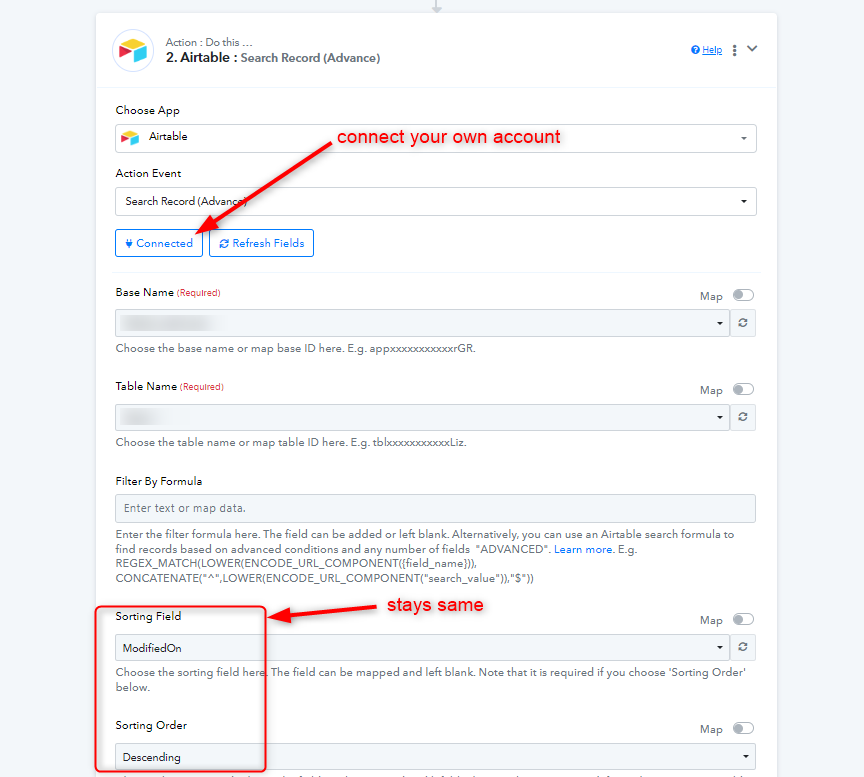
Further, you can set up the Gmail step by following instructions mentioned in this video -
youtube.com/watch?v=CdNXgG0gmRQ
Now for finally deleting the record to which the email is sent, map the ID in the last step.
Kindly make sure that the ID you are deleting should be the same response to which the email is sent, i.e. "Records 0"
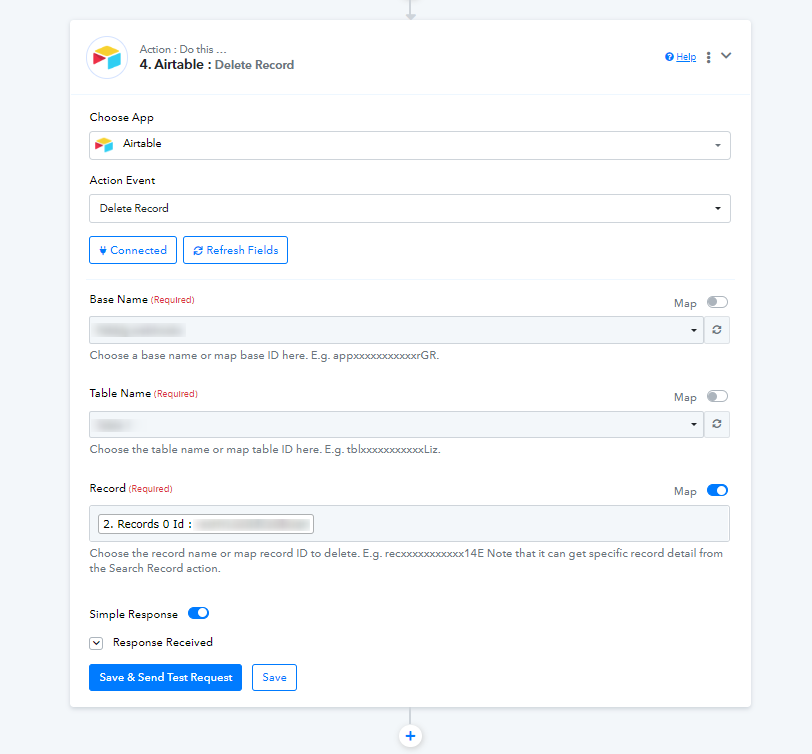
Please let us know if you get stuck at any step.
Attachments