Getting an error on my first connect that makes no sense
Status: Closed · Asked by Paul Benn on · 0 views
I have set up my first Pabbly connection to test the product out before I buy.
I am setting up a connection that creates a calendar event in OFFICE 365 when someone registers on a calendar in Kartra.
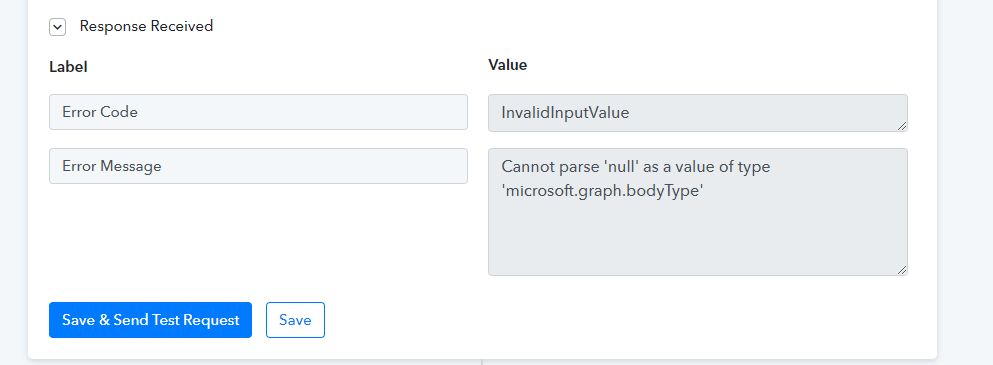
When I test the connection I get the following that makes no sense to me. What is the issue?
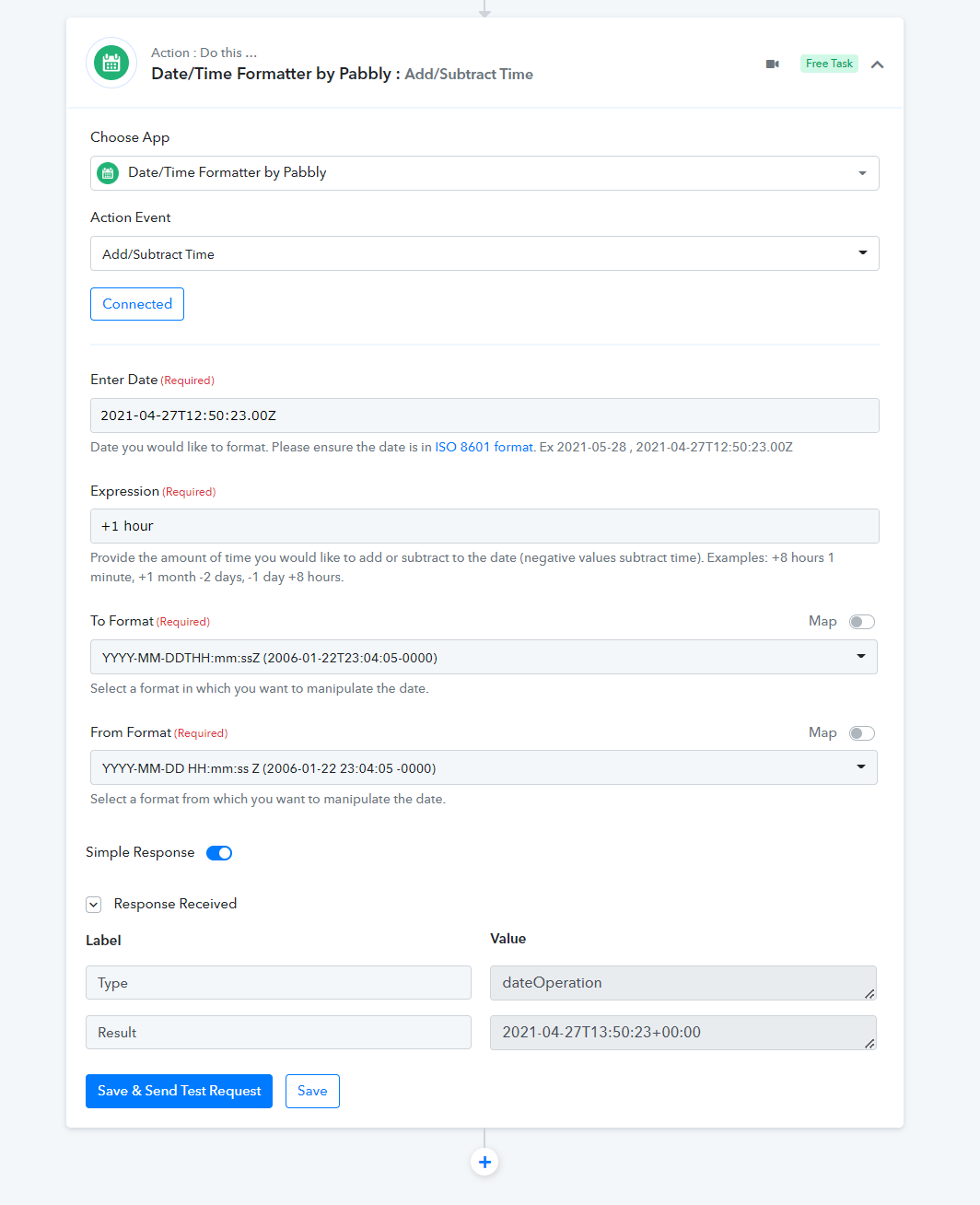
Secondly problem is that Kartra does not send an end time....how to cater for that in Pabbly?
Secondly
Hey @KiwiBa
I am setting up a connection that creates a calendar event in OFFICE 365 when someone registers on a calendar in Kartra.
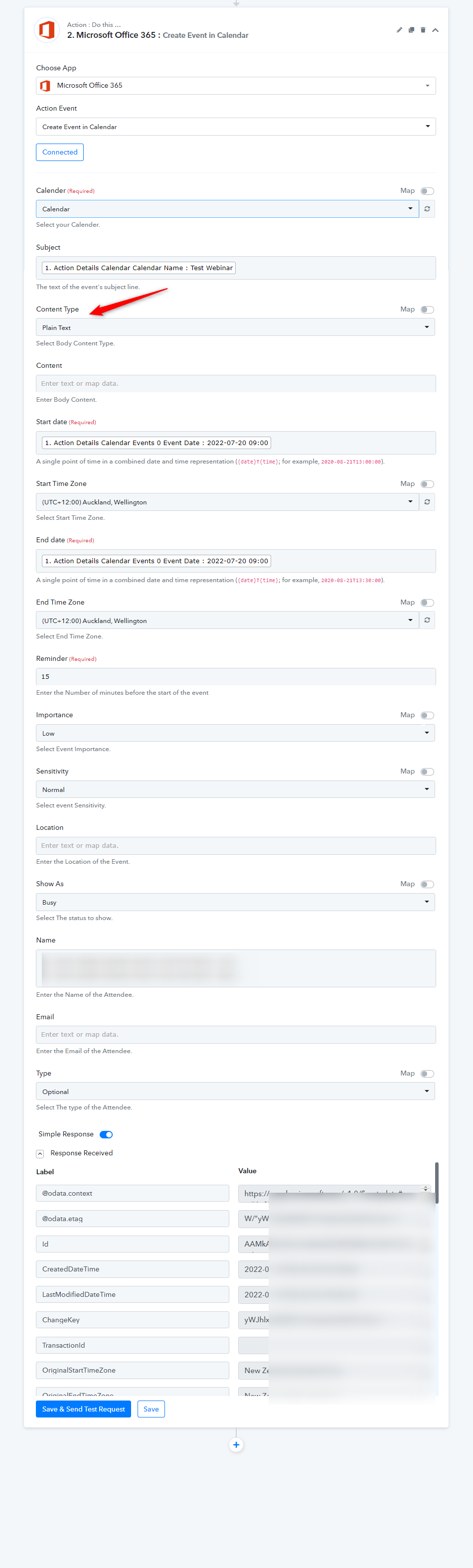
In the MS Office 365: Create Event In Calendar you need to select the Content type, as you haven't selected any of it previously.
Secondly problem is that Kartra does not send an end time....how to cater for that in Pabbly?
Kartra trigger event is a descriptive-based webhook trigger that only receives the data once sent by the application end.
Here Pabbly doesn't make any manipulation of the incoming data and does not interfere with it.
Kindly contact their support team for the same.
Hey @KiwiBaIn the MS Office 365: Create Event In Calendar you need to select the Content type, as you haven't selected any of it previously.
Kartra trigger event is a descriptive-based webhook trigger that only receives the data once sent by the application end.
Here Pabbly doesn't make any manipulation of the incoming data and does not interfere with it.
Kindly contact their support team for the same.
Thanks @Supreme the first part is resolved. Regarding the second part. The same issue happens in Zapier, however in Zappier I can say +1hr and that works. Was wondering if there is a similar option in Pabbly connect.
How does one get in touch with support. All links seem to take me back to this forum.
Hey @KiwiBa
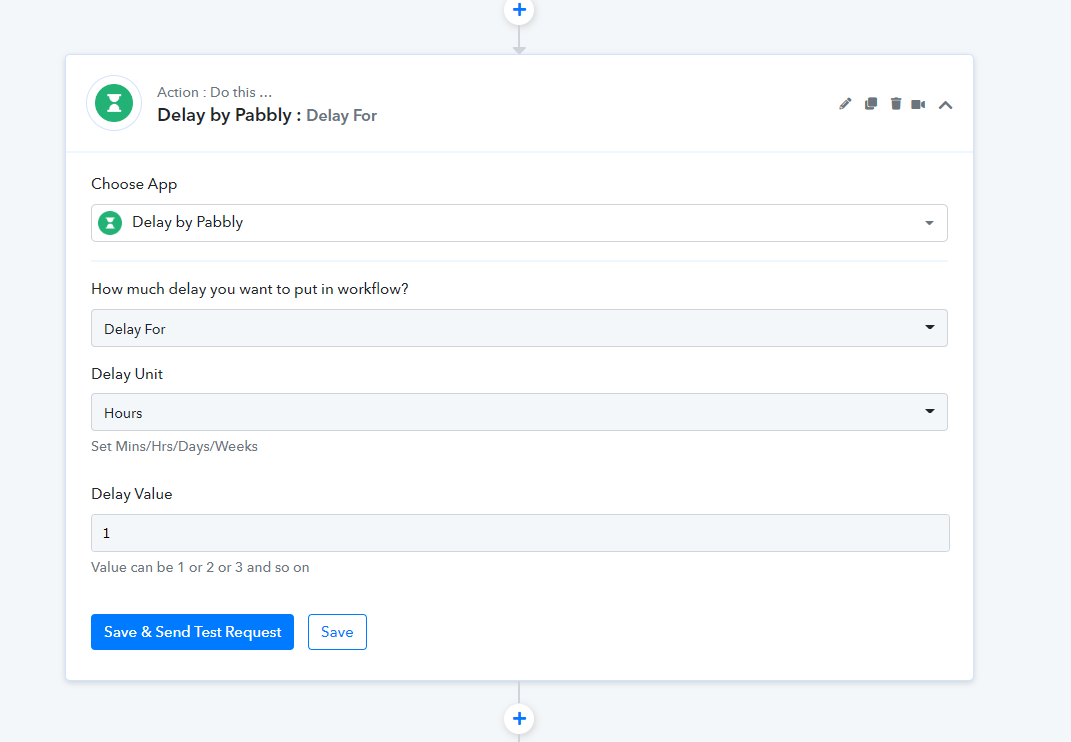
You can use the Delay action step to send the message after one hour.
How does one get in touch with support. All links seem to take me back to this forum.
Though we are only available on the forum and as well on the desk tickets at (admin@pabbly.com). (Business Hours - 10.00 AM to 6.00 PM IST, Except Sunday)
Hey @KiwiBaYou can use the Delay action step to send the message after one hour.
Though we are only available on the forum and as well on the desk tickets at ([EMAIL]admin@pabbly.com[/EMAIL]). (Business Hours - 10.00 AM to 6.00 PM IST, Except Sunday)
Hi No I don't want to delay sending the message I want to indicate that the end of the event is 1 hr after the start time.
If you look at the data that comes from Kartra it does not specify an end date/time for a meeting.
The same issue happens in Zapier, however in Zappier I can say +1hr and that works. Was wondering if there is a similar option in Pabbly connect.
Hey @KiwiBa
You can use the "Date Time Formatter" action step where you can add the end time manually in the action step.
You can refer to the following screenshot for your better understanding.