Gmail - PDF - Email as Attachment
Status: Closed · Asked by William walsh on · 0 views
Hello Pabbly folks! I am trying to convert a Amazon Email (HTML) receipt captured from Gmail into a PDF...which is then sent by email as an attachment to the same address each time. For example; Order placed on Amazon/receipt received in Gmail. Gmail is parsed and HTML is converted into PDF. PDF then sent as attachment to my accountant.
What is the most efficient way to do this.
Thank you! Bill
Hey @MistyMtn,
You can do that with the help of email parser. And after that you can use PDF.co for converting the HTML to PDF file. For the last step, you can use mail to sed the email with the file attached. Your workflow will look like this -
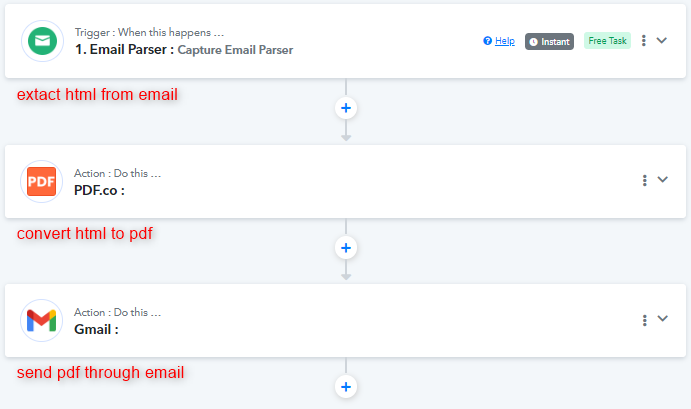
You can learn about email parser here -
Thank you for the reply. I get stuck at the OUTPUT FILE NAME. Then not there yet, but unsure what the fields below it should be set to.
Thanks! And if there is a video that addresses these setting please send it my way.
Attachments
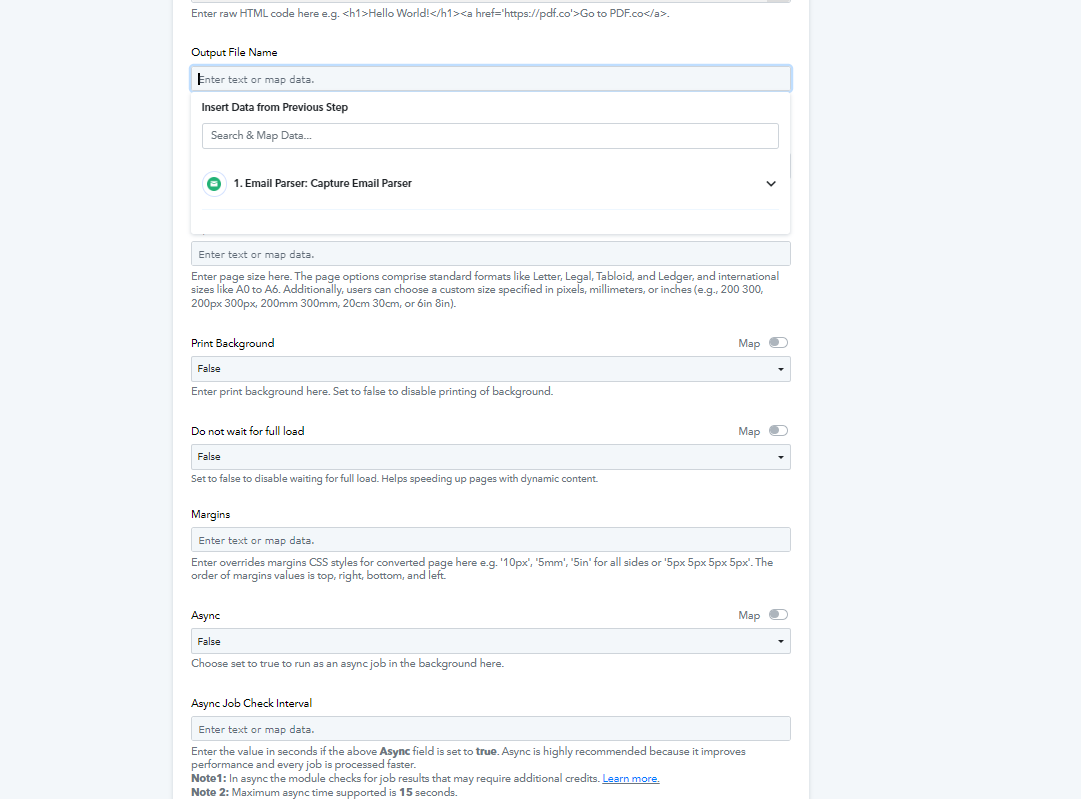
Thank you for the reply. I get stuck at the OUTPUT FILE NAME. Then not there yet, but unsure what the fields below it should be set to.Thanks! And if there is a video that addresses these setting please send it my way.
Hey Misty, You can map the Subject of the email as Output file name, also add .pdf after it for the extension. And all you need after this, is add the Gmail step and map the details accordingly. Kindly go through this video for more instructions -
I don't have all the share options that you guys get in video
why is that?
my sharing options
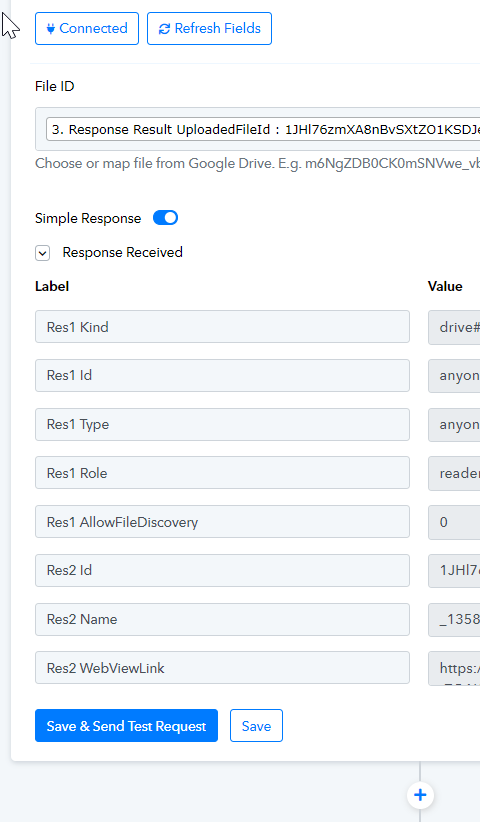
yours
you have share as export PDF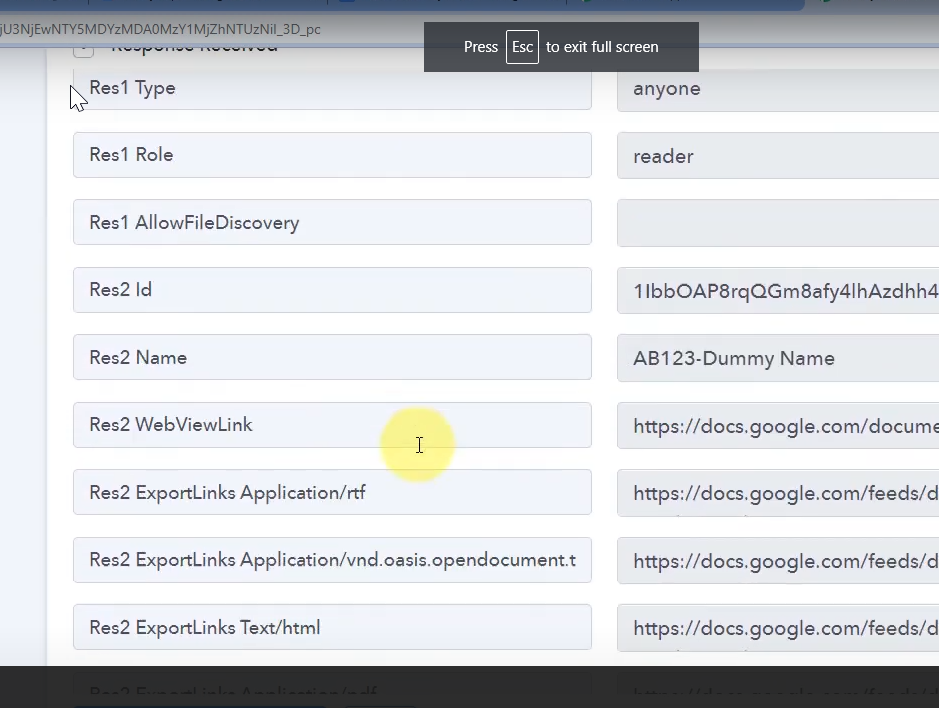
Hey @dbs00
Please verify that the file you are looking for is not in the trash folder. Also, utilize the "Res2 WebViewLink" response and map it in the subsequent steps.
Let us know if it works for you.