GMB workflow not capturing my reply
Status: Open · Asked by analytics on · 0 views
Hi there,
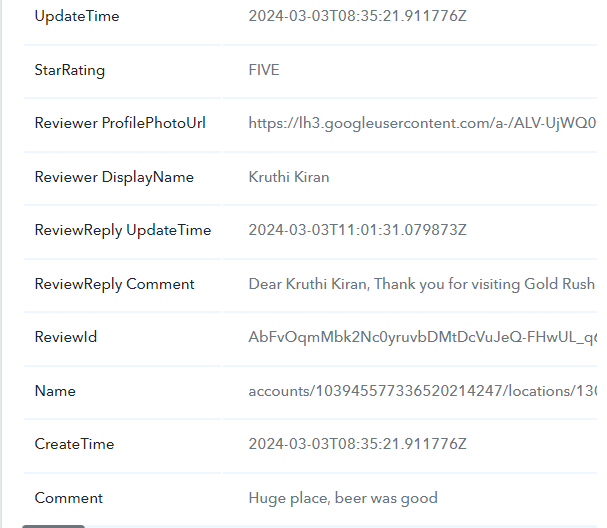
Request you to check the below work flow this not capturing reply of GMB in my google sheet.
IjU3NjUwNTY4MDYzMTA0MzM1MjZmNTUzMjUxMzIi_pc
Thanks
Hey @analytics
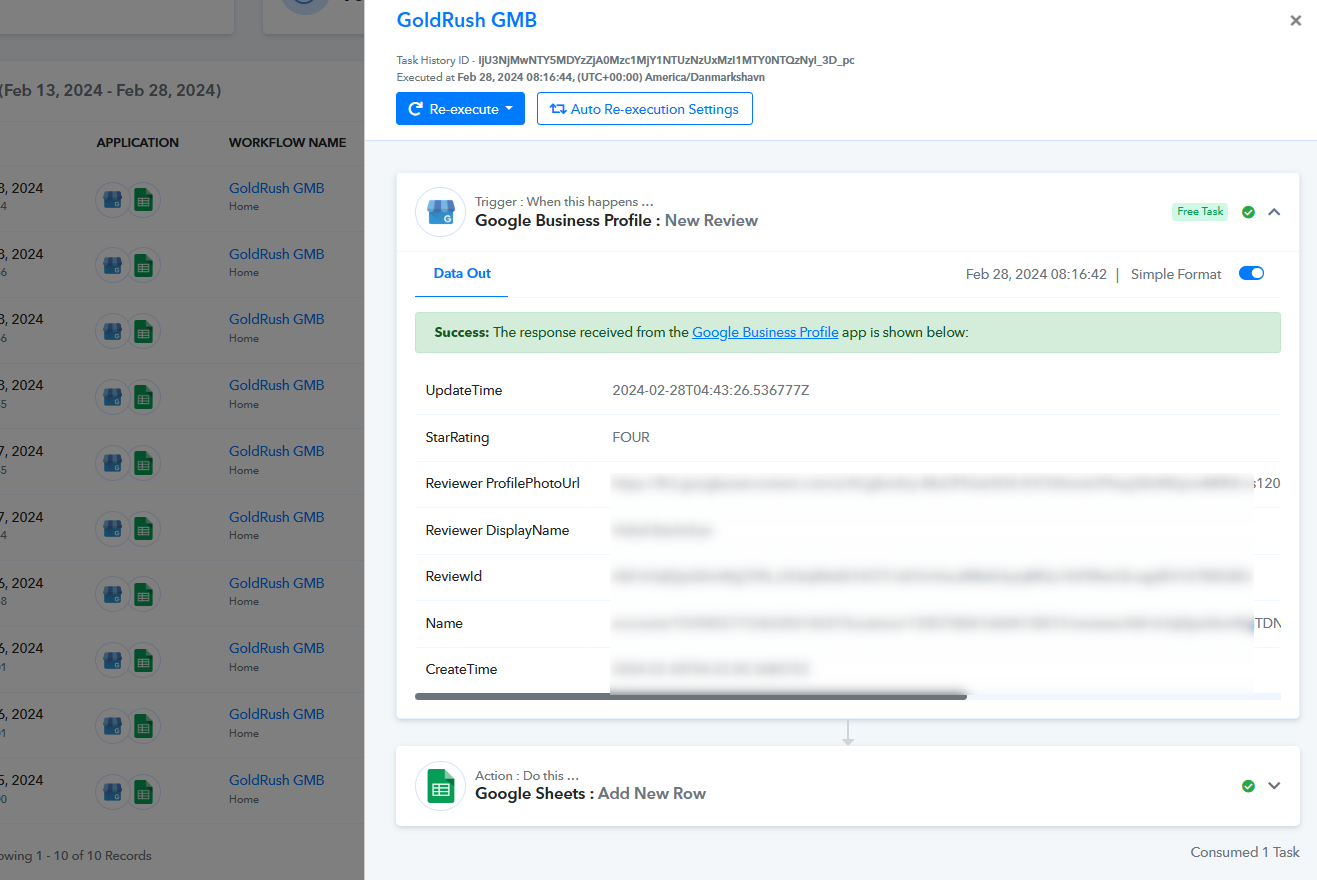
Based on your workflow, it looks like your automation is working well. If you need any help, please us know.
Hi Supreme,
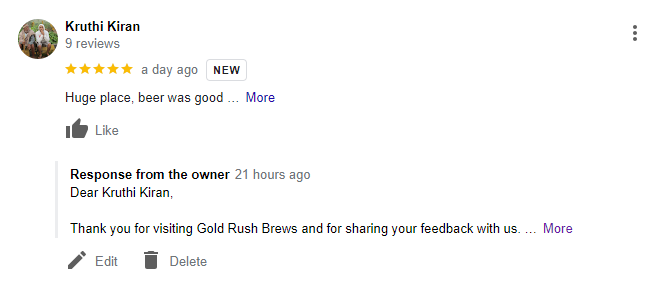
It is working fine but not capturing my replied comment. see highlighted text of image.
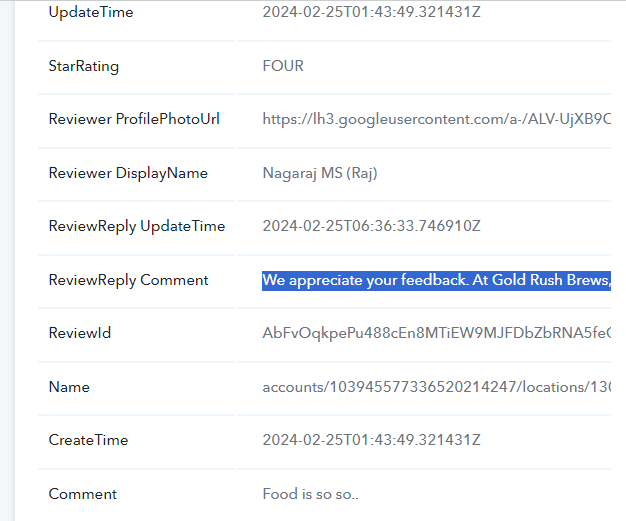
It is working fine but not capturing my replied. see highlighted text of image.
As we can see from your workflow the Google Sheets has captured the review details accordingly. Please cross-check the details of the review from your Google Sheets.
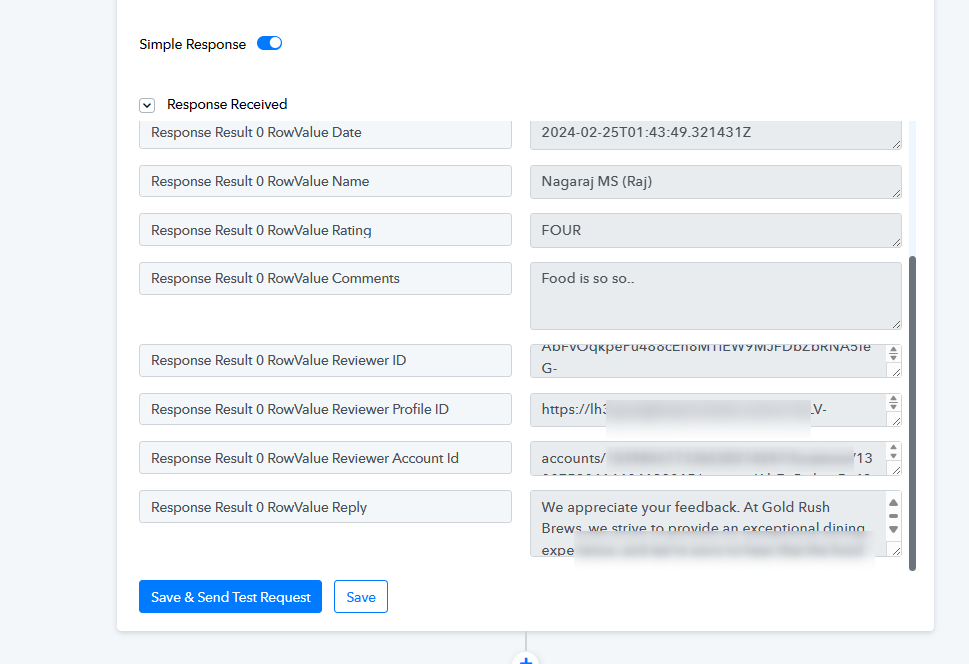
Please show me where is the response captured in the below images.
Also find the attached GMB SS where we replied to customer's comment.
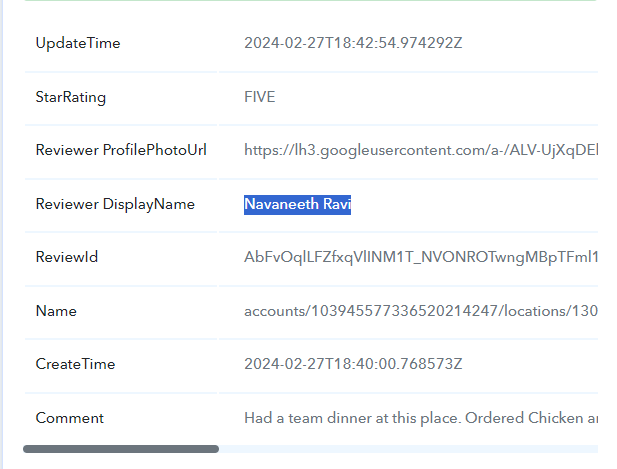
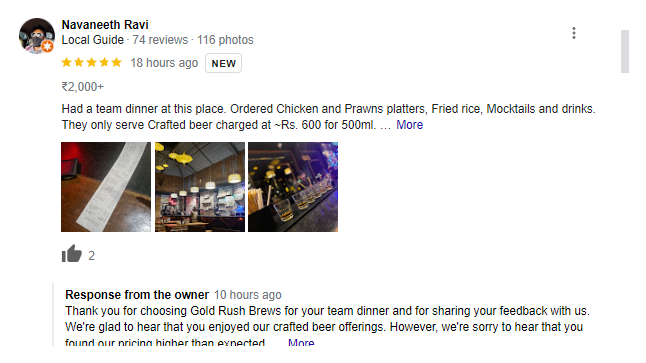
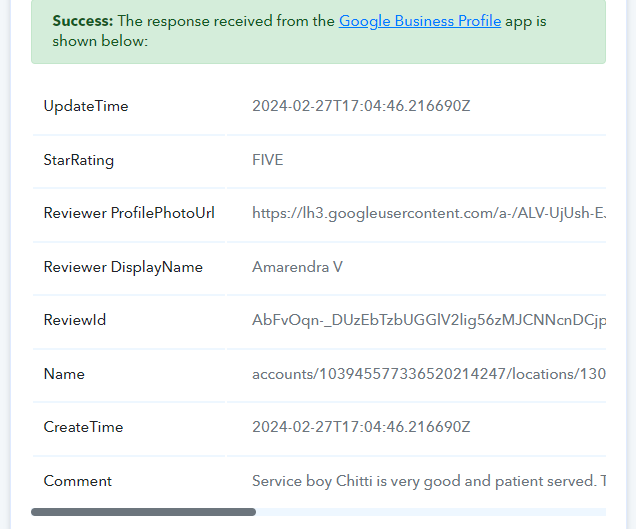
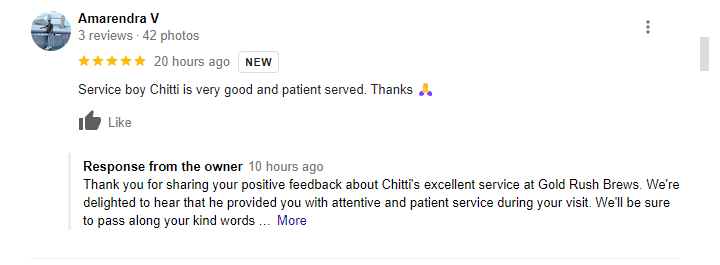
'GMB: New Review' trigger event captures only the reviews made by a customer on your GMB profile; it will not capture the replies to those reviews. Such a trigger event does not exist in GMB.
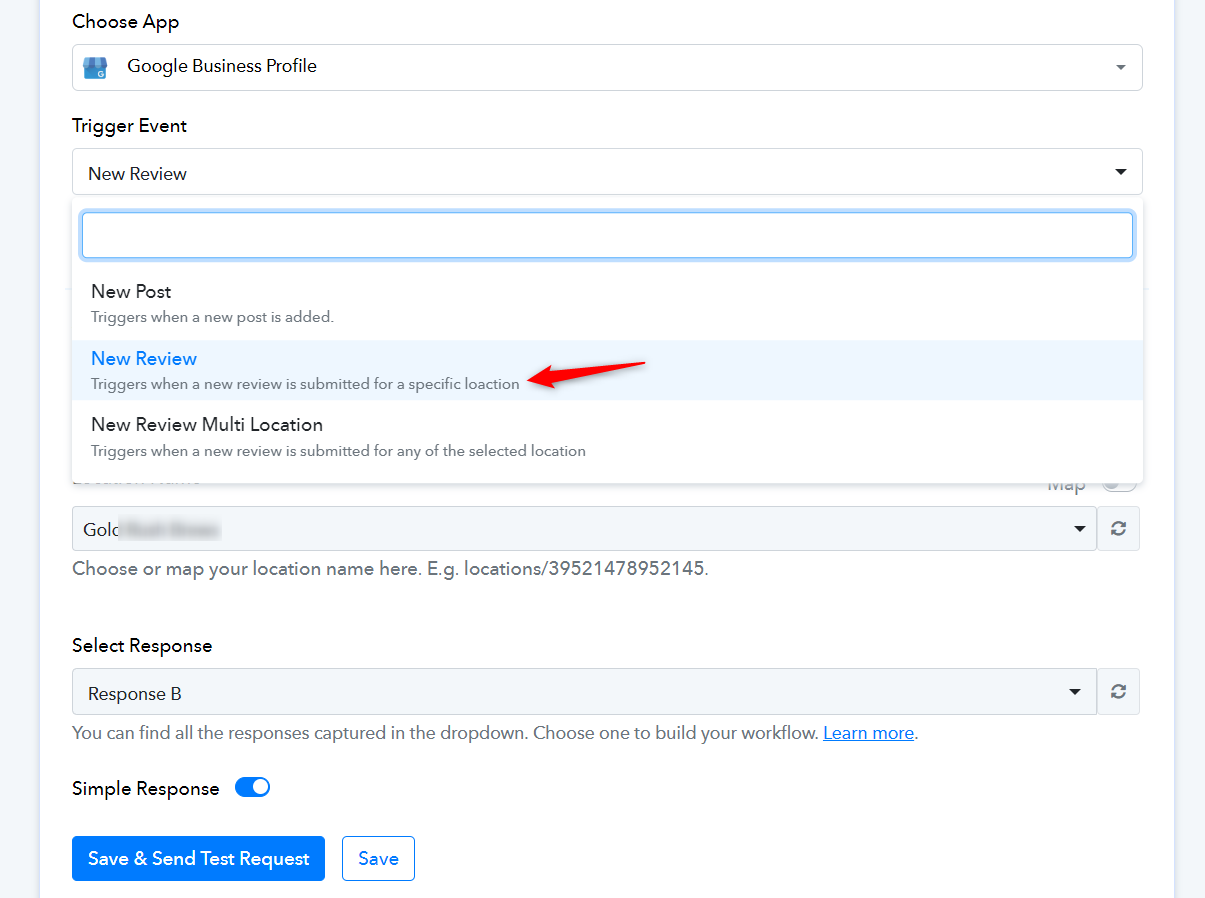
This was working earlier please see the below screenshot.
Task History ID -
IjU3NjMwNTY5MDYzMzA0MzY1MjZiNTUzYzUxM2E1MTY1NTQzMCI_3D_pc
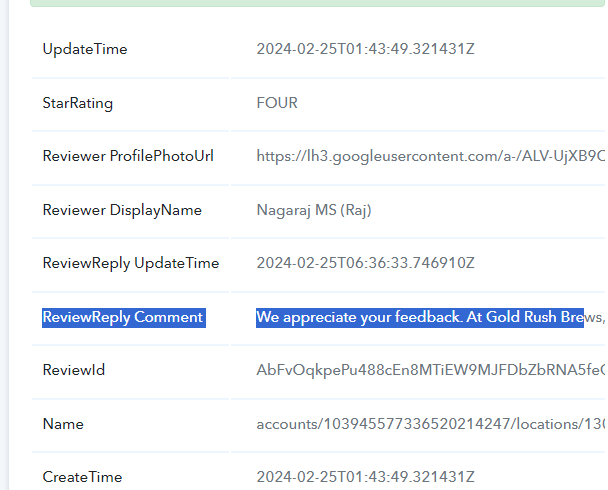
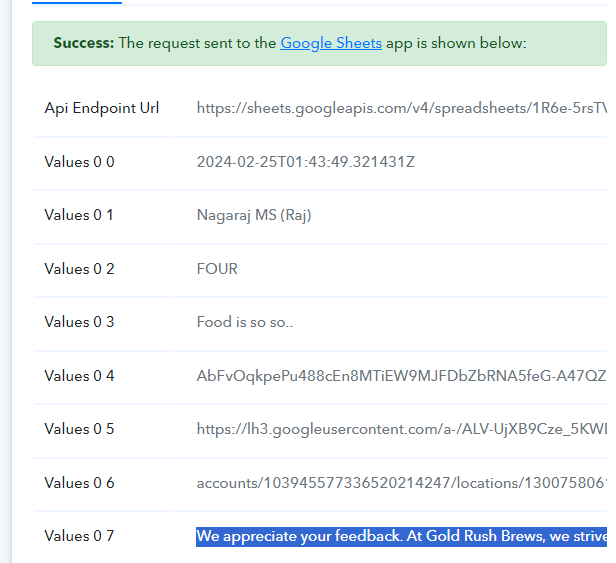
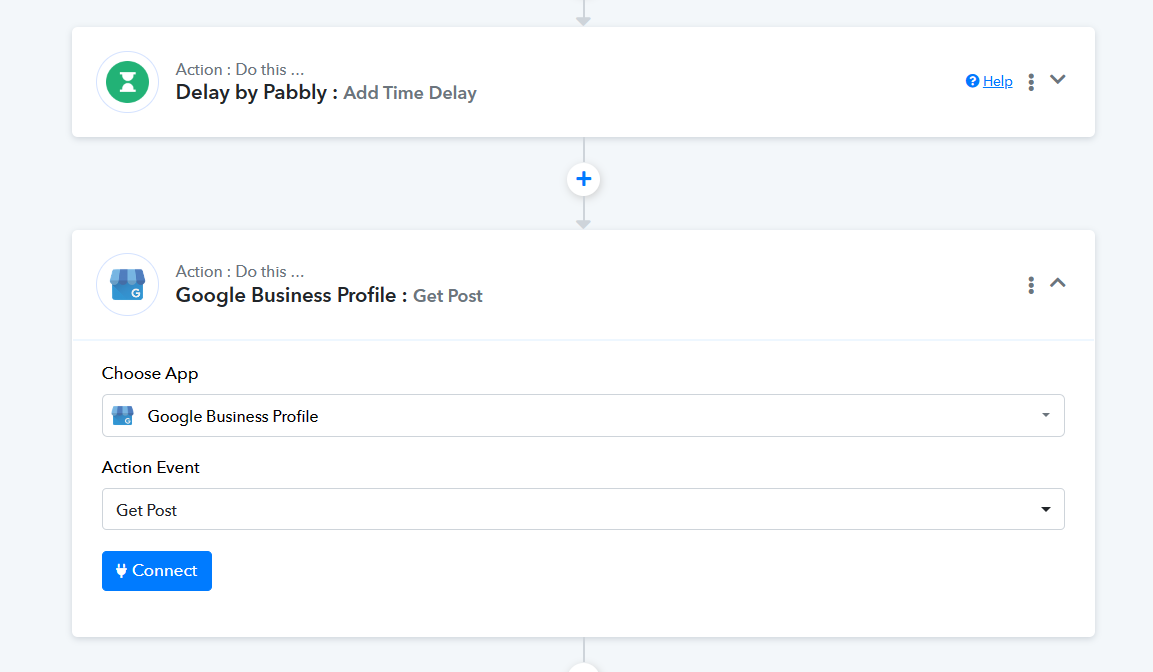
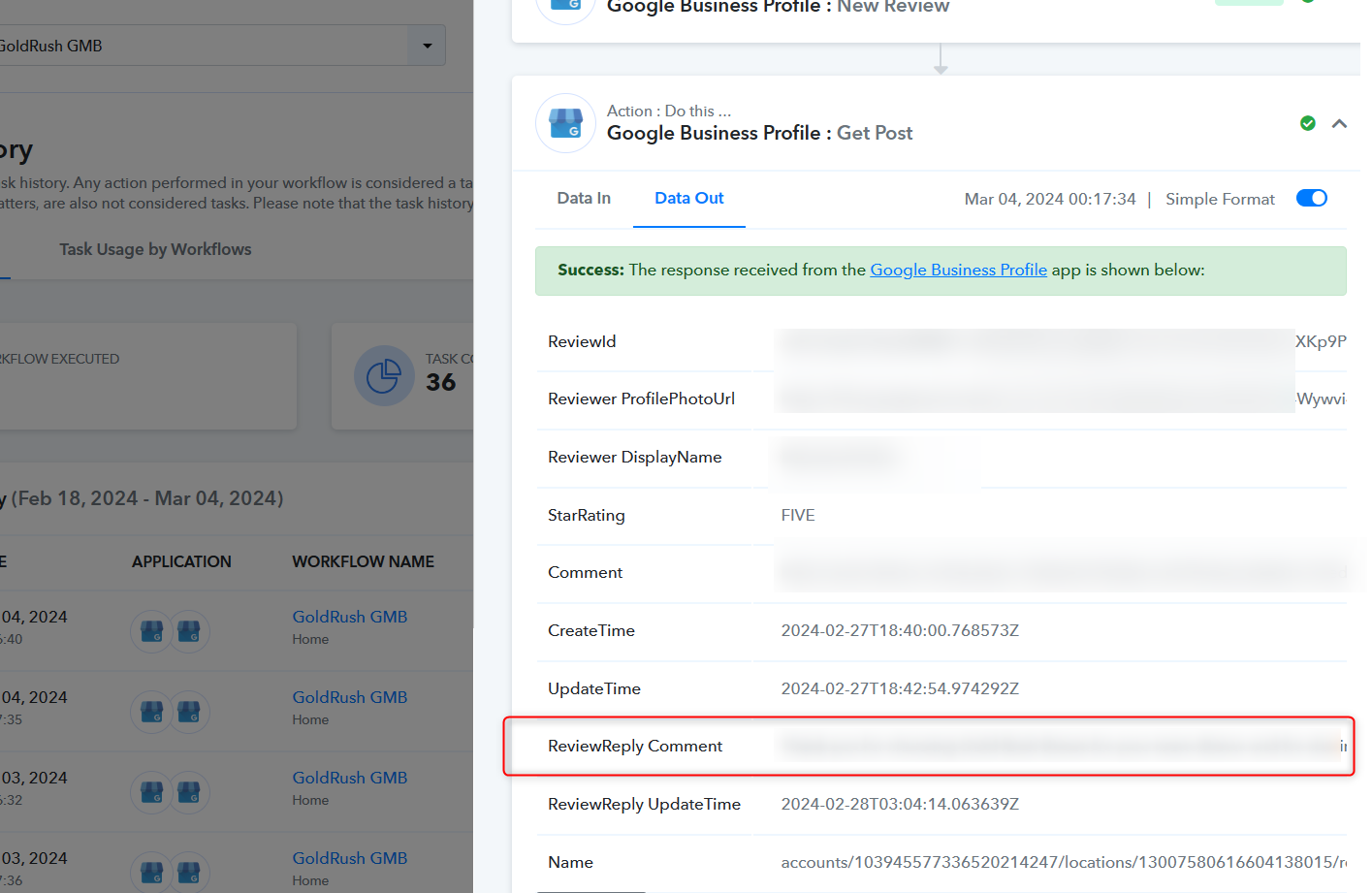
If Google Business doesn't send a reply to a review comment, you can use the "Get Post" action after the event. This will show you the necessary details automatically.
Hi there,
This workflow sometime not capturing reply comment.
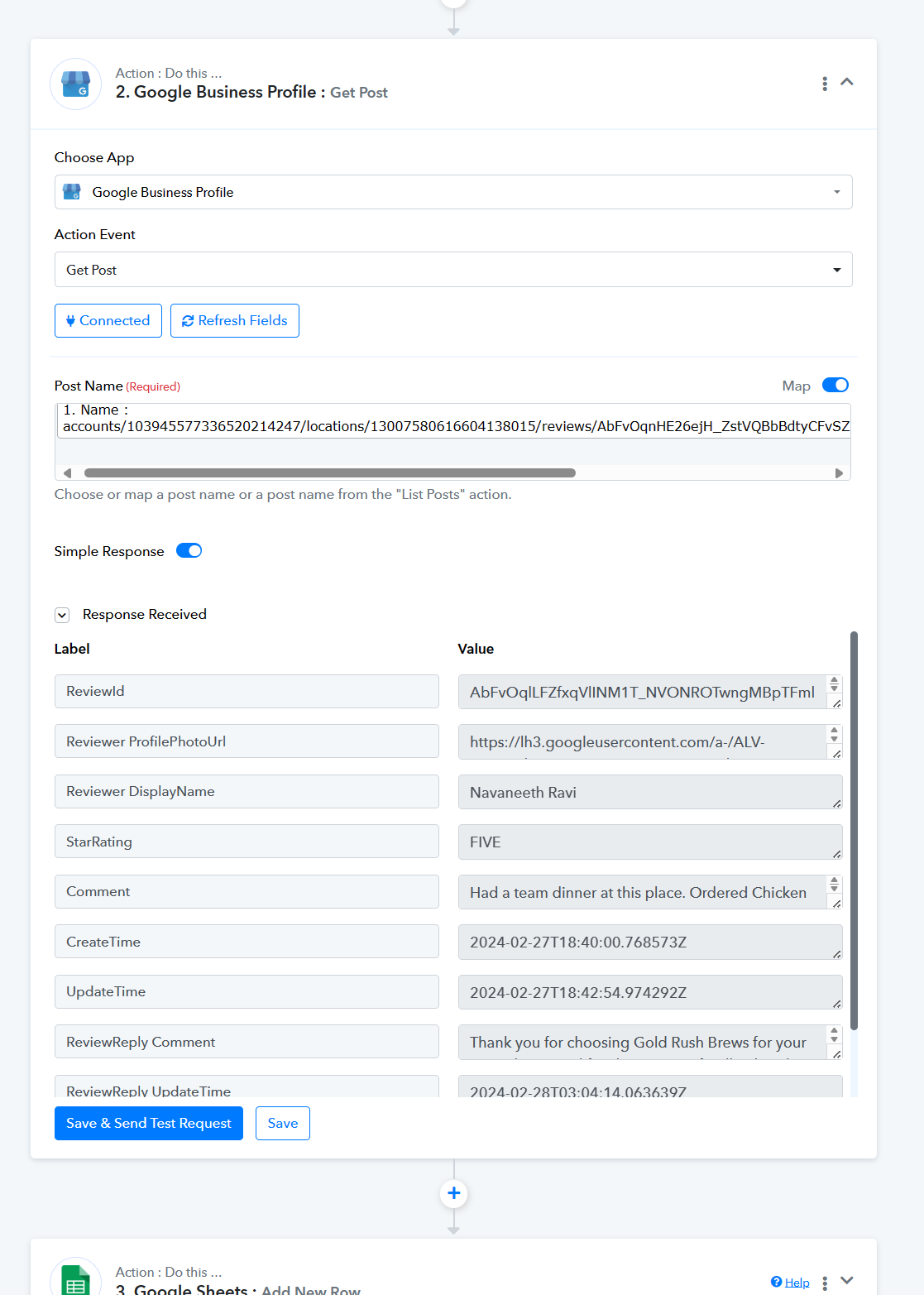
If Google Business doesn't send a reply to a review comment, you can use the "Get Post" action after the event. This will show you the necessary details automatically.[IMG width="590px" alt="1709209613477.png"]https://forum.pabbly.com/attachments/1709209613477-png.38954/[/IMG]
Kindly consider using the Get Post action step which will provide you the Reply Comment field.
What will happen if I reply after fetch the data in google sheet without my response.
What will happen if I reply after fetch the data in google sheet without my response.
Please rephrase this and explain.
so as per my understanding pabbly is fetching data every 8 hours does not matter I replied to customer or not.
Example one customer left their comment on 1 PM and pabbly trigger ran at 2 PM and I response to customer on 3 PM in this scenario pabbly did not fetch my response.
Let me know how can I fetch data with my response
If you're responding to a review on your Google page at a later time, add a delay action step followed by a Google Sheets action step. This will wait for a specified time interval before retrieving your reply comment from the "Get Post" action step in Google Sheets.