Go to Webinar connection is not pulling in the list of webinars
Status: Closed · Asked by ghproductionz on · 0 views
As part of the workflow to create a registrant, I need to select the webinar tied to the workflow. When I click on the Webinar search box, I am not able to find my webinar. What am I missing? Please help!
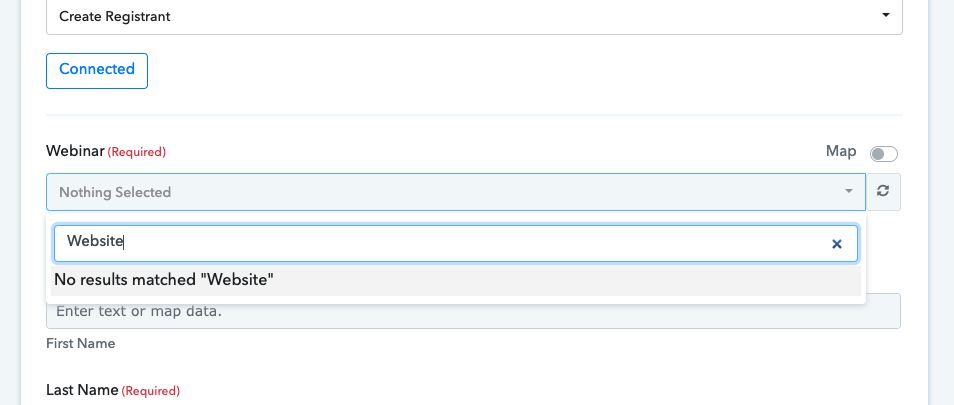
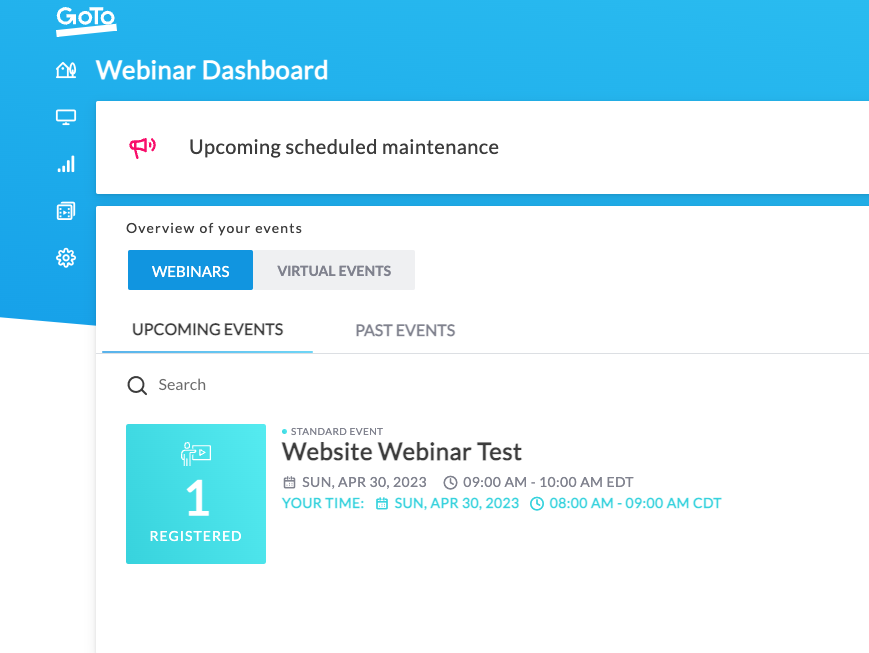
Test webinar i am hoping to find
Hey @ghproductionz
To address the current problem, I kindly request you to reconnect with the "Go To Webinar" application and add a new connection.
As you do so, please ensure that the date and time you enter for the webinar are accurate and properly adjusted for the correct time zone, as the time should be in a UTC format.
By doing so, you can ensure that the issue is resolved and that the webinar runs smoothly without any further difficulties.
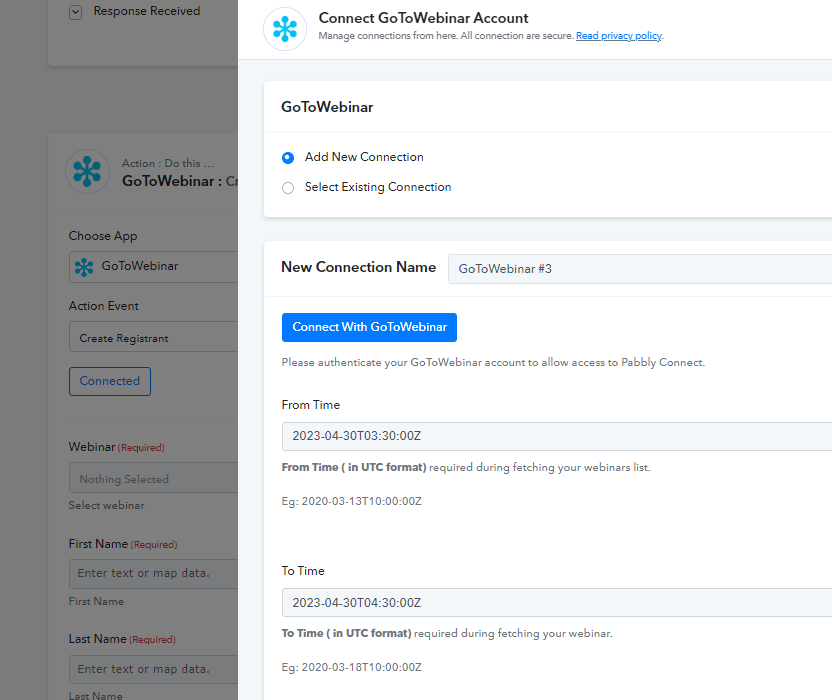
Please let me know if you still facing the same issue.
That worked for me, thank you very much!