Google Ads Integration
Status: Closed · Asked by Lucas Fassbender on · 0 views
Is it on the horizon to add a Google Ads integration similar to Zapier? Preferably to add a contact/lead to a Remarketing List. Thanks!
Is it on the horizon to add a Google Ads integration similar to Zapier? Preferably to add a contact/lead to a Remarketing List. Thanks!
We are actually working on the Google Ads integration and are stuck with certain technical difficulties. Hopefully, the integration team shall be able to release the launch the integration soon.
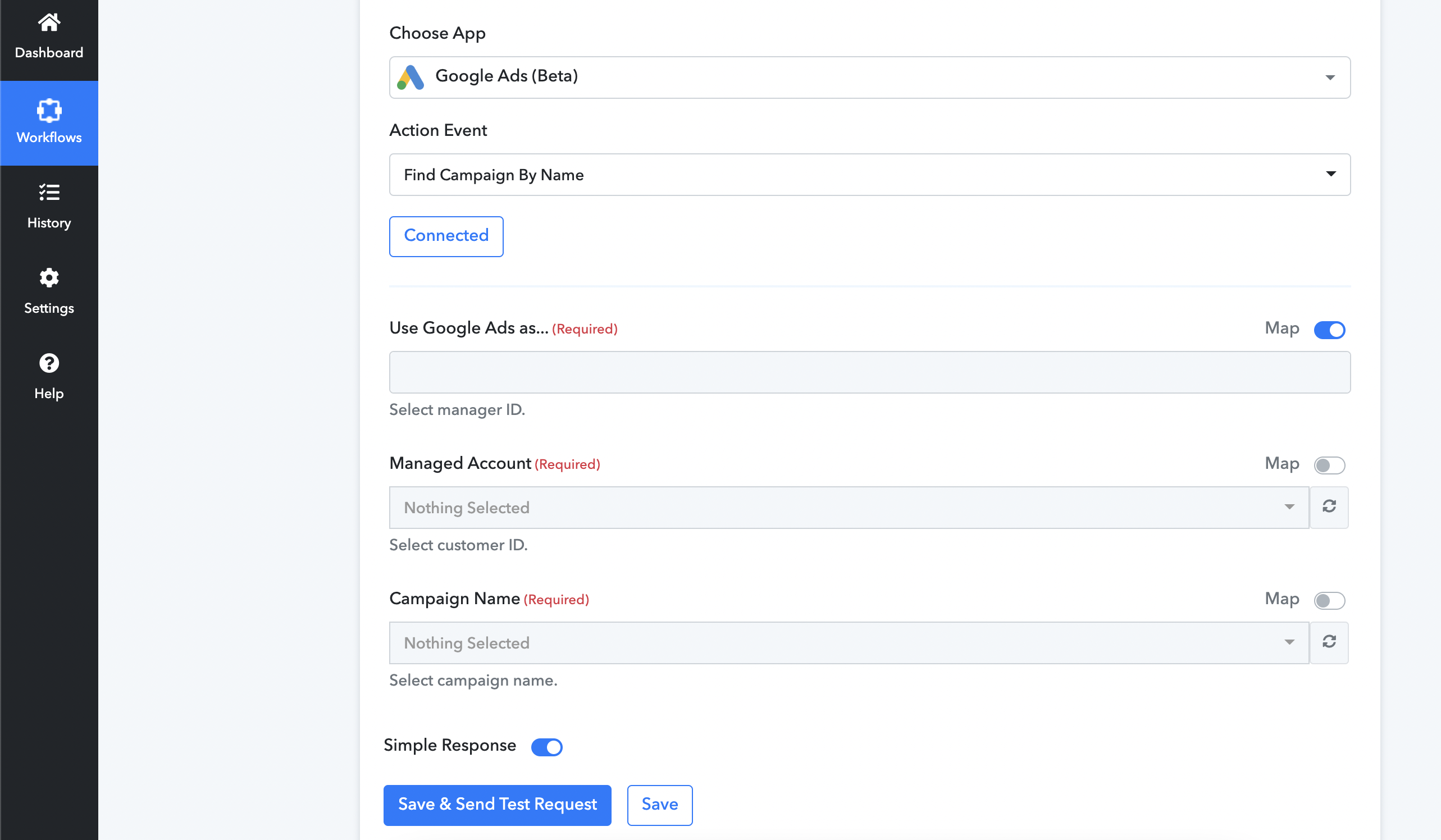
I am trying to get Google Ads Campaign Activation and Deactivation running. However I fail at step 1:
What do you mean bei manager and customer ID? Where do I find these?
"Select manager ID. Select customer ID."
Thank you in advance!
Attachments
Hey @francisco
Seems like you haven't connected your Google Ads Campaign correctly or in your Google Ads you haven't added any Google Ads.
Please try reconnecting your Google account once by passing the correct customer Id while authenticating.
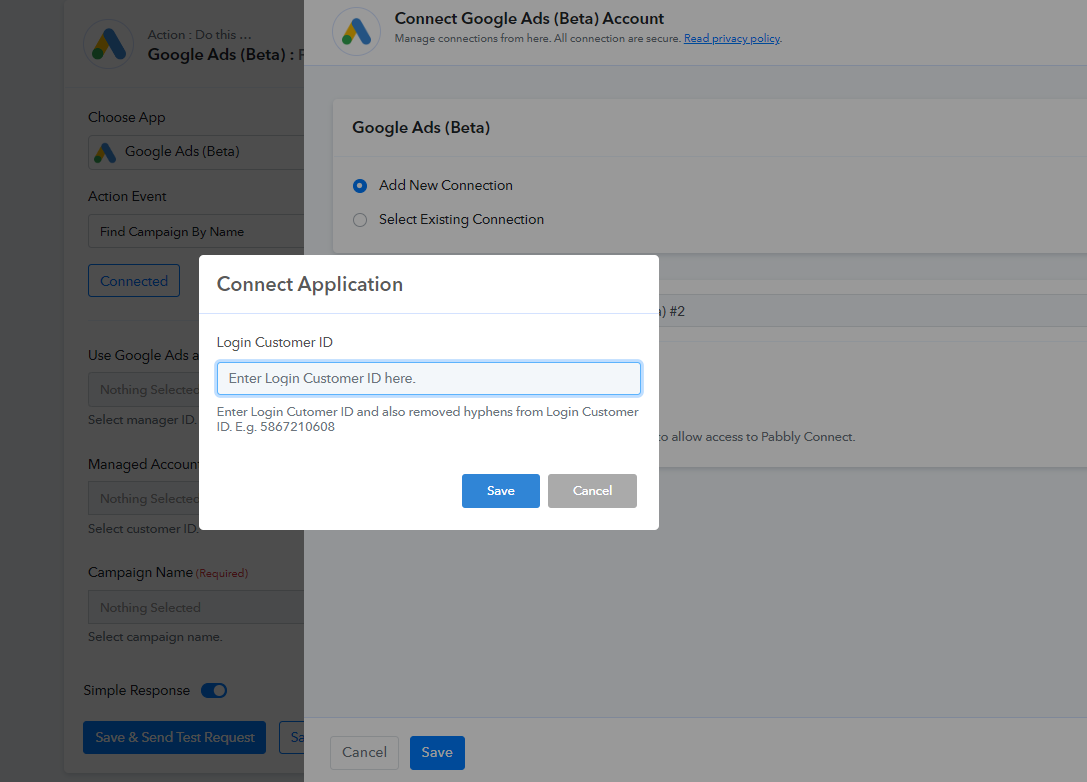
Hi, I have the same problem. I have verify my ID and is correct. But the app is not pulling data from Google Ads.
Attachments
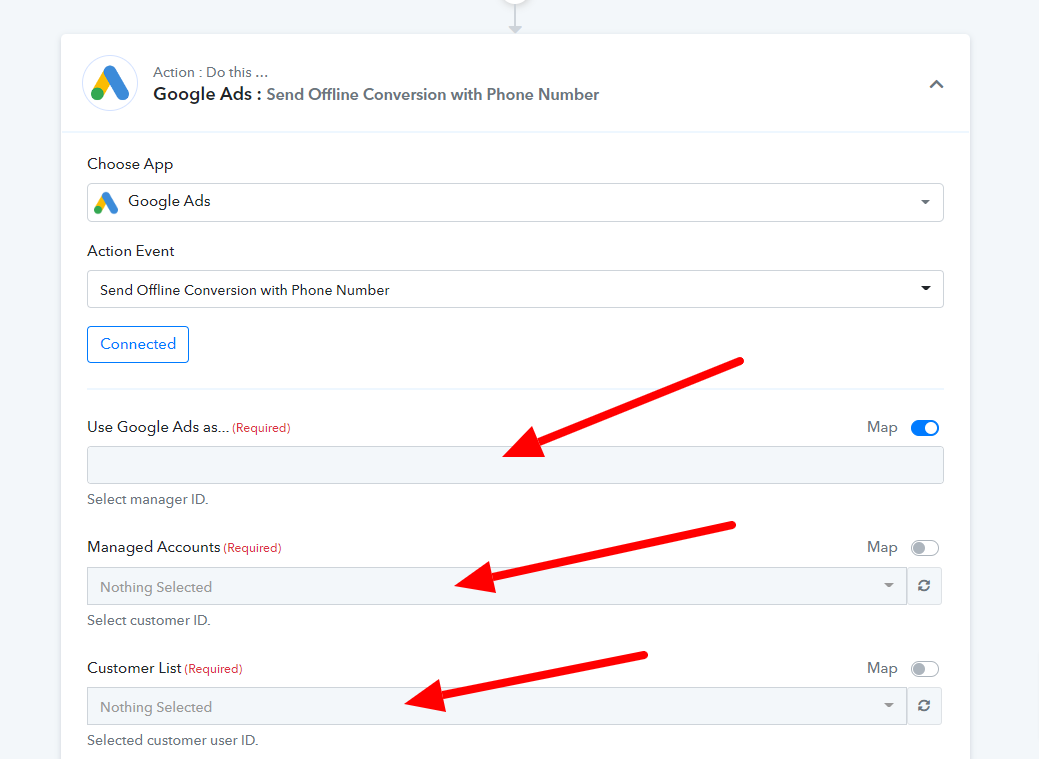
Hey There.
We've made a quick video showing how to connect the Google Ad action step. Please take a look at this. I hope this was helpful.
https://www.screenpresso.com/=NQhbg
Thanks
Kunal
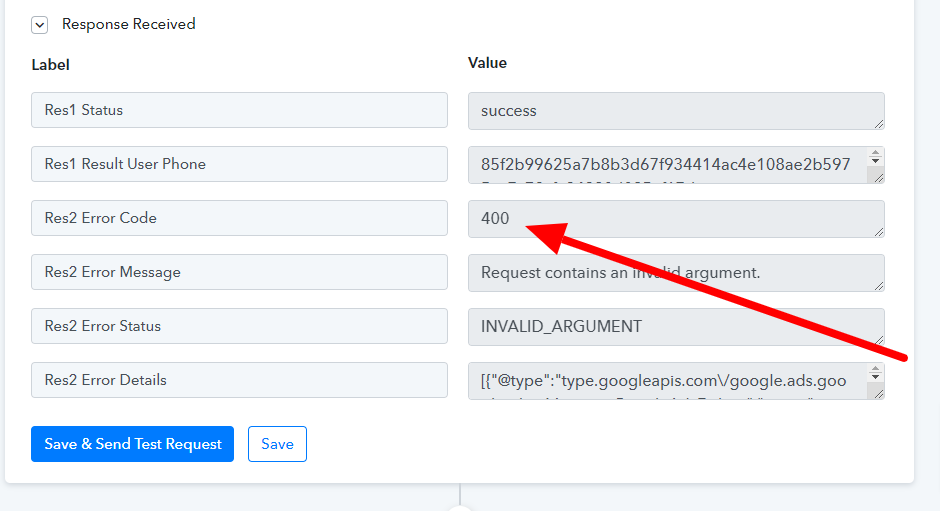
Now I am receiving a Error 400
Attachments
Hey @IsaacMiz
Kindly share the name of the workflow along with your registered email address with Pabbly, so that we can look into it.
Hey @IsaacMiz
It appears that in the action step you are not passing the data in a valid format, also with that, the connection you have made is not authorized correctly.
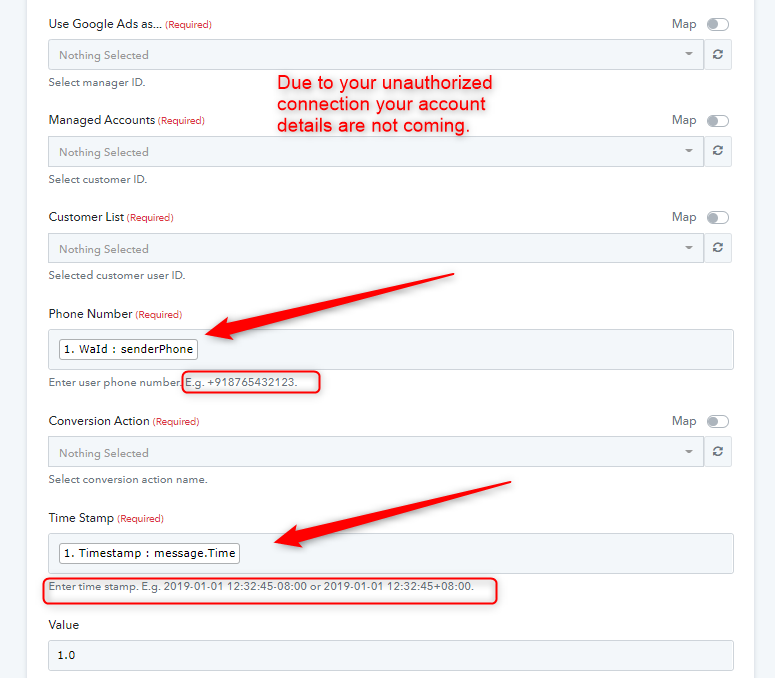
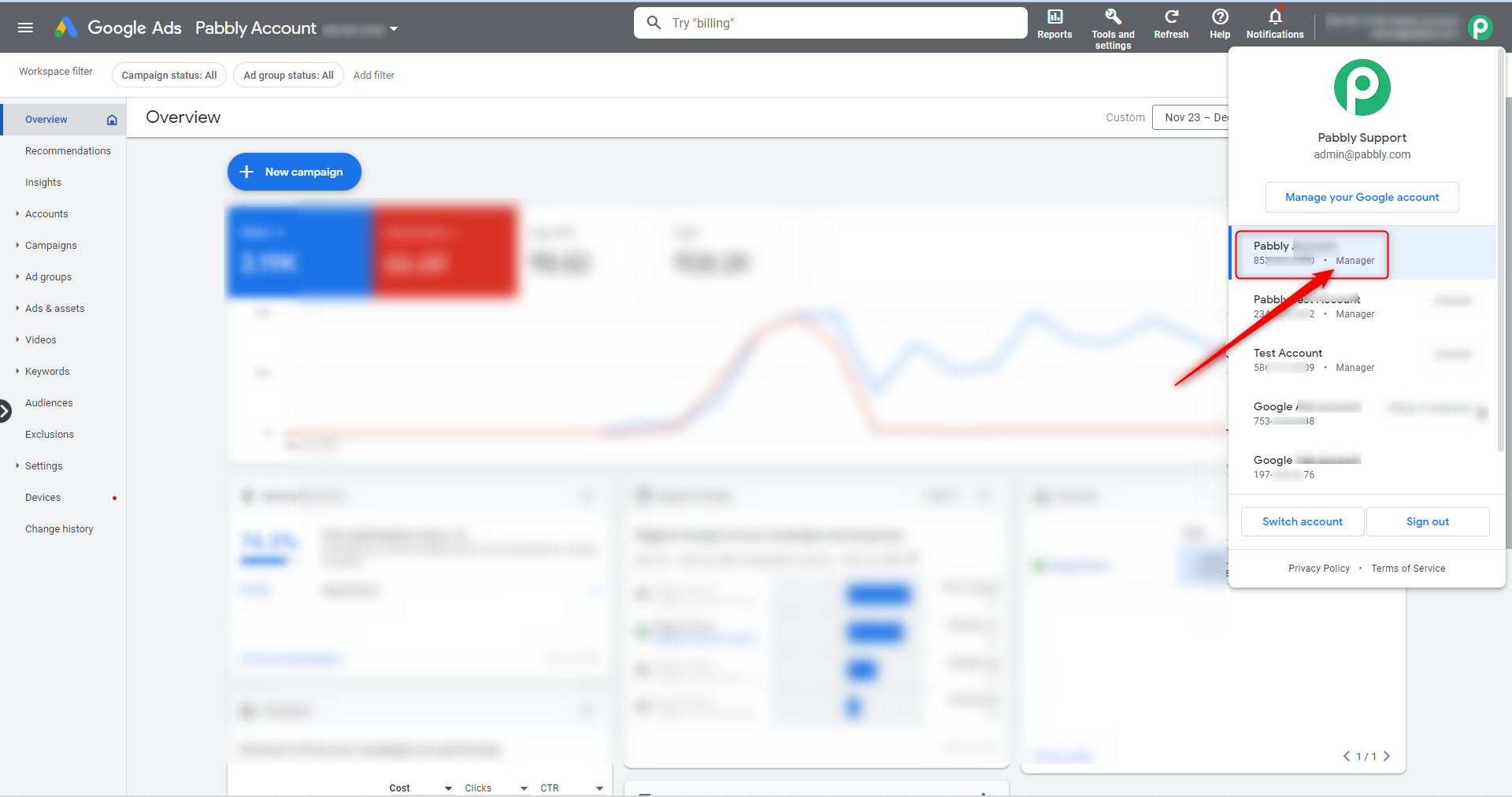
Further, please make a new connection and ensure the connection ID which you are passing is from the manager type.
Can you check the flow again, it seems there is an issue with time.
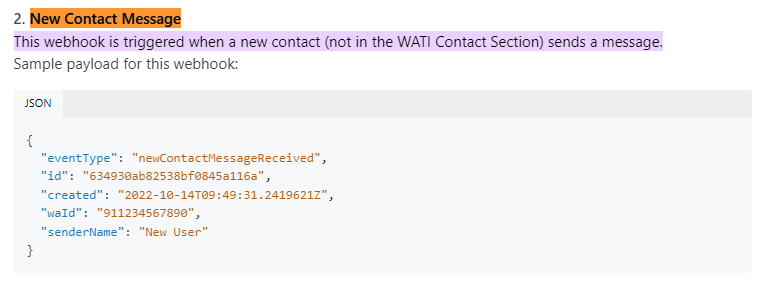
In the other hand, what would be the difference between, Wati Webhook message receive and new contact message receive. I am trying to capture leads and send to FB and Google ads. What would be the best webhook or I need to track both events?
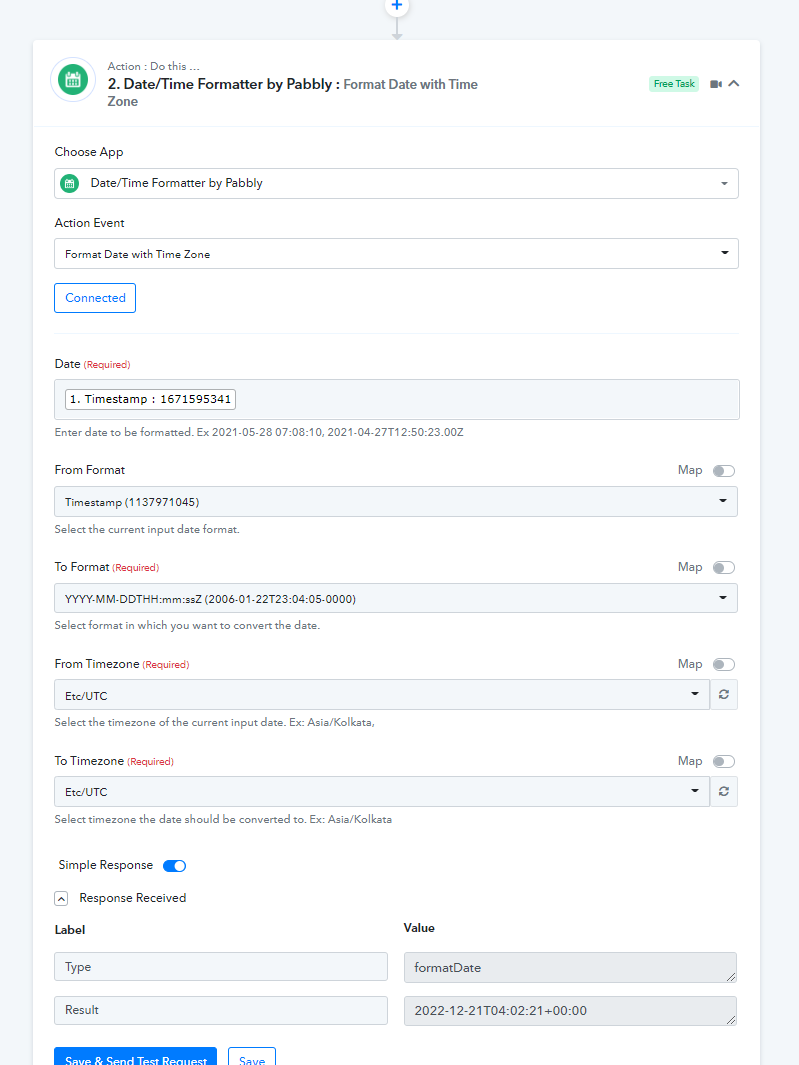
Can you check the flow again, it seems there is an issue with time.
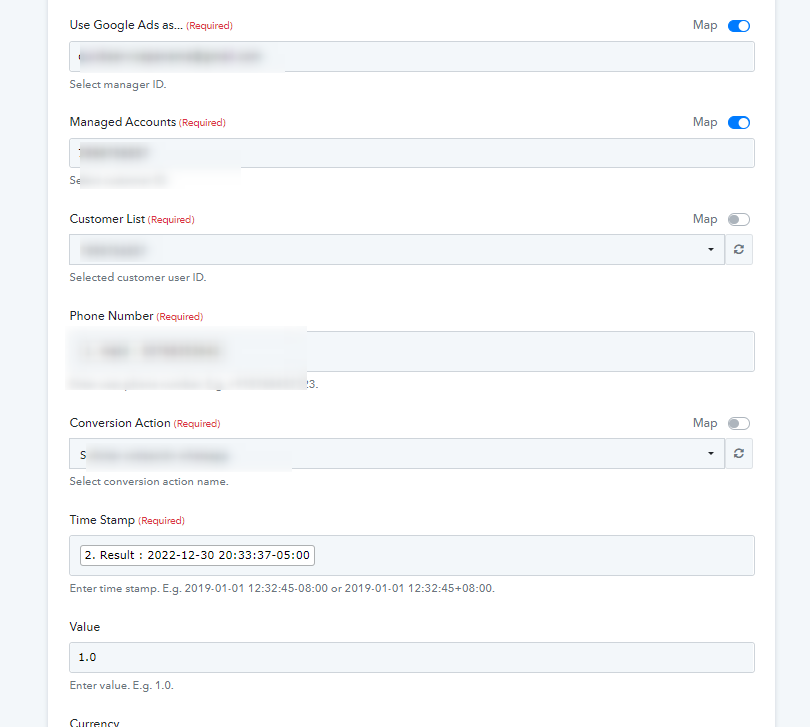
Kindly use the "Date Time Formatter" action step to pass the date time in the desired format from the timestamp.
In the other hand, what would be the difference between, Wati Webhook message receive and new contact message receive. I am trying to capture leads and send to FB and Google ads. What would be the best webhook or I need to track both events?
You may refer to the WATI webhook documentation for the same.
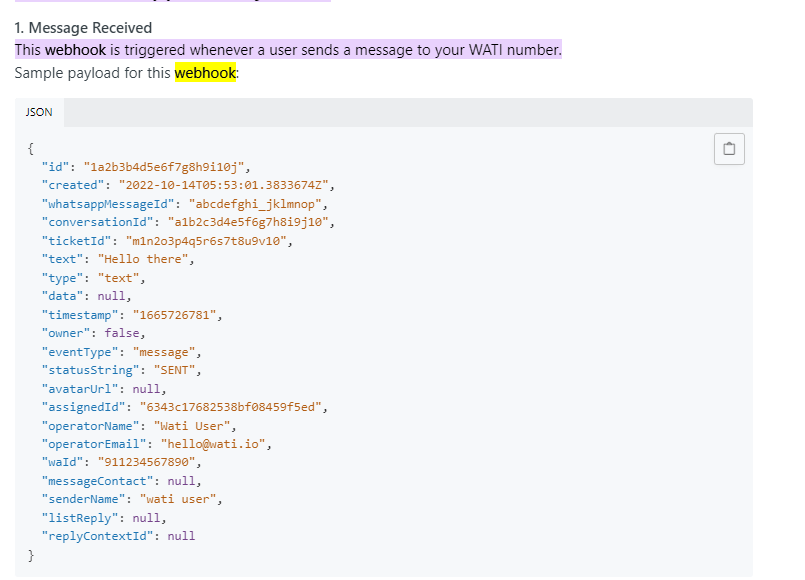
Hi, still have problem with the google ads date integration.
Attachments
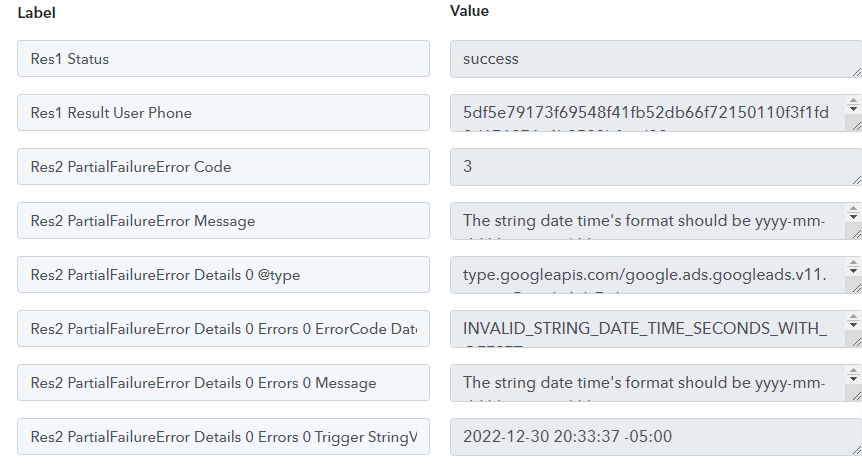
We have corrected the data time format in your workflow and the action step should work fine now.
Further, the error message likely states that the conversion date is after the allowed maximum. This could mean that the conversion data being recorded has a date that is in the future, which is not allowed by Google Ads. To resolve this issue, you should check the conversion tracking setup and make sure that the conversion dates are accurate and within the allowed date range.
So, kindly try in a live execution and try. Also, make sure the number you have passed is in the correct format or not.
Hi, I am not sure what to do?
Attachments
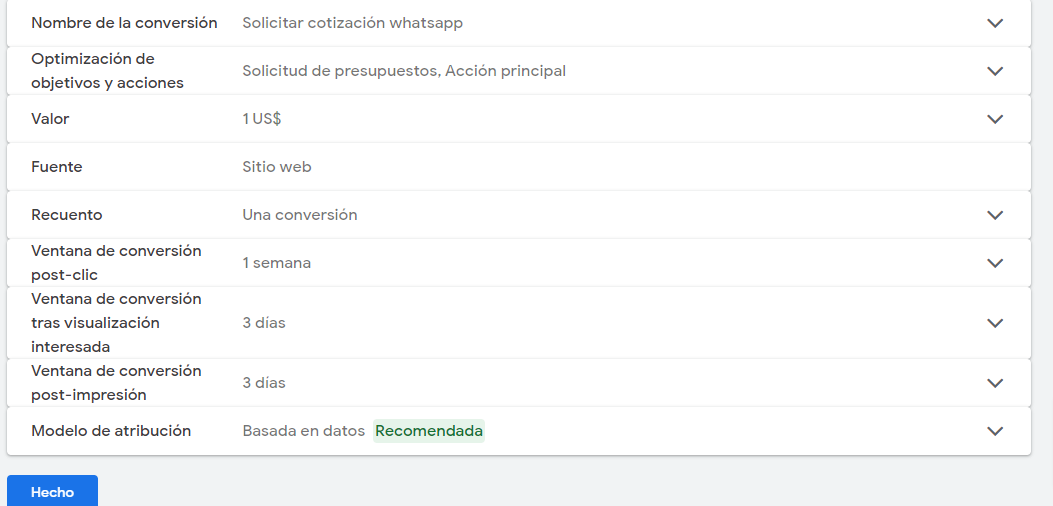
Hi, I am not sure what to do?
Can you please elaborate on the situation and screenshot which you have shared?