Google Ads Leads Form Data Mixed Column
Status: Closed · Asked by veeco on · 0 views
Hello,
Here's some fact on my issue:
Integration: Google Leads Ads Form - Google Spreadsheet
i'm having problem on field mapping in Google Ads leads form because sometimes the data order in each column could be different on an another
this could be:
1. Google Ads send data i wrong order field
2. Pabbly process data inaccurately
see attached... some data put in wrong order
Since pabbly work to process received data in fields sequence... how to fix this ?
Thanks
Attachments

Hello, i'm connecting a google lead form into pabbly, however sometimes they send the data in different order (Very rarely, but happened)
for example
data 1 :
Name
Phone
Email
Data 2 :
Phone
Email
name
this causing the data to go into different intended field, is there a way to lock the lead's label and value instead of their order?
Thanks
Hey @veeco
In response to your query, I would like to tell you that you have selected the "Multiple forms" option in your google leads while configuring the webhook URL in your Google account and because of this you are getting the data from all your forms.
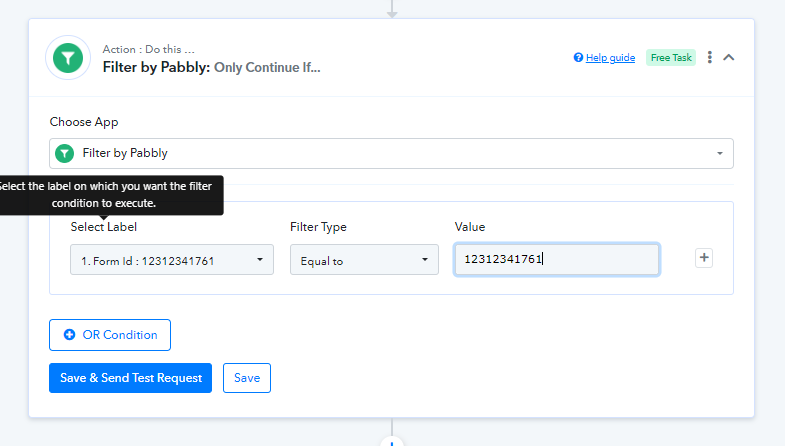
To solve this issue, Please add one more action before Google sheet and select Filter. After that please map the Form ID in the "select label" field and fill the Form ID manually in the "Value field" and select filter type to Equal.