Google AI Studio (Gemini) → Upload File
Status: Open · Asked by FAST Restoration on · 0 views
Hi Pabbly Support,
I'm experiencing an issue with Google AI Studio (Gemini) → Upload File.
I'm uploading a valid PDF from a publicly accessible Google Drive download URL. The upload succeeds, but Pabbly registers its MIME type as `application/octet-stream` instead of `application/pdf`.
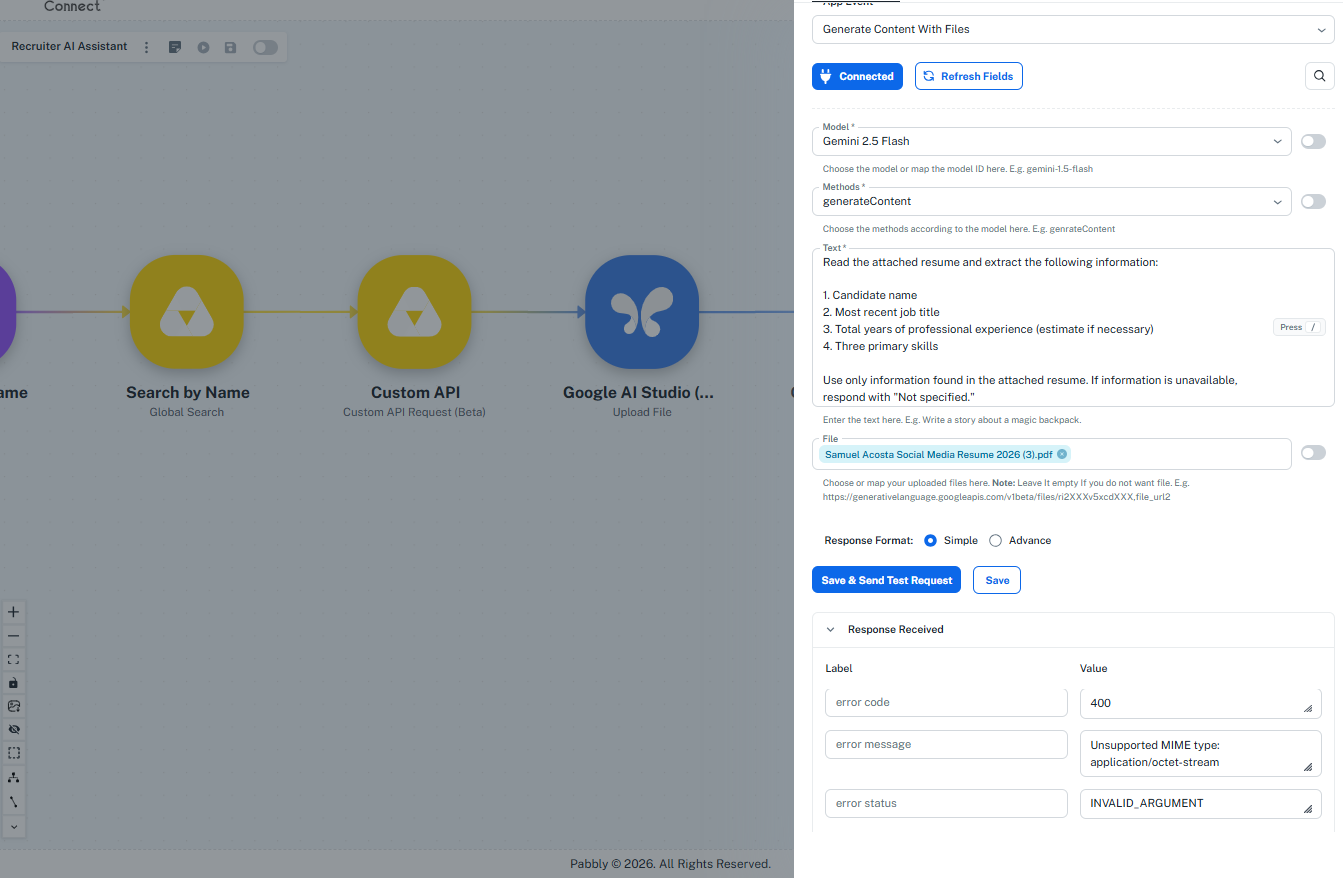
Consequently, the next action (Generate Content With Files) fails with:
`400 – Unsupported MIME type: application/octet-stream`
Google Drive correctly identifies the original file as `application/pdf`.
Is there a way to explicitly specify the MIME type during upload, or can this be corrected in the integration?