Google Calendar Update - How can I change the color of the single Google Calendar event?
Status: Closed · Asked by amicici on · 0 views
Good morning, given the recent changes made by google calendar, as per post attributable to this link: https://workspaceupdates.googleblog.com/2022/08/color-categorization-time-insights-google-calendar.html?utm_source=linkedin&utm_medium=unpaidsoc&utm_campaign=FY22-Q3-googlecalendar_updatesblog_Product-Education&utm_content=-&utm_term=-&m=1
I ask, how do I change the color of the single event within the calendar.
I do a practical test:
At some point in my workflow, the google event is modified with the words "Appointment done".
At this point, instead of keeping the global color of the calendar, I would like to mark the single "green" event which means that the event has ended positively, how can I do it? What are the details of the event specifically that I need to change in the event attribution / modification gase with pabbly connect?
Hey @amicici
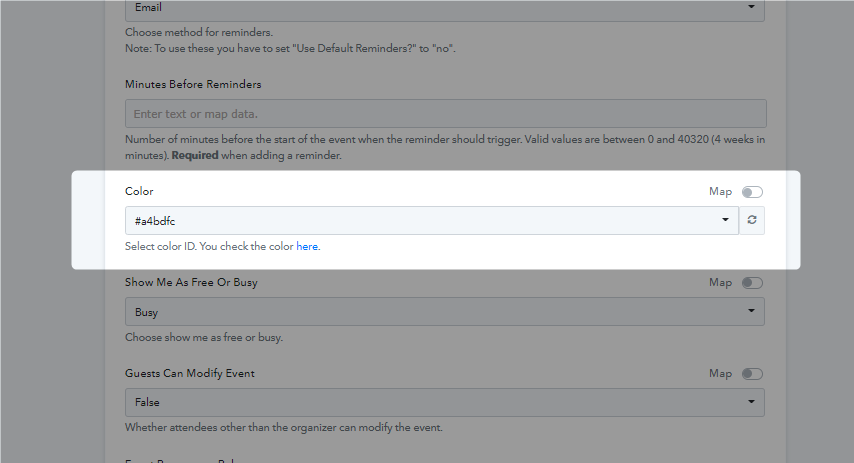
In the "Google Calendar : Create Detailed Event" action event, you can select the colour in the colour dropdown field.