Google Contacts Res2 Results field
Status: Open · Asked by Anita on · 0 views
Hi,
I am trying to search for a Google Contact using a custom field and update that contact in the next step.
The custom field is the Airtable ID, which from the attached screenshot you can see I can find.
The note says that I need to use the "Res2 Results" field for the next step. But this isn't available.
What am I doing wrong?
Best wishes,
Anita
Attachments
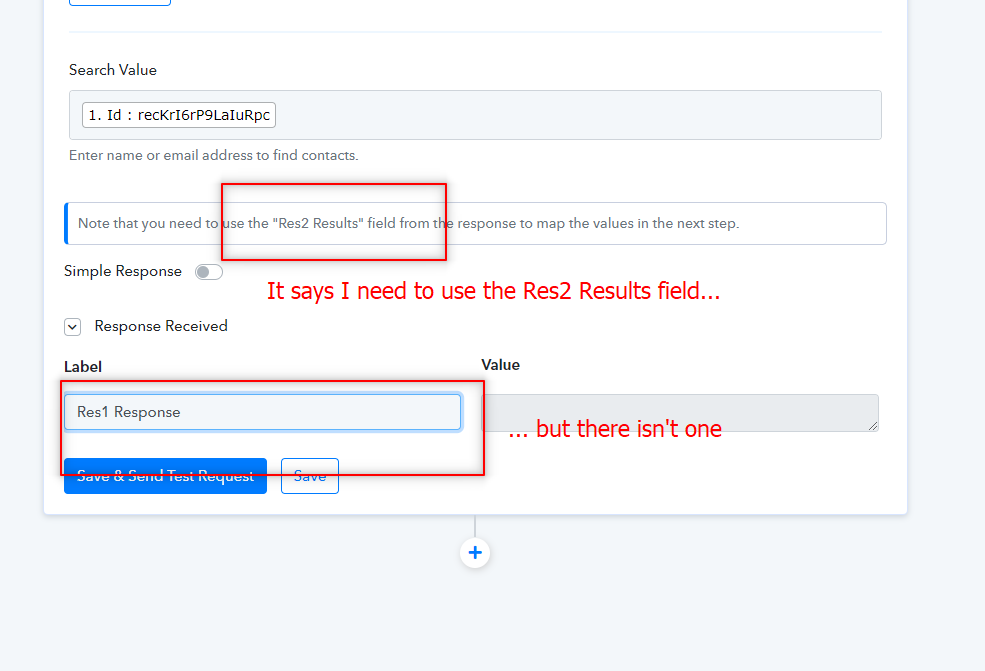
Hi,I am trying to search for a Google Contact using a custom field and update that contact in the next step.
The custom field is the Airtable ID, which from the attached screenshot you can see I can find.
The note says that I need to use the "Res2 Results" field for the next step. But this isn't available.
What am I doing wrong?
Best wishes,
Anita
In the Search Value, it says Enter Name or Email Address to find the contact. You need to enter name or email address. Try to do that and see if the results are found, it should give you Res2.
Hi Neeraj,
The request for Name or Email Address sounds like the Search Contact event that I was using. It was marked as Deprecated when I logged in today. The alternative allows me to select any field from the Airtable record. I selected the Id as it is unique and will not change; name or email address could both change.
I was hoping that I could then use the Custom Field in the Google Contacts for the Airtable Id to select the correct record to update. I have a different workflow that populates this when I create a Google Contacts record.
Any ideas anyone? I've been away so just coming back to this.
Hey @Anita
I was hoping that I could then use the Custom Field in the Google Contacts for the Airtable Id to select the correct record to update. I have a different workflow that populates this when I create a Google Contacts record.
Could you please tell us what custom fields you want in the search action event?
Hey @Anita
As we can see from the Google Contacts API documentation, it is not possible to search the contact with the help of custom fields.
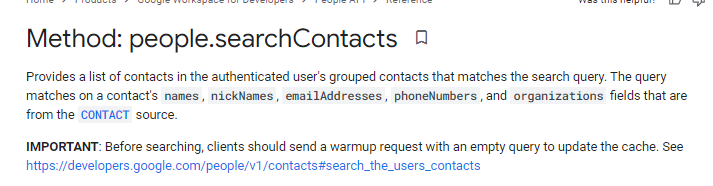
https://developers.google.com/people/api/rest/v1/people/searchContacts
I was trying to search using the Airtable ID custom field as it is not business data and therefore will not change.
No worries if it can't be done; thought I was doing something wrong!
I've now created two workflows. One searches on email address, the other searches on first and last name.
Hey @Anita
I've now created two workflows. One searches on email address, the other searches on first and last name.
You can also use the router action step in your workflow where you can use the response one from email address and another one from first and Last name and can use it in the routers action events filter condition.
Please check out the following video tutorial on the router action step.