Google Contacts - Update contact
Status: Closed · Asked by pracial on · 0 views
Hi I'm Brazilian, I say this because my English is not great
I'm trying to update a contact that already exists within my google contacts, how do I search it from the mobile number and after finding that contact, update its name?
I await feedback, thank you!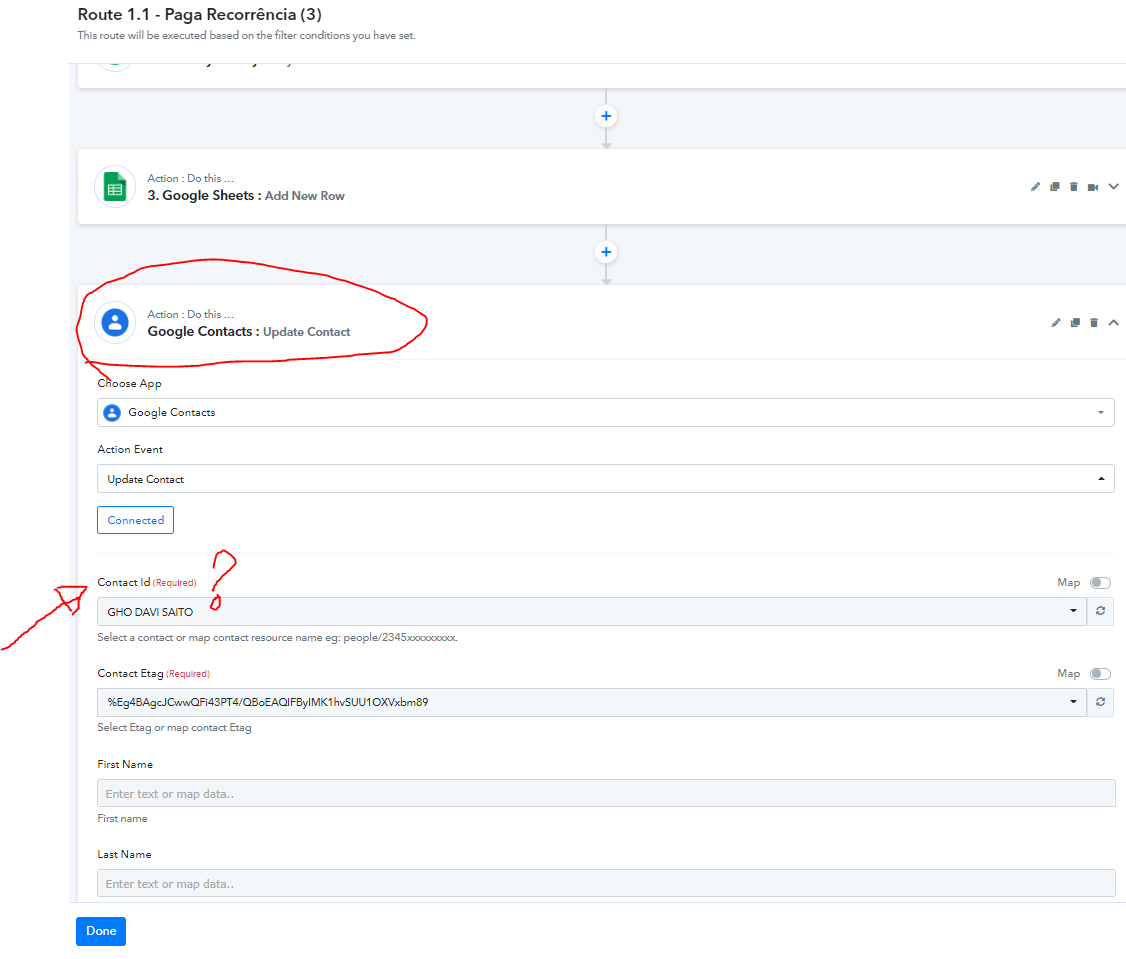
Hey @pracial
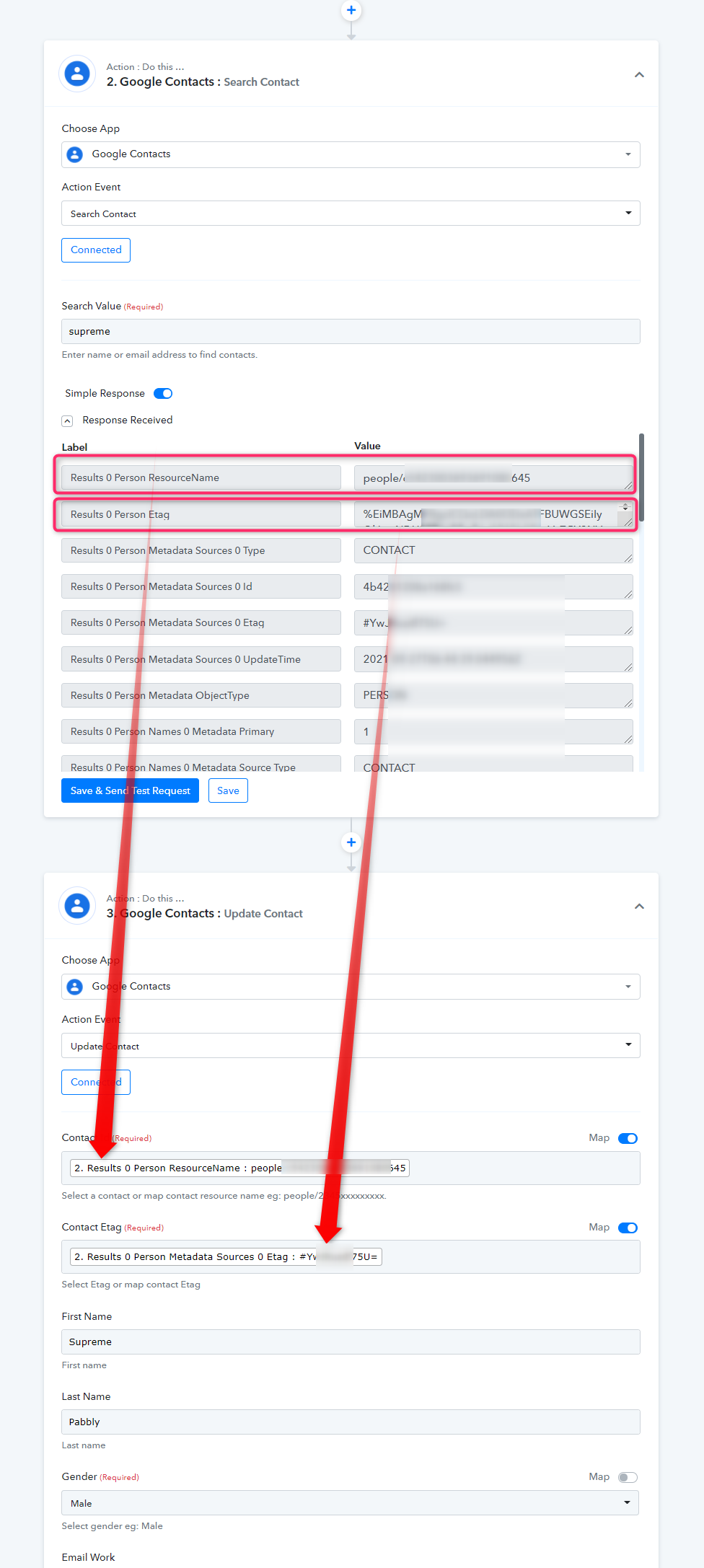
To update the contact you need to search the contact first on the basis of Name or Email address after that, you need to pass the Person ResourceName and Person Etag in the Update Contact action event to update the contact.
Kindly check out the following screenshot for better understanding -
Regards!
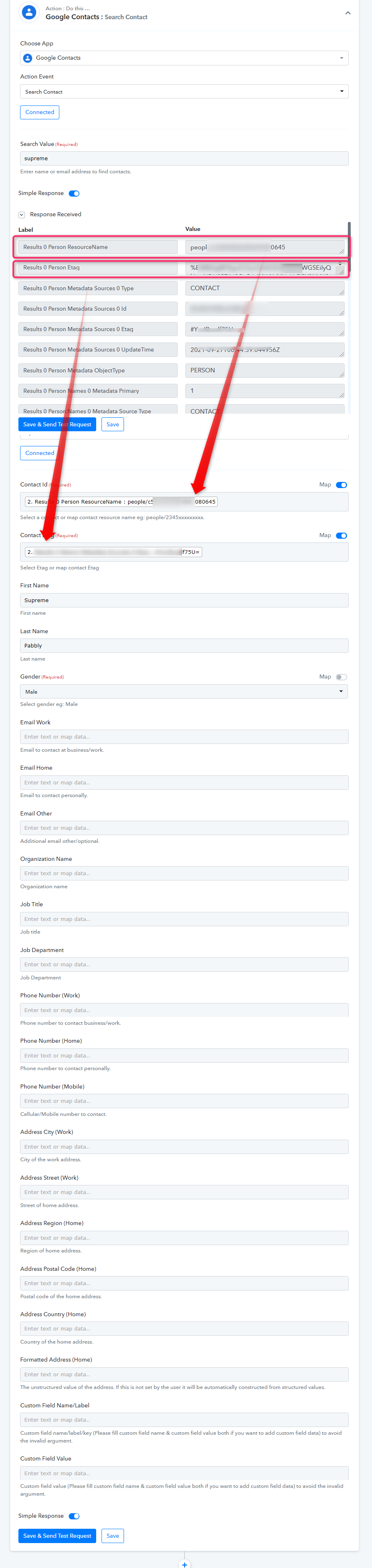
Hey @pracialTo update the contact you need to search the contact first on the basis of Name or Email address after that, you need to pass the Person ResourceName and Person Etag in the Update Contact action event to update the contact.
Kindly check out the following screenshot for better understanding -
Regards!
Hey thanks for your reply, it helped me but I would like to confirm.
In this case:
First I look for the contact, via email or name, right?
After getting the contact, I will update it and to update I need to put the Person ResourceName and Person Etag, but how do I get this Person ResourceName and Person Etag, automatically?
Hey @pracial
First I look for the contact, via email or name, right?
Yes, you need to pass the email or name of the contact in the "Search Contact" action event, which will provide you the Person ResourceName and Person Etage, and then you need to map both the labels in the "Update Contact" action event.