Google Contacts - Update contact's Etag
Status: Closed · Asked by Pietro Scala on · 0 views
Hi, I'm experiencing the following error with my workflow:
[TABLE]
[TR]
[TD]Error Code[/TD]
[TD]400[/TD]
[/TR]
[TR]
[TD]Error Message[/TD]
[TD]Request person.etag is different than the current person.etag. Clear local cache and get the latest person.[/TD]
[/TR]
[TR]
[TD]Error Status[/TD]
[TD]FAILED_PRECONDITION[/TD]
[/TR]
[/TABLE]
Hey @BusinessOnSteroids
Please note that if you are trying to update certain fields from the "Google Contact: Update Contact" action step then make sure that all the fields which are mentioned to updates are coming from your trigger response.
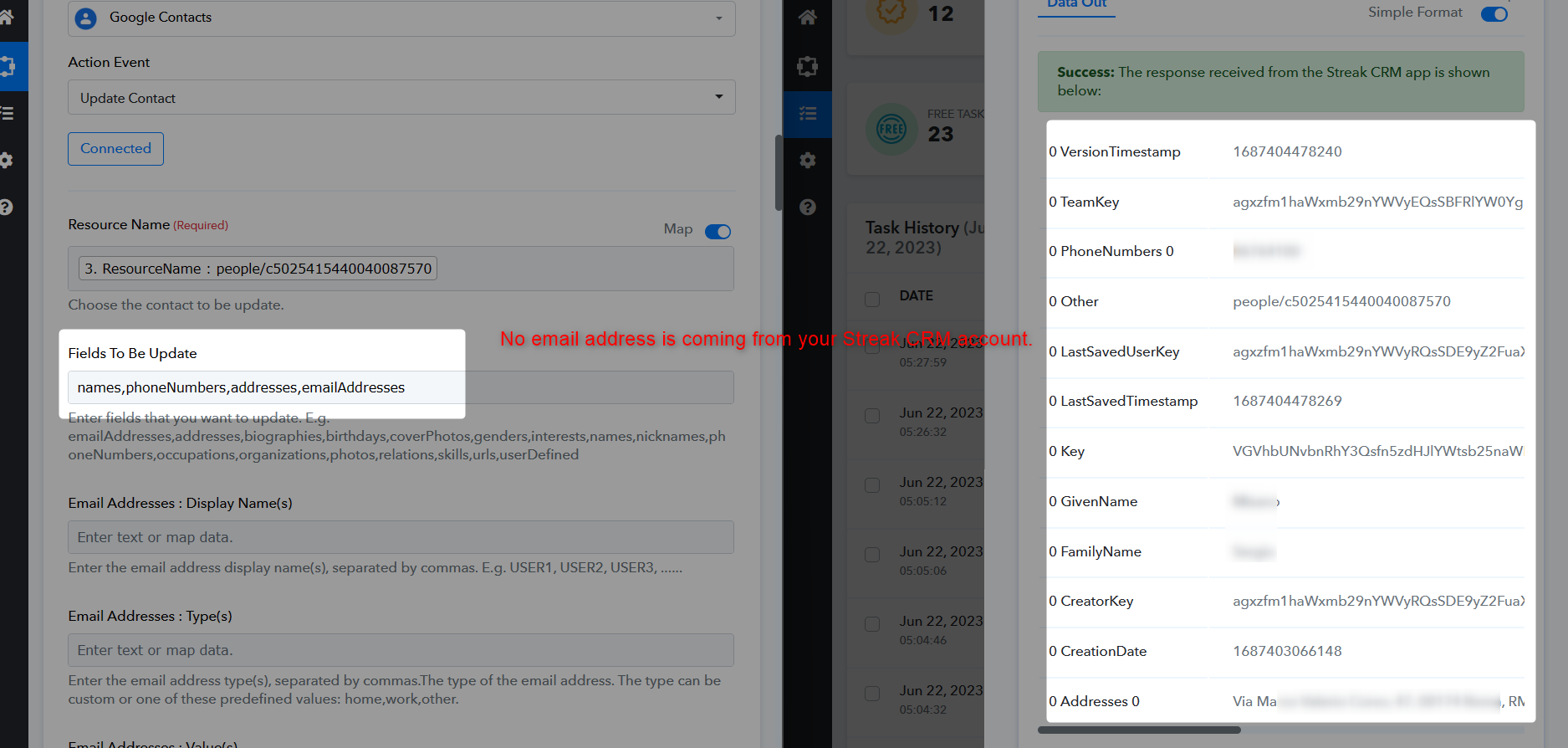
Thank you.
I've updated the history id with a different execution so you won't be distracted by empty fields and focus on the Etag issue.
Kindly give a look at it and come back with a solution.
I really appreciate your help.
Please check carefully, you haven't passed the phone number in the action step whereas you have selected the phoneNumbers in the "Fields To Be Update".
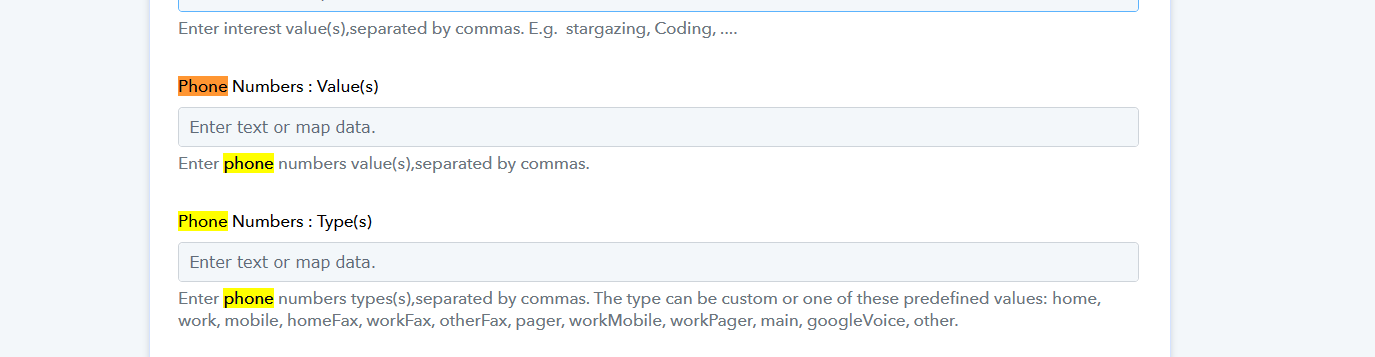
Thank you for your message.
However, I kindly request you to double-check the details. In the "Fields To Be Updated" section, I intentionally removed both the email addresses and phone numbers, so there should not be any phone number included.
As a reference, please take a look at the previous message where I emphasized our focus on resolving the Etag issue. I have already updated the history ID with a different execution to eliminate any distractions caused by empty fields.
Your assistance in finding a solution to the Etag issue is greatly appreciated. I look forward to hearing back from you with any further insights or suggestions.
Thank you once again for your help.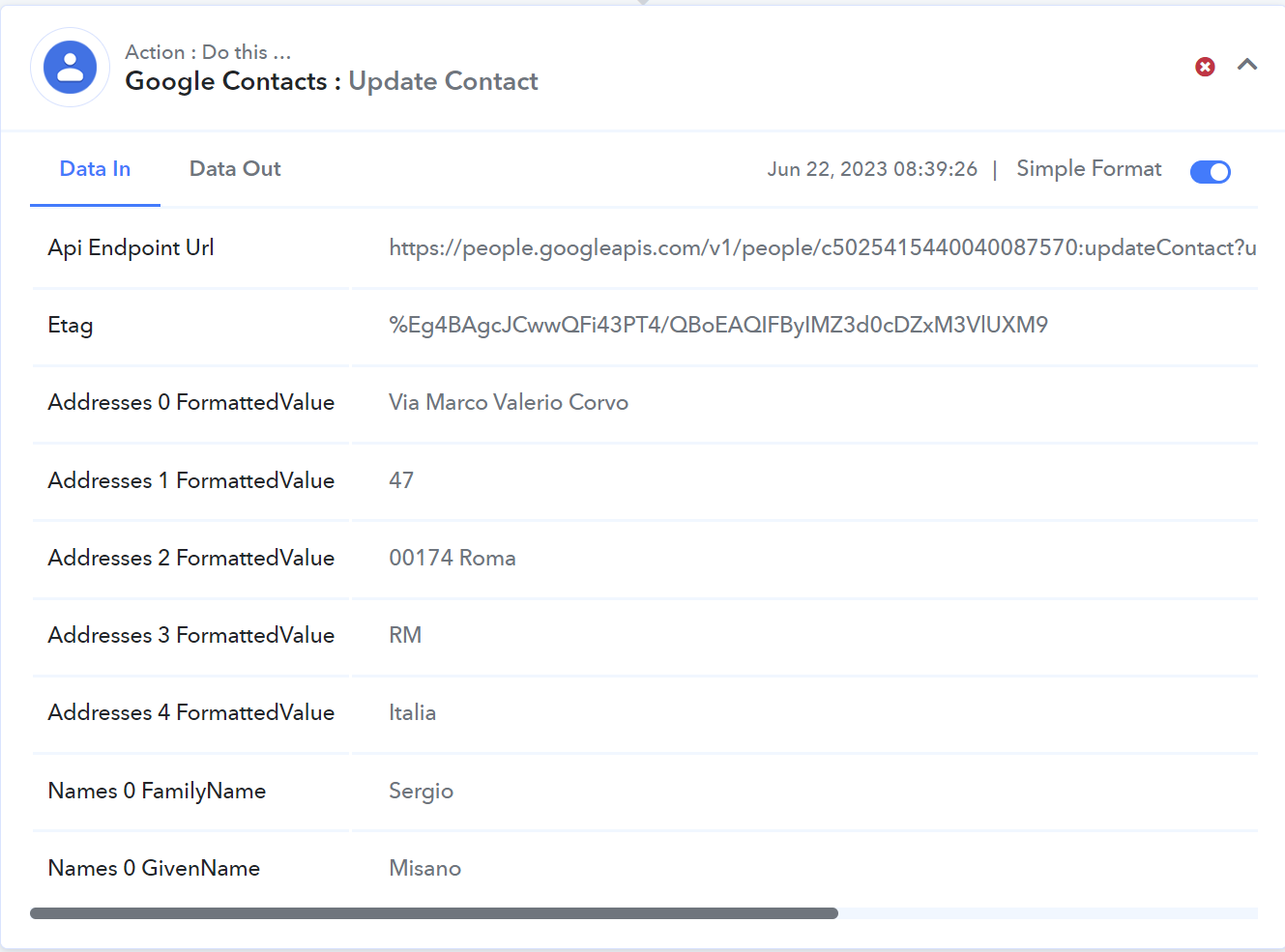

Also kindly note that the first time the workflow is executed, it succeds. All subsequent tasks fail.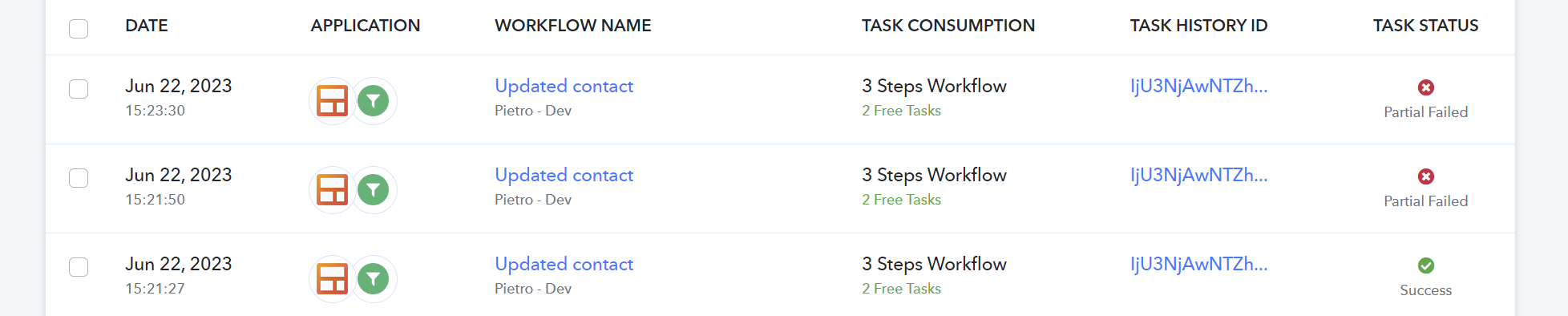
Okay, @BusinessOnSteroids, we got your concern and currently, we are looking into it and shall notify you with an update soon.
UP
Hey @BusinessOnSteroids
We have made a small change in the Google Contacts action step and it should work now. Please give it a try and let us know.
Finally, it's working.
Let me point out a few things:
- First of all, now the ETAG is required for the action, therefore an additional step is required if the trigger isn't the Google contact item itself.
- Let me quote your prior messages: "Please note that if you are trying to update certain fields from the "Google Contact: Update Contact" action step then make sure that all the fields which are mentioned to updates are coming from your trigger response."
AND
"Please check carefully, you haven't passed the phone number in the action step whereas you have selected the phoneNumbers in the "Fields To Be Update"."
These assumptions are wrong. When a field is selected and the item's value equal to empty, then contact's updated field become empty aswell.
This works flawlessy and is the only way that I know to clear a populated field. - The "addresses formatted value" splits addresses by commas, which is commonly used worldwide as separator and is normally part of the addresses. Thus any address like "Bengaluru Palace, Bengaluru, Karnataka, India" will figure in the updated contacts as:
{
"Address1": "Bengaluru Palace",
"Address2":"Bengaluru",
"Address3":"Karnataka",
"Address4":"India"
}
I will open a new ticket for it.
Thank you for now