Google doc formatting
Status: Closed · Asked by Ravi Mittal on · 0 views
Hi,
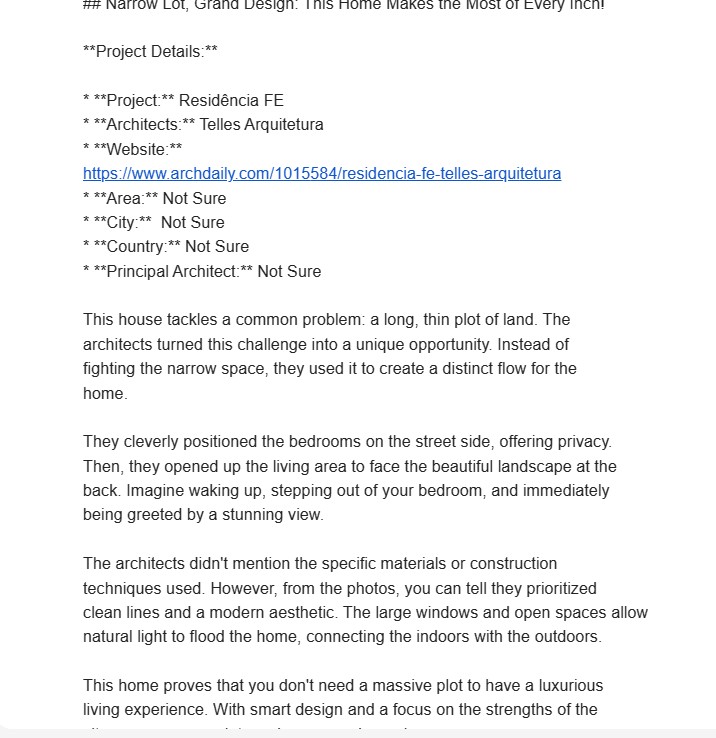
I am creating a google doc in my workflow but content is not formatted when i open my google doc though same content in my gmail looks ok.
Please guide.
Thanks
Attachments
Hey @ravimittal7
Can you please tell us how you are preparing the Google Doc file in your automation so that we can tell you the optimal solution?
i am using "Create document from text".
Please provide the workflow URL so we can review your process and monitor it.
Hey @ravimittal7
If you encounter spacing issues in the content generated by your Chat GPT action step, you can directly prompt it to adjust the spacing by adding or removing the extra spaces as needed.
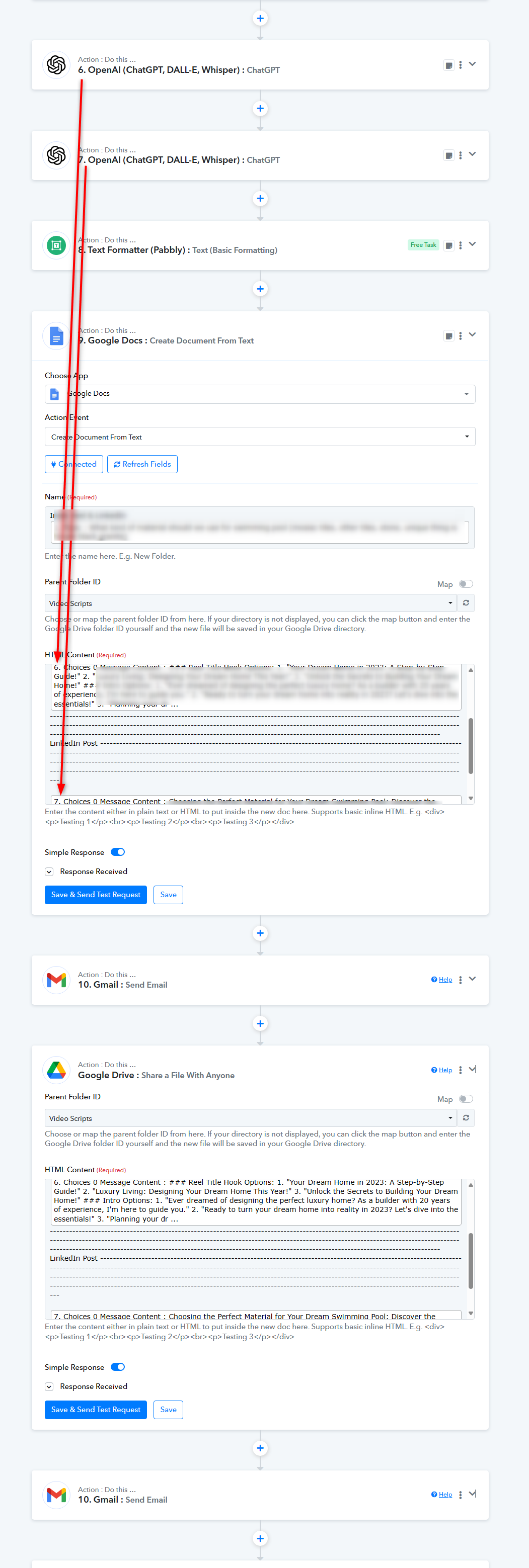
Spacing is just one issue. Please see the attached file.
Since the content wasn't passed correctly due to inconsistencies in the format of Simple Inline HTML, I have reassigned all the HTML content. Please review your input and design it as needed.
Note - For extra spacing kindly use
The attached file looks fine. Could you please explain how can I get this kind of formatting?
As mentioned earlier, the Google Doc action step takes basic inline HTML. We have passed the basic HTML through OpenAI itself to get the response from where you are generating the content. And for spacing coming from Open AI, we have replaced it with
tag.
As mentioned earlier, the Google Doc action step takes basic inline HTML. We have passed the basic HTML through OpenAI itself to get the response from where you are generating the content. And for spacing coming from Open AI, we have replaced it with
tag.
Sorry, but it is still not clear to me. So, these steps like replacing spacing with
is all manual work?
So, these steps like replacing spacing with
is all manual work?
So, if you review your workflow before the Google Doc action step the steps are dynamically replacing the \n(for spacing) with
tag.