Google Drive Copy File throwing a 404 not found error
Status: Closed · Asked by david.commarmond on · 0 views
Hi,
I connected google drive, and trying to copy a file from one folder to another using the google drive module.
I successfully used it to "find a file" and recovered the file id. however, whether I use the file ID manually, or from the previous step result, it always results in a 404 file not found error.
Can you help ?
Thanks
Hey @david.commarmond
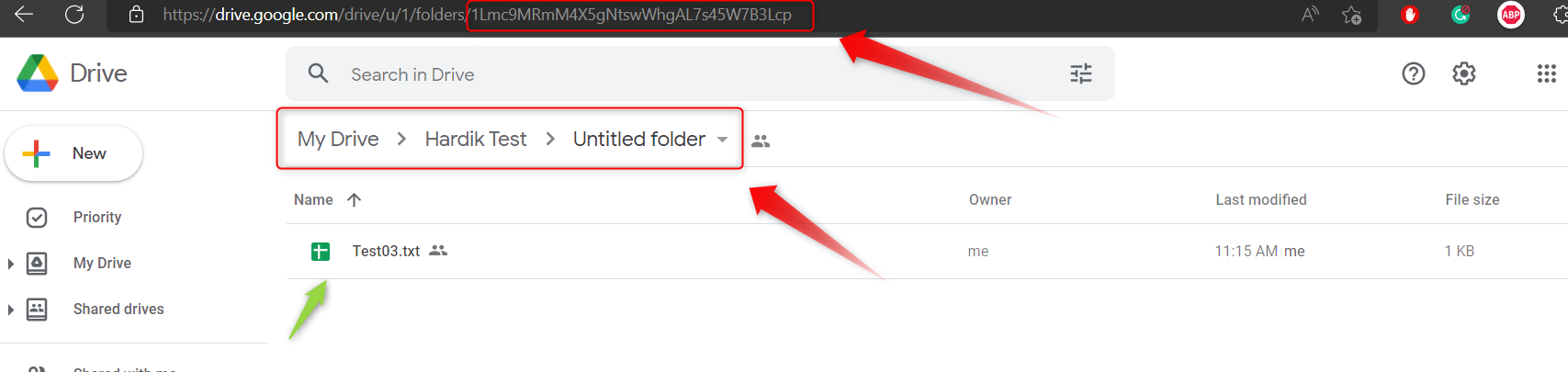
Could you please check the Folder Id which you are passing in the "New Folder Location" exists in the drop-down or not?
You have to pass the Folder Id which is present in the drop down.
Hello,
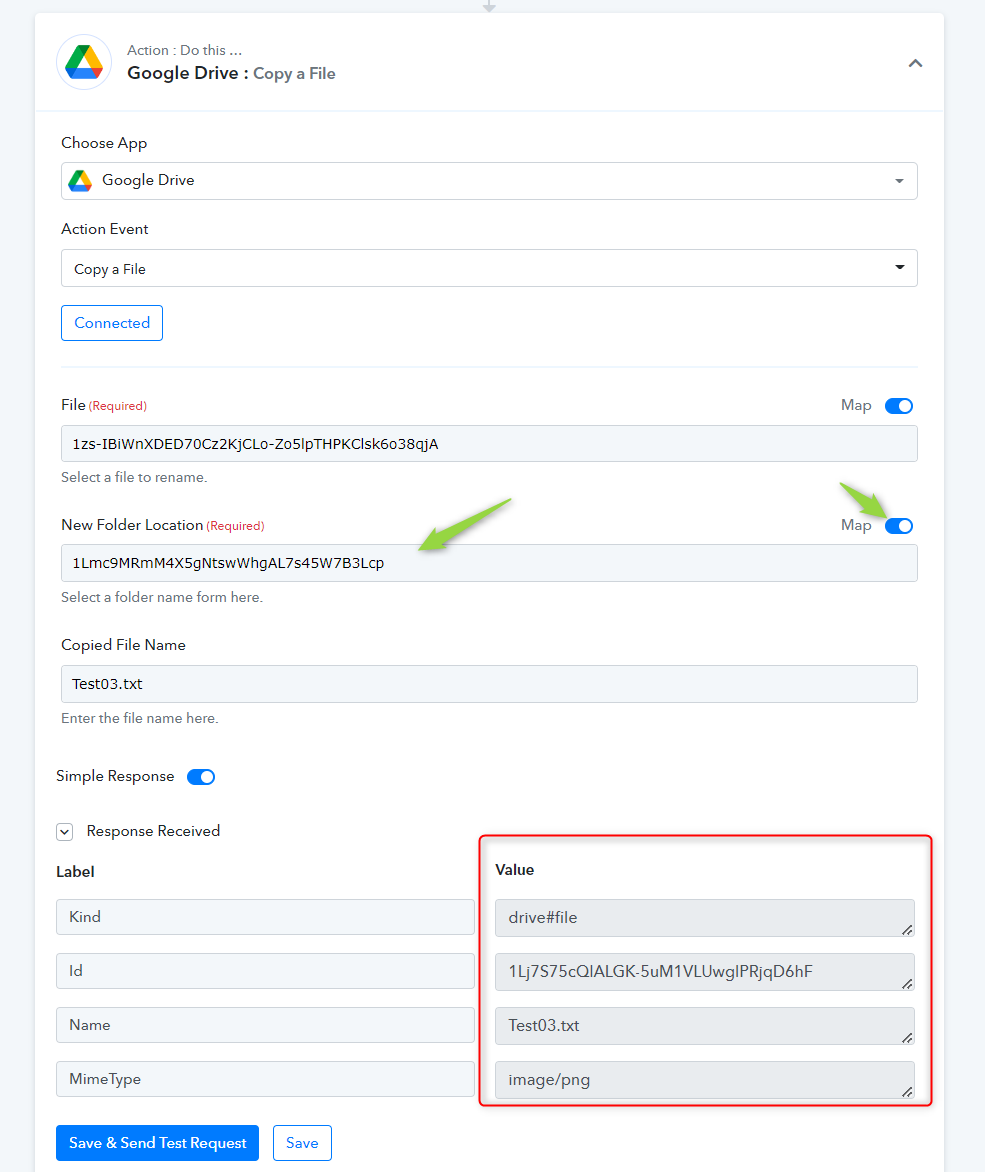
It's not present in the drop-down, so I used the "map" function and pasted the ID manually.
Hey @david.commarmond
You can only pass the Folder location ID which is already present in the dropdown.
That's a problem.
How do I make the folder appear in the drop-down ?
Hey @david.commarmond
Please check the screenshot on how you can override the Folder Location field to pass the desired file.