Google Drive - Folder not Found when Creating New Sub-Folder
Status: Closed · Asked by IT from De Comate on · 0 views
Good day,
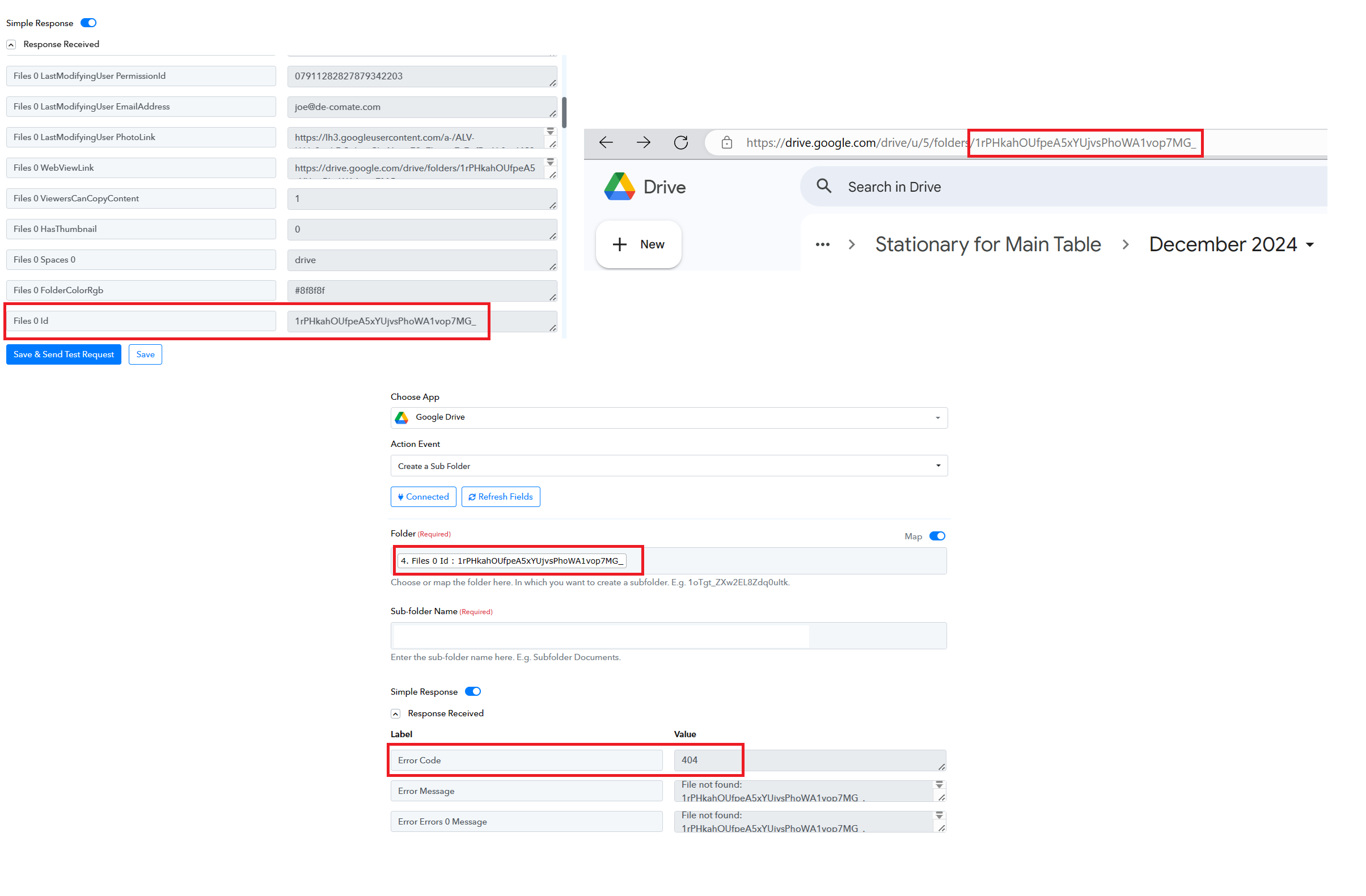
I'm trying to create a sub-folder after a search action with Google Drive. The search for the parent folder returned its results correctly. However, after mapping the result from the search to a Create a Sub-Folder action - it returns with error 404.
The problem is that the folder ID tallies with Google Drive's URL. Attached is a screenshot to help visualise things better. Why can't it create the sub-folder?
I'm not able to provide a task history ID as this is still being tested.
Hey @HelpMeLearn
Can you please share the workflow URL where you tried it, so that we can investigate?
Hey @HelpMeLearnCan you please share the workflow URL where you tried it, so that we can investigate?
Thank you for your reply. Sure.
https://connect.pabbly.com/workflow/mapping/IjU3NjUwNTZkMDYzNDA0MzM1MjZjNTUzNDUxMzMi_pc
It's under [Test] Won Deal + Wedding/Non-Wedding Messages.
Please verify if the Google Drive account where you attempted to create the subfolder is the same account or a different one.
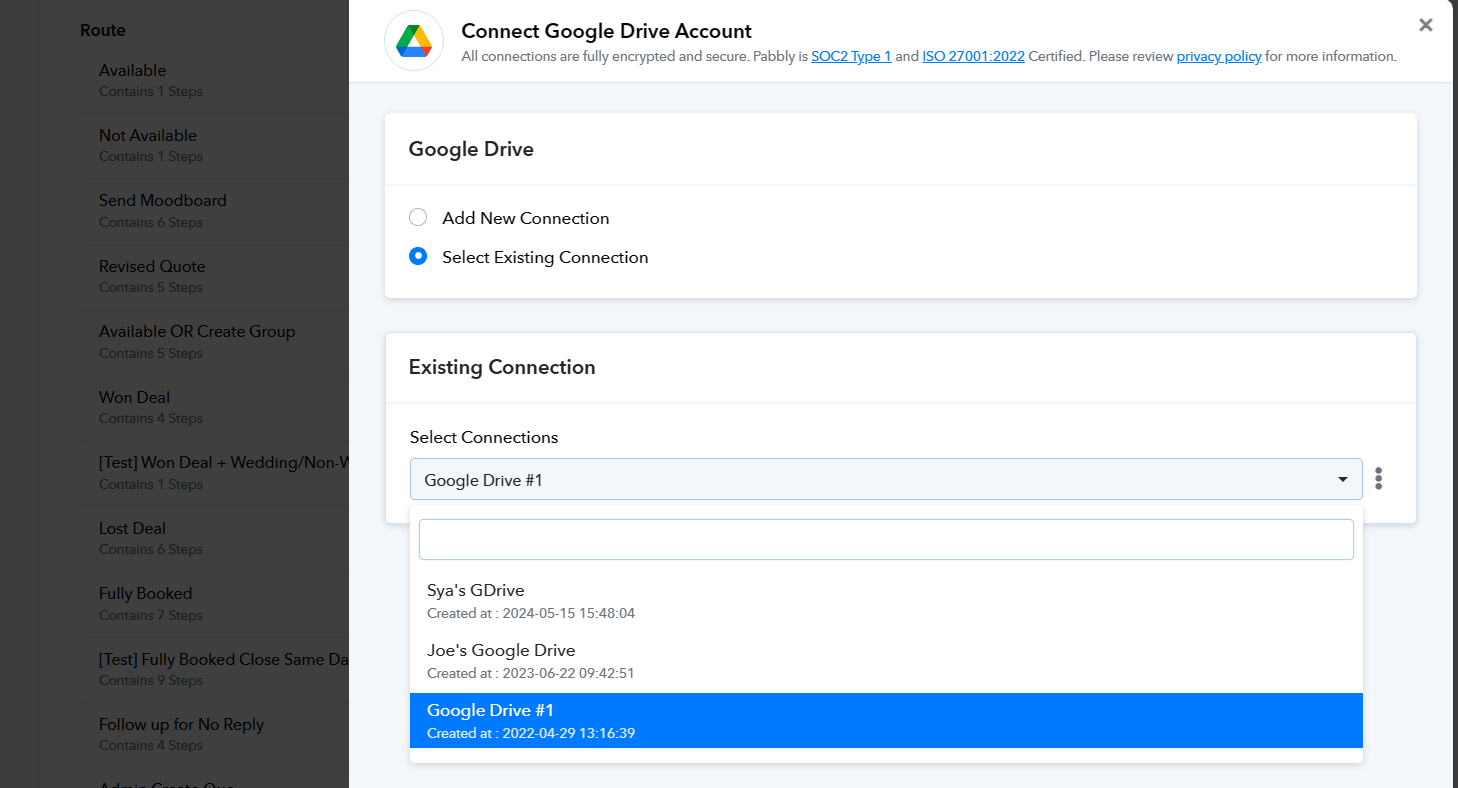
Please verify if the Google Drive account where you attempted to create the subfolder is the same account or a different one.
It is the same one. Google Drive #1.
Could you please inform us whether the folder is located in the Shared Drive or in a regular folder?
Could you please inform us whether the folder is located in the Shared Drive or in a regular folder?
It is in a shared drive.
In that case, kindly try creating the subfolder with "Create Sub-Folder in Shared Drive" action step.
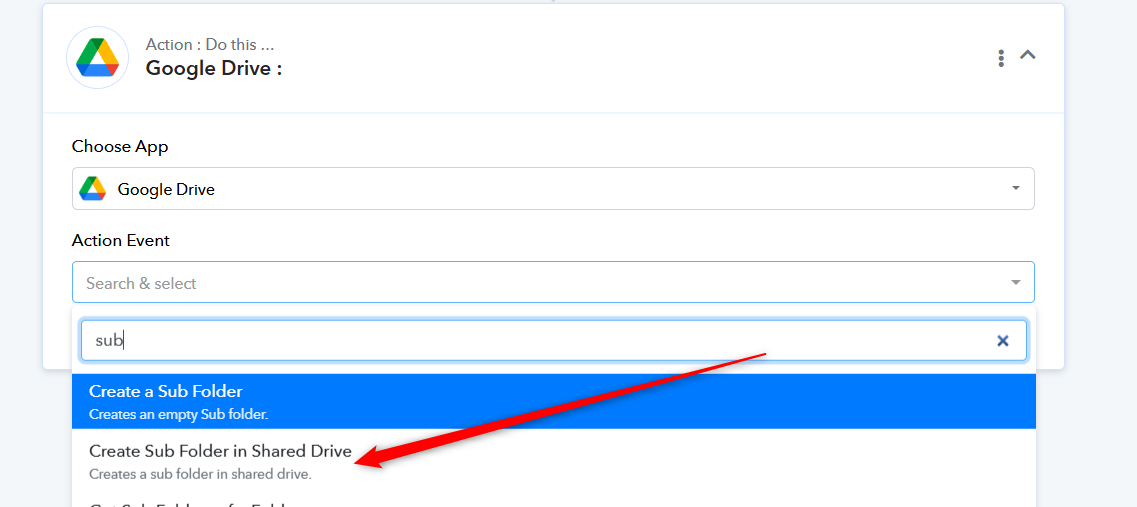
In that case, kindly try creating the subfolder with "Create Sub-Folder in Shared Drive" action step.
Thank you for your guidance. It worked. Much appreciated.