Google Drive (G Suite) to Gmail to Telegram
Status: Closed · Asked by Piggy69 on · 0 views
Hi Guys,
Here is my process.
I want to uploade a picture from my phone (samsung) into a Google Drive (G Suite) folder, then I want an email to be send from Gmail with the picture attached and receive a confirmation that everything went well in Telegram.
Everything works fine, except I am actually stuck with the Gmail Attachement.
I don't know what data name to put (from the Google Drive image) to make it work well.
I want the recipient to receive the email with the new image attached all the time.
Can you help me please.
Thanks.
Hey @Piggy69
Kindly share the name of the workflow in which you have configured your usecase so that we can look into it and can guide you accordingly.
Hi, @Supreme
Thanks, this is this automation : [Process déclaration EAU]
Every month I have to take 2 new pictures, and these 2 new pictures go to the Google Drive.
I want these 2 new pictures to appear each time in the email + the link to the Google Drive Folder.
Thanks in advance for your help.
Johann
Hey @Piggy69
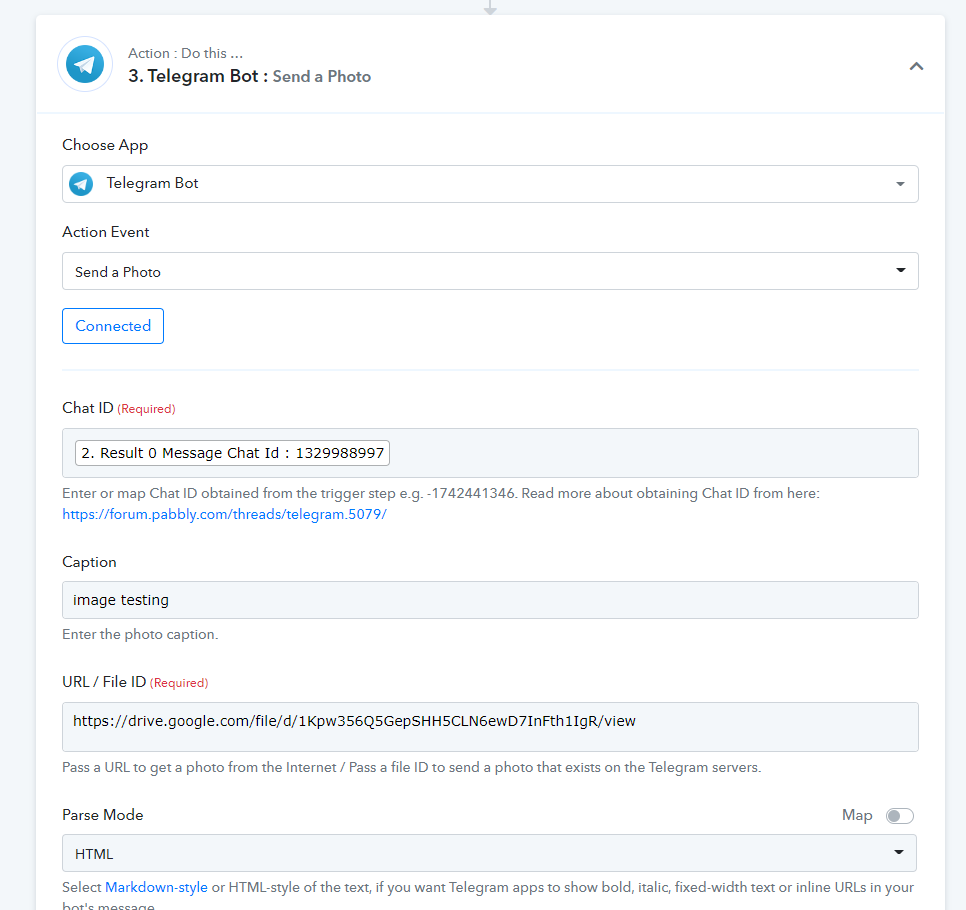
We have made the required changes by mapping the publicly accessible image URL in the attachment field of the Gmail action step.
Kindly review that up and let us know if you get stuck at any step further.
Further, if the Image file is not in the correct format then the receiver will have to download the Image via PDF.
To send image in Telegram -
Hi @Supreme
I am sorry, this is not working.
When I test I received an email with a file
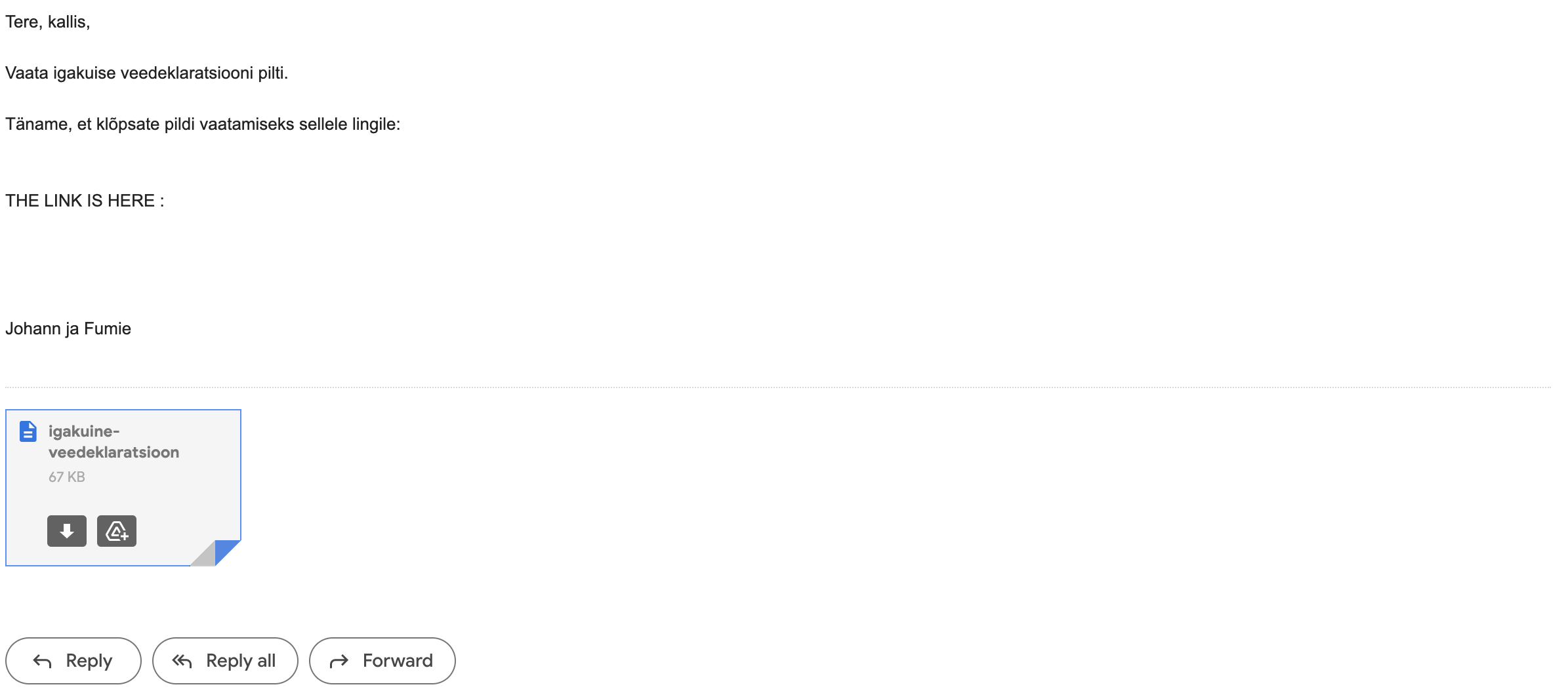
But when I click on the document a new tab is opening, but this is blank.

I really need both picture to appear in the email, please.
Thanks.
Hey @Piggy69
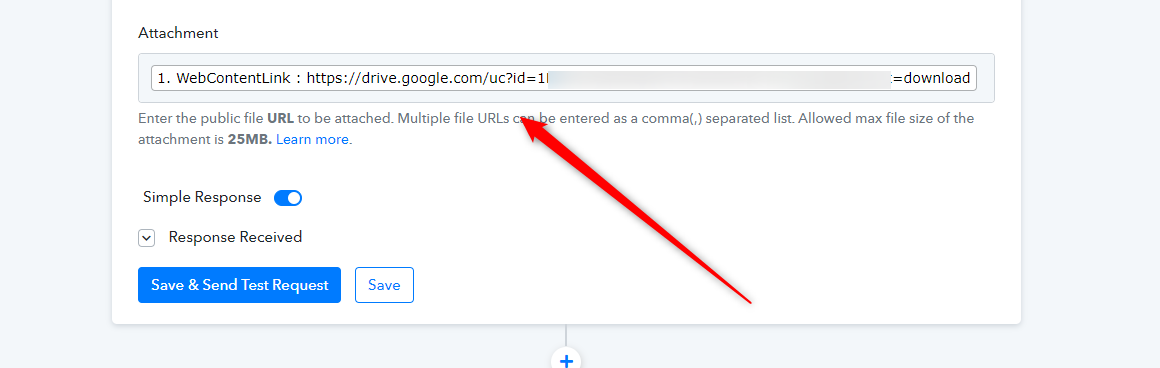
Kindly map the "WebContentLink" label data in the Gmail action step to send the attachment.
Hi again dear @Supreme
I have to images that I want to be both sent in the same email via Gmail.
How I can do that, sending both picture in the same email in the same time?
I found for the "WebContentLink" but I don't know how to add 2 images in the same time.
Thanks.
Hey @Piggy69
How I can do that, sending both picture in the same email in the same time?
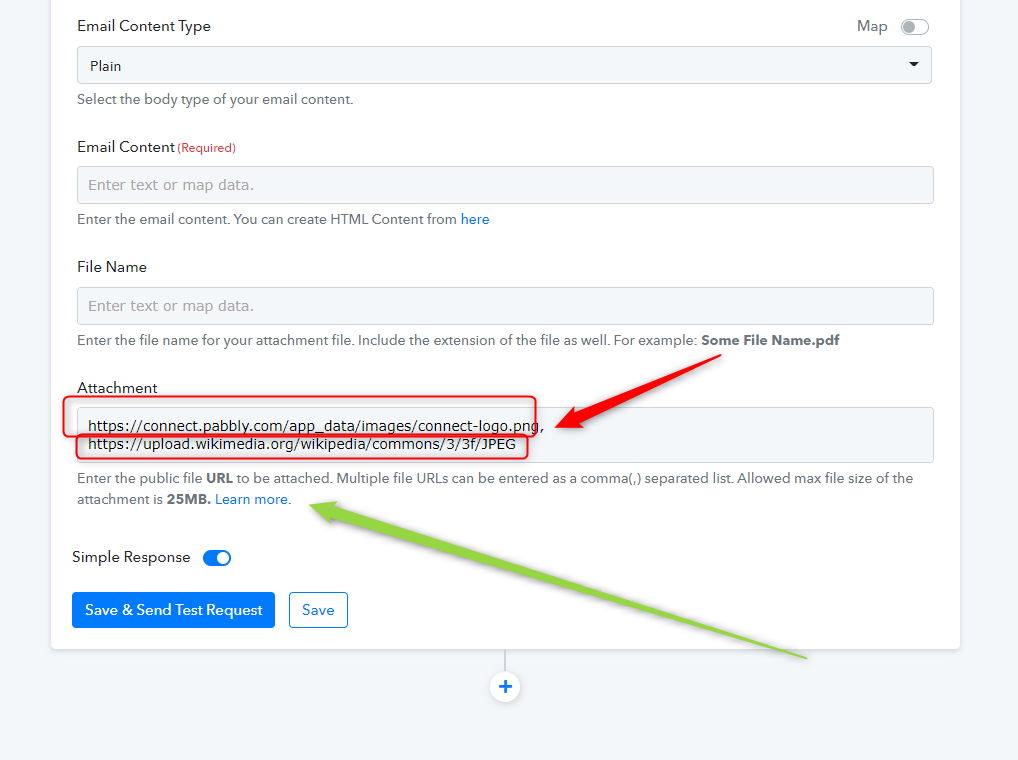
You can pass another image URL in a comma separately as we have already mentioned in the help text beneath the attachment field.
Hi dear @Supreme
Here the link under attachements : https://developers.google.com/apps-script/guides/services/quotas
It is like chinese to me, I am not a dev.
Can you please guide me step by step? Or send a picture if you have access to my account?
Hey @Piggy69
ere the link under attachements : https://developers.google.com/apps-script/guides/services/quotasIt is like chinese to me, I am not a dev.
Can you please guide me step by step? Or send a picture if you have access to my account?
Please check out the following screenshot for a better understanding of how you can send more than one image URL.
Hello @Supreme
Sorry to insist but I DON'T UNDERSTAND HOW TO ADD 2 IMAGES in my GMAIL.
Please help me, I need help.
What's the point of asking help if somebody is only telling you follow screen shot, blablabla.
I need to understand step by step with an image or a video, I don't know what I am doing.
Please, help me!
Please check out the following screenshot for a better understanding of how you can send more than one image URL.
Hi again,
I did a video here : https://www.loom.com/share/92e6a60398474dbeb5359fcca69c74fe
Hey @Piggy69
You simply have to pass the 2 image URL in the attachment field.
E.g. -
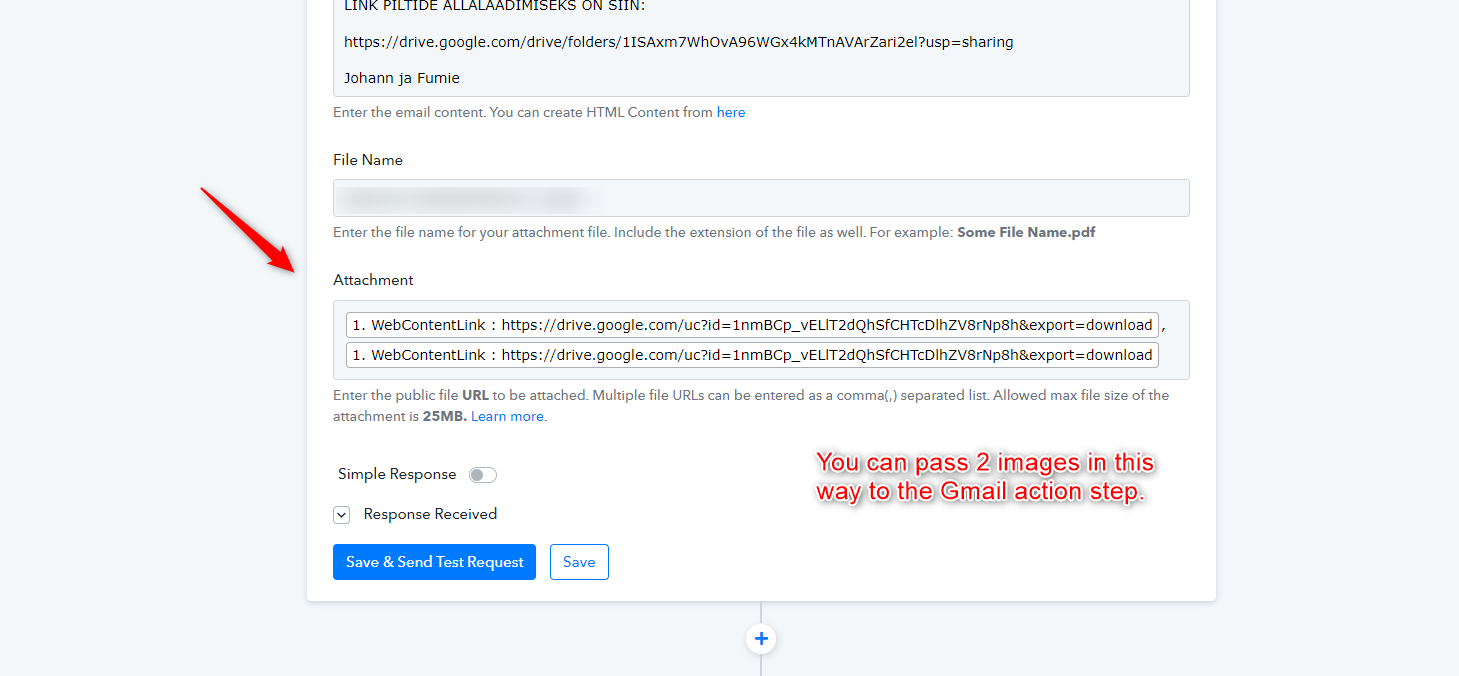
Hi @Supreme
I did that, but the problem is I have 2 times the same image attached. I need the 2 differents images to be attached.
You can try with you email if you want to try, but this is not the result I am looking for.
Hey @Piggy69
Kindly recapture the webhook response again with 2 attachments in Google Drive and then try again.
Hi @Supreme
I did it but still the same problem => Same picture come attached 2 times in the email.
Please watch this : https://www.loom.com/share/f053855fc9ca459282f18868b274cdbd
I don't know what to do!
I didn't know that it will require so much time to do something like that...
Hey @Piggy69
Seems like the "Google Drive: New File in Specific Folder" trigger event can only fetch one file at a time, so you can only pass one image URL.
Hi @Supreme
Thanks a lot.
How about dropbox ?
So, what is the solution for this situation? How can pabbly send 2 images in an email via gmail ?
Hey @Piggy69
You can try the " Dropbox: New File" trigger event and can check whether DropBox's API sends the 2 Image URLs in the webhook response or not.