Google Drive - get Folder by Name into specific parent folder
Status: Closed · Asked by Pietro Scala on · 0 views
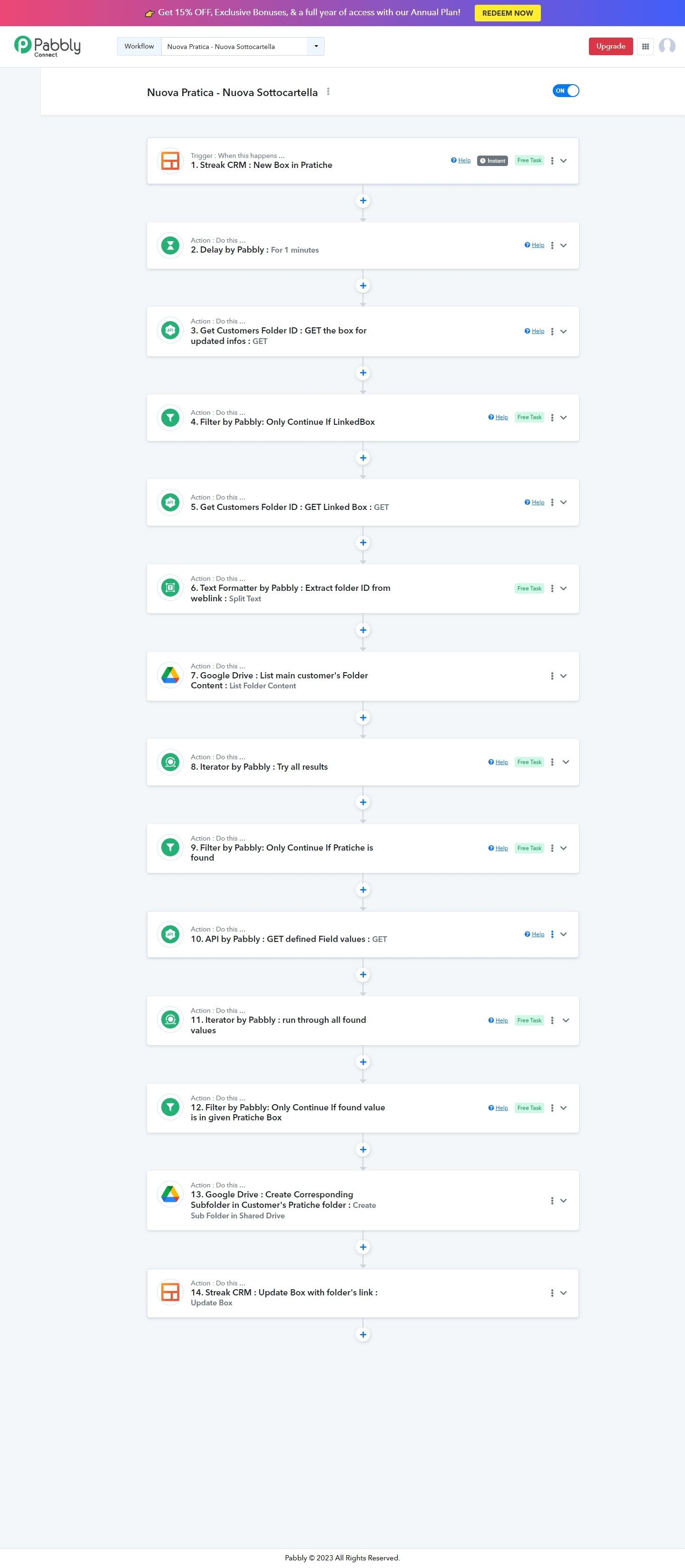
-----------------------------------
Hello guys, I'm here again to ask for your help.
I've been trying to figure out how to automatize my process:
I want to create a new folder with a given Name eg. '2023' in a folder with a known name, 'Pratiche', for the instance, which is into a folder that exact matches the name/title given by the trigger.
Trigger: New box - [{"name":"JOHN SNOW","id":"fFrfg2w2g4rsRSF2rf2_F42e"}]
Create new folder with given name '2023' in:
Customers (this is a shared drive)
- JOHN SNOW
- Pratiche
- Create folder '2023' here
- Pratiche
How can I achieve that?
I hope you'll be able to help me and many thanks for your great work.
Edit: Added Workflow URL
I'd like to get the same response that I would get from this query:
GET /drive/v3/files?q=name%3D'Pratiche'+and+'New box['id']'+in+parents
then I'd create a new folder in that folder.
Edit: added webhook Google's driveApi
Hey @BusinessOnSteroids
Kindly share the webhook URL in which you have tried the same so that we check on it and guide you.
Is there any news?
Sorry to say but we are not getting the name you wanted in the folders' name. Since your workflow doesn't indicate anything to extract the name from which action step.
So, can you show us the output you want to pass in the folder name?
Certainly! Based on the information provided, the desired output for the folder name would be '2023'. This name should be used when creating a new folder within the 'Pratiche' folder.
- JOHN SNOW
- Pratiche
- Create folder '2023' here
- Pratiche
You can try creating the sub folder in the "Pratiche" folder with the help of the "Create a Sub Folder" action step and pass the Folder Id of the Pratiche.
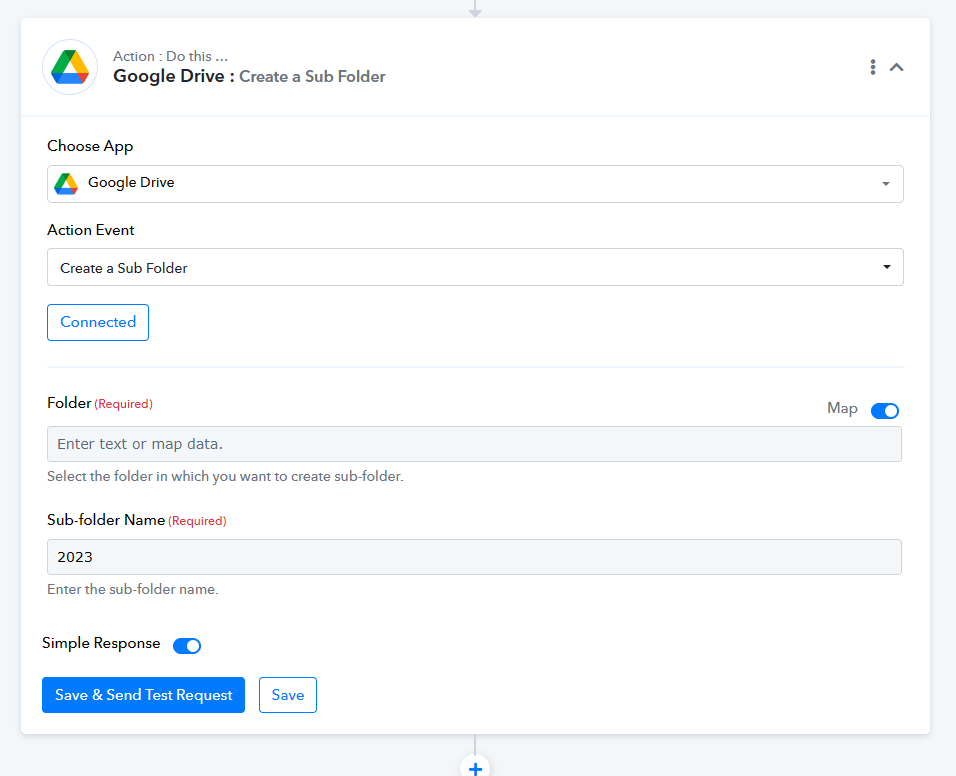
I've appreciated all of your useless, misleading questions.
I found the solution on my own, after 2 days of trials.
The solution is attached to the first post.
I'm very disappointed with your customer's service response, altough I like the app, for which I'm paying the subscription fee.
I apologize if my previous responses were not helpful in resolving your issue. I can only provide help based on the details I've been getting from your answers. I'm glad to hear that you were able to find a solution on your own after trying for two days.
Please don't hesitate to ask if you have any additional inquiries or require further assistance. I'm here and ready to provide support to the best of my capabilities.
Your answer sounds definitely like of a chatbot's.
Your answer sounds definitely like of a chatbot's.
Haha, I assure you, I'm not a chatbot anyways is there anything else you want to ask or getting stuck into?
Yes, I have one more question: now that I've published the workflow, do you understand better what I was trying to achieve?