Google Drive Images in folder to Google Slides Template (several images)
Status: Open · Asked by e0979d on · 0 views
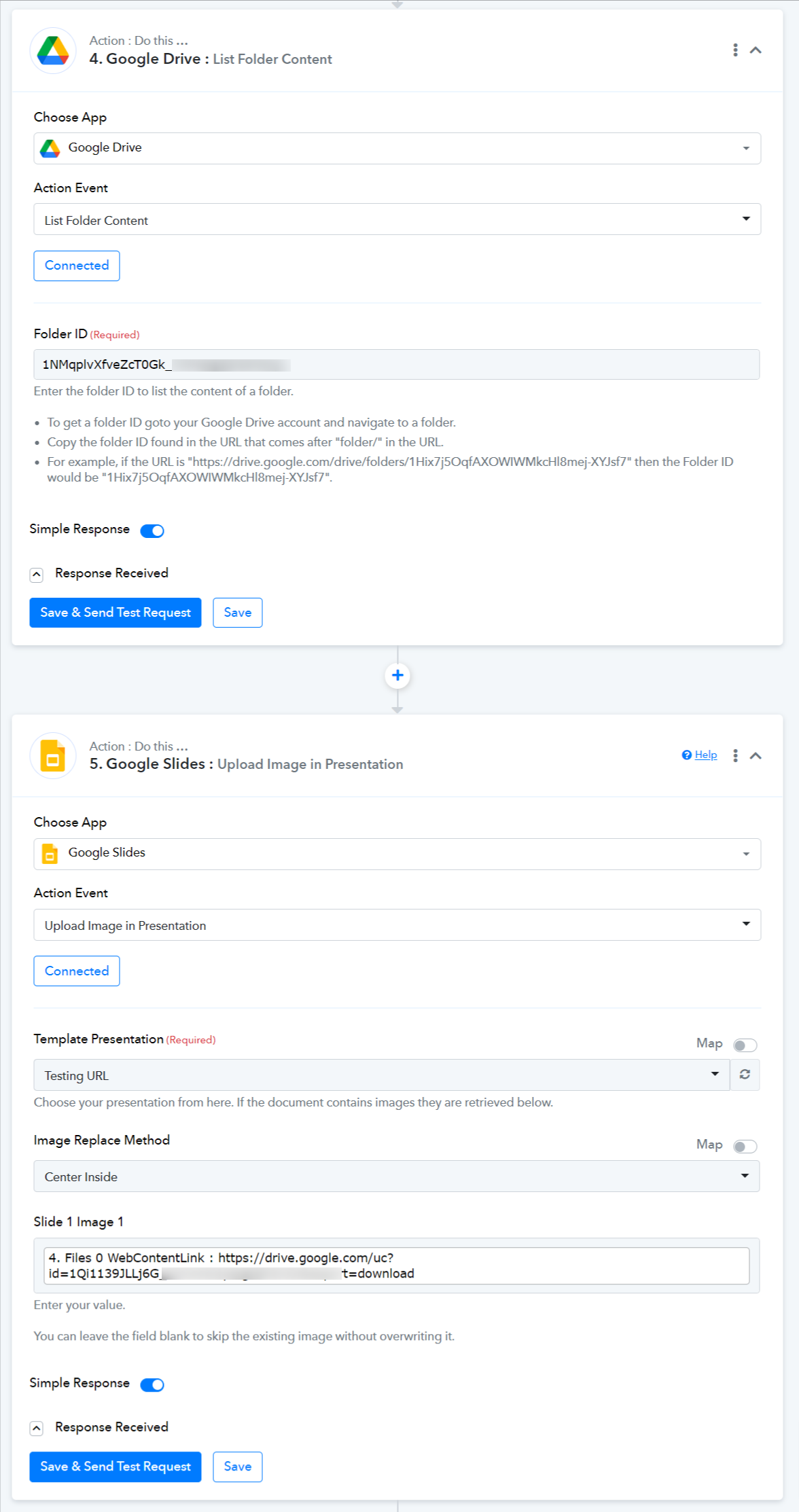
Which steps should I follow to gather all images in a folder so I can use all of them in the creation of a Google Slides Template?
I couldn't find a good example on how to process data than goes MANY to ONE
Uploading multiple files at the same time is not a feature that the Google Drive API currently has. You can check the attached API documentation.
https://developers.google.com/drive/api/guides/manage-uploads
You can add Google Drive: Upload a File action event to your workflow and upload the images one at a time.
Uploading multiple files at the same time is not a feature that the Google Drive API currently has. You can check the attached API documentation.
https://developers.google.com/drive/api/guides/manage-uploadsYou can add Google Drive: Upload a File action event to your workflow and upload the images one at a time.
The images will be already in the folder, What I wish to accomplish is to get all images in a folder and then map them on the template. Will that not be possible to do?
You can use Google Drive: List Folder Content action event along with Google Slides: Upload Image in Presentation to accomplish your desired use case.